
Scroll down to D0vvnl0ad
What Is the DetectOre Addon for Minecraft PE/Bedrock and How Does It Work?
To detect ores on a budget in Minecraft PE/Bedrock, craft low-tier sensors in the DetectOre Addon for lightweight directional feedback without expensive materials, letting you find coal, iron, and other resources early in survival. Mining in Minecraft has always been a battle between time and reward. We have all spent hours deep underground, chewing through iron pickaxes and carving endless strip mines at deepslate levels, only to walk away with a handful of copper and pockets full of cobblestone. While traditional full-bright X-ray packs simply make all stone invisible—completely ruining survival immersion—the DetectOre Addon for Minecraft PE/Bedrock takes a much more engaging approach.
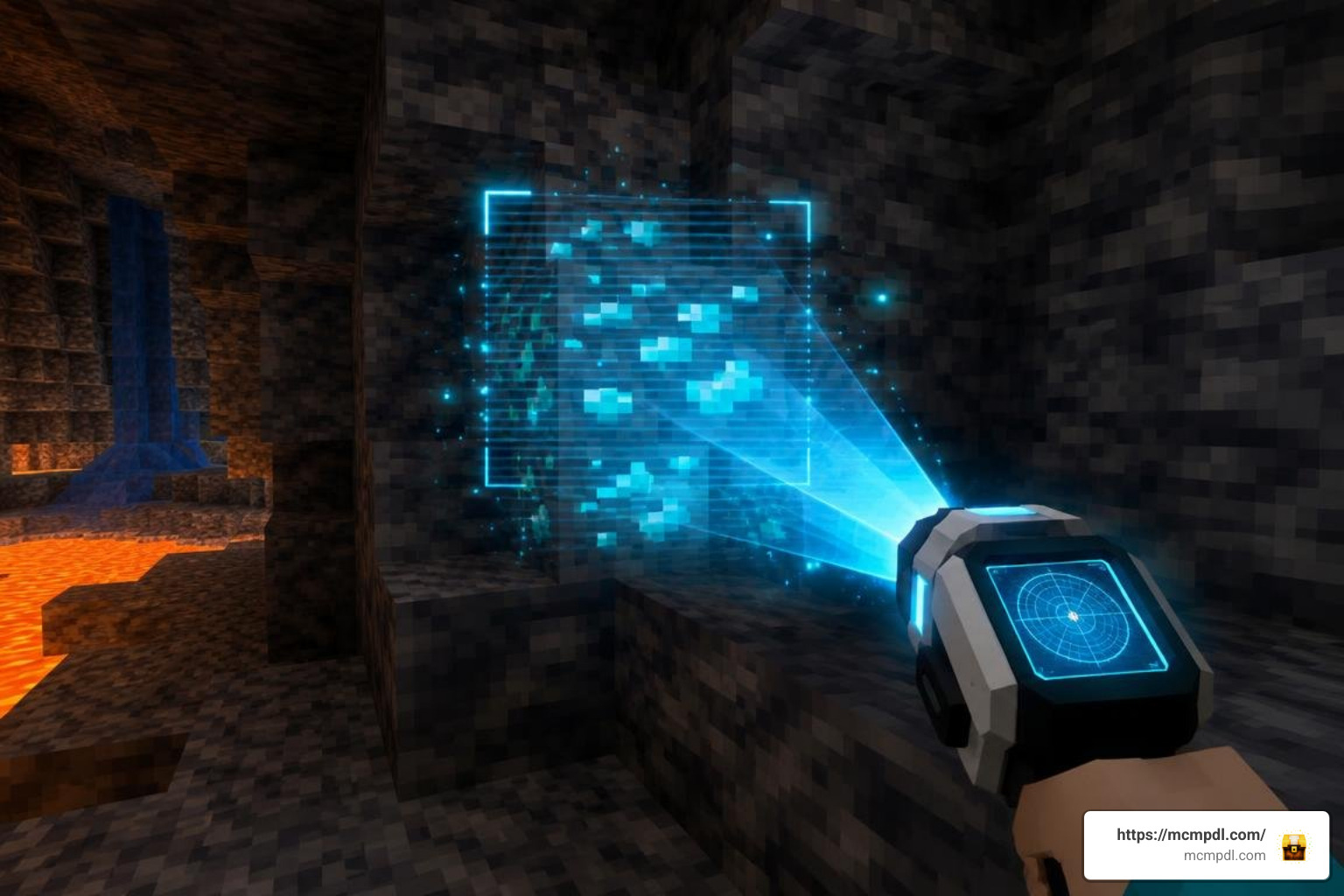
Instead of turning your underground world into a hollow glass maze, this utility functions as an active radar system. When you hold and activate the handheld scanning device, the addon searches the surrounding subterranean geometry in real time. It sends directional pulses that scan blocks in any direction around the player, locating deposits of coal, iron, gold, redstone, lapis lazuli, diamonds, emeralds, and ancient debris.
The detector works by measuring the spatial vector between your player coordinates and the nearest matching ore block within its search volume. Rather than exposing every ore at once, it gives players actionable directional feedback. This balanced system turns mining into an active tracking mission rather than a mindless clickfest. It fits right alongside our collection of essential utility tools for Minecraft Bedrock, giving survival enthusiasts a quality-of-life boost without stripping away the core challenge of spelunking.
Crafting Tiers in the DetectOre Addon for Minecraft PE/Bedrock
To keep survival progression balanced, ore detection tools rely on tiered crafting requirements. You cannot simply construct an endgame ancient debris finder during your first night in a dirt hut.
The progression path divides sensors into distinct functional levels:
- Level 1 Blind Sensor: The baseline detection unit. Crafted using glass panels, gold bars, and sticks. This entry-level item acts as the primary frame for all advanced components and detects basic industrial resources like iron and coal.
- Level 2 Blind Sensor: An upgraded housing crafted by combining a Level 1 Blind Sensor with diamonds. This tier strengthens the signal radius and prepares the internal circuitry for precious gem detection.
- Level 3 Blind Sensor: The master-tier device casing, upgraded by infusing a Level 2 sensor with netherite scrap. This high-durability unit resists dimensional interference in the Nether and the deep underground.
- Active Ore Sensors: To make a sensor track specific resources, you combine the corresponding blind sensor tier with targeting components such as Ender eyes, redstone dust, or raw samples of the target ore.
Each tier demands greater investment, ensuring that high-value minerals like deepslate diamonds and ancient debris require legitimate survival effort before you can detect them reliably.
Custom Ore Support and Subterranean Exploration
A common pitfall with many Bedrock mining utilities is their inability to recognize blocks introduced by third-party modifications. Fortunately, well-built detection tools are built with expandable registry tables. While baseline configurations focus on standard Overworld and Nether generation, the underlying scripts can scan across custom block ID tags.
This adaptability becomes invaluable when you are expanding subterranean exploration with Caves and Beyond, where massive cavern systems and non-standard geological formations can make manual strip mining completely obsolete. Whether you are descending into jagged dripstone ravines or scanning through dense layers of deepslate, directional detection helps you pinpoint hidden veins embedded deep behind cave walls without unnecessary tunneling.
Evaluating DetectOre for Budget Ore-Finding
When outfitting your survival world with utility modifications in 2026, you want to weigh scanning features, performance overhead, resource costs, and platform accessibility. The DetectOre Addon offers a flexible directional approach to ore hunting, with mechanics ranging from particle pulses to audio cues depending on how you configure your sensors.
Here is how the core detection options within DetectOre compare when evaluating world utility modifications for resource gathering:
| Detection System | Scan Radius | Crafting Cost | Requires Experimentals | Achievement Friendly | Target Feedback Type |
|---|---|---|---|---|---|
| Blind Sensor (Level 1) | Directional / Variable | Vanilla Ores & Frames | No | Yes | Directional Particle / Audio Pulse |
| Blind Sensor (Level 2) | Extended Directional | Diamonds & Frames | No | Yes | Directional Particle / Audio Pulse |
| Blind Sensor (Level 3) | Tier-Scaled Range | Netherite Scrap & Frames | Depends on Version | Yes | Directional Particle / Audio Pulse |
| Active Ore Sensors | Tier-Scaled Range | Ender Eyes, Redstone, Ore Samples | Yes (Custom Scripts) | Yes | Consumable Activation / Directional |
Selecting the right sensor tier depends entirely on your specific gameplay goals. If you want full Xbox achievement tracking, start with the lower-tier blind sensors integrated into vanilla-friendly configurations. If you prefer stronger range and precision, invest in upgraded tiers that strengthen your directional feedback as you progress.
HUD, Color Indicators, and Achievement Compatibility
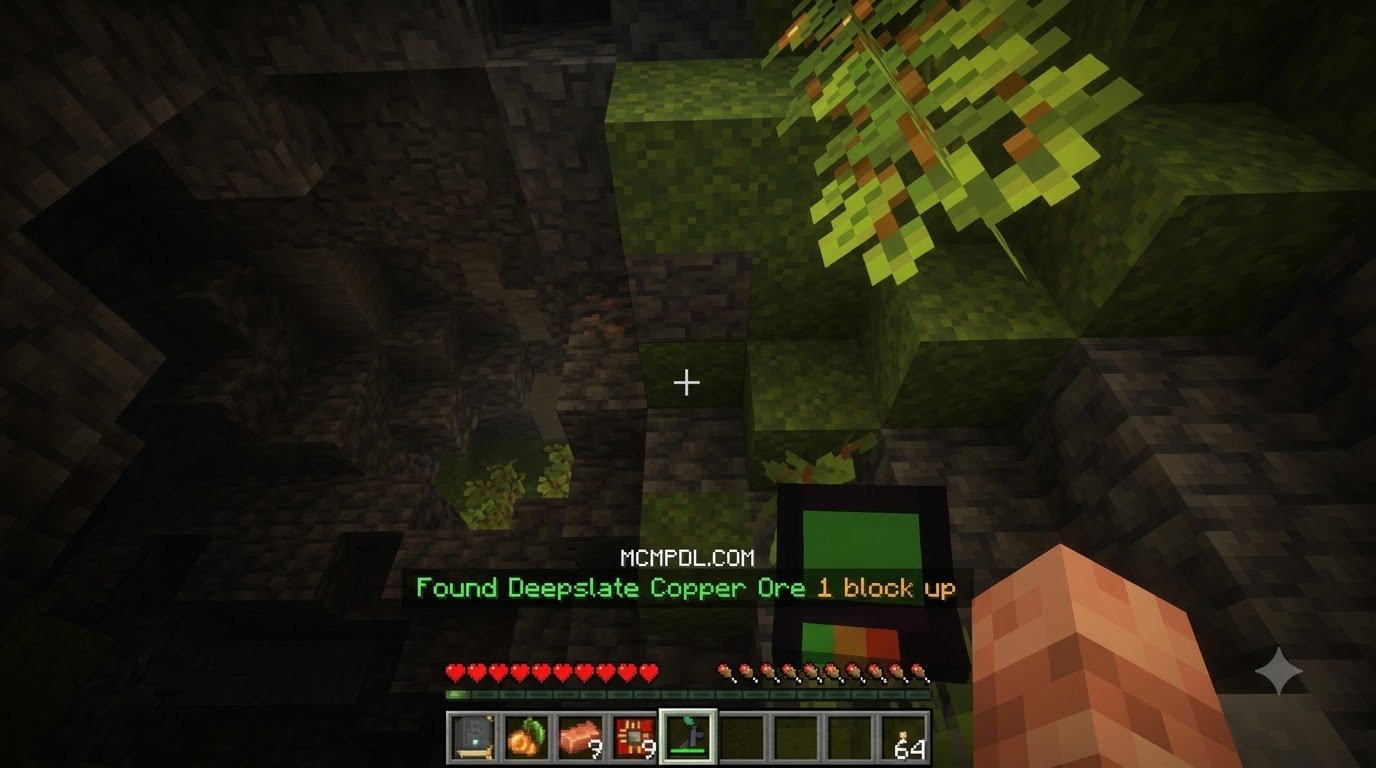
One standout mechanic within the DetectOre Addon is real-time proximity feedback. Rather than cluttering your view with full-screen block transparencies, the detection interface displays targeted proximity feeds in the screen corner.
These interfaces monitor up to 11 individual ore types:
- Coal
- Copper
- Iron
- Gold
- Redstone
- Lapis Lazuli
- Diamond
- Emerald
- Nether Quartz
- Nether Gold
- Ancient Debris
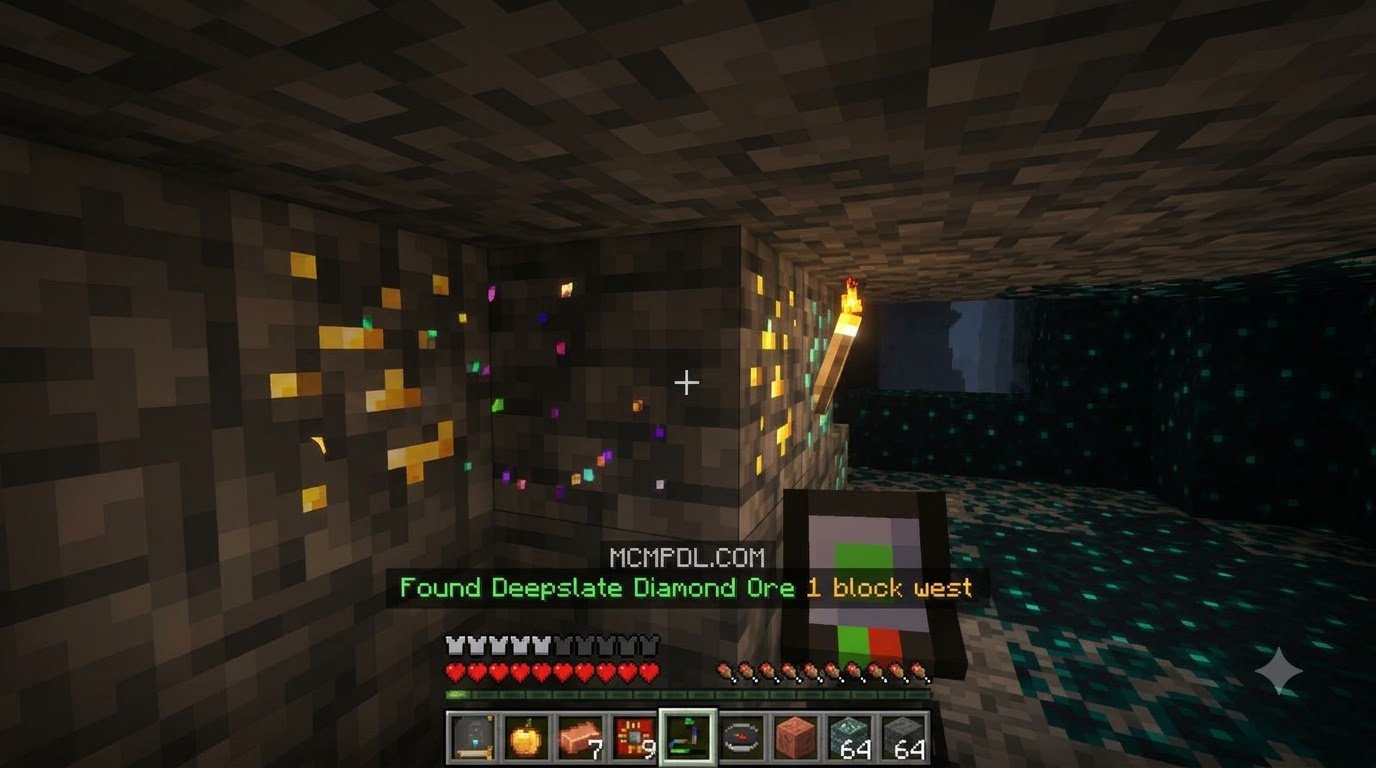
To minimize visual clutter, the system tracks the single closest ore of your chosen target type using a three-stage color indicator. When the nearest deposit is far away, the HUD displays a red status warning. As you close the distance, the indicator shifts to yellow, finally turning green when you are within immediate striking range.
Because these tools read game data via client-safe behavior hooks or resource interface elements, certain configurations maintain full Xbox achievement compatibility. This lets survival players track down building materials and repair gear without permanently locking their world’s achievement progression.
Handheld Scanner Interface and Detection Range
If you prefer physical tools over static interface overlays, the handheld scanner units within DetectOre provide an immersive field utility. Players craft specialized sensors using basic materials, gradually upgrading toward higher-tier components as they progress through survival.
These handheld models operate within a tightly focused radius that expands as sensors are upgraded. When activated, the scanner produces directional pulses that guide the player character toward target veins, showing whether the ore sits above your head or beneath your feet.
This directional guidance is especially effective when increasing resource yields with More Diamonds or hunting for elusive deepslate pockets, saving pickaxe durability and preventing accidental falls into lava lakes.
Step-by-Step Installation and Performance Optimization
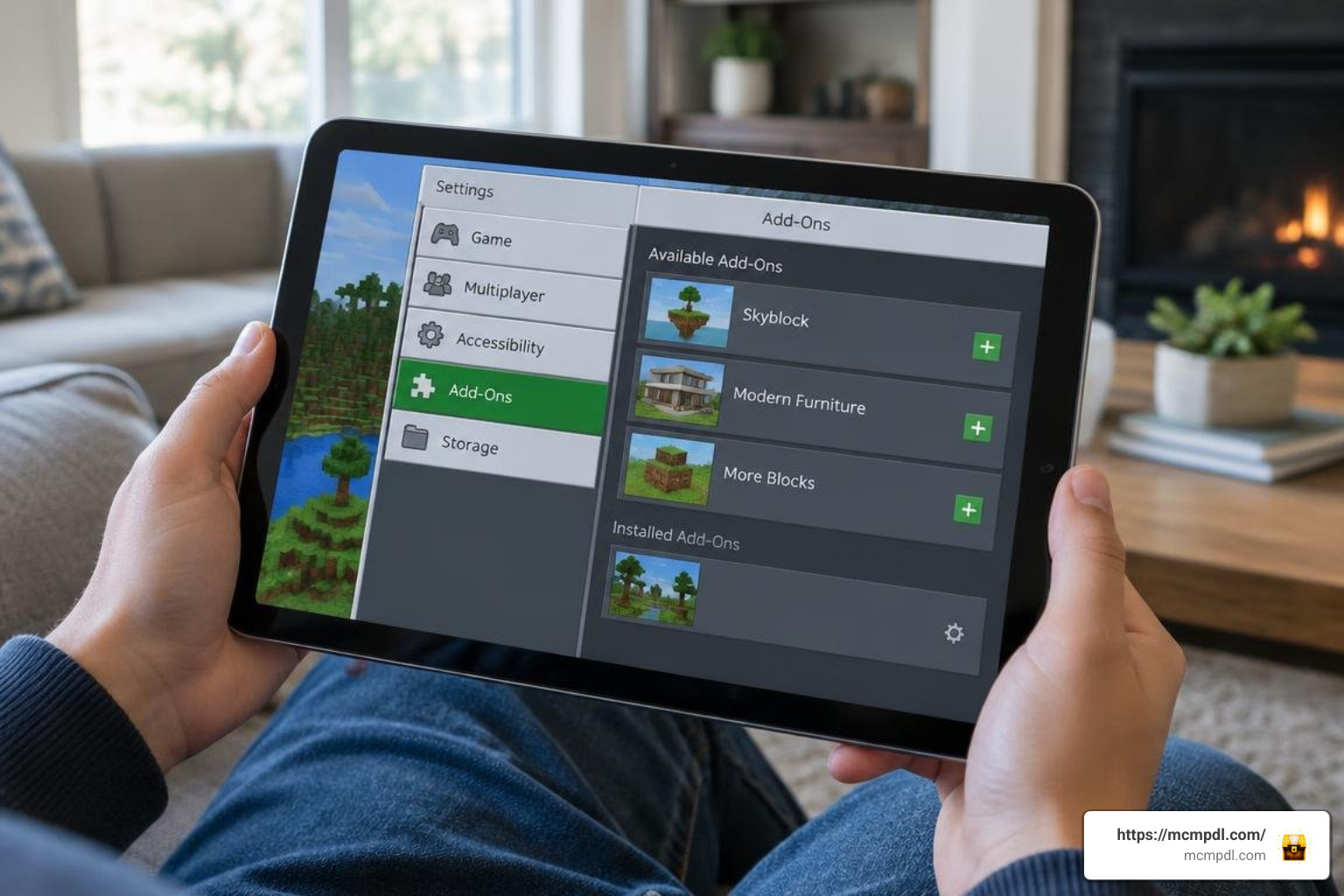
Installing custom utilities on Minecraft Bedrock (covering Android, iOS, Windows 10/11, and consoles) has become remarkably straightforward thanks to the unified .mcaddon and .mcpack file formats. Because detection scripts run real-time block checks around the player, keeping the addon lightweight ensures smooth frame rates on low-end mobile devices and dedicated realms.
For the smoothest subterranean navigation, we recommend pairing navigation tools with Minimap Addon to track surface waypoints while your ore radar handles subterranean mapping.
How to Install and Configure the DetectOre Addon for Minecraft PE/Bedrock
Follow these steps to safely install and activate your detection utilities:
- Back Up Your World: Always create a duplicate of your survival world before applying new behavior or resource packs. In your world list, click the Edit (pencil) icon next to your world, scroll down to the bottom of the Game menu, and select Copy World.
- Download the Pack Files: Download the verified
.mcaddonpackage, or grab the individual behavior (_bp.mcpack) and resource (_rp.mcpack) files from trusted addon creators or the official Minecraft Marketplace. - Import into Minecraft:
- Windows / Android: Double-click or tap the downloaded
.mcaddonfile. Minecraft will launch automatically and display “Import Started” at the top of the screen. - iOS: Use the Files app to share/open the downloaded file directly into Minecraft PE.
- Windows / Android: Double-click or tap the downloaded
- Enable Experimental Settings (If Required): Open your world settings, navigate to the Experiments tab, and toggle on Holiday Creator Features, Upcoming Creator Features, and Beta APIs if your specific sensor pack utilizes custom scripts.
- Activate Resource & Behavior Packs: In your world settings, open Resource Packs > Available > Owned, locate your ore detector, and click Activate. Repeat this exact step under the Behavior Packs menu.
- Adjust Performance Settings: If you experience frame drops on mobile devices, lower your in-game render distance by 2–4 chunks to offset the background block-scanning calculations.
Frequently Asked Questions About Ore Detection Addons
Does the DetectOre addon disable Xbox achievements in Bedrock?
Whether achievements remain enabled depends on how the addon is packaged. Third-party addons that utilize custom behavior packs (.mcpack behavior files) or require experimental script toggles will permanently disable Xbox achievements for that survival save. However, client-side resource trackers and certain marketplace worlds maintain vanilla achievement compatibility. If unlocking achievements is your top priority, verify the pack’s requirements before applying it to an existing world.
Do you need experimental gameplay toggles enabled for ore detectors?
Many modern detection addons designed for Minecraft Bedrock 1.21 and beyond no longer require experimental settings. Packs using streamlined UI scripting or standard entity behaviors run cleanly on default vanilla worlds. However, complex tiered addons that introduce brand-new custom blocks, advanced item entities, or multi-level crafting stations may still require toggling Beta APIs or Holiday Creator Features in your world settings.
Can ore detector addons scan for ancient debris and netherite?
Yes. Most advanced ore detectors include dedicated filters for the Nether dimension. Ancient debris has distinct block properties compared to standard netherrack and blackstone, allowing directional scanners and HUD coordinates to isolate debris blocks within the Nether’s deep y-levels (typically between Y=8 and Y=22). High-tier sensors often require netherite scrap or Ender eyes in their crafting recipes to unlock this detection tier.
Conclusion
Finding valuable resources in Minecraft Bedrock does not have to mean choosing between tedious strip mining and unfair X-ray cheats. Directional detection tools and lightweight HUD scanners strike the perfect balance, preserving survival progression while respecting your time. By choosing a detector that matches your playstyle—whether you want a fully tiered crafting experience, visual holographic waypoints, or a lightweight proximity tracker—you can streamline your mining expeditions and focus on building your world.
To discover more survival utilities, custom world generation packs, and quality-of-life mods, explore top Bedrock addons and maps on MCMPDL and upgrade your gameplay experience today!