Scroll down to D0vvnl0ad
Better Beacons Addon for Minecraft PE/Bedrock: What Changes?
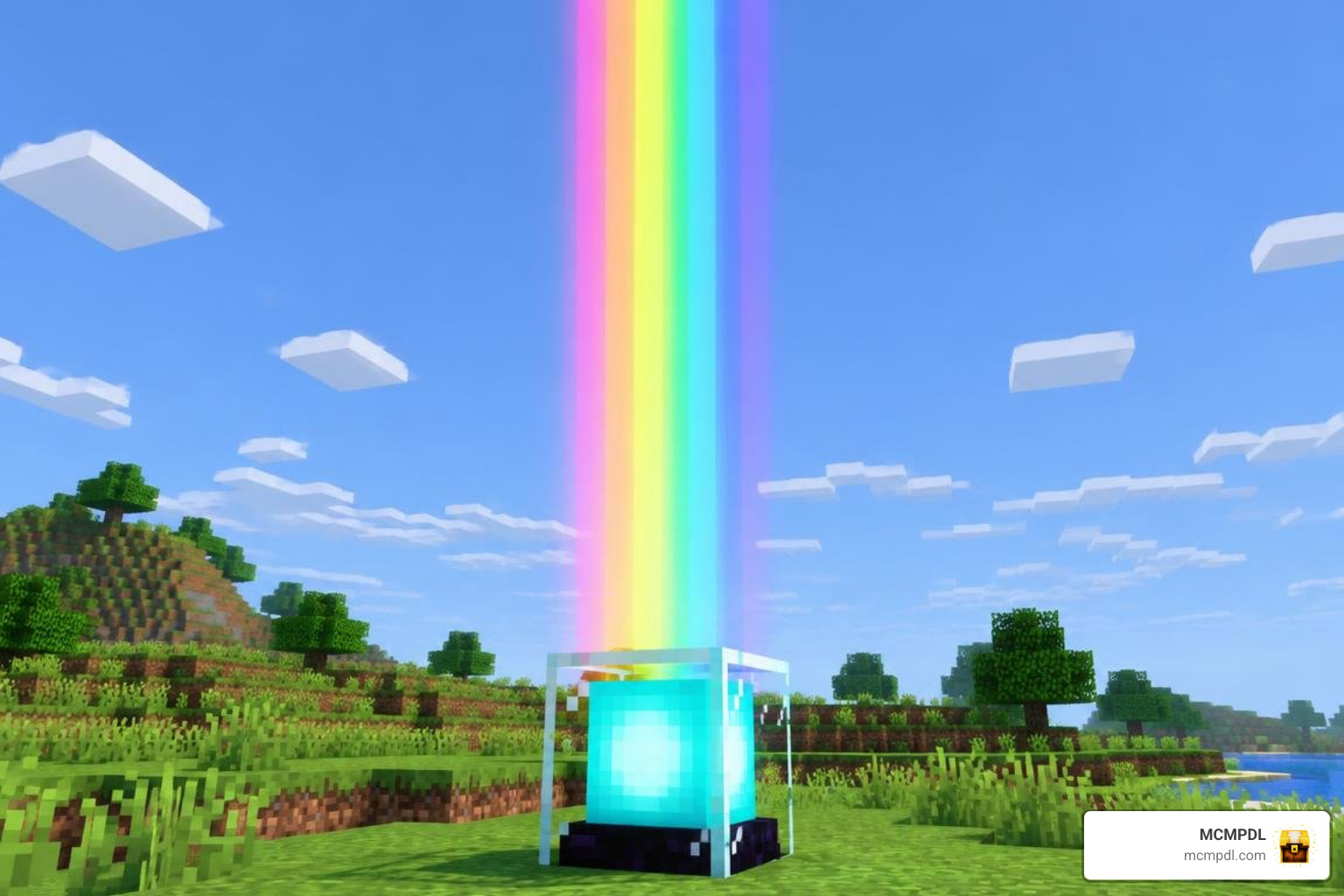
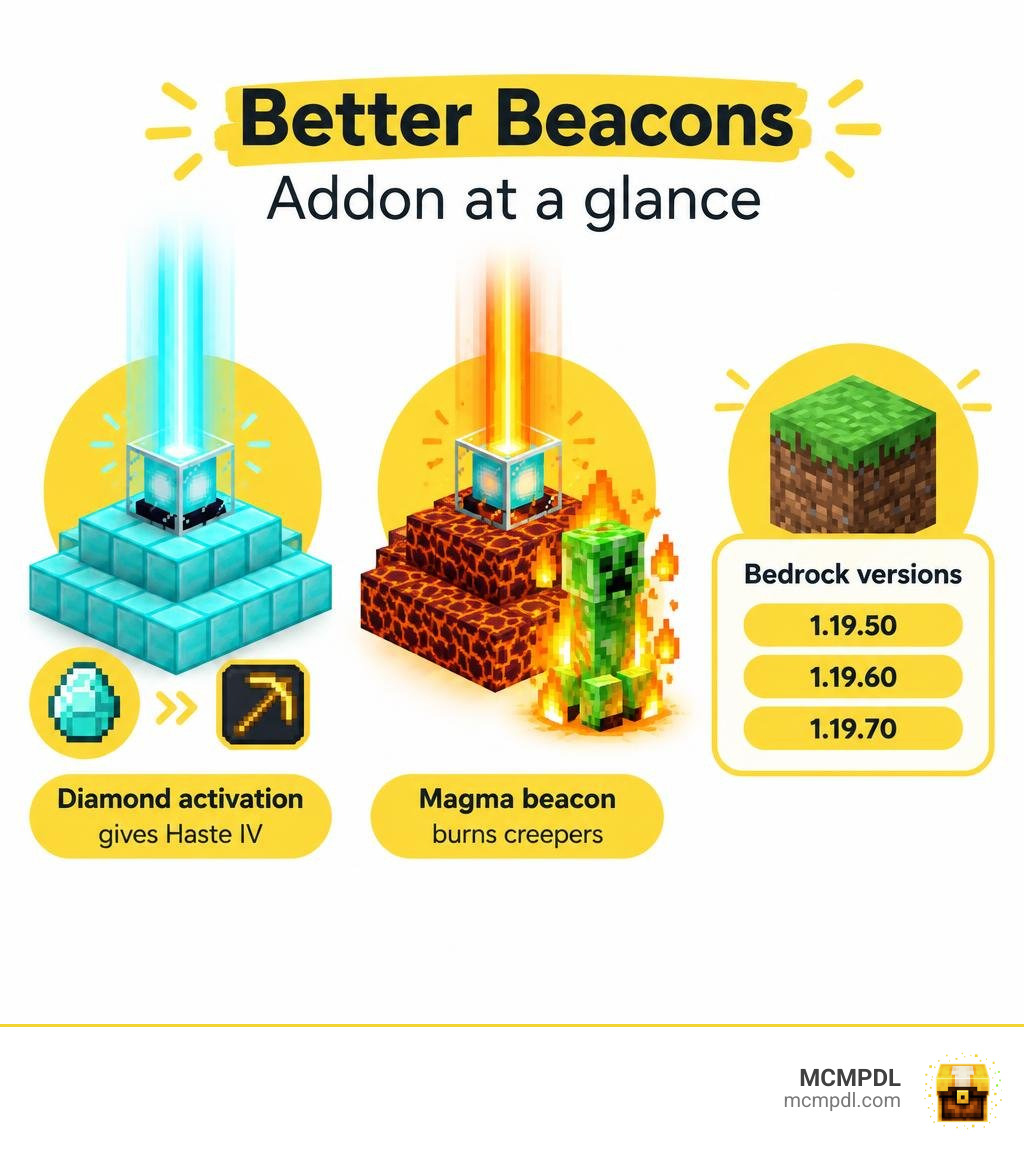
The Better Beacons Addon for Minecraft PE/Bedrock adds custom beacon blocks whose powers depend on the block used to activate them. A diamond-activated beacon can give Haste IV for faster mining, while a magma beacon can burn nearby creepers. That gives you more ways to use beacons than the standard selection of player buffs.
The add-on lists support for Bedrock versions 1.19.50, 1.19.60, and 1.19.70. Before installing it, check your game version and back up your world. Support for newer versions is not confirmed, so test the add-on in a copy of your world first.
What Is the Better Beacons Addon for Minecraft PE/Bedrock?
Minecraft survival progression often peaks once you defeat the Wither, craft a beacon, and set up your permanent base. However, the standard pyramid structure and basic status effect interface can feel limiting after years of unchanged mechanics. The Better Beacons pack changes this dynamic by introducing custom block entities and behavior scripts that turn the standard beacon into an active utility hub.
Instead of selecting a single secondary buff from a static user interface, this modification introduces unique beacon blocks that respond directly to the materials used during activation. Whether you are running survival progression alongside the RPG Classes Addon for Minecraft PE/Bedrock or building an automated late-game compound, these customized blocks bridge the gap between vanilla utilities and full-fledged magical architecture.
Core Mechanics of the Better Beacons Addon for Minecraft PE/Bedrock
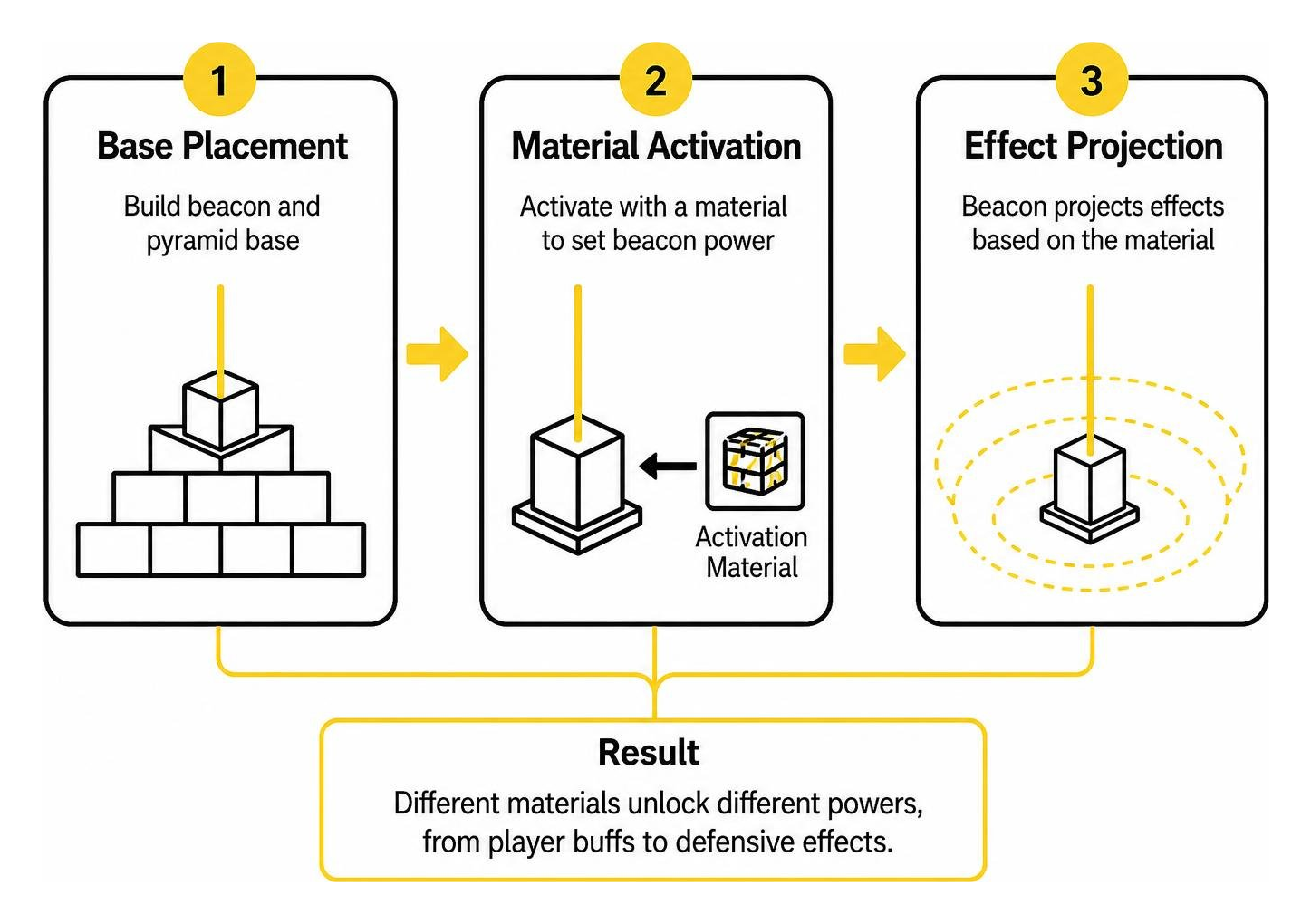
At its foundation, the pack alters how beacon blocks store and process block entity data. In standard gameplay, beacons project an effect in a fixed radius based purely on how many pyramid tiers you construct underneath. This add-on links the active status amplifiers directly to the catalyst block selected at the moment of activation.
When you assemble your setup, the behavior scripts evaluate the catalyst material and apply custom properties to the surrounding area. These properties range from ultra-high-potency player buffs to automated defensive pulses against hostile entities. Because the system runs on Bedrock behavior packs, the mechanics update dynamically in real time without requiring external mod loaders.
Vanilla Beacons vs. Custom Addon Features
To see why community feedback describes this system as a massive improvement over standard survival gameplay, let us look at the differences side by side. Standard pyramids require substantial mineral investments—up to 164 mineral blocks (or 1,476 ingots) for a full 4-tier base—yet they cap out at a 50-block range and only offer modest tier-two buffs.
| Feature | Vanilla Minecraft Beacon | Better Beacons Addon |
|---|---|---|
| Max Primary Amplifier | Haste II, Speed II, Strength II | Haste IV (Diamond Activation) |
| Base Material Impact | Purely cosmetic (Iron to Netherite) | Determines effect types and utility |
| Offensive Mob Control | None (Player buffs only) | Active burn damage on hostile mobs |
| Pyramid Requirements | 1 to 4 strict pyramid layers | Flexible activation per custom block |
| Effect Selection | Standard GUI payment menu | Material-based catalytic activation |
| Specialized Defense | None | Magma creeper incineration |
In standard survival, achieving full utility requires building complex multi-beacon clusters—such as a 6-beacon pyramid made of 244 mineral blocks—just to receive all primary buffs at once. Custom beacon blocks streamline this footprint by granting superior buffs from specialized individual structures.
Custom Beacon Blocks, Activation Powers, and Effects
The main draw of the add-on lies in its creative diversity. Rather than locking you into standard potion buffs, the custom beacon variants provide situational advantages that completely alter how you manage your surroundings. Combining these mechanics with utility options like the Magic Addon for Minecraft PE/Bedrock creates an entirely new tier of survival capabilities.
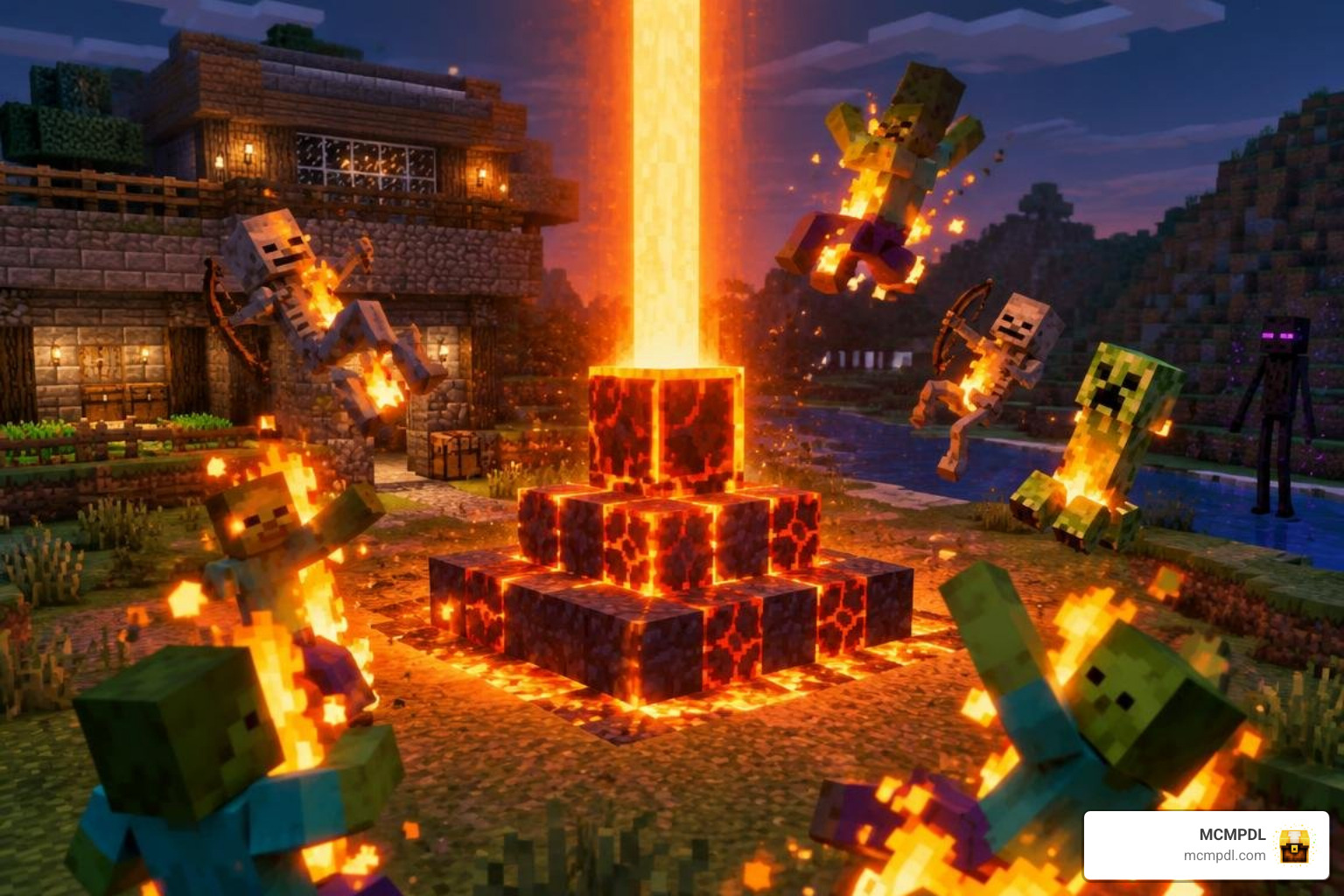
Defensive and Offensive Capabilities
Perimeter security is one of the most significant upgrades in the add-on. Standard survival relies heavily on perimeter lighting, iron golems, or wall fortifications to keep hostile mobs away from valuable structures.
The Magma Beacon changes base defense by introducing active area-of-effect damage:
- Hostile Incineration: Hostile mobs entering the beacon radius catch fire, taking continuous burn damage.
- Creeper Neutralization: Creepers walking toward your base ignite and take consistent damage, neutralizing surprise explosions near storage chests and farms.
- Automated Mob Harvesting: Placing a magma beacon over funneling trenches allows you to construct automated mob farms that eliminate monsters without manual player intervention.
Mining and Utility Modifiers
For resource gathering, the add-on provides high-tier amplifiers designed to accelerate massive excavation projects. While a standard tier-four pyramid caps out at Haste II, triggering a beacon with diamond activation provides Haste IV.
When paired with an Efficiency V netherite pickaxe, Haste IV allows you to clear deepslate, stone, and ores almost instantly. This setup turns massive quarry excavations and underground perimeter clearing into quick tasks. If your survival world also features spellcraft progression through the Spellcraft Addon for Minecraft PE/Bedrock, having an instant-mining base beacon lets you gather crafting reagents and materials at unmatched speeds.
Installation and Multiplayer Compatibility Guide
Installing behavior packs on Minecraft Bedrock Edition is straightforward across mobile devices, consoles, and Windows. Because this add-on modifies block entity scripts and active effects, you must enable experimental gameplay features in your world settings to ensure proper functionality.
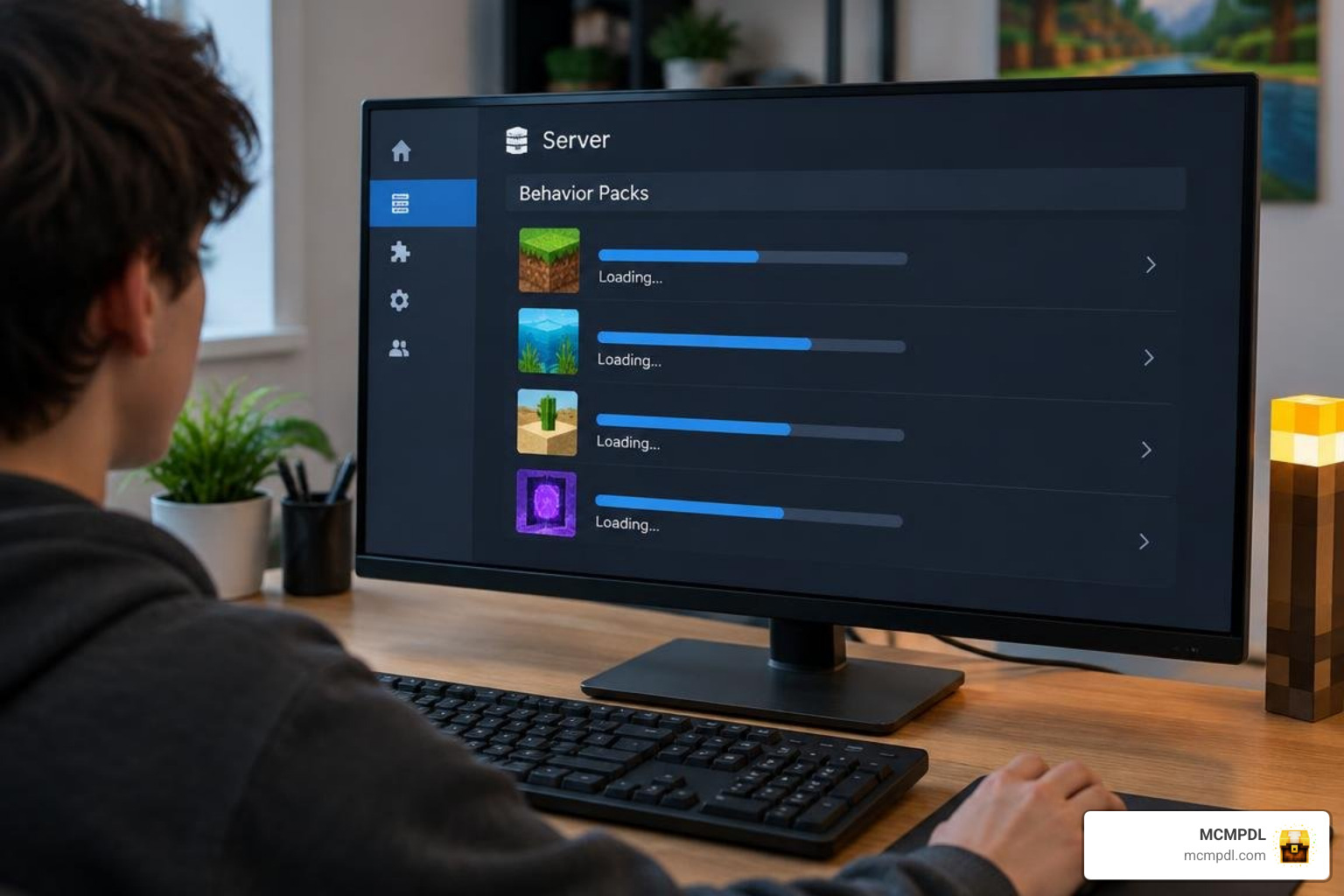
To install the pack manually:
- Download the
.mcaddonor.mcpackfiles to your device. - Open the file to launch Minecraft automatically and import the resources.
- Open your world settings, navigate to the Behavior Packs tab, and activate the add-on.
- Ensure the corresponding pack is activated under the Resource Packs tab.
- Scroll down to the Experiments section and toggle on Holiday Creator Features and Custom Biomes/Blocks (if applicable).
- Enter your world and place down your beacon structure.
If you are expanding your world with complementary character-leveling mods like the Levels Matter Stats Skills Addon for Minecraft PE/Bedrock, ensure you balance your behavior pack load order in world settings to avoid script execution conflicts.
Setting Up on Multiplayer and Dedicated Bedrock Servers
If you host your multiplayer sessions on dedicated Bedrock server software or server hosting platforms, the add-on functions smoothly in shared environments:
- Server File Upload: Upload both the behavior pack and resource pack folders into your server’s
behavior_packsandresource_packsdirectories. - Global Manifest Sync: Add the pack UUIDs to your server’s
world_behavior_packs.jsonandworld_resource_packs.jsonconfiguration files. - Resource Download Requirement: Enable the setting that forces connecting players to download resource packs so everyone can view custom beacon models and visual effects.
- Multi-Mod Integration: The pack can run alongside other lightweight Bedrock add-ons on multiplayer servers without causing significant packet lag or simulation slowdowns.
Known Bugs, Patches, and Troubleshooting
Like many custom Bedrock behavior packages, the add-on has received maintenance patches to resolve community-reported quirks:
- Duplication Glitch Resolution: Earlier builds contained a block-state glitch that allowed players to duplicate specific activation materials upon rapid interaction. Recent updates patched this exploit.
- Magma Creeper Fix: An earlier bug prevented creepers from properly receiving fire ticks from the magma beacon aura. This has been resolved so creepers ignite reliably.
- Redstone Block Inconsistencies: Some players have reported intermittent activation issues when triggering custom beacons with redstone blocks. If a redstone beacon fails to project its field, try breaking and re-placing the catalyst block while checking that you have clear sky access overhead.
- Version Locking: The pack is explicitly designed for Bedrock versions 1.19.50, 1.19.60, and 1.19.70. When testing on modern versions, always generate a backup copy of your world to prevent save corruption.
Native Bedrock Architecture and Performance
Rather than relying on heavy external launchers or complex configuration menus, this add-on achieves its functionality purely through native Bedrock behavior entities and custom resource packs.
This lightweight architecture allows mobile, console, and Windows players to enjoy enhanced beacon utilities directly within the standard Bedrock engine. By executing custom scripts within native game parameters, the pack provides smooth performance and straightforward installation without requiring third-party mod loaders.
Frequently Asked Questions About Better Beacons
Does the Better Beacons addon work on multiplayer servers?
Yes, the add-on works in multiplayer worlds, local LAN games, and dedicated Bedrock server hosting platforms. When setting up a dedicated server, ensure that behavior packs are enabled and that connecting players are prompted to download the required resource files.
Which Minecraft Bedrock versions support this addon?
The add-on explicitly lists support for Minecraft Bedrock versions 1.19.50, 1.19.60, and 1.19.70. Because Minecraft Bedrock updates frequently adjust internal scripting APIs, test the add-on on a world backup before applying it to your primary long-term survival saves.
What custom effects do different activation blocks provide?
Activating custom beacons with different materials triggers unique utilities. Diamond activation unlocks Haste IV for rapid mining, while magma block activation creates a defensive boundary that damages incoming hostile mobs like creepers.
Conclusion
The Better Beacons Addon provides a practical overhaul to Minecraft Bedrock’s late-game mechanics. By replacing rigid vanilla buff menus with material-based activations, the pack transforms your base beacons into defensive sentries and high-efficiency resource mining stations.
Whether you want to protect your home perimeter from creepers or clear huge underground quarries with Haste IV, custom beacons offer great versatility for your world. Explore our collection at MCMPDL to find the latest Bedrock add-ons, behavior packs, and texture overhauls for your next survival adventure.

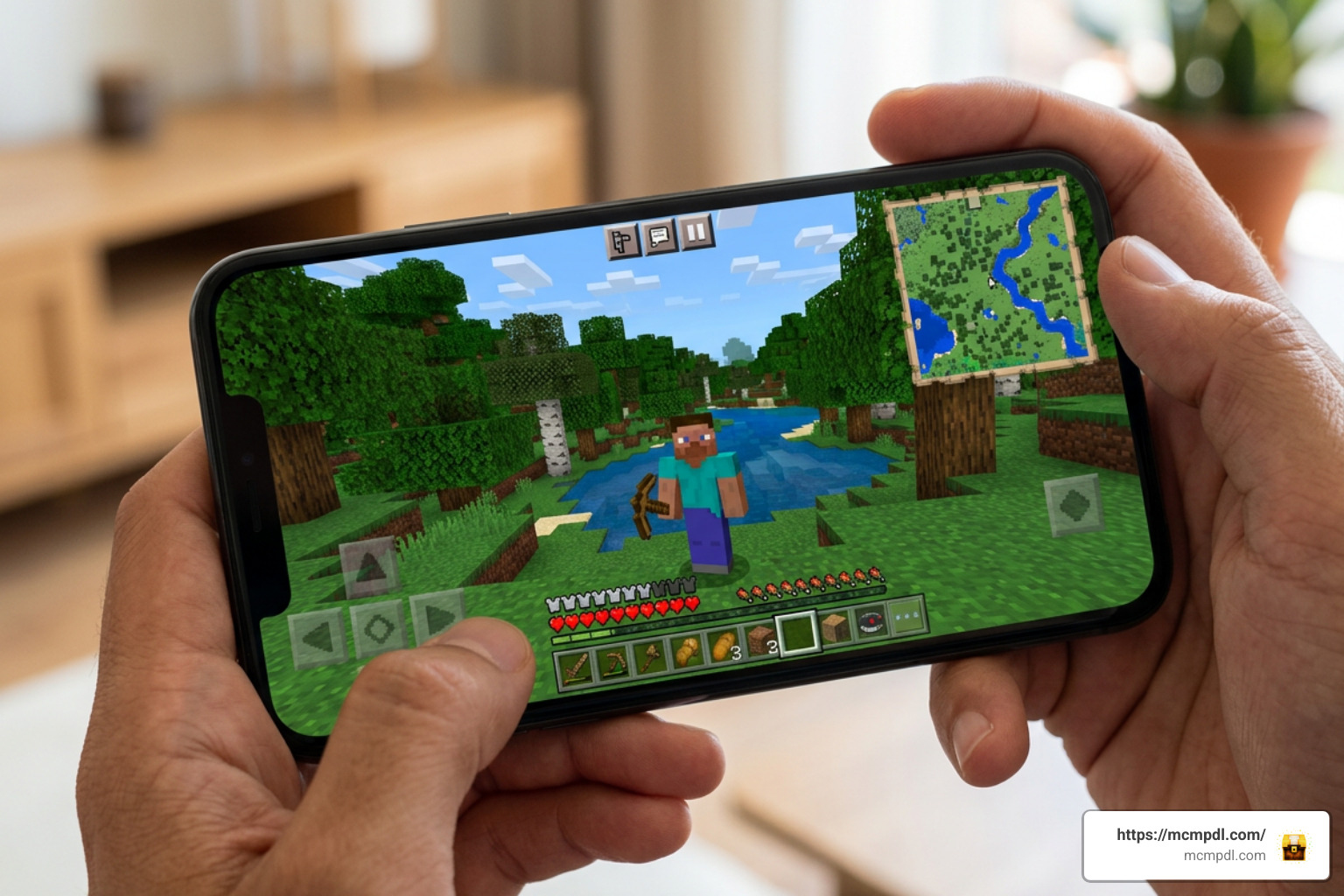 A **Minimap Addon for Minecraft PE/Bedrock** adds a small live map to your screen, helping you see nearby terrain, your direction, and sometimes nearby entities without stopping to open a full map. In simple terms, it can help players: - Find their way back to a base, village, portal, or cave entrance. - Follow terrain while exploring on mobile, PC, or Bedrock-supported devices. - Keep a compass-like view of direction during long trips. - See map support in places where vanilla map items are less useful, including the Nether and End in supported addons. These addons do not usually change world generation. Instead, they add navigation tools through resource packs, behavior packs, and, in many cases, Bedrock's script features. Options range from lightweight terrain displays to advanced HUD maps with rotation, entity indicators, waypoints, and full map views. There is an important trade-off: third-party behavior packs can disable achievements in a Bedrock world. That makes minimap addons especially useful for exploration worlds, multiplayer adventures, and survival saves where better navigation matters more than achievement progress. ## Essential Features of a Minimap Addon for Minecraft PE/Bedrock 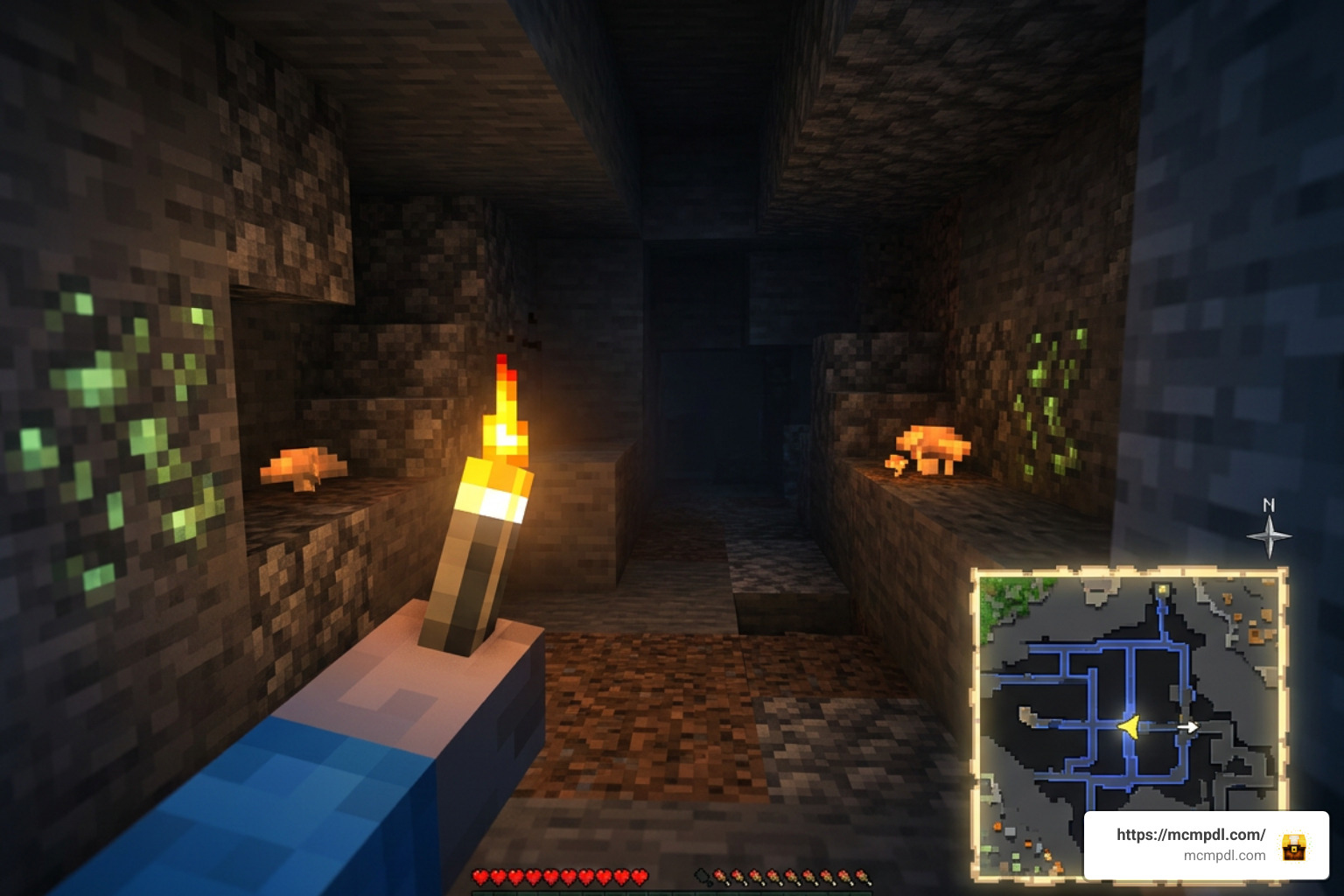 When you install a **Minimap Addon for Minecraft PE/Bedrock**, you gain immediate visibility over your surroundings without cluttering your main viewport. Modern minimap systems do far more than just draw a static image in the corner of your screen. They process block rendering, entity position data, and elevation levels in real time. ### How Minimap Addons Enhance Navigation Standard navigation in Minecraft Bedrock relies on held paper maps or crafted compasses, which occupy valuable inventory slots and slow down movement. A proper minimap addon solves this by offering active HUD elements that function automatically. * **Radius Mapping**: Most minimap addons, such as lightweight rendering mods, stream terrain data within a 31×31 block radius around the player. This gives you a crisp view of biomes, rivers, and cliffs without straining your device's memory. * **Compass Orientation and Dynamic Rotation**: Advanced addons rotate the map frame dynamically as your character turns, keeping your facing direction aligned with your physical movement. * **Entity Tracking Indicators**: Living radar systems mark mobs on the map. Friendly animals appear as neutral icons, while hostiles like Creepers, Zombies, or Skeletons show up as distinct radar blips, giving you time to prepare before an ambush. * **Subterranean Cave Mode**: When stepping beneath the surface, standard maps become useless grey grids. Dedicated minimap mods detect vertical block density and automatically switch to a high-contrast Cave Mode, mapping out dark tunnels, underground ravines, and lava pools. ### Achievements and Behavior Pack Restrictions A common concern among survival players is whether running a navigation mod will affect their game progression statistics. Mojang enforces strict rules regarding external modifications in Bedrock Edition. Because third-party behavior packs introduce custom scripts that modify game memory and player state tracking, Mojang automatically disables Xbox achievements on any world running custom external behavior packs. If keeping Xbox achievements active is your top priority, you must stick to official Marketplace content or vanilla map items. However, if your focus is uninhibited exploration, build planning, or custom server play, installing a dedicated behavior pack is well worth the trade-off. ## Comparing Popular Options: Magnificent Minimap vs. Explorer's World Map The Bedrock modding community offers several top-tier choices for real-time map interfaces. Two of the most widely used projects are *Magnificent Minimap* and *Explorer's World Map & Minimap V2*. | Feature / Metric | Magnificent Minimap | Explorer's World Map & Minimap V2 | | --- | --- | --- | | Total Downloads (CurseForge / Platforms) | Over 894,600 (CurseForge) / 788,000+ cross-platform | Over 1.3 Million (CurseForge) | | Community Rating | 4.2 / 5 (Community Rating) | Highly Popular / Community Tested | | Script Dependencies Required | UI Queue & Kamii's Script Configuration | Native Script / Beta API dependent | | Required Experimental Toggles | Beta API | Beta API | | Map Display Shapes | Circular & Rectangular Modes | Circular HUD & Full Screen Overlay | | Dimension Support | Overworld, Nether, End, Custom Dimensions | Overworld & Cave Mode | | Command Menu | `/configuration` | `/settings`, `/map`, `/minimap`, `/preset`, `/waypoint` | | Unique Features | 30%–90% Map Data Compression, 'Bad Apple' Easter Egg | Shared Multiplayer Map Area Unlocking | ### Selecting the Right Minimap Addon for Minecraft PE/Bedrock Choosing between options depends on your device specifications and preferred gameplay style: - **Magnificent Minimap**: Excellent for players who want deep HUD customization and multi-dimension travel. Updates like version 1.7 introduced custom data compression algorithms that reduce saved chunk map data sizes by 30% to 90%, preventing long-term world file bloat. It supports Minecraft versions up to 1.21.120, 1.21.130, and 26.0. It also supports custom dimensions and even includes a fun community easter egg—running `/function start_bad_apple` streams the famous 'Bad Apple' animation inside your map HUD! If you want to try it out, look for the official addon packages from trusted community mod creators. - **Explorer's World Map**: Perfect for collaborative survival servers. It features an automated waypoint system and a shared exploration mechanic where players uncover map sections together. ### Multiplayer Map Unlocking and Shared Exploration In multiplayer environments, coordination is key. Mods like *Explorer's World Map* allow players to sync their map data using commands like `/map`. When a team member explores a distant woodland mansion or ocean monument, their mapped territory unlocks for everyone connected to the realm or server. By typing `/waypoint` in chat, team members can set shareable beacon markers at base bases, end portals, or nether hubs, keeping the entire group synchronized without needing third-party coordinate trackers. ## Setup and Customisation Guide 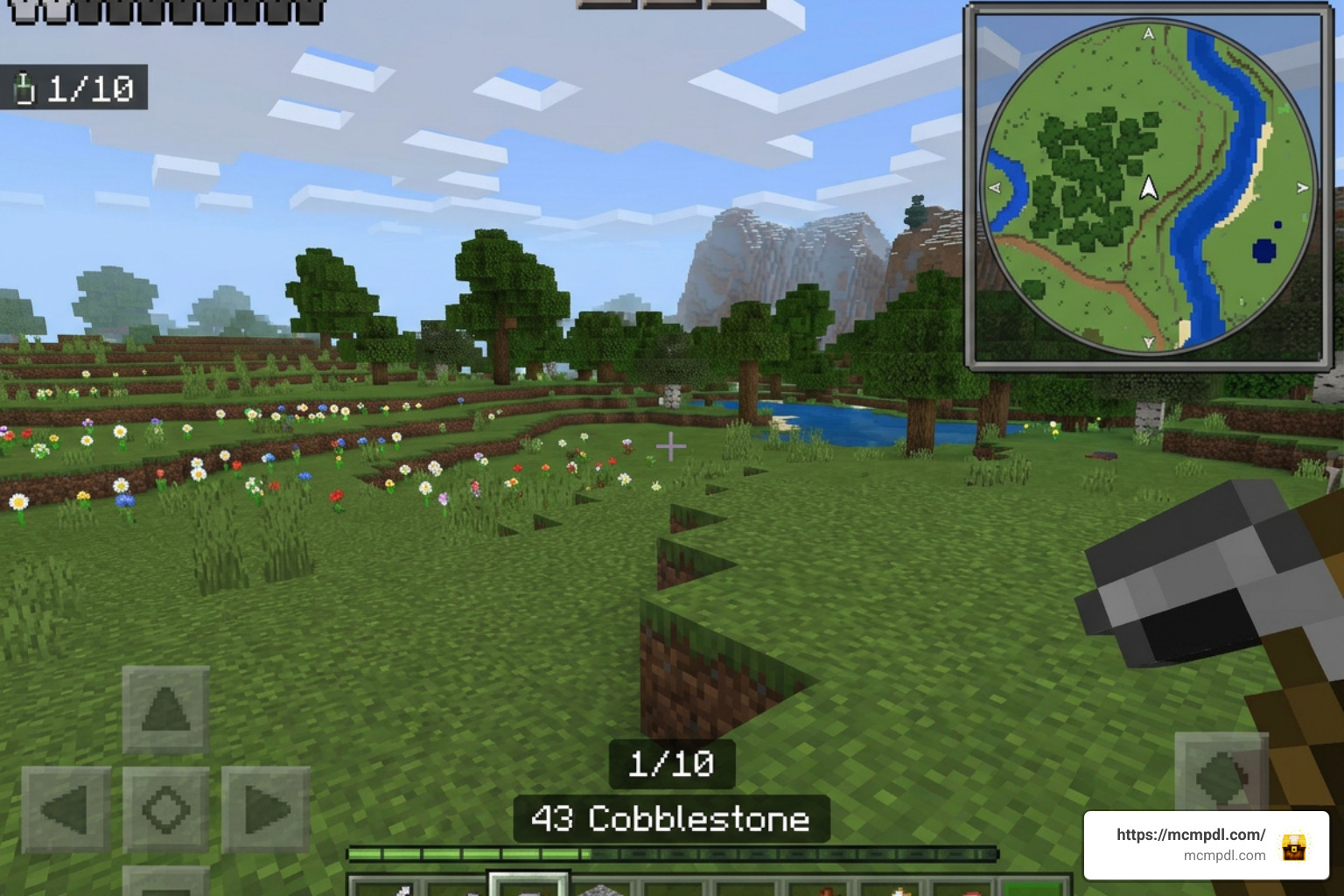 Getting a **Minimap Addon for Minecraft PE/Bedrock** running properly requires a few key configuration steps. Because these addons utilize Bedrock's advanced Script API, enabling experimental world settings is mandatory. ### Installing a Minimap Addon for Minecraft PE/Bedrock To install your preferred map addon correctly on Android, iOS, or Windows, follow this checklist: 1. Download both the **Resource Pack** (`.mcpack`) and **Behavior Pack** (`.mcpack`) or the bundled `.mcaddon` file from a trusted addon platform. 2. If installing *Magnificent Minimap*, download the two required dependency script packs: **UI Queue** and **Kamii's Script Configuration**. 3. Open the downloaded files to import them automatically into your Minecraft Bedrock client. 4. Create a new world or click the **Edit (Pencil Icon)** button next to an existing world. 5. Navigate to the **Experiments** tab in the world settings menu and toggle **Beta API** to the ON position. 6. Scroll down to **Resource Packs** and activate your minimap resource pack (along with UI Queue). 7. Scroll to **Behavior Packs** and activate the corresponding behavior packs (and Kamii's Script Configuration helper). 8. Ensure your Minecraft version is up to date (compatible with 1.21.100 through 1.21.130+). ### In-Game Customisation via Commands Once your world loads, you can tune the map interface to fit your screen size: * Type `/configuration` in the chat window to open the full visual setup menu (when using Kamii's script interface). * Adjust the map layout between **Circular** (great for smooth rotational views during horse or Elytra flight) and **Rectangular** (ideal for base building and grid alignment). * Change map scale presets to widen your view radius or zoom in for detailed building. * Enable or disable radar features like friendly mob markers, enemy alerts, terrain shadows, and biome names. For standalone mods using traditional scripting, you can also use simple toggles like `/minimap show` or `/minimap hide`. You can read more about file installation options in trusted community documentation. ## Platform Controls, System Requirements, and Troubleshooting Because Bedrock Edition spans touchscreens, desktop PCs, and game consoles, controlling your minimap HUD can vary by hardware platform. ### Toggling the Minimap Across PC, Mobile, and Console * **PC (Windows 10/11)**: Sneak (crouch) and press the **F8** key to instantly toggle the minimap display on or off. * **Mobile (Android / iOS)**: Sneak (crouch) and tap the small on-screen **'X'** button rendered near the map HUD to hide or show the interface. * **Console & Controllers**: Because controller bindings on consoles lack direct Script API keybind hooks, sneaking alone won't always toggle the HUD. Controller players should navigate to **Settings > Video** and disable **Hide Paper Doll**. Bedrock UI script extensions tie into the paper doll HUD element to display minimap overlays correctly on controller configurations. ### Performance Optimization and Graphical Bug Fixes Script-heavy addons process continuous calculations, which can affect lower-end mobile hardware if not optimized properly: * **RAM Management**: On budget mobile devices, running excessive behavior packs alongside high map zoom levels can cause memory degradation. If your game lags, open `/configuration` and reduce the active rendering scale or disable entity radar blips. * **GUI Scale -1 Artifact Fix**: If you see strange lines, graphical grids, or misaligned border artifacts across your map screen, open your Minecraft **Video Settings** and change the **GUI Scale Modifier** to **-1**. This forces Bedrock to scale script-rendered overlays evenly across display resolutions. * **Avoiding App Store Scams**: Always source your files from reputable community outlets. Some listings on general stores—like unverified utility apps claiming to be a [Minimap Mod for Minecraft PE](https://play.google.com/store/apps/details?id=com.juicymods.minimap&hl=en)—often install unrelated content like lucky blocks instead of real script addons. Stick to trusted addon index sites. ## Frequently Asked Questions About Bedrock Minimap Addons ### Does a minimap addon work in the Nether and the End? Yes! High-quality addons like Magnificent Minimap fully support all three core dimensions. When stepping through a Nether Portal, the map automatically adjusts its color palette and coordinate grid to render nether rack, lava oceans, and basalt deltas. In the End, it renders void drop-offs and chorus plant islands smoothly. ### Why are achievements disabled when using a minimap addon? Mojang automatically disables Xbox achievements on worlds utilizing custom third-party behavior packs to prevent unfair scripting advantages. If achievement hunting is your main focus, you must use vanilla maps or official Marketplace tools. ### How do you fix visual artifacts or lines on the minimap display? Visual artifacts on the map HUD are caused by GUI scaling mismatches. Go to **Settings > Video**, locate the **GUI Scale** setting, and adjust it to **-1**. This realigns custom HUD scripts with your device's native pixels. ## Conclusion Adding a **Minimap Addon for Minecraft PE/Bedrock** transforms how you navigate your survival worlds. Whether you are delving deep into subterranean cave systems, embarking on multi-thousand-block ocean voyages, or coordinating mega-builds with teammates on a server, real-time map HUDs eliminate the hassle of getting lost. Ready to upgrade your Bedrock exploration setup with top-rated utility packs, map tools, and custom mods? [Discover top Minecraft PE addons on mcmpdl.com](https://mcmpdl.com/) to find the best curated content for your next survival adventure!](https://mcmpdl.com/wp-content/uploads/2026/08/photo_6062170507097871089_w-1024x572.jpg)