Scroll down to D0vvnl0ad
Find a Roleplay Pack World for Minecraft PE/Bedrock That Fits Your Story
A Roleplay Pack World for Minecraft PE/Bedrock is a map built for playing out stories with friends. It may include places to explore, character skins, custom items, NPCs, or furniture. You do not need one all-in-one pack to get started: pick a free world that suits your story, then add compatible Bedrock content if you want more ways to play.
This guide covers 10 free options, from fantasy settings to RPG add-ons. Check each download’s version and setup notes before you play, since a map and an add-on may need different steps.
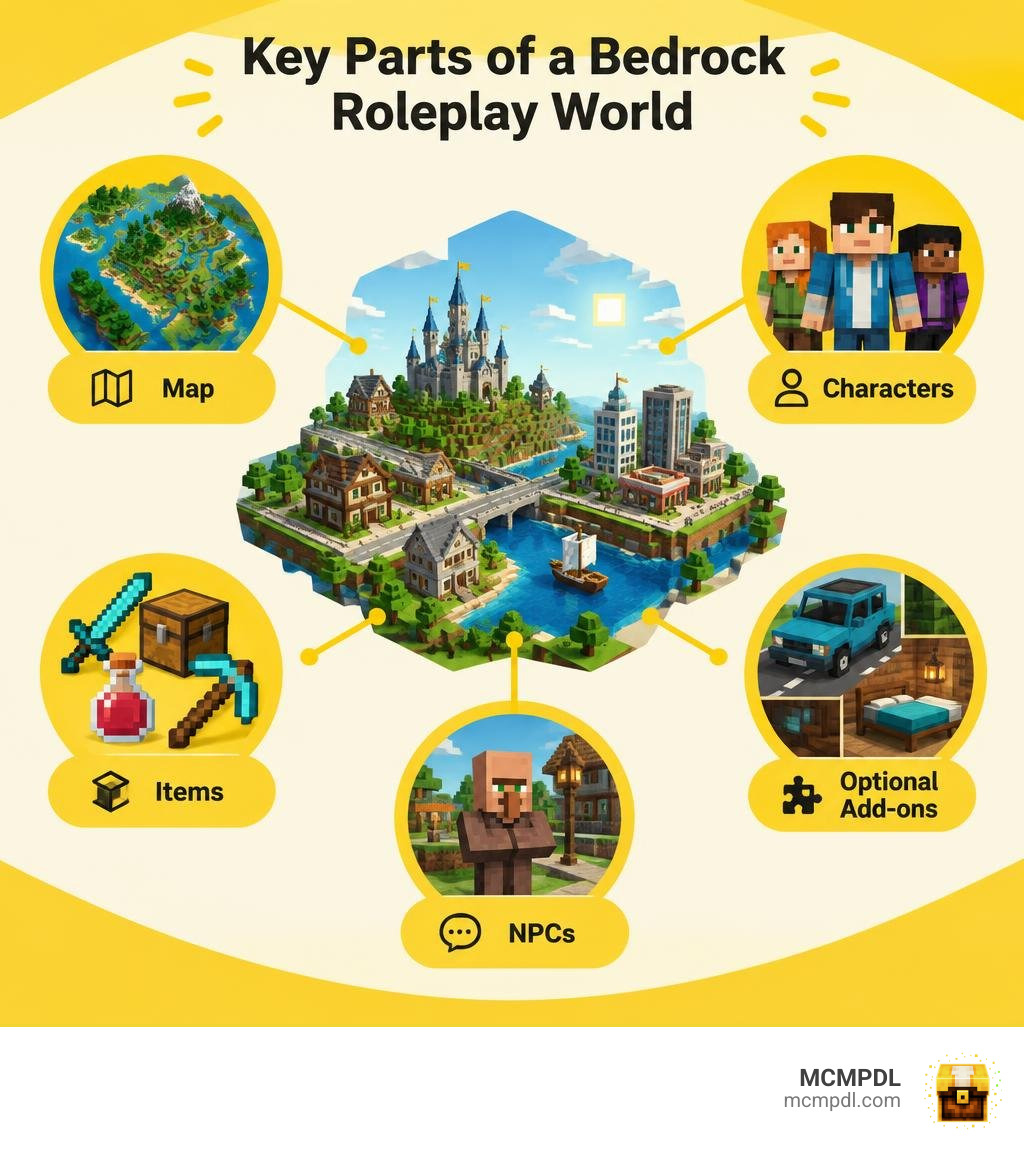
What Is a Roleplay Pack World for Minecraft PE/Bedrock?
A roleplay pack world transforms the standard sandbox loop of Minecraft into an interactive stage. Rather than focusing strictly on survival crafting or speedrunning, these experiences use custom entities, bespoke geometry, interactive furniture, dialogue-driven NPCs, and scripted storylines to help you immerse yourself in a specific universe.
Whether you are exploring modern suburban neighborhoods, running a medieval kingdom, or driving custom vehicles through a bustling metropolis, these worlds combine environment design with behavioral scripting. In Minecraft Bedrock Edition (which powers mobile phones, consoles, and Windows PCs), this synergy allows seamless multiplayer storytelling where every player takes on a dedicated persona.
Anatomy of a Roleplay Pack World for Minecraft PE/Bedrock
Under the hood, a complete Bedrock roleplay world relies on a modular architecture defined by Minecraft’s JSON data-driven engine.
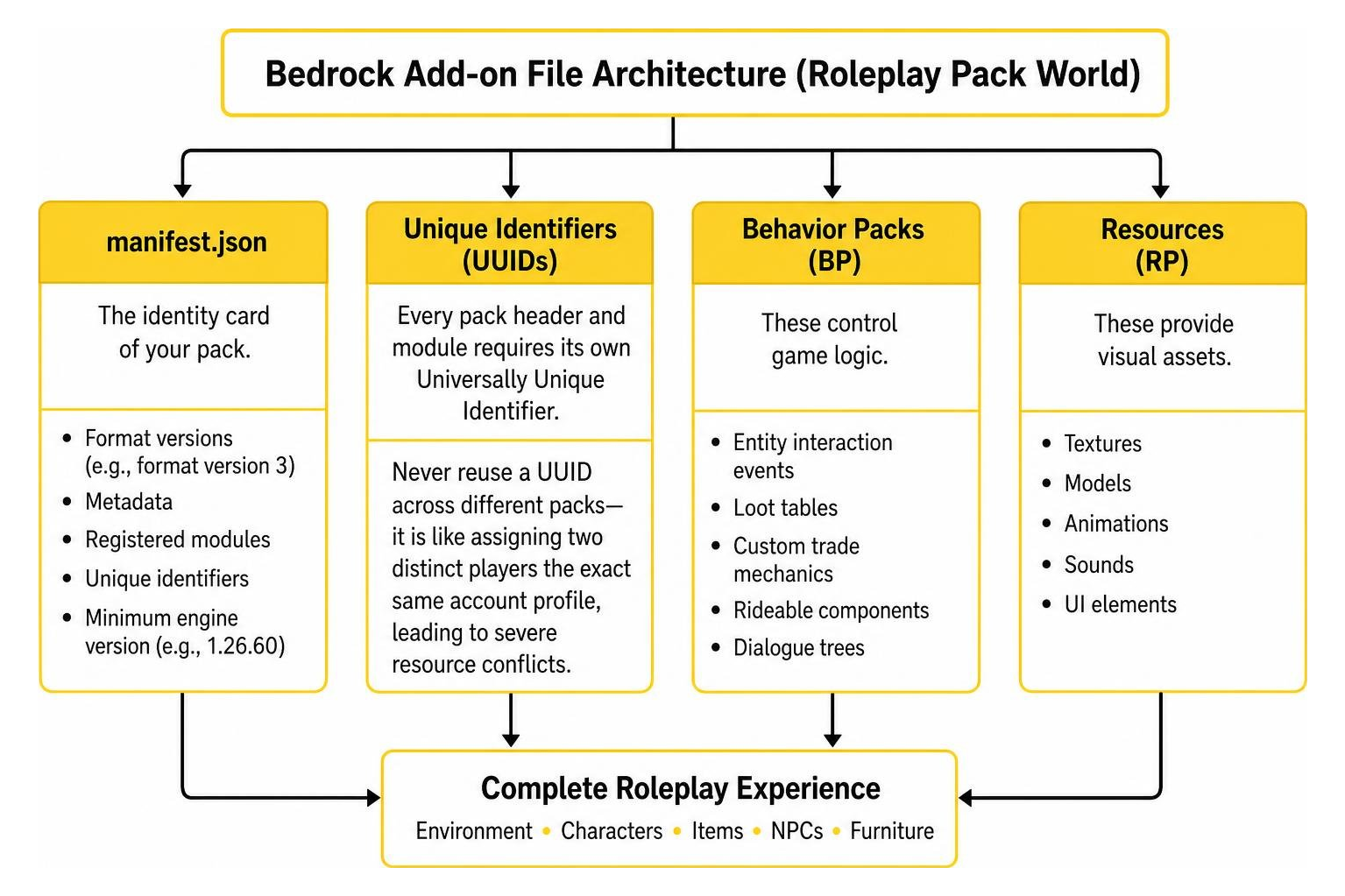
Every functional world or standalone add-on contains several foundational files and folders:
- manifest.json: The identity card of your pack. It defines format versions (such as format version 3), metadata, registered modules, unique identifiers, and the minimum engine version (such as 1.26.60) required to run without crashes.
- Unique Identifiers (UUIDs): Every pack header and module requires its own Universally Unique Identifier. Never reuse a UUID across different packs—it is like assigning two distinct players the exact same account profile, leading to severe resource conflicts.
- Behavior Packs (BP): These control game logic, entity interaction events, loot tables, custom trade mechanics, rideable components, and dialogue trees.
- Resource Packs (RP): These store 3D models, textures, animations, particle effects, sounds, and user interface layouts.
- Language Files (en_US.lang): Located inside the texts folder, these key-value pairs define translatable names for custom items, dialogue prompts, and quest objectives.
- pack_icon.png: A 2D square image (typically 256×256 pixels) displayed in your world settings menu.
Paid Roleplay Packs vs Free Community Worlds
While paid store releases offer all-in-one packages, the global community of creators provides equally deep, modular, and customizable free alternatives.
Paid world templates are typically encrypted and restricted to their bundled map layout. In contrast, free community creations provide total modularity. You can freely mix and match community environments—such as custom city maps, schools, castles, and roleplay venues—with custom skill systems, character classes, and magic add-ons without paying anything.
| Feature | Paid Store Roleplay Packs | Free Community Roleplay Add-ons |
|---|---|---|
| Cost | Paid currency purchases | 100% Free |
| Customizability | Locked / Encrypted templates | Open source JSON; fully editable |
| Modularity | Hard to combine with third-party packs | Combine multiple maps, RPs, and BPs |
| Updates | Dependent on fixed commercial updates | Community-driven changelogs & updates |
| Multiplayer Scope | Host-locked world templates | Runs on dedicated realms, BDS, and LAN |
Top 10 Free Alternatives for Minecraft PE Roleplay

Here at MCMPDL, we curate direct downloads of the best community add-ons, texture packs, maps, and skins so you can install custom Bedrock worlds quickly without digging through confusing folder setups. Below are ten top free alternatives to commercial packs, grouped by theme.
Fantasy and Medieval Roleplay Worlds
If your storytelling leans toward castles, sieges, and ancient kingdoms, these standalone worlds and decorative packs deliver complete medieval atmosphere:
- Kingdom Survival World for Minecraft PE/Bedrock: A grand realm featuring fortified stone castles, working drawbridges, farming hamlets, and throne rooms tailored for political intrigue and faction play.
- Vikings Map for Minecraft PE/Bedrock: Set sail across icy fjords with custom longships, mead halls, and rustic coastal villages built for rugged clan warfare.
- Fantasy Blocks Addon for Minecraft PE/Bedrock: Expand your building palette with gothic archways, runic stones, carved pillars, and interactive lighting fixtures to enrich any medieval city.
Magic Academies and Spellcasting Add-ons
For worlds centered on mystical scholarship, sorcery duels, and enchanted libraries:
- Magic School World for Minecraft PE/Bedrock: A sprawling academy map loaded with dormitories, potion brewing classrooms, moving staircases, and hidden dungeons.
- Spellcaster Addon for Minecraft PE/Bedrock: Implements wand progression, casting animations, and elemental projectiles that consume custom mana pools during roleplay duels.
- Spellbooks World for Minecraft PE/Bedrock: A dedicated adventure setting packed with ancient libraries, arcane trials, and collectible grimoires. If you want even more combat utility, you can easily pair this world with the standalone Wizard Craft Addon for Minecraft PE/Bedrock.
RPG Mechanics, Leveling, and Class Systems
To turn your storytelling into a functional game with specialized roles, stats, and character progression:
- RPG Addon for Minecraft PE/Bedrock: Adds interactive NPC quest-givers, custom dialogue prompts, gold-based trade economies, and overworld bounties.
- RPG Classes Addon for Minecraft PE/Bedrock: Grants players dedicated paths such as Warrior, Mage, Rogue, or Cleric, complete with distinct passive bonuses and weapon proficiencies.
- Levels Matter Stats Skills Addon for Minecraft PE/Bedrock: Introduces RPG attribute allocation—such as Strength, Agility, and Intelligence—giving your roleplay character measurable progression as they complete tasks. You can balance this system alongside the versatile Rolecraft Addon for Minecraft PE/Bedrock to establish dedicated job professions for your players.
Themed Pop Culture and Adventure Add-ons
- Pirate Era Add-on for Minecraft Bedrock Edition: Transform ocean biomes into high-seas adventures with functional galleons, flintlock pistols, cutlasses, and pirate crew NPCs. If you prefer high-flying anime adventures instead, you can swap to the Avatar Legends Addon for Minecraft PE/Bedrock to master elemental bending arts, bring magical companions to life with the Mythical Pets Addon for Minecraft PE/Bedrock, or explore stylized urban environments using the Anime World for Minecraft PE/Bedrock.
How to Build and Customize Your Own Roleplay Experience
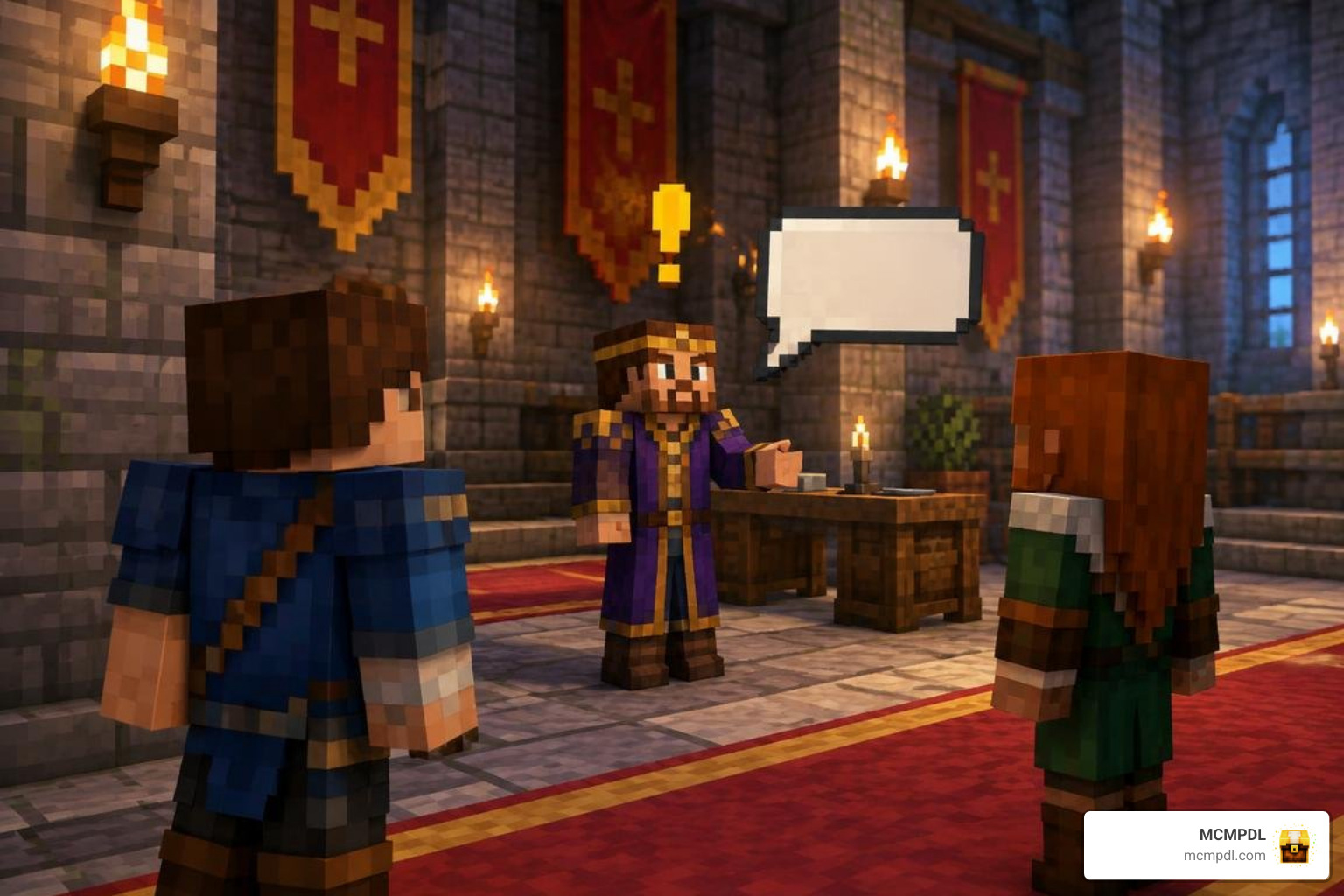
Building a personalized roleplay world does not require proprietary devkits. You can construct custom behaviors and maps right on your gaming device using simple JSON files and built-in game tools.
Setting Up a Roleplay Pack World for Minecraft PE/Bedrock via com.mojang
To develop and test your pack live, configure your files inside the internal com.mojang storage folder. Working within development subfolders lets you reload code changes instantly without rebuilding .mcpack files.
Find the com.mojang directory on your platform:
- Windows:
%localappdata%\Packages\Microsoft.MinecraftUWP_8wekyb3d8bbwe\LocalState\games\com.mojang(or your active shared Bedrock user path). - Android:
Android/data/com.mojang.minecraftpe/files/games/com.mojang(Note: Ensure your Storage Location is set to External in Minecraft Settings). - iOS:
Files App > On My iPhone/iPad > Minecraft > games > com.mojang.
Place your working folders inside development_behavior_packs and development_resource_packs. When testing changes in-game, you can execute the /reload all command in chat to refresh behavior packs, functions, and loot tables without quitting your world.
Adding Custom Dialogue, Quests, and Interactive Furniture
Roleplay worlds thrive on interactive props and engaging characters:
- Custom NPCs & Dialogues: Minecraft Bedrock features native NPC entities (
minecraft:npc) equipped with customizable dialogue boxes, button-driven URL links, and syntax-based command triggers on close. You can script quest hand-ins using simple slash commands attached directly to dialogue buttons. - Interactive Furniture: Custom chairs, sofas, and benches are built by defining custom blocks or dummy entities using the
minecraft:rideablecomponent in their entity JSON. This allows players to sit down seamlessly in realistic positions. - Custom Skins & Outfits: Roleplay servers often bundle skin packs within their resource files or assign dynamic armor models using custom render controllers.
Optimizing Cross-Play and Debugging with Content Log
Because Bedrock Edition connects mobile phones, Nintendo Switch, PlayStation, Xbox, and high-end PCs in the same session, performance optimization is essential:
- Texture Sizing: Restrict block and entity textures to 16×16 or 32×32 pixels where possible to prevent mobile devices from running out of video memory.
- Entity Spawning: Use ticking limits on custom NPCs and vehicles so low-end mobile devices do not drop frames in crowded town centers.
- Enabling the Content Log: If an entity fails to render or an item behavior breaks, go to Settings > Creator and toggle on Enable Content Log GUI and Content Log History. Any missing JSON commas, faulty brackets, or duplicated UUIDs will display as actionable, line-referenced errors on your screen.
Frequently Asked Questions About Bedrock Roleplay Packs
How do I install custom .mcworld or .mcpack files on mobile and console?
On Android, iOS, and PC, downloading an .mcworld or .mcpack file allows one-tap installation: simply tap the file in your downloads manager, and your device will open Minecraft automatically to import the data. On consoles, the easiest approach is importing the world on a PC or mobile device and hosting it over a local LAN game or uploading it to a Minecraft Realm, allowing console accounts to join with zero file manipulation.
Can I mix multiple roleplay behavior packs in one Bedrock world?
Yes, but you must monitor resource priority and entity collisions. In your world settings, packs positioned higher in the active list take precedence over packs below them. If two behavior packs overwrite the exact same vanilla entity (for example, both modifying player.json), combine their script components manually or use subpacks to avoid logic conflicts.
Why are custom NPC dialogues or items not loading properly?
The most common culprit is an inactive Experiments toggle in your world settings. Ensure you enable Holiday Creator Features, Upcoming Creator Features, and Beta APIs if your custom pack utilizes advanced scripting. Additionally, check the Content Log to verify that your min_engine_version inside manifest.json matches or precedes your installed game version.
Conclusion
Creating an immersive story setting in Bedrock does not require purchasing locked marketplace templates. By taking advantage of free community add-ons, modular RPG frameworks, and custom dialogue tools, you can assemble a world tailored to your exact multiplayer vision.
When you are ready to expand your world’s combat balance or refresh your visual clarity for high-stakes multiplayer battles, check out the ultimate PvP texture pack for Minecraft PE/Bedrock directly from our catalog at MCMPDL, and start building your next great adventure today.