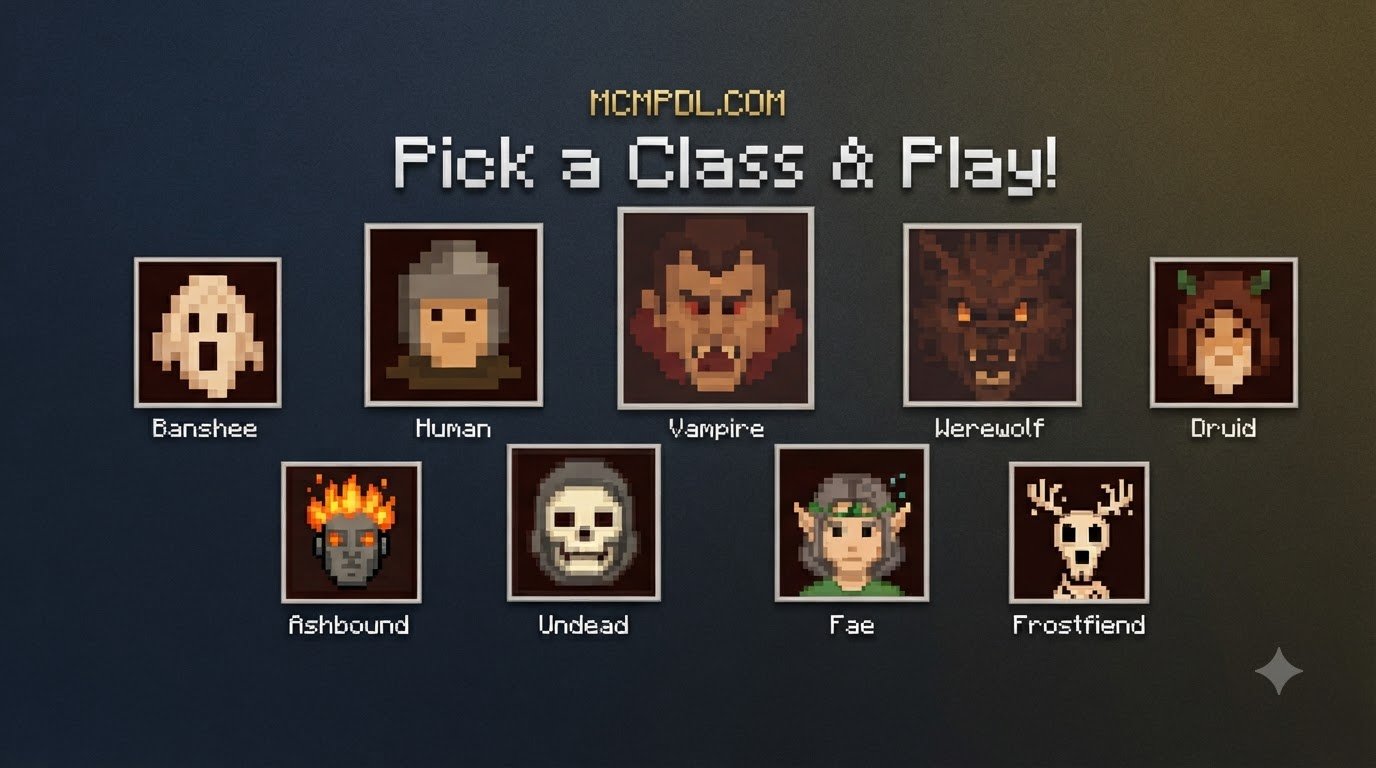

Scroll down to D0vvnl0ad
What Is the RPG CLASSES! Addon for Minecraft PE/Bedrock?
To install the RPG CLASSES! Addon, download the .mcaddon or .mcpack file, open it with Minecraft to import it, enable the required experimental gameplay toggles in your world settings, and activate both the behavior and resource packs before loading in. This addon bridges the gap between classic sandbox survival and deep, structured role-playing progression. Instead of every player functioning as an identical survivalist, this expansion introduces distinct archetypes, custom attributes, unlockable skill trees, and dedicated mechanics that reshape how you approach exploration and combat.
By integrating custom attributes into the Bedrock engine, you can tailor your character’s combat style to fit your playstyle. Whether you are running a solo survival world or hosting a cooperative multiplayer Realm, introducing a dedicated RPG addon for Minecraft PE/Bedrock completely revamps the survival loop.
| Class Archetype | Primary Attribute | Signature Ability | Playstyle & Role | Resource Dependency |
|---|---|---|---|---|
| Warrior | High Health & Defense | Ground Slam / Shield Wall | Frontline tanking, mob control, heavy melee | Stamina / Momentum |
| Mage | Arcane Damage & AOE | Fireball / Arcane Blast | Long-range burst, crowd control, area damage | Mana Pool |
| Ranger | Projectile Damage & Speed | Volley / Piercing Shot | Long-distance precision, mob kiting, tracking | Focus / Ammunition |
| Assassin | Critical Strike & Agility | Shadow Dash / Backstab | High single-target burst, stealth, rapid strikes | Shadow Energy |
Class Archetypes in RPG CLASSES! Addon for Minecraft PE/Bedrock
Every class archetype offers a distinct path through the game’s progression systems. When you pair this framework with a system like the levels matter stats & skills addon, your character’s foundational stats scale as you defeat hostile monsters and conquer dangerous structures.
- The Warrior Archetype: Designed for players who love standing toe-to-toe with ravagers and piglin brutes. Warriors receive passive resistance buffs, increased knockback resistance, and sweeping strikes that clear swarms of zombies.
- The Mage Archetype: Perfect for tactical spellcasters. Mages gain elemental spells, protective barrier shields, and ranged burst attacks, sacrificing physical armor durability for massive area-of-effect damage.
- The Ranger Archetype: Built for marksmen who prefer picking off creepers and skeletons from across the plains. Rangers benefit from passive movement speed boosts, zero draw penalty on bows, and multi-shot capabilities.
- The Assassin Archetype: Focuses on lethal agility. Assassins trade heavy armor for increased critical strike chance, sudden dashes behind enemy targets, and temporary invisibility when entering combat from shadows.
Core Mechanics: Mana, Skill Points, and Class Items
To make combat strategic, class progression relies on dynamic resource pools rather than simple cooldowns. Mages draw from an active mana bar that recharges over time, while melee classes leverage momentum or stamina systems built directly into the game’s user interface.
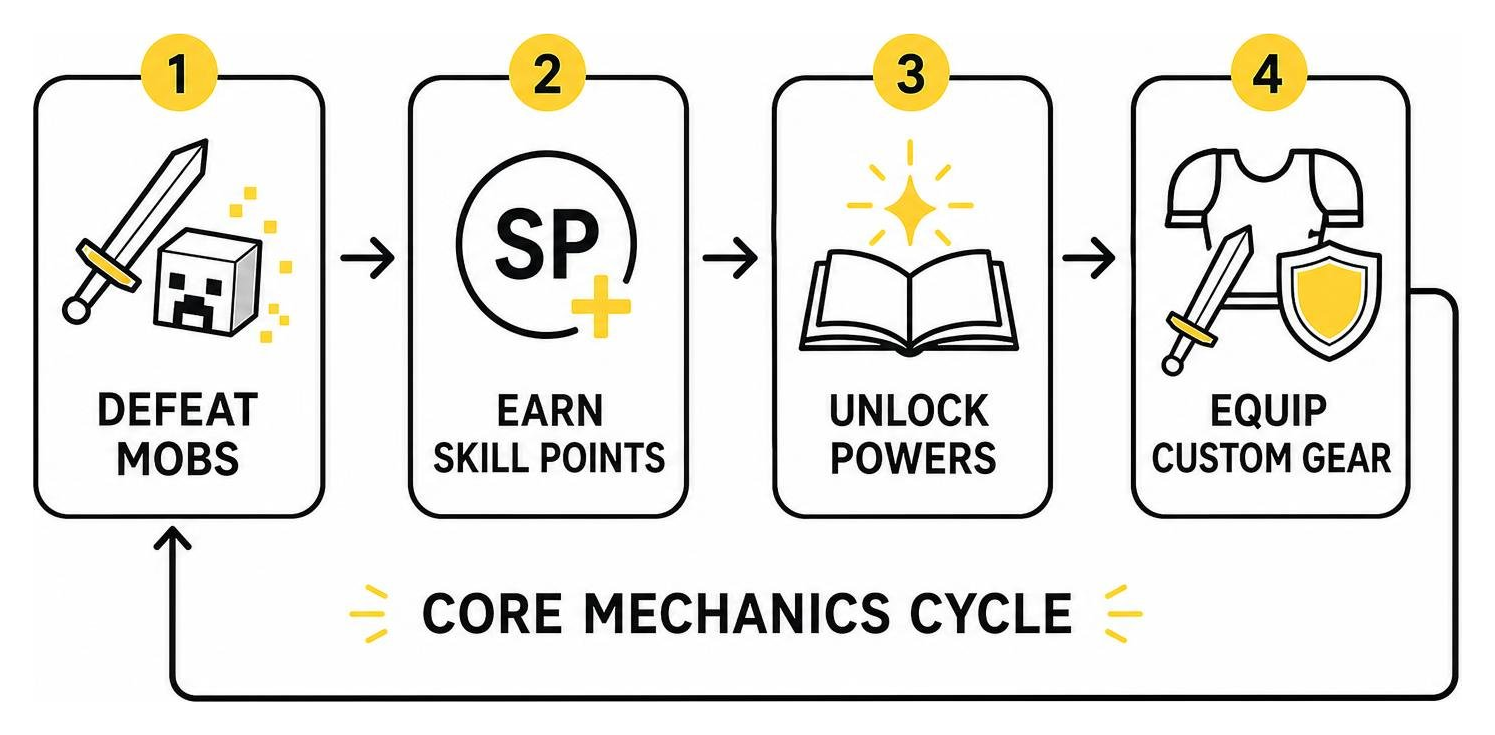
Progression centers around earning Skill Points (SP) and souls by clearing dungeons, raiding Nether fortresses, and slaying hostile mobs. You can invest these points into passive stat nodes or active powers. Advanced setups often combine custom equipment from a weapons and powers addon to unlock specialized 3D weapons that rest on your character’s back when sheathed.
Pre-Installation Requirements and World Settings
Before diving into character creation, you must prepare your Bedrock world. Because complex class systems utilize Bedrock’s underlying JavaScript APIs and custom entity definitions, activating the correct experimental world toggles is necessary for custom scripts and menus to function properly.
Always verify your file formats before importing. Bedrock add-ons are distributed either as consolidated .mcaddon files or separate .mcpack files containing individual behavior and resource packs.
Enabling Experimental Gameplay Features
To avoid script errors and missing UI elements, create a new world (or edit your existing world) and scroll down to the Experiments tab in the game settings. Enable the following toggles:
- Beta APIs: Essential for running dynamic scripting engines, custom mana bars, and interactive class books.
- Holiday Creator Features: Enables custom items, specialized weapons, and custom entity modeling.
- Upcoming Creator Features: Ensures that custom animations and sound events execute smoothly.
- Molang Features: Allows custom mathematical queries for damage calculation and dynamic stat scaling.
Always make a full backup of your world before toggling experimental settings on an existing save file.
Configuring Behavior and Resource Packs
Bedrock add-ons function through two separate components:
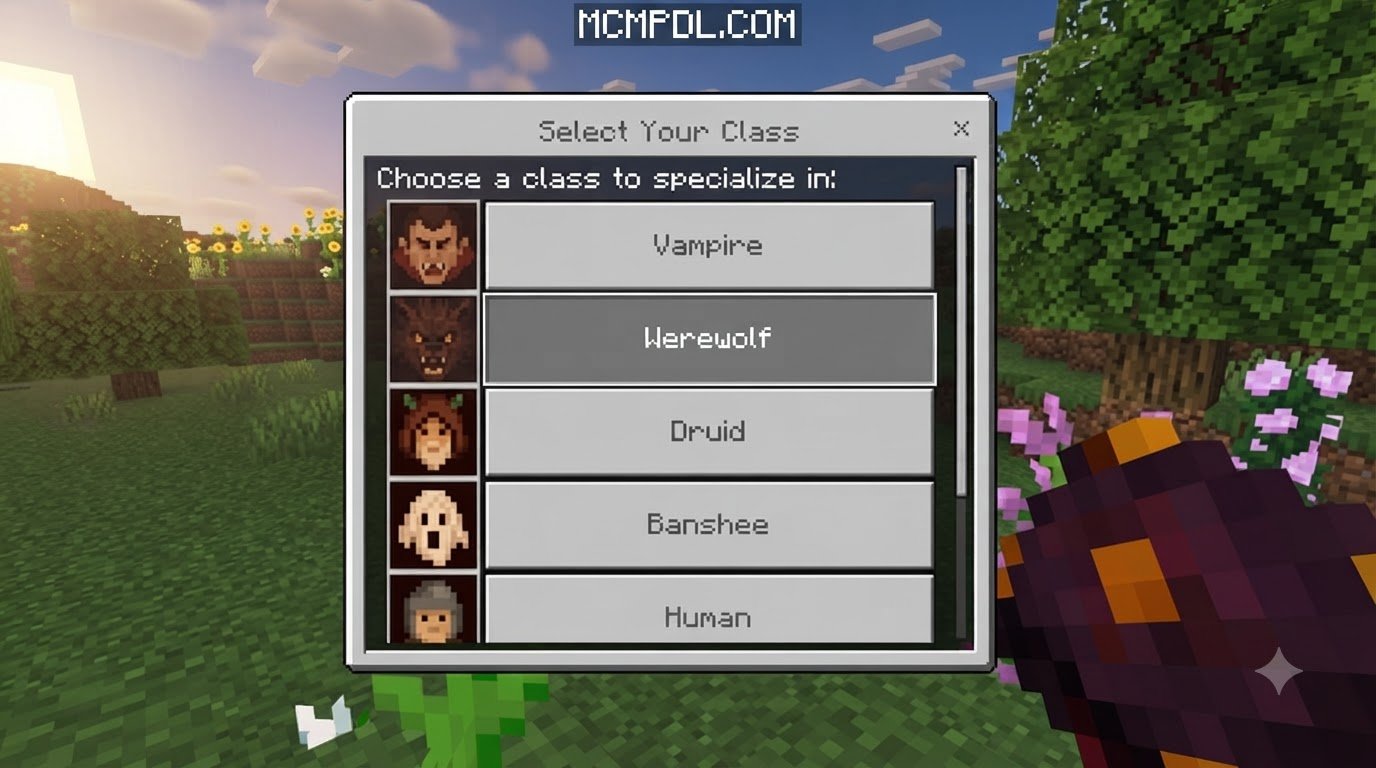
- Resource Packs: Control visual elements, including class selection screens, 3D armor models, custom spell particles, and HUD gauges.
- Behavior Packs: Control server-side logic, such as damage calculations, cooldown timers, mob AI modifications, and experience points.
When activating both packs in your world settings, ensure that both parts of the class expansion are active under your Active packs list. If a resource pack is missing, your abilities will still function, but you may see placeholder textures or missing menu text.
Step-by-Step Installation Guide Across All Bedrock Platforms
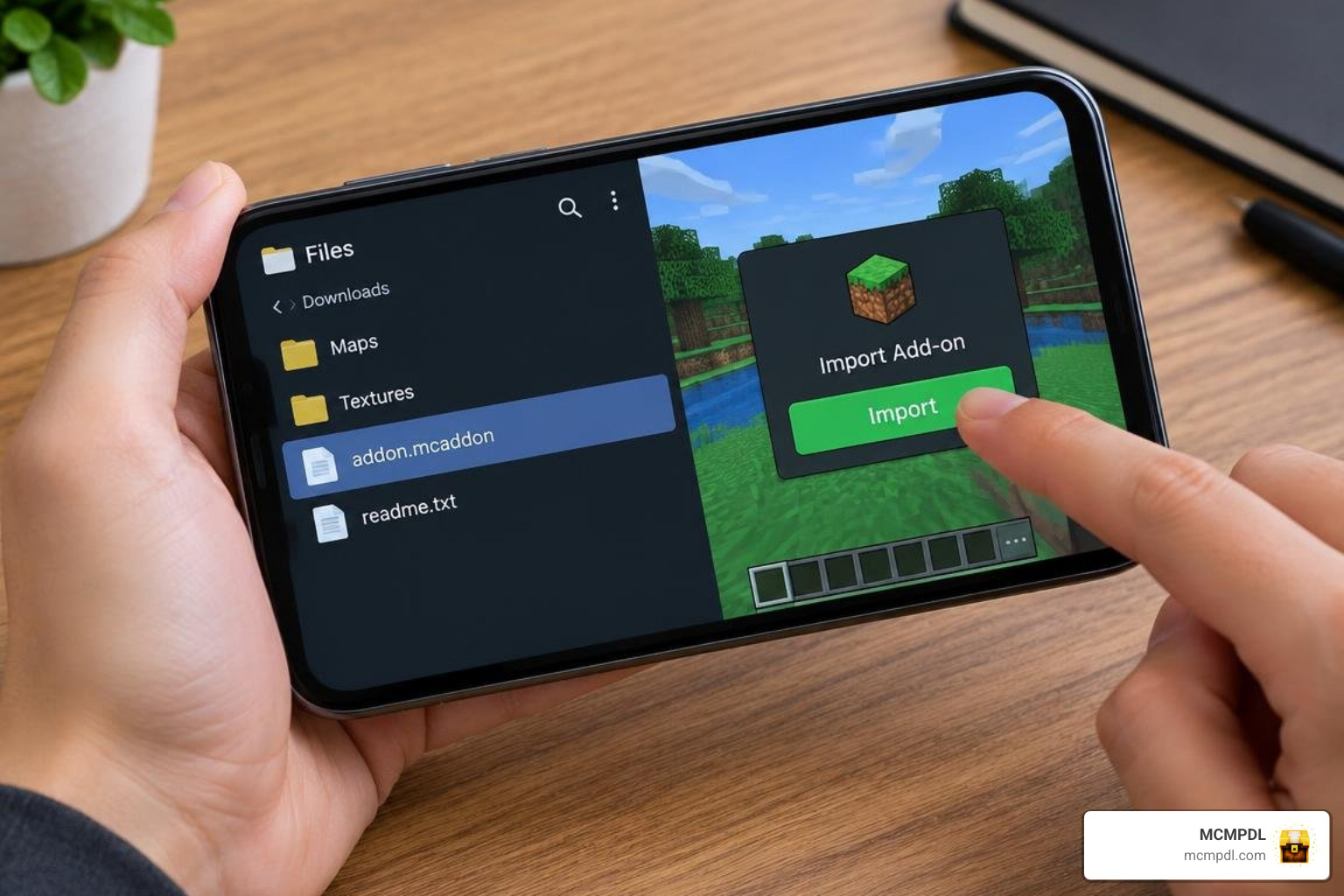
Installing community content on Bedrock Edition is straightforward thanks to automated file associations. Whether you are playing on mobile, PC, or a server, follow the exact instructions for your platform below.
Installing on Android and iOS Devices
- Download the
.mcaddonor.mcpackfile through your mobile browser. - Open your device’s file manager app (Files on iOS, or your preferred file manager on Android).
- Locate the downloaded file in your Downloads folder.
- Tap the file and select Open with Minecraft (on iOS, use Share > Minecraft).
- Minecraft will launch automatically and display an Import Started notification at the top of the screen, followed by Import Successful.
- Navigate to your world settings, activate the behavior and resource packs, ensure experimental toggles are enabled, and load into your world.
Installing on Windows 10 and Windows 11
- Download the
.mcaddoninstallation package to your PC. - Double-click the downloaded file. Windows will automatically open Minecraft Bedrock Edition and begin the automated import process.
- If you downloaded a
.ziparchive, extract the contents and rename the folder extensions to.mcpackor.mcaddon. Alternatively, manually copy the behavior folder to:%localappdata%\Packages\Microsoft.MinecraftUWP_8wekyb3d8bbwe\LocalState\games\com.mojang\behavior_packsand the resource folder to:%localappdata%\Packages\Microsoft.MinecraftUWP_8wekyb3d8bbwe\LocalState\games\com.mojang\resource_packs - Launch Minecraft, open your world settings, enable the packs under Resource Packs and Behavior Packs, and start your adventure.
Setting Up on Realms and Dedicated Multiplayer Servers
Running an RPG class framework on a dedicated server or Minecraft Realm allows you and your friends to team up as a coordinated party.
- Create a local single-player world on your device.
- Configure all experimental settings, class behavior packs, and resource packs in that world.
- Test the world locally to verify that class selection menus open properly.
- In your Minecraft menu, select your Realm settings and choose Replace World. Select your pre-configured local world.
- In Realm settings, check the box for Require players to accept resource packs to join. This guarantees that all joining players automatically download custom spell animations, class icons, and interface menus.
Troubleshooting and Optimizing Your RPG Experience
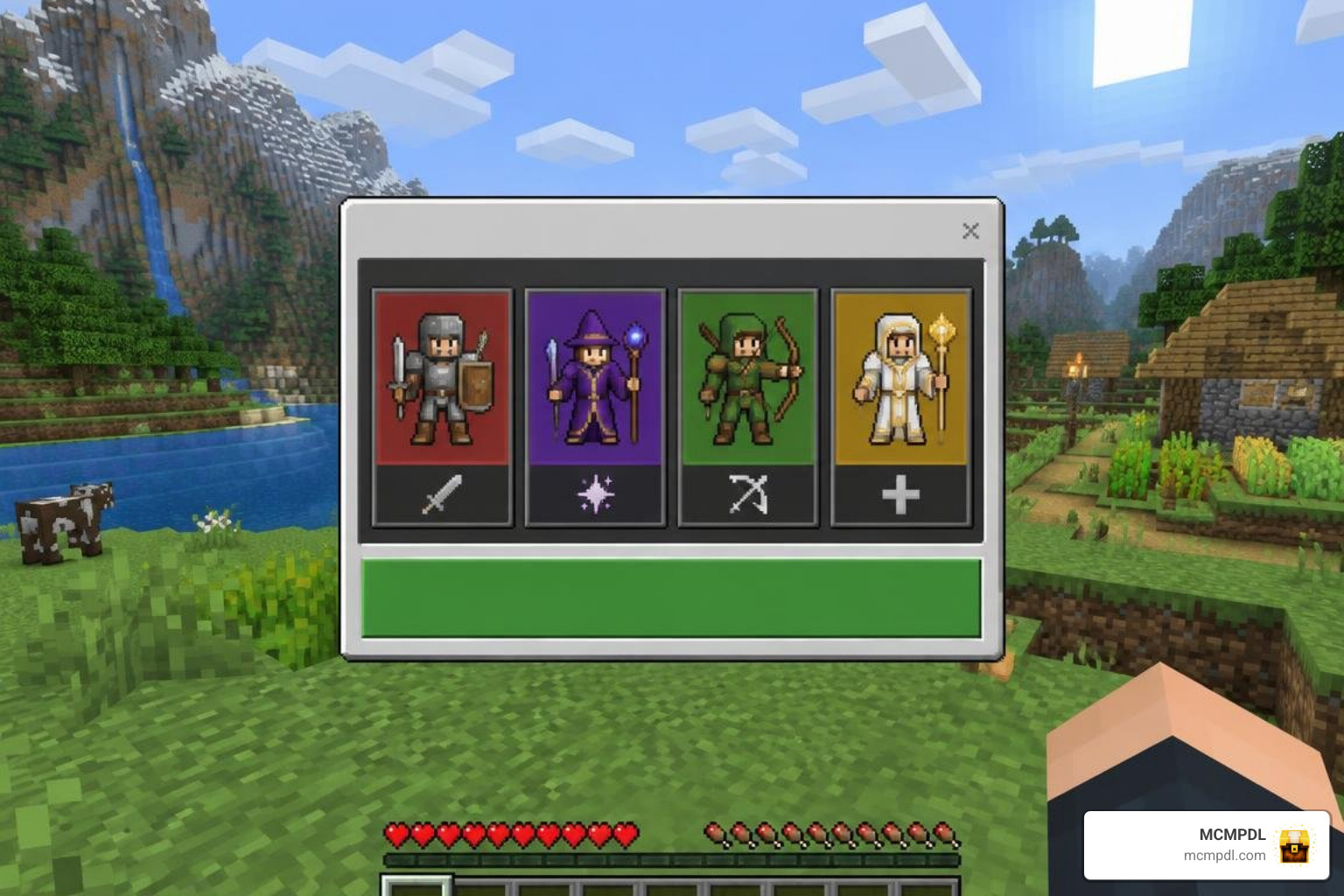
If abilities fail to trigger or class menus do not display correctly, you are likely experiencing a load order conflict or an inactive experimental setting.
Optimizing Load Order for RPG CLASSES! Addon for Minecraft PE/Bedrock
When using multiple add-ons together, pack load hierarchy determines which script takes priority. Place your primary class behavior pack near the top of your load order to prevent other modifications from overriding player entity files (player.json).
If you experience severe UI overlapping or abilities failing to register:
- Move the class resource pack to the top of your active resource pack list.
- Ensure no other active add-on overwrites the base player HUD.
- Clear your cached data in Settings > Storage > Cached Data and reload your world.
Pairing with Compatible Combat and Magic Addons
You can expand your survival RPG world by combining your class framework with specialized expansions:
- Upgrade weapon variety with an advanced combat addon to introduce dynamic combos and parry mechanics.
- Broaden your magic pool using a spellcaster addon for Bedrock for grimoires, staves, and elemental runes.
- Add world variety and dangerous creatures through a mythics and magic addon.
- Reward high-level dungeon clears by pairing your skill trees with a legendary weapons addon featuring relics and artifacts.
Frequently Asked Questions About RPG Classes in Bedrock
How do I open the class selection menu in-game?
In most class packs, you will receive an RPG Guide Book or selection scroll in your inventory upon your first world spawn. Right-clicking or holding down on your screen with this item opens the selection interface. If your inventory is full on first join, you can craft the guide book using a regular book combined with an iron ingot or redstone dust at a crafting table.
Can I change or reset my class without resetting my world?
Yes. Most advanced class packs feature an Amnesia Scroll or reset token item. Consuming this item wipes your current archetype selection and refunds your skill points, allowing you to choose a new specialization without losing your base survival builds, storage chests, or world progress.
Does the RPG Classes addon disable Xbox achievements?
Yes. Activating any behavior pack or experimental gameplay setting in Minecraft Bedrock Edition automatically disables Xbox achievements for that specific world. If you want to earn achievements, keep a separate vanilla survival world without custom behavior modifications.
Conclusion
Transforming your Minecraft survival world into an engaging, class-based adventure adds fresh replay value to every cave expedition, Nether raid, and boss encounter. By configuring your experimental world settings, organizing your load order, and equipping specialized gear, you can turn ordinary survival sessions into memorable RPG campaigns.
Ready to expand your realm with new mechanics, dimensions, and visual upgrades? Discover hundreds of curated behavior packs, textures, and adventures when you download more Minecraft Bedrock addons from our community library.