Scroll down to D0vvnl0ad
What Is the FRUIT FURNITURE Addon for Minecraft PE/Bedrock?
To install the FRUIT FURNITURE Addon for Minecraft PE/Bedrock, download the official .mcaddon or .mcpack file to your device, open it so Minecraft imports the pack automatically, then activate both the resource pack and behavior pack in your world settings. You also need to enable the relevant experimental gameplay toggles, such as Holiday Creator Features and Beta APIs, so the custom 3D models, seating, and storage mechanics work correctly. Once those steps are complete, you can load into your world and start placing the fruit-themed furniture.
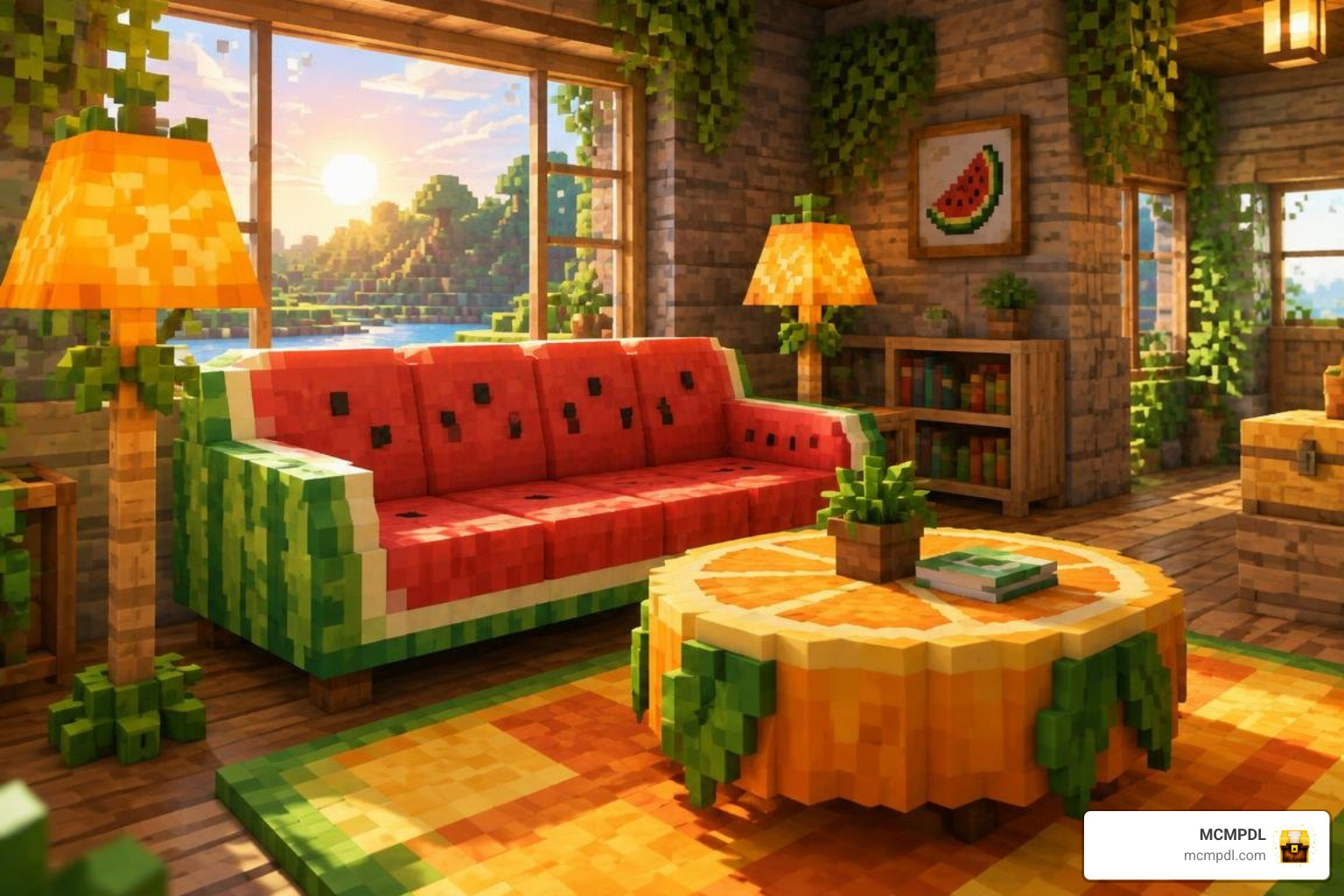
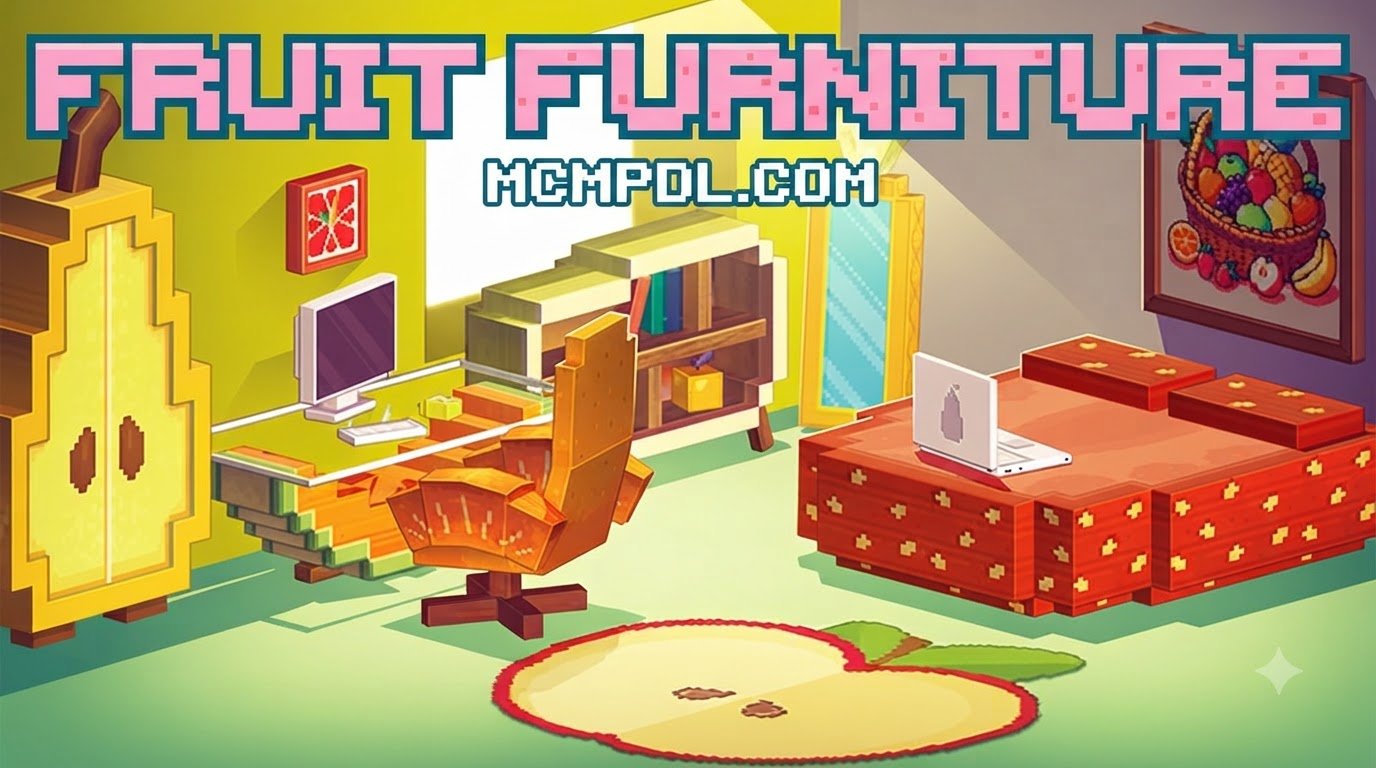
The Fruit Furniture Addon for Minecraft PE/Bedrock is a vibrant, decorative modification designed to bring organic color palettes and playful shapes into your interior spaces. Standard Minecraft interiors often rely heavily on traditional timber blocks, staircases masquerading as chairs, and trapdoors serving as armrests. While rustic wood styling has its place, it can feel repetitive after dozens of builds. This add-on swaps out mundane brown tones for the bright, juicy colors of fresh produce.
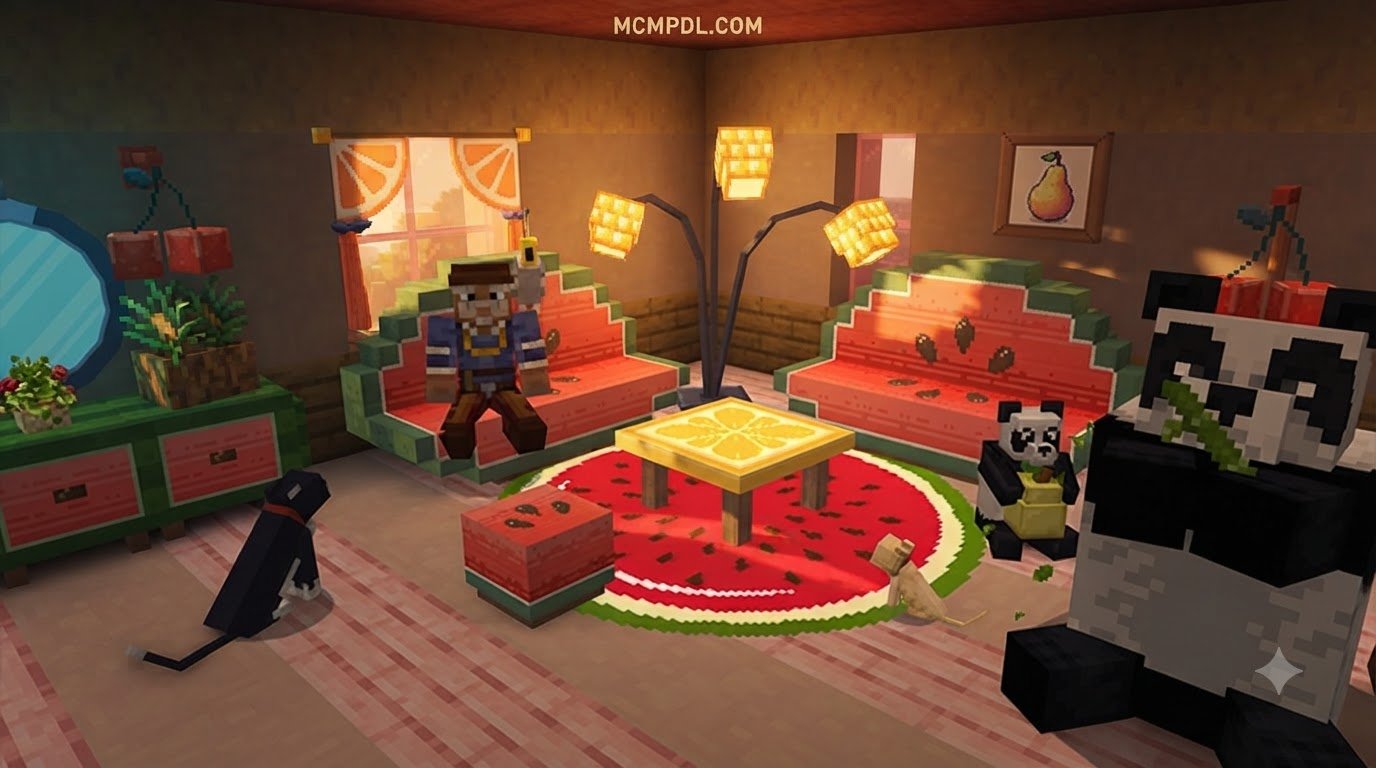
Featuring completely custom 3D models and tailored high-resolution textures, the pack introduces everything from watermelon slice couches to citrus-toned lamps. Instead of rigid rectangular prisms, these furniture blocks incorporate rounded edges, organic silhouettes, and clever thematic motifs—such as leafy green accents, seed patterns, and peel textures.
Whether you are designing a cozy kitchen, a sunny beachside cabana, or a quirky cottage in the woods, these pieces provide unique visual variety. They pair wonderfully alongside broader aesthetic furniture collections, allowing you to mix contemporary minimalism with fruity charm.
| Feature / Aspect | Traditional Vanilla Furniture Tricks | Fruit Furniture Addon |
|---|---|---|
| Model Detail | Blocky, improvised (stairs, slabs, signs) | Custom 3D voxel models with smooth contours |
| Color Variety | Limited to wood stains, wool, and terracotta | Vibrant fruit palettes (lime, ruby red, citrus orange) |
| Interactivity | Non-functional (requires invisible minecarts) | Built-in seating entities and functional storage |
| Placement Flexibility | Aligns strictly to full-block grid | Varied collision boxes and multi-directional rotation |
| Theme Alignment | Medieval, rustic, standard modern | Tropical, whimsical, pastel, summer aesthetic |
Fruit Varieties and Design Catalog
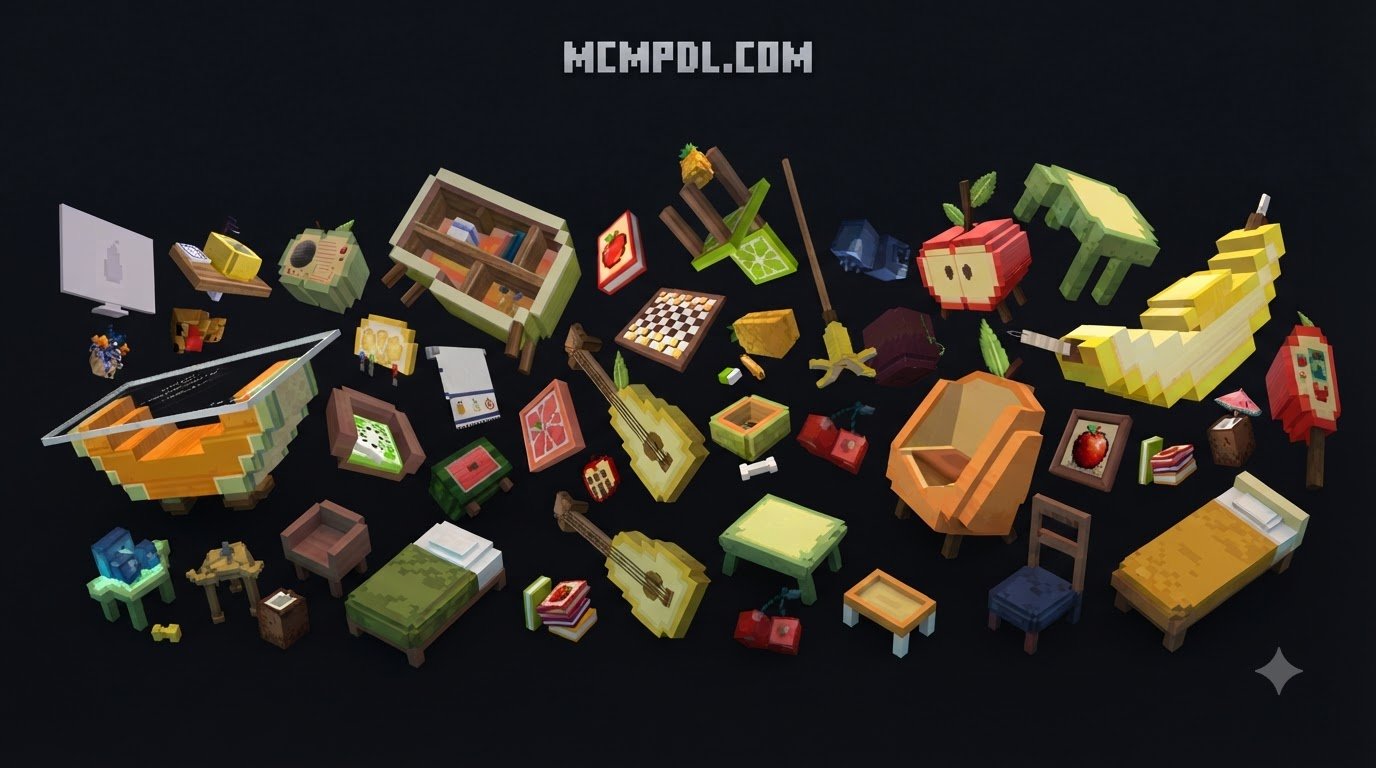
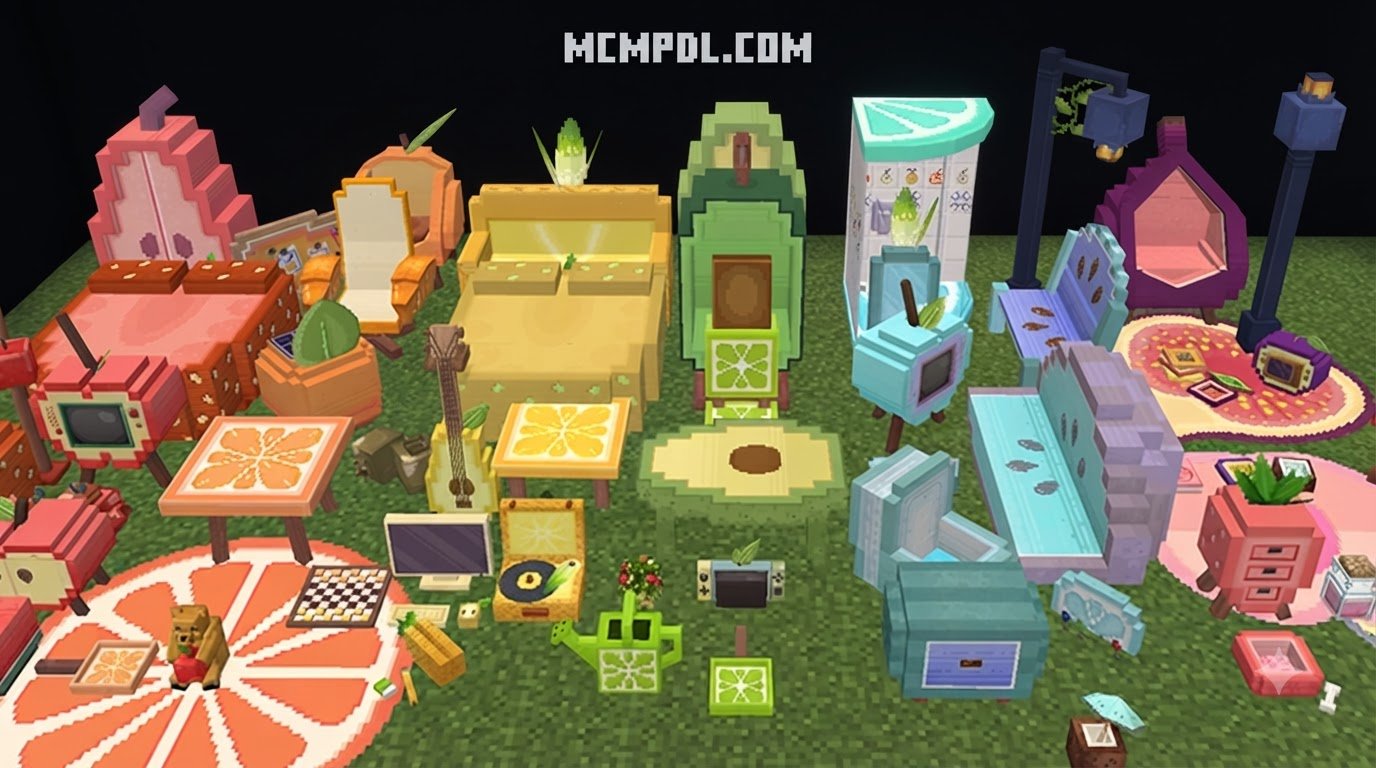
The design catalog spans a rich assortment of orchard favorites and tropical treats. Each fruit variety serves as the thematic foundation for specific furniture types:
- Watermelon Collection: Featuring bold striped rinds on the exterior and ruby-red seating surfaces peppered with black seeds. The watermelon sofa stands out as a living room centerpiece, flanked by matching watermelon wedge armchairs and low-profile coffee tables.
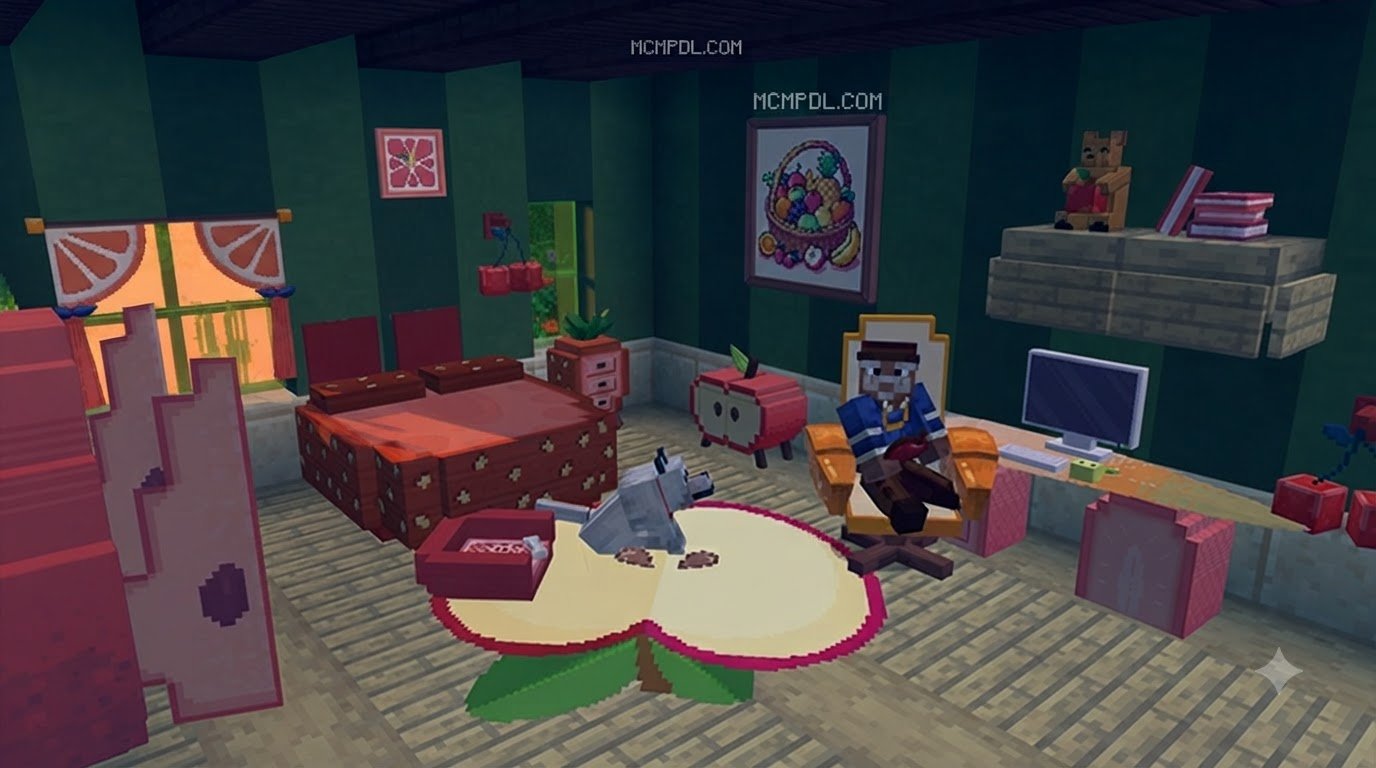
- Strawberry Suite: Designed with soft pinks, deep reds, and delicate leaf crown details. This suite offers charming breakfast tables, compact vanity units, and strawberry-shaped nightstands perfect for cozy bedroom layouts.
- Citrus Line (Orange, Lemon, and Lime): Bright, high-energy accents that include round citrus stools featuring pulp cross-section textures, tall standing banana lamps that cast a warm ambient glow, and translucent glass-topped dining surfaces.
- Apple and Berry Assortment: Sturdy apple-themed storage cabinets, woven berry baskets, and hanging wall shelves.
For builders looking to add intricate micro-details to kitchen counters or display cabinets, these pieces complement miniature decorative blocks remarkably well, giving your spaces a lived-in, styled atmosphere.
Interactive Features and Animations
Visual charm is only half the appeal; the Fruit Furniture Addon also incorporates functional gameplay mechanics. Rather than acting as static display statues, many items feature custom interaction definitions via Bedrock’s entity and block scripting systems:
- Functional Seating: Chairs and sofas feature integrated rideable components. When you right-click or tap the furniture piece, your character sits down naturally with properly aligned hitboxes—no invisible armor stands or hidden minecart tracks required.
- Built-in Storage: Selected cabinetry, apple hutches, and fruit crates open into functional inventory containers, allowing you to store kitchen supplies, crops, and tools directly within the decorative block.
- Custom Collision and Hitboxes: Each piece uses tailored collision geometry, meaning you will not bump into invisible full-block boundaries when walking around slim table legs or low footstools.
- Multiplayer Synchronization: Interactions and seating states synchronize smoothly across all players on a realm or local multiplayer server, ensuring smooth visual updates during collaborative play sessions.
Step-by-Step Installation Guide for Mobile and PC
Installing add-ons on Minecraft Bedrock Edition is a straightforward process, whether you are playing on Android, iOS, Windows 10/11, or console setups. Because Bedrock uses unified package formats, setting up the pack only takes a few minutes.
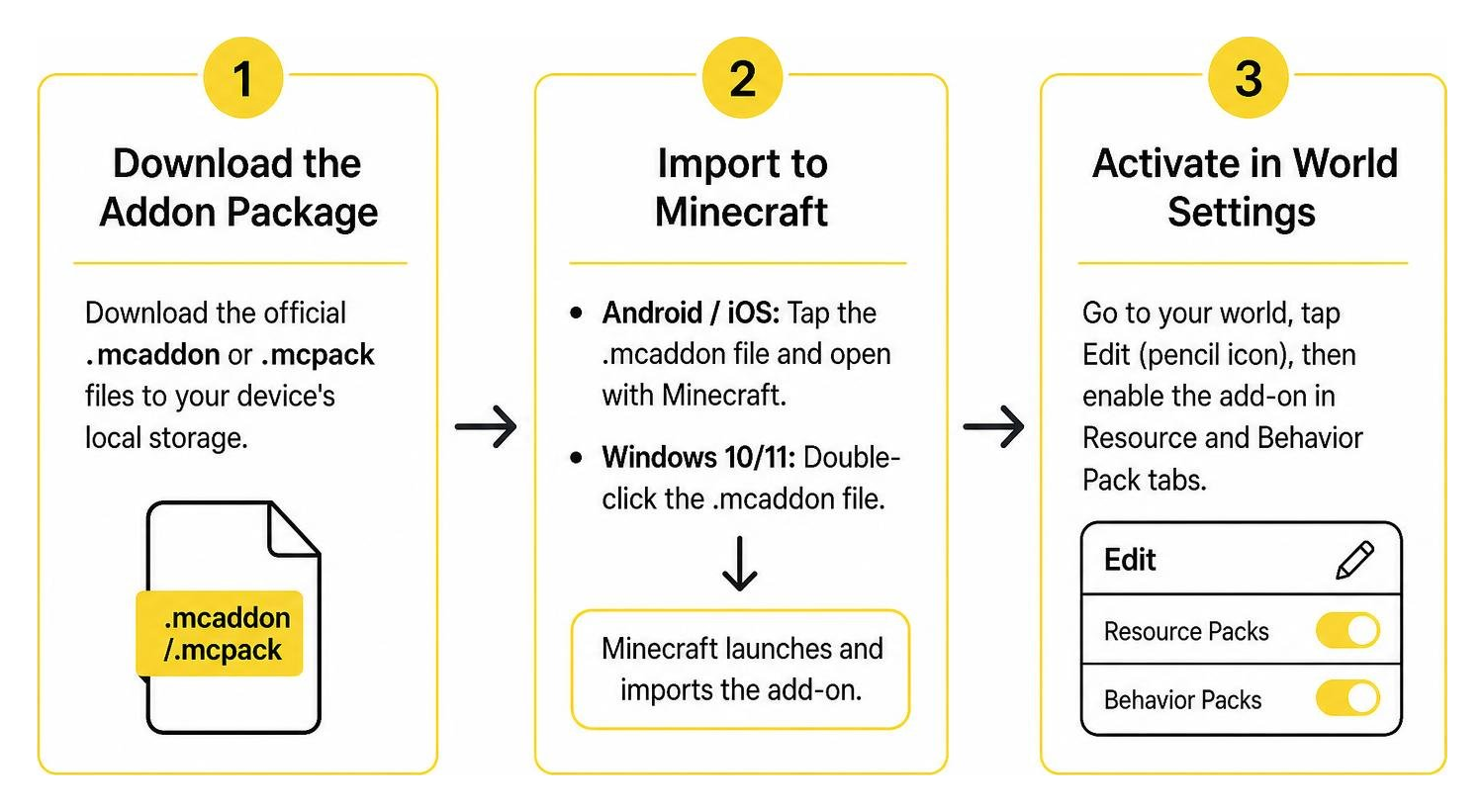
- Download the Addon Package: Download the official
.mcaddonor.mcpackfiles to your device’s local storage. - Import to Minecraft:
- Android / iOS: Open your mobile file manager, navigate to your
Downloadsfolder, and tap the.mcaddonfile. Select Minecraft from the “Open With” dialog. The game will launch automatically and display an “Import Started” banner at the top of the screen. - Windows 10/11: Double-click the downloaded
.mcaddonfile. Windows will launch your installed Bedrock client and automatically import the resources.
- Android / iOS: Open your mobile file manager, navigate to your
- Activate in World Settings: Once imported, navigate to your world selection screen, click the Edit (Pencil) icon next to your desired world, and proceed to the Resource and Behavior Pack tabs to enable the content.
If you enjoy expanding your building palette with additional decorative systems, you can easily run this alongside other modern block additions without file conflicts.
Enabling Experimental Gameplay for FRUIT FURNITURE Addon for Minecraft PE/Bedrock
To ensure all custom 3D geometries, collision boxes, and interactive seating mechanics function properly in current 2026 Bedrock engine releases, specific experimental switches must be toggled on inside your world settings:
- Holiday Creator Features (or Creator Features): Enables custom block definitions and interactive properties.
- Upcoming Creator Features: Ensures newly added entity components and sitting animations parse correctly.
- Beta APIs / Molang Features: Required if the pack utilizes custom scripts for container inventories or dynamic lighting updates.
To toggle these settings, open your world settings screen, scroll down to the Experiments section in the left-hand menu, and turn each relevant switch on. Minecraft will automatically prompt you to create an experimental copy of your world to protect your original save.
Importing Resource and Behavior Packs
For the add-on to function completely, both components of the package must be activated in tandem:
- Resource Pack (RP): Contains all the textures, 3D voxel models, sound effects, and user interface elements.
- Behavior Pack (BP): Contains the block definitions, hitboxes, seating entities, container scripts, and crafting recipes.
In your world settings, click Resource Packs > Available > Owned, locate the fruit furniture entry, and click Activate. Next, switch to the Behavior Packs tab and repeat the process. Ensure the pack appears under the Active list in both menus before loading into your world.
Crafting Recipes and In-Game Usage
The add-on is balanced for both creative sandbox builders and dedicated survival mode players. You can access the entire furniture catalog without switching game modes, making it an engaging addition to your long-term survival worlds.
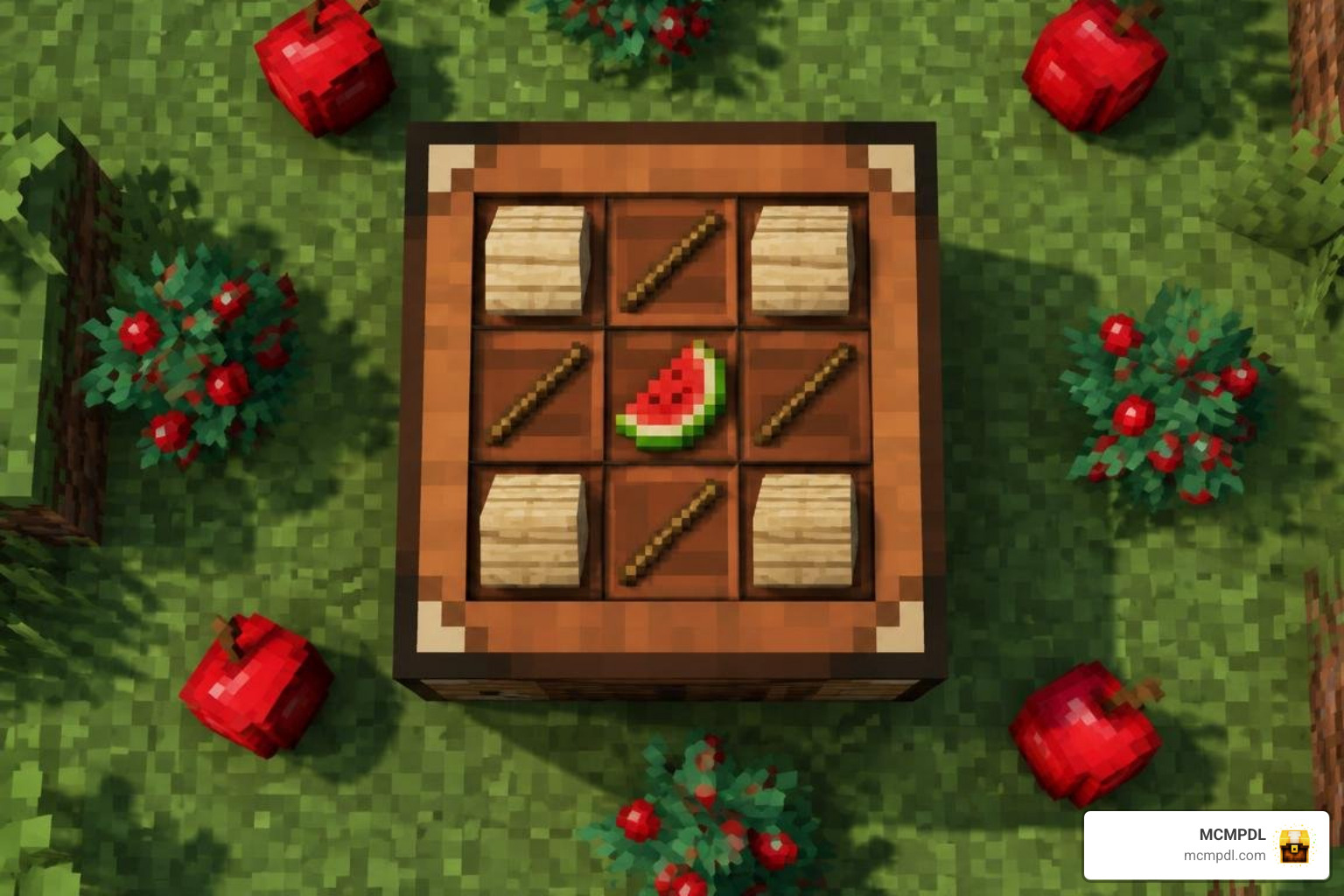
How to Craft Pieces in FRUIT FURNITURE Addon for Minecraft PE/Bedrock
In survival mode, crafting fruit furniture involves combining standard construction materials with farm harvest goods:
- Fruity Seating: Place three pieces of matching timber planks (such as Birch or Jungle) across the bottom row of a crafting table, two sticks on the sides, and a watermelon slice, apple, or sweet berry cluster in the center.
- Citrus Tables & Stools: Combine smooth stone or stripped oak logs with orange or yellow dye alongside your harvested citrus components.
- Stonecutter Integration: Many modern versions of the add-on support the stonecutter. Simply place a standard wooden plank or terracotta block into the stonecutter to immediately view and carve the full selection of fruit decor pieces without memorizing complex crafting grid recipes.
These recipes integrate smoothly into your existing crafting workflow, pairing naturally with other custom block expansions to offer virtually limitless building combinations.
Performance Optimization and Compatibility
Running decorative add-ons on mobile devices or lower-spec hardware requires balanced resource management. The Fruit Furniture pack is built using optimized low-poly voxel geometry to prevent frame rate drops. However, keeping a few best practices in mind will ensure silky-smooth performance:
- Cluster Density: Avoid placing hundreds of interactive seating entities in a single chunk. While static blocks have negligible performance impact, dozens of interactive entities clustered together can strain mobile CPU threads.
- Render Distance: If you experience slight stuttering inside large custom mansions, reduce your world render distance by 2–4 chunks in the video settings.
- Pack Load Order: In your global resources or world resource list, keep your primary texture packs at the top, followed by furniture resource packs, ensuring visual overrides load smoothly without texture flickering.
Frequently Asked Questions
Is the Fruit Furniture addon free to download?
Yes, the Fruit Furniture add-on is distributed as freeware across community-driven add-on repositories. You do not need to spend Minecoins or purchase marketplace tokens to download, install, and enjoy the pack in your personal or realm worlds.
Does the addon work on Minecraft Bedrock 1.21+ updates in 2026?
Yes. The pack is maintained and updated to remain compatible with modern Minecraft Bedrock and Pocket Edition builds. As long as you activate the required experimental creator toggles during world creation or editing, all custom block behaviors and textures will load correctly.
Can you sit on the fruit furniture pieces?
Yes. The chairs, watermelon sofas, and citrus stools feature built-in seating mechanics. Simply walk up to the furniture piece and right-click on PC or tap the interactive button on mobile devices to sit down. To dismount, press the sneak button (Shift on PC or double-tap the center d-pad button on touch controls).
Conclusion
The Fruit Furniture Addon offers a delightful breath of fresh air for Minecraft builders looking to break away from traditional wood and stone interiors. With its bright color themes, custom 3D models, smooth seating interactions, and simple survival crafting integration, it transforms ordinary houses into cheerful, character-filled homes.
At MCMPDL, our mission is to provide the Bedrock community with a curated, accessible destination for the highest quality creations. Whether you are searching for lively interior decorations, gameplay tweaks, or visual upgrades, you can explore more trending add-ons for Minecraft Bedrock to elevate your next building adventure.