Scroll down to D0vvnl0ad
How to Install MORE BIOMES on Minecraft PE and Bedrock
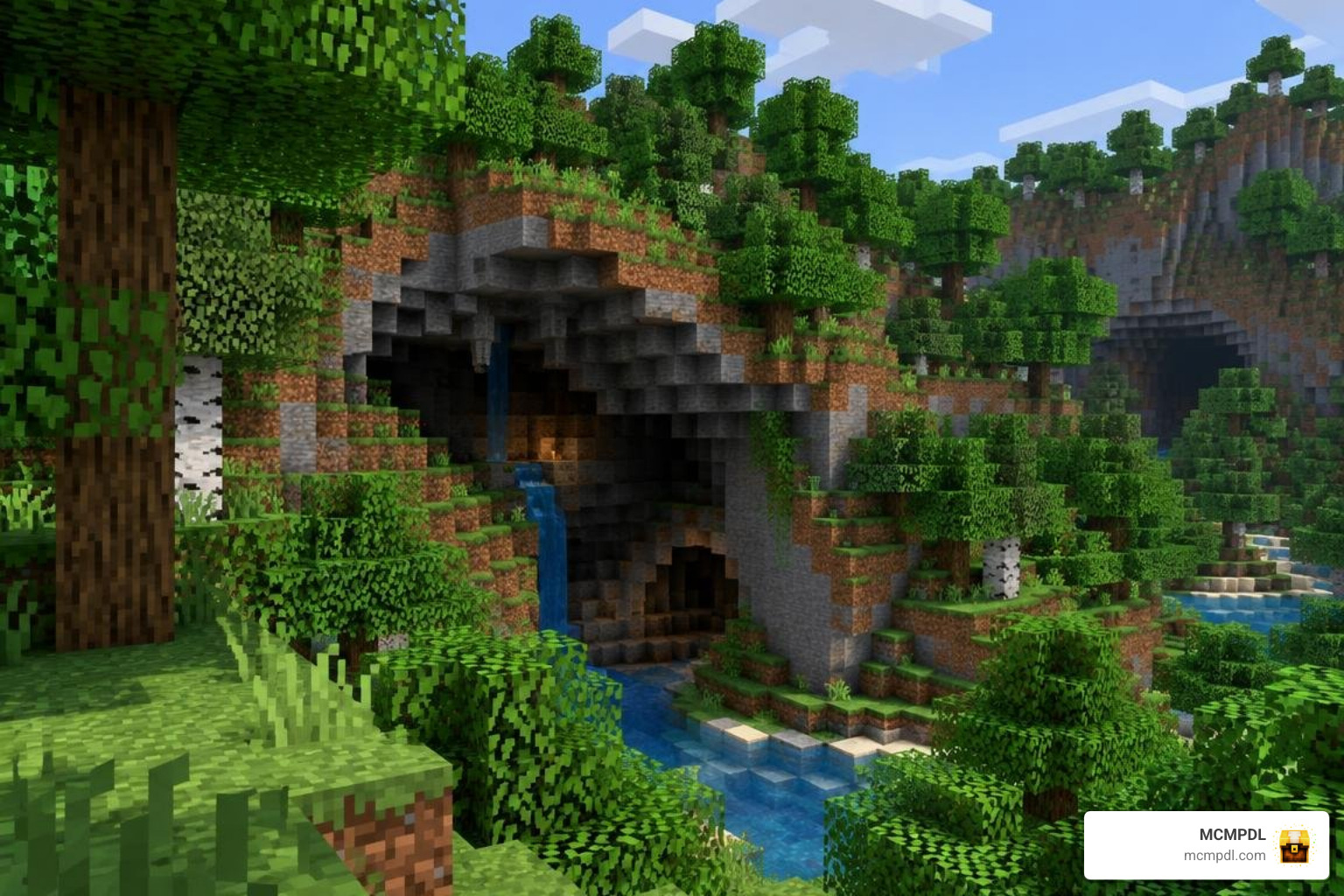
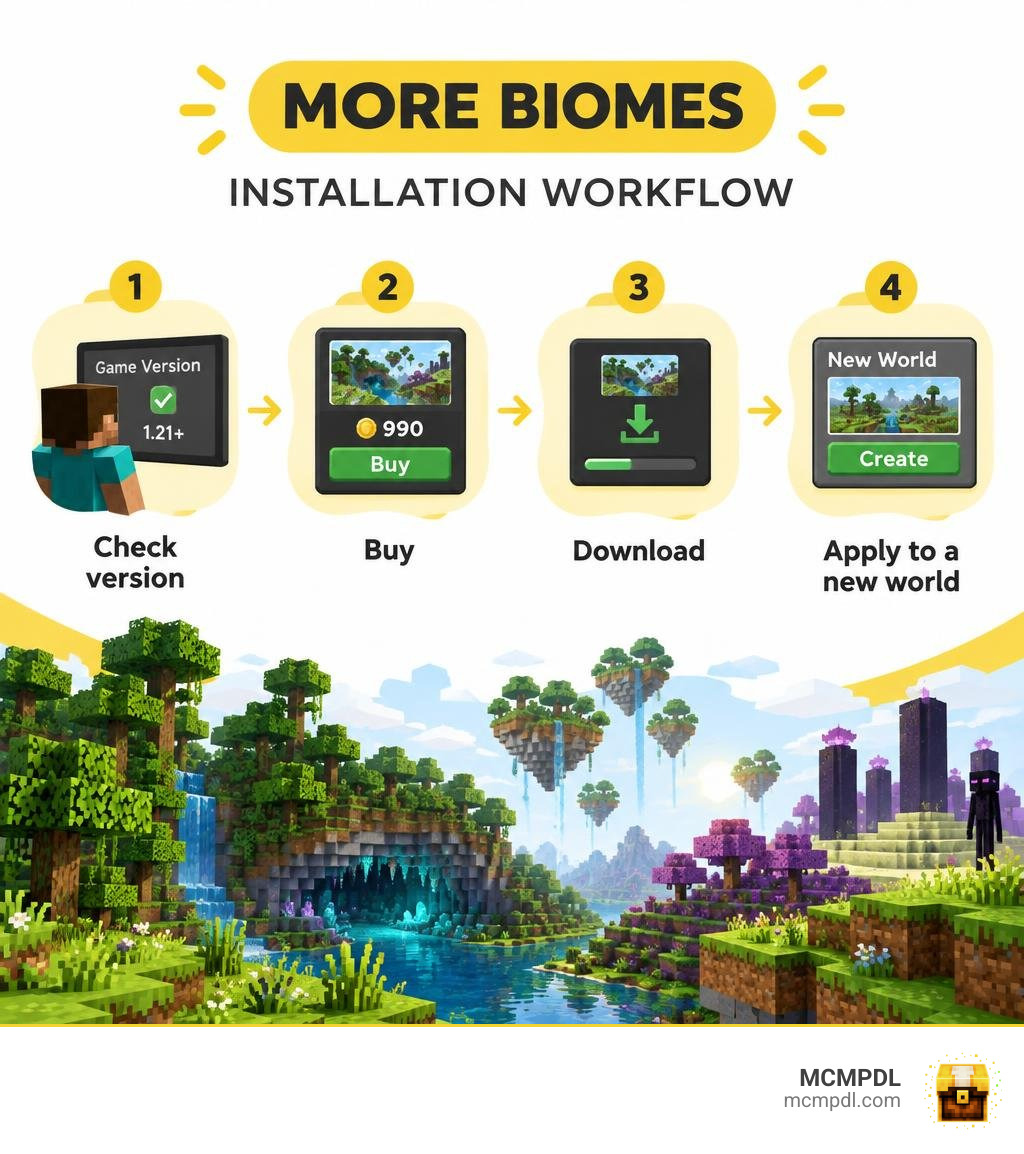
To install the MORE BIOMES Addon for Minecraft PE/Bedrock, open the in-game Minecraft Marketplace, find MORE BIOMES Add-On by Pixelusion, and check that your game version meets the listing’s requirements. Buy it for 990 Minecoins, download it, and apply it when creating a new world. A new world gives its custom biomes fresh terrain in which to generate.
The add-on brings 14 biomes to forests, caves, the sky, and the End, plus new mobs, structures, and building materials. This guide walks through the purchase, setup, and settings so you can start exploring without guessing which pack to enable.
What Is the MORE BIOMES Addon for Minecraft PE/Bedrock?
Exploring standard worlds can eventually feel predictable once you have traveled through every standard oak forest, desert, and mountain range. Created by the development team at Pixelusion, the MORE BIOMES expansion solves this by generating 14 biomes across the Overworld, underground depths, floating sky regions, and outer dimensions.
Rather than simply recoloring standard vanilla grass, the pack integrates completely distinct ecological regions. Underground adventurers can explore deep cavern systems reminiscent of dedicated cave biomes, while surface explorers can wander through dense canopies and discover sky islands floating far above the cloud layer.
The add-on launched on the Minecraft Bedrock Marketplace on September 9, 2025, and received substantial enhancements leading up to its October 6, 2026 update. You can browse the MORE BIOMES Add-On listing directly on the Marketplace using its internal identifier (UID: 90bfd8db-9ff1-4f56-a4ea-d0ea868832f5).
In terms of cost and reception, the pack is listed at 990 Minecoins, which translates to roughly $5.19 USD (or €4.89 EUR). Community feedback remains consistently strong, holding a 4.1 out of 5-star rating across 1,201 player reviews (maintaining an impressive 4.2-star score among earlier review milestones). Over 63% of verified buyers award it a full 5 stars, praising how naturally its custom generation fits into Bedrock Edition without requiring complicated external mod launchers.
Key Features of the MORE BIOMES Addon for Minecraft PE/Bedrock
The expansion introduces a deep roster of environmental features designed to make survival gameplay feel rewarding. When exploring the wilderness, you will run into custom flora, specialized wildlife, and intricate dungeon structures.
- Custom Mobs and Fauna: Encounter unique native creatures and aggressive monsters tailored specifically to their home biomes, adding survival danger and aesthetic charm.
- Unique Structures: Naturally generating ruins, dungeons, and hidden outposts populate the landscape, offering valuable loot chests for early-game and late-game adventurers alike.
- Expanded Woodsets and Building Blocks: Harvest brand-new tree varieties providing custom wood types, matching planks, doors, fences, and decorative foliage to elevate your survival bases.
- Atmospheric Particle Systems: Version 1.1.0 introduced dynamic falling leaves particles and specialized leaf blocks, mirroring the visual immersion found in a realistic biomes expansion.
- Custom Soundscapes and Ambience: Immersive ambient audio cues play dynamically as you cross environmental borders, deepening the atmosphere whether you are crawling through subterranean tunnels or climbing mountain peaks.
New Generation and Chorite Forest in Version 1.2.0
With the release of Version 1.2.0, the creators overhauled how terrain populates existing worlds. The add-on transitioned to modern Replace Biome technology. This generation method seamlessly substitutes specified coordinate boundaries with custom terrain features rather than fighting the default Bedrock world generator. This technical leap drastically reduces ugly sheer terrain walls and broken chunk borders when generating next to vanilla-style biomes.
The standout feature of this update is the addition of the Chorite Forest, an alien ecological zone situated deep within the End dimension. Breaking up the barren monotony of End stone islands, the Chorite Forest introduces twisted vegetation, custom ambient lighting, and specialized End blocks. Furthermore, Version 1.2.0 introduced official support for Vibrant Visuals lighting enhancements and ironed out lingering tree generation bugs and mob spawn frequency imbalances.
Step-by-Step Installation and Setup Guide
Installing add-ons on Minecraft Bedrock and Pocket Edition (PE) has never been simpler. Because MORE BIOMES is officially distributed through the Bedrock ecosystem, you do not need to manually unpack .zip archives or navigate hidden file folders on your mobile device.
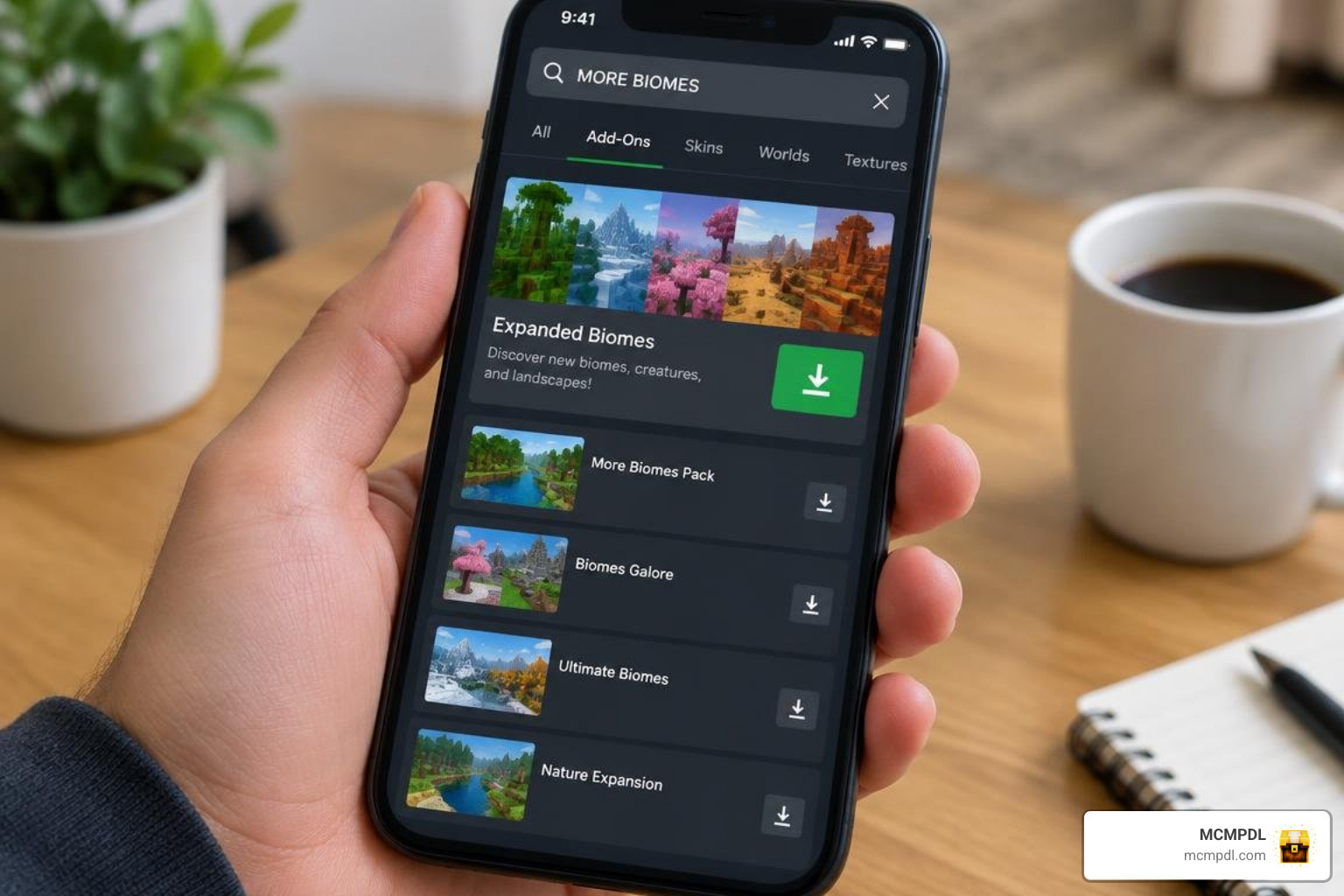
Follow these clear steps to install and activate the pack on your device:
- Launch Minecraft: Open your Minecraft Bedrock client on your preferred platform (iOS, Android, Windows, or Console).
- Access the Marketplace: From the main title screen, select the Marketplace (or Store) button.
- Search for the Pack: Tap the search icon in the top right corner and enter
MORE BIOMESorPixelusion. - Complete Your Purchase: Select the add-on card and complete the transaction for 990 Minecoins.
- Download the Content: Once purchased, tap the green Download button to store the resource and behavior files locally on your device.
- Create a New World: Return to the main menu, select Play, then tap Create New > Create New World.
- Activate Behavior and Resource Packs: Scroll down the left settings panel to Resource Packs and activate MORE BIOMES. Repeat this step under Behavior Packs to ensure scripts and custom mob logic load properly.
- Generate the Terrain: Configure your preferred game difficulty and world rules, then click Create to jump into your newly populated world!
Marketplace Acquisition and Version Requirements
Before purchasing the add-on, confirm that your device meets the technical baseline. While the Marketplace database lists a base engine compatibility starting from version 1.16.0, running modern terrain systems smoothly requires Minecraft Bedrock v1.20.60 or newer.
The download package requires minimal storage space, making it easy to run on phones, tablets, and desktop systems alike. Whether you are playing on an Android device via touchscreen controls, an iPhone/iPad running iOS, or a dedicated gaming setup on Windows 11, the add-on natively synchronizes across all platforms linked to your Microsoft account.
How to Configure the MORE BIOMES Addon for Minecraft PE/Bedrock in Settings
One common frustration with extensive terrain mods is performance stuttering on lower-end hardware. Thankfully, the add-on includes a built-in configuration interface introduced in update 1.1.0 that lets you tailor performance on the fly.
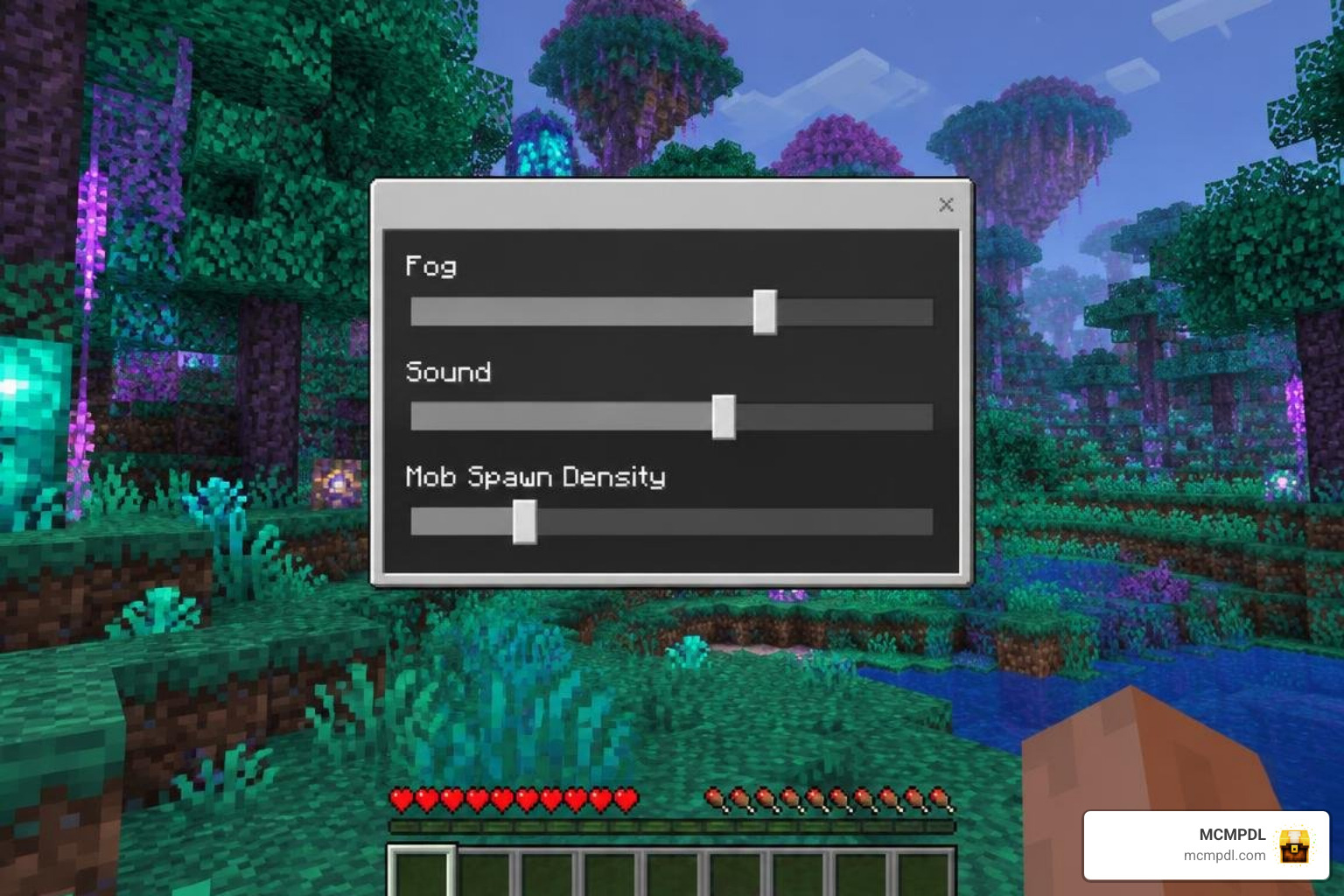
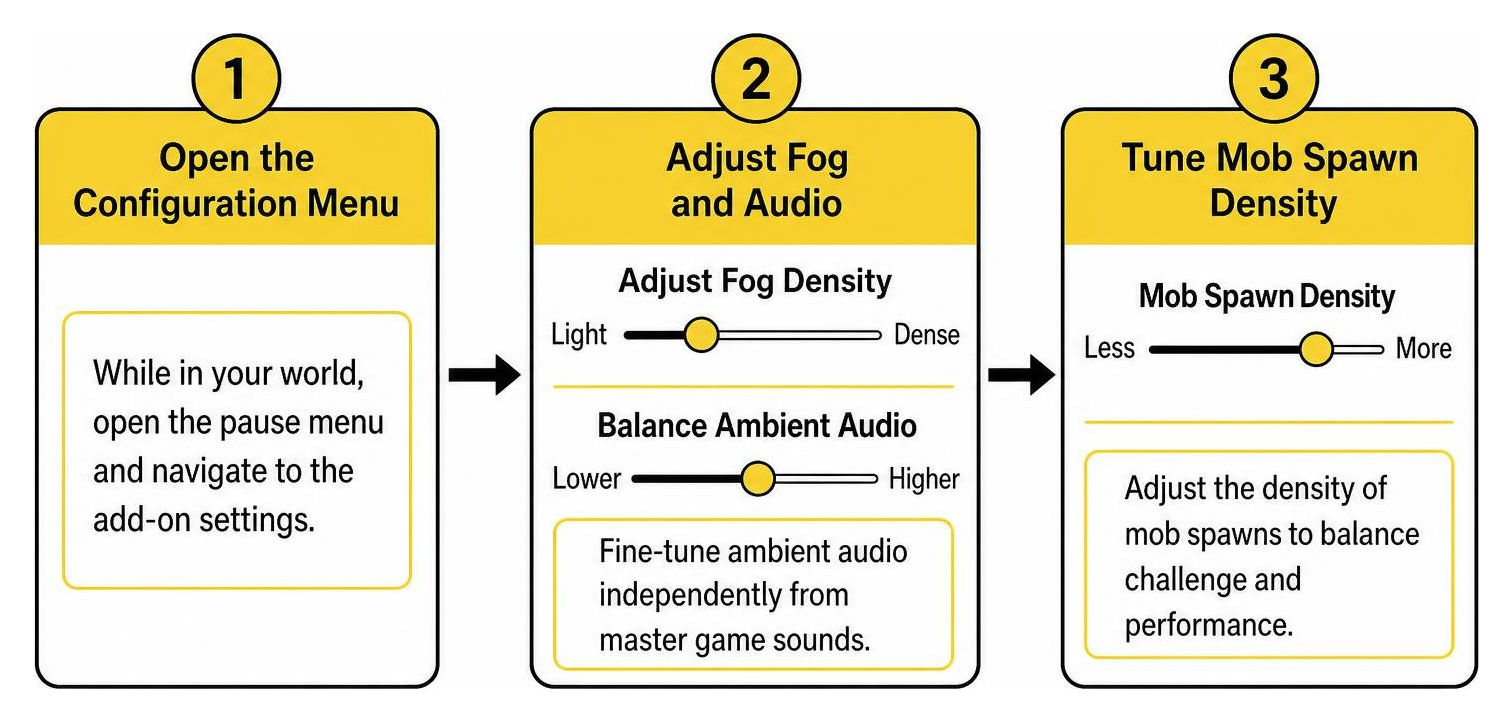
To access and optimize these settings:
- Open the Configuration Menu: While loaded into your world, open the pause menu and navigate to the custom add-on settings screen.
- Adjust Fog Density: If dense environmental fog drops your framerate in custom forests, adjust the fog slider to lighten the visual atmospheric density.
- Balance Ambient Audio: Fine-tune ambient background audio tracks independently from master game sounds to create your ideal auditory mix.
- Tune Mob Spawning Rates: If too many custom entities crowd your base, reduce the mob spawn frequency slider. This keeps your local tick rate high and prevents entity lag during lengthy survival sessions.
What to Consider Before Installing MORE BIOMES
Choosing a world expansion depends on your playstyle, hardware, and budget. MORE BIOMES is designed for Bedrock players who want additional terrain to explore without manually managing downloaded archives or hidden device folders.
Before purchasing, confirm that your Minecraft version meets the Marketplace listing requirements and plan to create a new world so the add-on’s custom terrain can generate from the start. The pack adds 14 biomes across forests, caves, sky regions, and the End, alongside custom mobs, structures, woodsets, and ambient effects.
Players using lower-end devices can also review the add-on settings after creating a world. Adjusting fog density, ambient audio, and mob spawning rates can help balance the atmosphere and entity load for a smoother survival experience.
Frequently Asked Questions About MORE BIOMES Addon
Does MORE BIOMES support Vibrant Visuals and experimental toggles?
Yes! Starting with Version 1.2.0, MORE BIOMES officially supports Vibrant Visuals, delivering rich atmospheric lighting, realistic water reflections, and deep environmental color palettes. Furthermore, because the pack utilizes modern Replace Biome generation algorithms, you do not need to activate unstable experimental gameplay switches (like Holiday Creator Features) on modern Bedrock versions.
How much does the MORE BIOMES Addon cost in Minecoins?
The MORE BIOMES Add-On costs 990 Minecoins. In real-world currency, this equates to roughly $5.19 USD or €4.89 EUR, depending on your local region and applicable store taxes.
What should you do if custom mob spawns cause lag?
If you notice frame drops or slow tick rates on mobile devices or older consoles, pause the game and open the custom add-on configuration menu. Lower the Mob Spawning Rate slider and dial back the Fog Density. This instantly reduces the active entity load and visual particle count in your immediate render distance without forcing you to abandon your survival world.
Conclusion
The MORE BIOMES add-on is one of the most accessible and polished terrain expansions available for Minecraft Pocket Edition and Bedrock. By combining 14 diverse environments—ranging from peaceful canopy forests and subterranean caverns to floating sky reaches and the alien Chorite Forest in the End—it delivers an unforgettable survival experience without destabilizing your game.
If you are eager to enhance your gameplay further with top-tier community content, check out MCMPDL to discover curated texture packs, functional addons, and custom survival maps designed to transform your Minecraft adventures. Happy exploring!