Scroll down to D0vvnl0ad
Get the CATS Addon Running in Minecraft PE/Bedrock
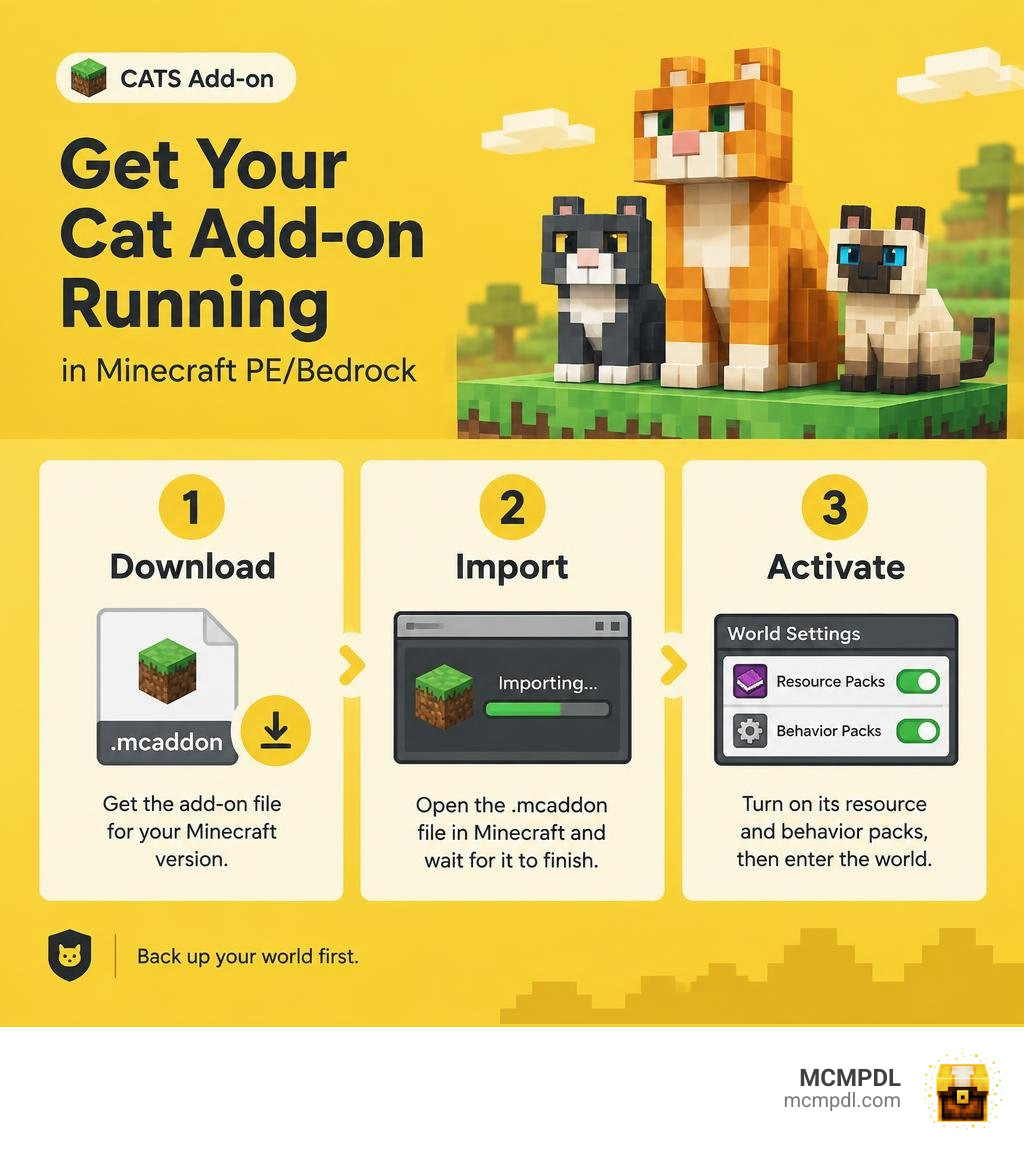
To install the CATS Addon for Minecraft PE/Bedrock, follow three steps:
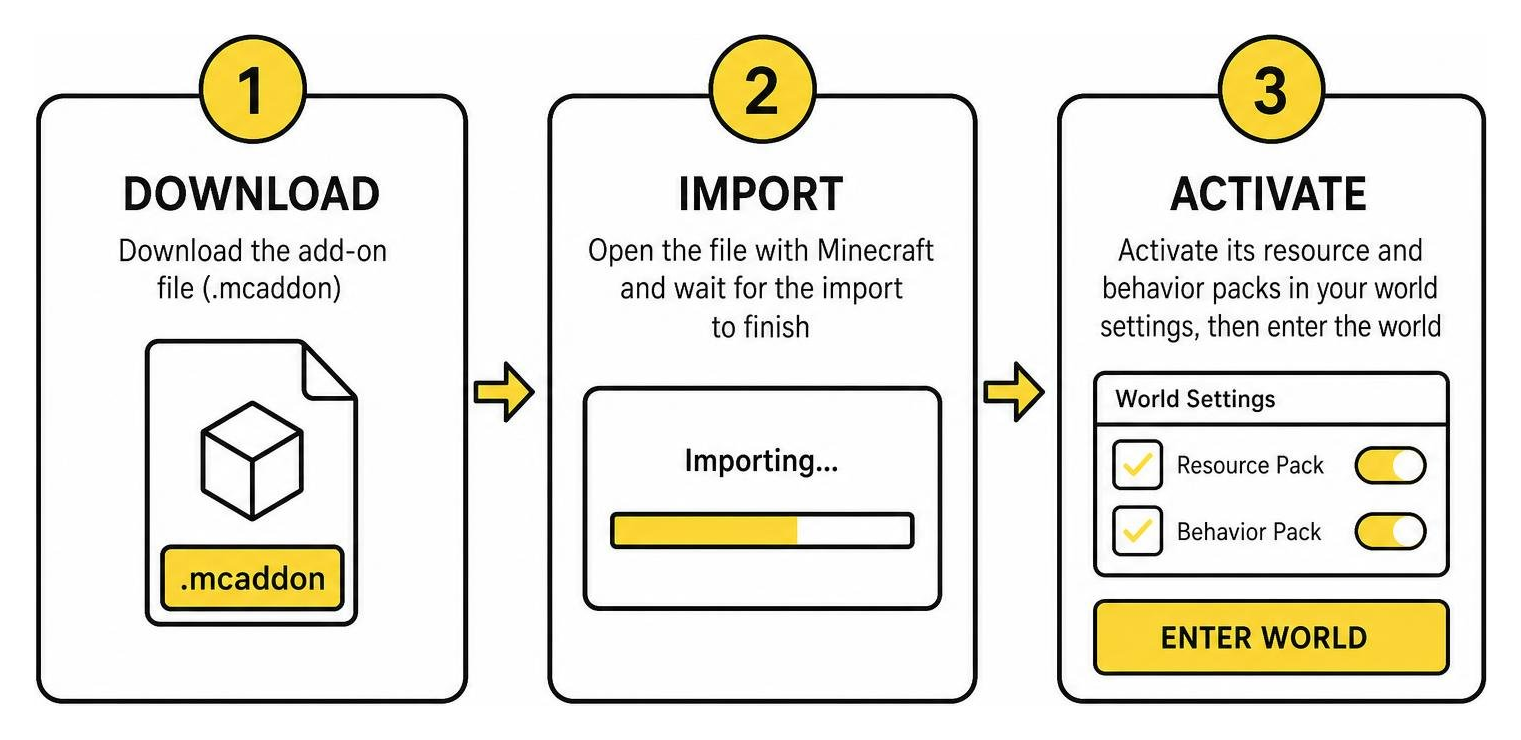
- Download an add-on file that lists support for your Minecraft version.
- Open the
.mcaddonfile with Minecraft and wait for the import to finish. - Activate its resource and behavior packs in your world settings, then enter the world.
Back up your world first. Cat add-ons vary: some change how cats look, while others add new companions or abilities. In a survival world, you can tame a regular cat with raw cod or raw salmon, but custom cats may use different rules. Check the add-on’s instructions before you play.
3 Easy Steps to Download and Install the Addon
Customizing Minecraft Pocket Edition and Bedrock Edition has evolved significantly. While vanilla felines have defended our bases against creeping threats since the early updates, installing dedicated community modifications lets you transform simple village strays into armored warriors, chonky housemates, or mythical dimensional beasts.
Because Bedrock Edition uses unified JSON architecture, setting up feline modifications is straightforward across Android, iOS, Windows, and modern consoles. Following the official standards for introducing add-ons to Minecraft, creators package these mods as seamless .mcaddon or .mcpack files that handle both client-side visuals and server-side logic automatically.
Step 1: Downloading the Addon Files
Before touching your world settings, you need to acquire the correct files from a trusted source. Cat add-ons generally arrive in one of two formats:
- Combined
.mcaddonArchive: A single installation file containing both the Behavior Pack (which controls AI, taming logic, and attack damage) and the Resource Pack (which handles textures, models, and custom purring sounds). - Split
.mcpackFiles: Two individual downloads labeled_BP(Behavior Pack) and_RP(Resource Pack) that require separate installations.
Always verify game version compatibility before downloading. While lightweight cosmetic tweaks like the Just Normal Cats pack (version 1.26.10, file size 676.35 KB) run effortlessly across most recent builds, comprehensive overhauls like Cats+ (v1.1, file size 118.23 KB) require specific Bedrock game versions to ensure scripts execute properly. Ensure your device grants your browser storage permissions so the downloaded package saves directly into your device’s default storage folder.
Step 2: Importing the CATS Addon for Minecraft PE/Bedrock
Once the download finishes, importing the files into Minecraft Bedrock takes just a few taps:
- Mobile Devices (iOS & Android): Locate the
.mcaddonfile in your Files or Downloads app. Tap the file, select Share or Open With, and choose Minecraft. Your game will launch automatically and display an “Import Started” banner at the top of the main screen, followed by “Successfully Imported”. - Windows 10/11: Double-click the
.mcaddonfile in File Explorer. Windows will launch the Bedrock client and process the packs into your internal game directory. - Manual Extraction (Fallback): If your device does not recognize the file association, rename the file extension from
.mcaddonto.zip. Extract the folders, move the resource folder into your game’sresource_packsdirectory, and place the behavior folder directly intobehavior_packs.
Step 3: Activating Experimental Features and World Settings
After importing your files, you must configure your world to execute custom entity scripts and complex feline behaviors.
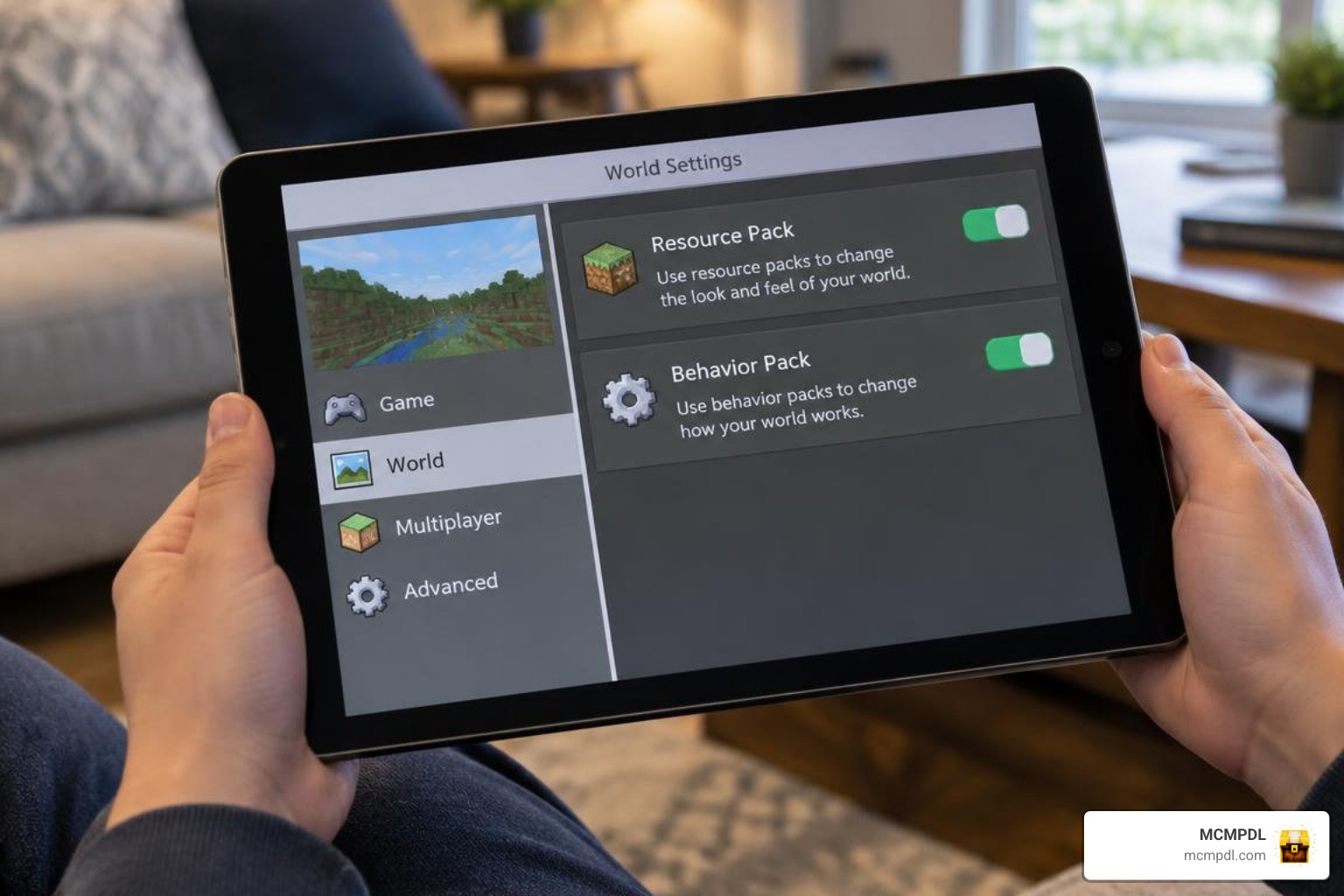
Create a new world or click the pencil icon next to an existing world save. Navigate down the left sidebar to Resource Packs, locate your cat pack under Available, and click Activate. Repeat this exact step under the Behavior Packs tab.
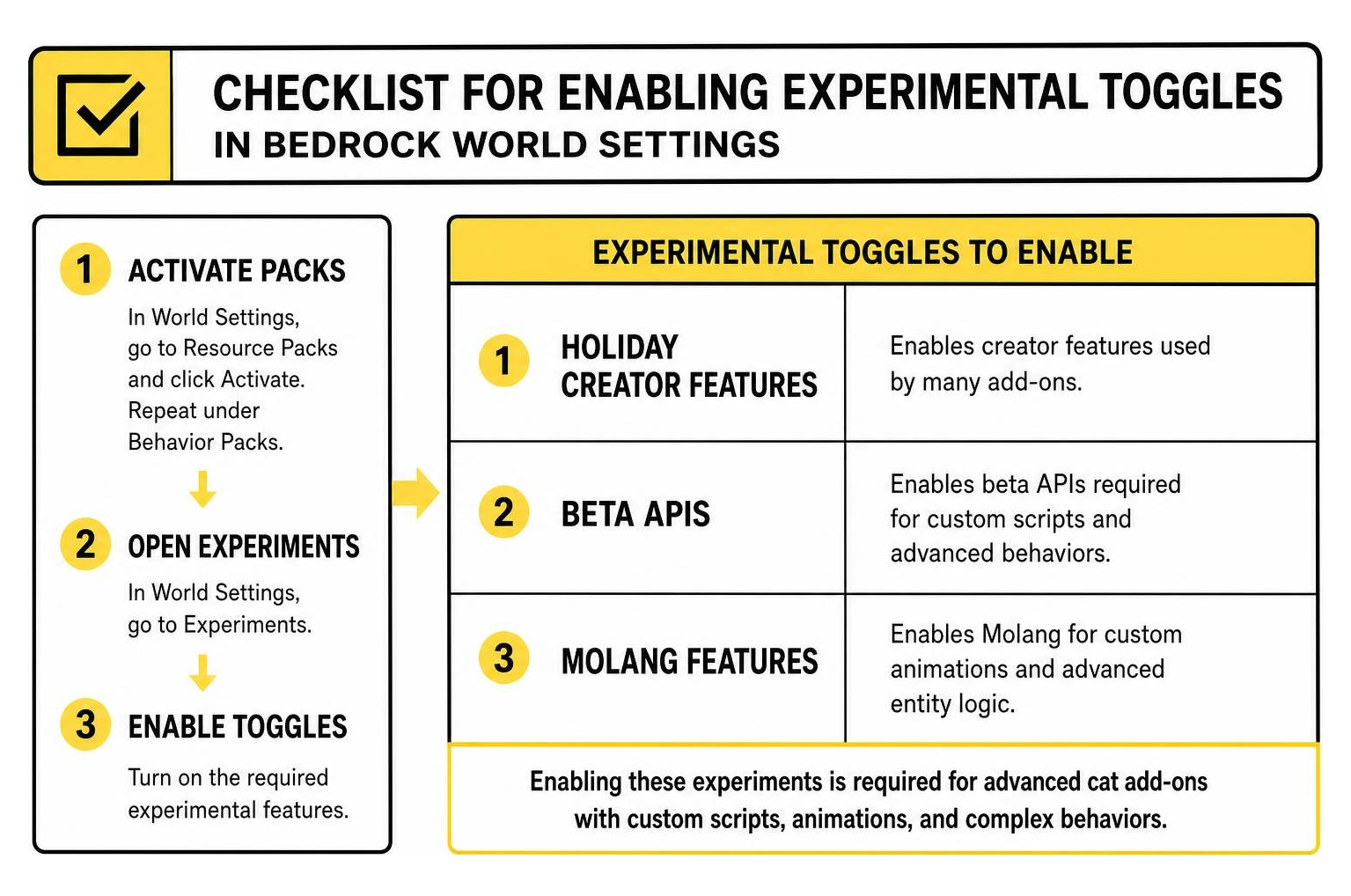
For advanced modifications like the Cat Fighting add-on (updated in September 2026 with over 48,900 downloads) or mods featuring custom animations, you must enable specific Experiments in world settings:
- Holiday Creator Features
- Beta APIs
- Molang Features
- Upcoming Creator Features
Enabling these toggles allows custom entity models, special mounting scripts, and custom inventory slots to load without crashing your game session.
Key Features and Mechanics in the CATS Addon for Minecraft PE/Bedrock
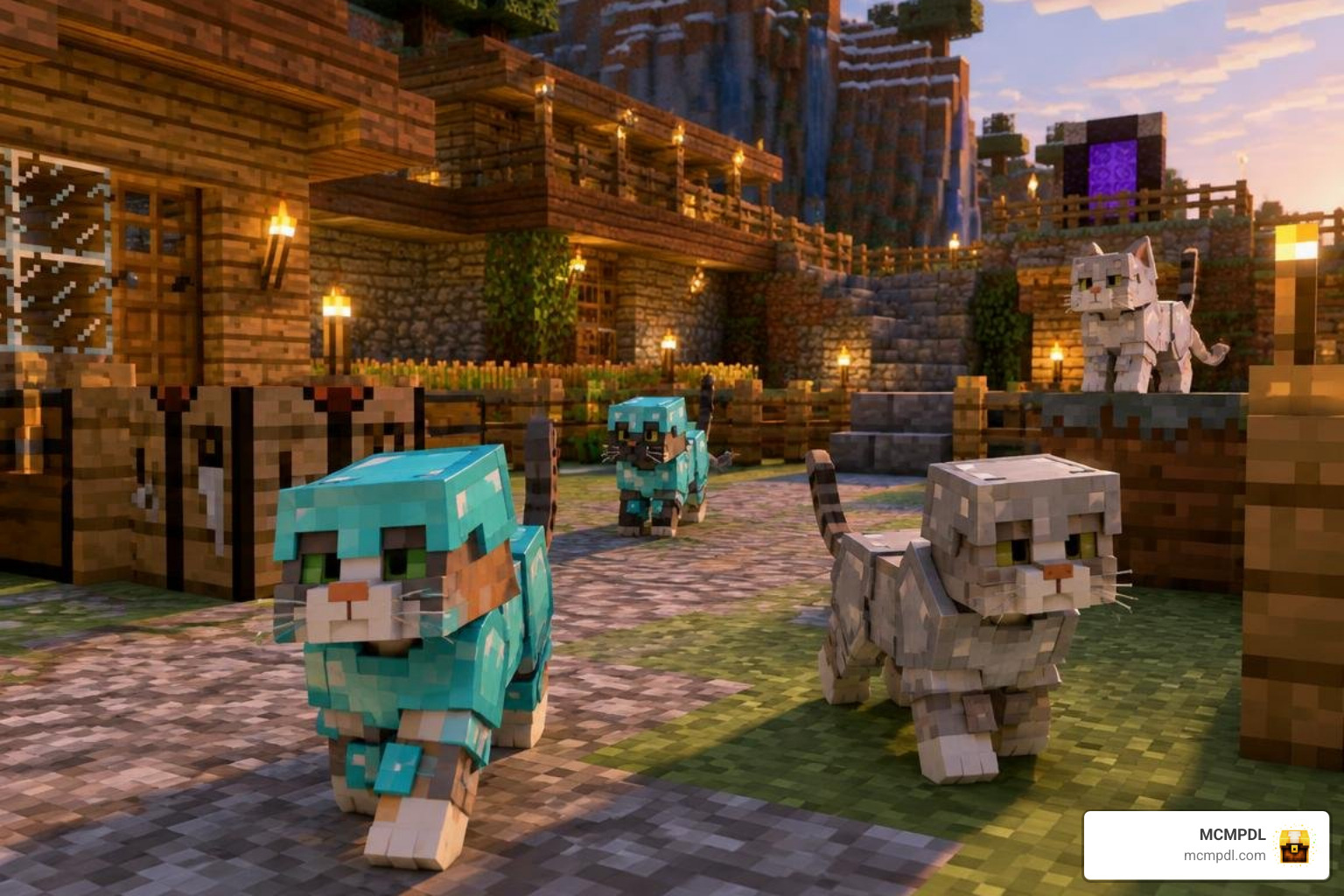
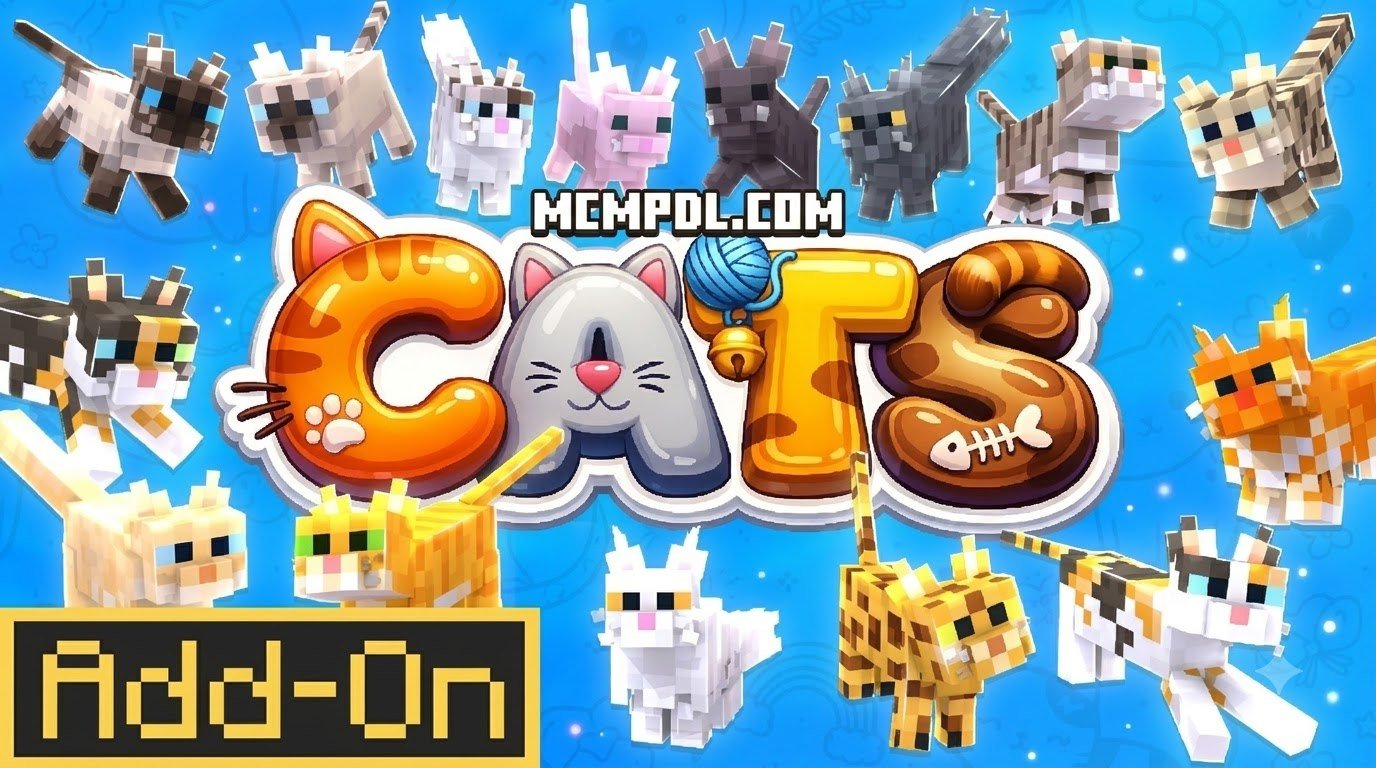
Installing a specialized cat add-on alters how you interact with domestic pets. While vanilla Minecraft features 11 standard cat breeds that wander villages and hiss at creepers, modded feline companions offer rich interaction systems, tactical utility, and dynamic behaviors.
Many community packs introduce interactive weight and mood mechanics. For instance, cats left sitting on warm blocks or fed excessive amounts of raw fish may gradually transition into “chonky” or fat cat models. In advanced behavior packs, feline moods dynamically influence mob performance: happy cats gain temporary speed and health regeneration, while neglected or frightened cats seek shelter under roofs during thunderstorms.
| Feature Category | Free Community Addons (e.g., Cats+, Cat Fighting) | Premium Marketplace Addons (e.g., Spark Pets) |
|---|---|---|
| Typical Cost | Free / Open-Source (Community Released) | 990 Minecoins |
| Breed Diversity | 5–15 fantasy/biome variants (Nether, End) | 30+ domestic breeds and exotic animals |
| Custom Outfits | Craftable armor sets (Iron, Diamond, Netherite) | 5+ thematic outfits per pet species |
| Combat Mechanics | Passive brawling, damage resistance, mob defense | Decorative animations, visual tricks |
| Configuration | Manual JSON / Experimental toggle controls | In-game UI menus and integrated settings |
| Support & Updates | Periodic community updates | Official version maintenance and verified stability |
Custom Cat Breeds, Nether Variants, and End Companions
Modded feline packs expand well beyond standard domestic breeds, introducing biome-specific cats that spawn naturally in dangerous dimensions.
- Nether Prowlers: Immune to fire and lava damage, these rugged felines spawn near Crimson Forests and Nether Fortresses. They serve as companions during Nether exploration, attacking Blazes and warning players of approaching Ghasts.
- Ender Cats: Native to the End dimension, these mysterious felines possess innate teleportation capabilities. When startled or separated from their owner, they phase through blocks to stay within reach.
- Fat Cats & Ocelot Variants: Derived from wild ocelot models, these wider variants loaf around player bases, swat at floating items, and interact playfully with baby villagers.
If you enjoy taking on animal forms yourself alongside your custom companions, you can experiment with morphing into custom feline shapes to explore your survival worlds from a whole new perspective.
Armor, Utility Gear, and Advanced Base Defense
Vanilla cats are renowned for repelling creepers and phantoms within an 8-block radius, but with the right add-on, their defensive utility expands dramatically.
Modded packs introduce wearable cat armor crafted from iron, gold, diamond, and netherite. Equipping armor typically requires taming the cat with raw fish, mounting it like a horse or interacting while sneaking, and placing the protective gear into its dedicated equipment slot. Tamed cats can also be healed using specialized cat medkits or restorative fish treats if they take damage during hostile encounters.
When designing an immersive adventure world, pairing your armored feline guardians with deeper RPG fantasy systems turns simple homestead defense into an engaging combat setup.
Troubleshooting Common Installation Errors and In-Game Bugs
While Bedrock add-ons are generally easy to maintain, running complex entity behaviors can occasionally introduce bugs. Here is how to resolve the most common issues:
- Missing Behavior Packs or Inactive Add-on: If your world loads with standard vanilla cats instead of custom variants, return to your world settings. Ensure both the Resource Pack and Behavior Pack are active simultaneously. If one is missing, the game cannot match entity scripts to custom models.
- Uncontrollable Teleportation Loops: In older versions of dimensional cat packs, Ender cats occasionally entered infinite teleportation loops between chunk boundaries. Ensure you update your add-on to the latest release, as modern iterations ensure tamed cats tick the world properly when following owners across active chunks.
- Invisible Models or “Missing Texture” Blocks: If your cats appear as black-and-purple checkered cubes or turn completely invisible, your device is failing to render custom Molang scripts. Open world settings and verify that Holiday Creator Features and Beta APIs are toggled on.
- Glowing Cats or Scaled Head Glitches: Visual glitches, such as cats glowing in pitch darkness without emitting light levels or models developing oversized heads upon revival, are often caused by rendering conflicts. If you enjoy layering multiple systems, such as combining pet packs with custom magic addons, ensure your cat resource pack is placed at the top of the resource priority list in world settings.
- Chunk Errors and World Corruption: Always create a copy of your survival world before applying or updating entity add-ons. If an updated pack causes crashes, disabling it from a world backup prevents entity data loss.
Comparing Cat Addons vs. Other Pet and Creature Packs
Feline modifications fill a distinct niche within the Minecraft Bedrock ecosystem. Unlike wolf overhauls that emphasize direct melee aggression, cat add-ons balance base aesthetics, area denial (creeper and phantom deterrence), and ambient charm.
On mobile devices, cat modifications are remarkably lightweight. Standard cosmetic packs average under 1 MB, whereas large-scale creature expansions—such as Trevor Henderson’s Creature Addon (which features massive entities like Siren Head with 100,000 health points and Cartoon Cat with 500,000 health points across 106,000 downloads)—require substantial processing power and memory.
To keep your game running smoothly when running multiple pet mods, keep these compatibility practices in mind:
- Limit High-Entity Farms: Avoid breeding dozens of custom-scripted cats in a single chunk, as simultaneous AI mood calculations can cause frame drops on mobile hardware.
- Maintain Clean Pack Hierarchy: Place primary creature behavior packs higher in the load order than broad balance tweaks.
- Check Script Engine Requirements: Do not run multiple addons that overwrite core entity definitions (
minecraft:cat) simultaneously; use packs that register unique entity identifiers instead.
Frequently Asked Questions About Minecraft Cat Addons
Is the CATS Addon for Minecraft PE/Bedrock Compatible with Survival Mode?
Yes, most cat add-ons are fully compatible with survival mode. Custom cat breeds spawn naturally across villages, swamp huts, and new dimensions, and they can be tamed using standard survival resources like raw cod and salmon. Enabling experimental toggles or adding behavior packs to a survival world will permanently disable Xbox Live achievements for that specific save.
How Do You Tame and Equip Armor on Modded Cats?
Taming follows the standard mechanic: approach a wild cat slowly while holding raw cod or raw salmon, and feed it until red heart particles appear. To equip armor or custom collars, sneak and interact with the tamed cat to open its custom equipment inventory, or mount the cat directly (if supported by that specific add-on) to place the armor in its saddle slot.
Why Are Modded Cats Glowing or Teleporting Uncontrollably?
Glow anomalies and teleportation loops are known visual and scripting bugs found in outdated add-on versions or worlds where experimental features are disabled. Upgrading to the latest add-on build and ensuring Beta APIs and Molang Features are enabled in world settings resolves these animation and pathfinding glitches.
Conclusion
Upgrading your feline companions brings fresh excitement, defensive utility, and dynamic charm to your Bedrock worlds. Whether you want armored base guardians to scare off creepers, playful chonky cats that lounge by your furnace, or mystical Ender companions, installing an add-on takes only a few minutes.
To discover more tested modifications, creature packs, shaders, and maps, explore our Bedrock add-ons library and enhance your mobile adventures today!