Scroll down to Download
Download Dinosaur Era Add-On for Minecraft PE/Bedrock
Dinosaur Era Add-On for Minecraft PE/Bedrock (Download) is available as a .mcaddon file for Bedrock 1.21. Import the file into Minecraft, activate its Resource and Behavior Packs in a world, and turn on Experimental Gameplay before playing.
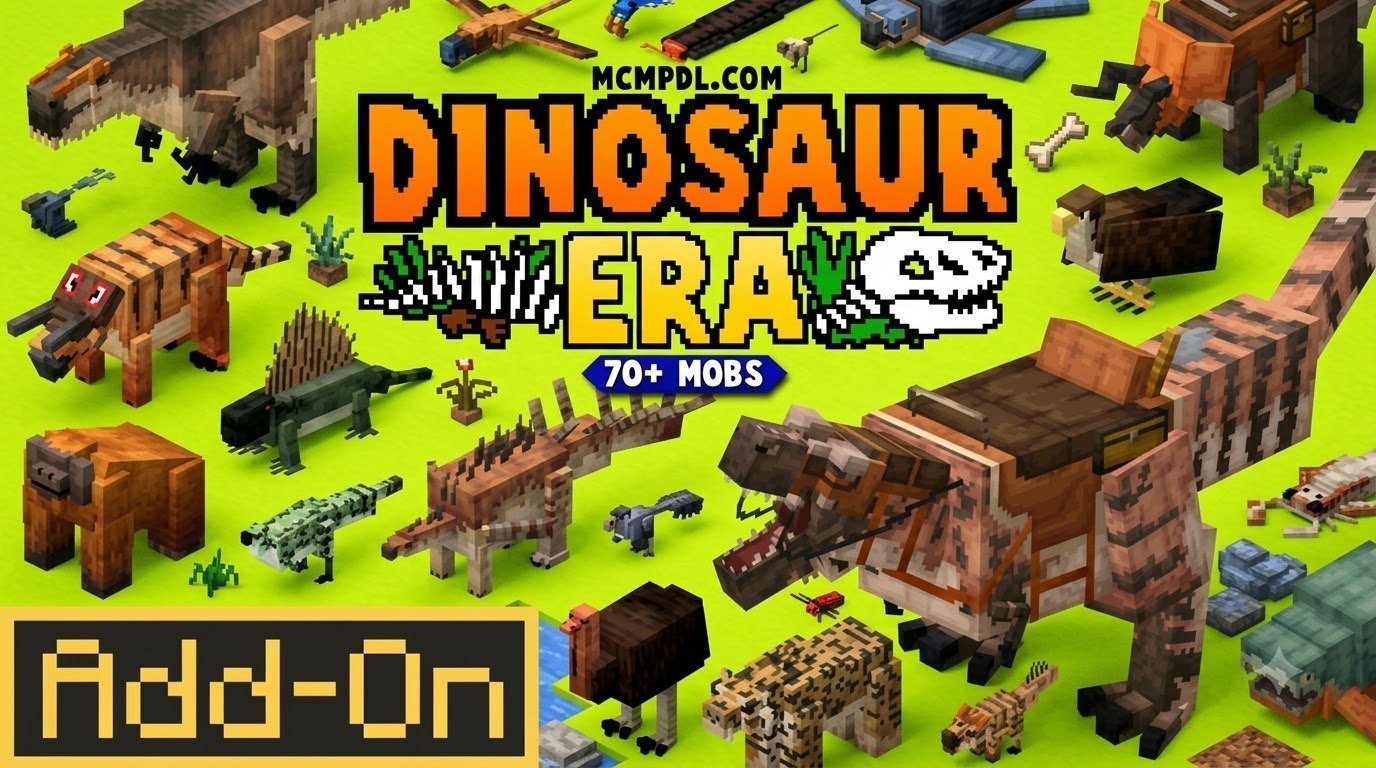
Dinosaur Era 2.2 brings more than 70 dinosaurs and prehistoric animals into Minecraft’s familiar blocky world. You can encounter creatures such as Tyrannosaurus, Woolly Mammoth, Yutyrannus, and Dimetrodon, then tame, saddle, and ride many of them.
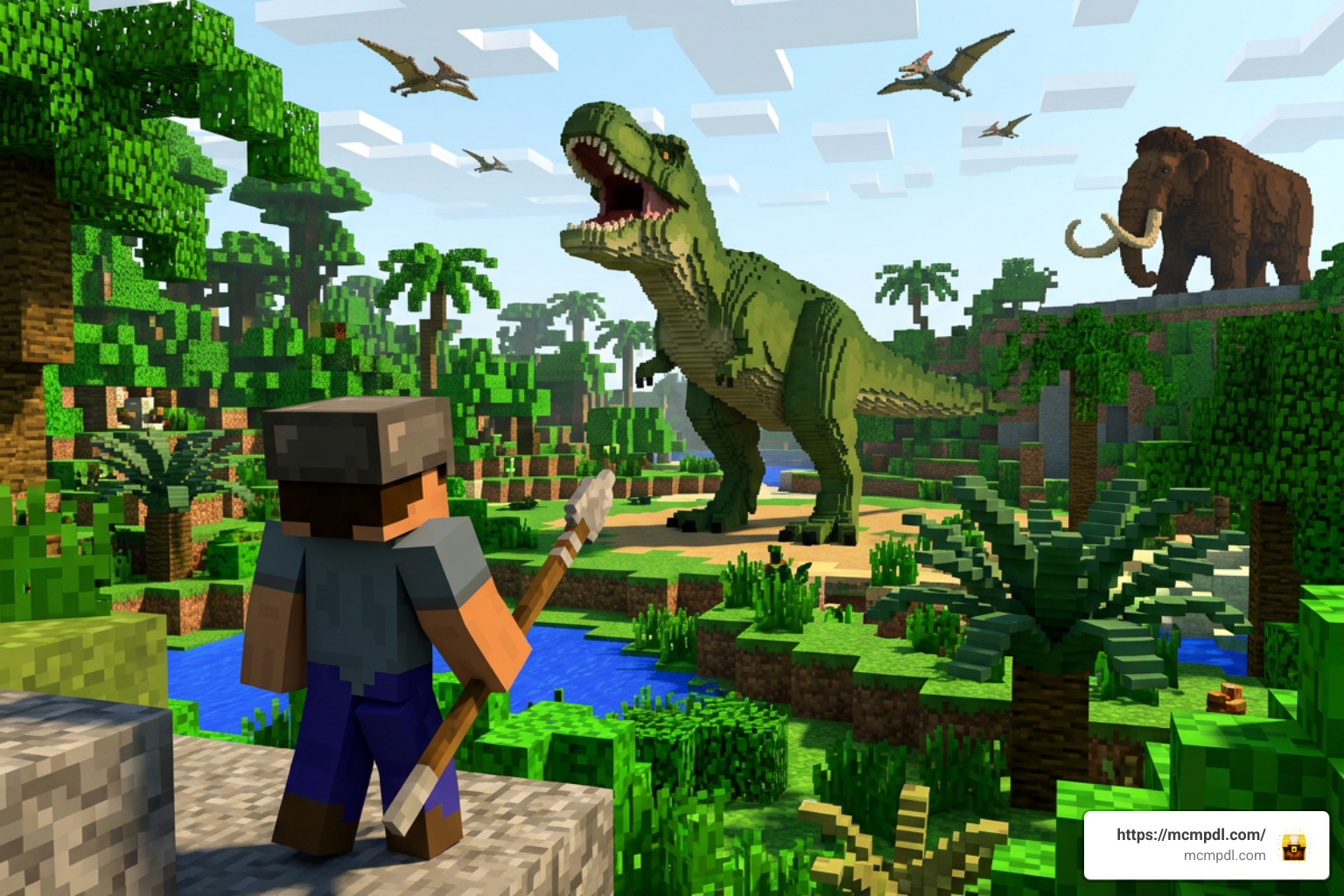
It is built for players who want more than decorative dinosaur mobs. New structures, custom items, rideable companions, and advanced tame menus add fresh options for survival combat and long-distance exploration.
Dinosaur Era Add-On for Minecraft PE/Bedrock (Download): Overview and Features
The Dinosaur Era Add-On for Minecraft PE/Bedrock (Download) is designed to transform your survival world into a thriving prehistoric ecosystem while preserving the signature blocky design of vanilla Minecraft. Rather than introducing hyper-realistic high-polygon models that look out of place, this add-on balances stylized aesthetics with deep survival functionality.
With version 2.2 fully optimized for Minecraft Bedrock 1.21, we get an impressive selection of ancient life forms spawning naturally across various biomes. Predators stalk prey through dense jungles and forests, massive herbivores graze across plains, and ancient ice-age mammals roam snowy peaks. Beyond creatures, the add-on introduces unique structure generation, including remnants of prehistoric flora and ancient nest sites, alongside craftable survival utilities.
Key Features of the Dinosaur Era Add-On for Minecraft PE/Bedrock (Download)
When we examine what sets this package apart, the highlight is its deep creature management system. With an average player rating of 4.2 out of 5 stars and tens of thousands of downloads across the community, the add-on has earned its reputation through several core mechanics:
- Advanced Tame Menus: Unlike basic vanilla taming where animals simply follow or sit, tamed beasts feature interactive custom menus. These let us inspect entity stats, assign specific behaviors, and manage companion AI settings.
- Mounting and Saddle Systems: Crafting specialized saddles unlocks full control over your tamed giants. Larger carnivores and herbivores serve as heavy-duty combat mounts, while smaller species provide rapid transit across rugged terrain.
- Companion AI & Combat Roles: Tamed beasts don’t just stand by during combat; they assist with active target tracking, defend against hostile threats, and protect base perimeters.
- Custom Survival Items and Gear: Players can harvest specialized drops from prehistoric creatures to forge custom items, gear, and tools tailored for survival gameplay.
- Seamless Vanilla Aesthetic: Models and animations retain Minecraft’s classic voxel style, ensuring performance remains stable across mobile devices, consoles, and Windows PCs.
Prehistoric Species Roster and Spawn Mechanics
The add-on adds over 70 distinct prehistoric animals to the game. Each creature features distinct spawn locations, dietary preferences, and behavioral AI.
| Prehistoric Species | Primary Biome | Behavior / Diet | Tameable & Rideable | Special Features |
|---|---|---|---|---|
| Tyrannosaurus rex | Plains, Jungles | Aggressive Apex Carnivore | Yes (Tameable & Rideable) | High health, crushing jaw attack, mounts powerful combat partner |
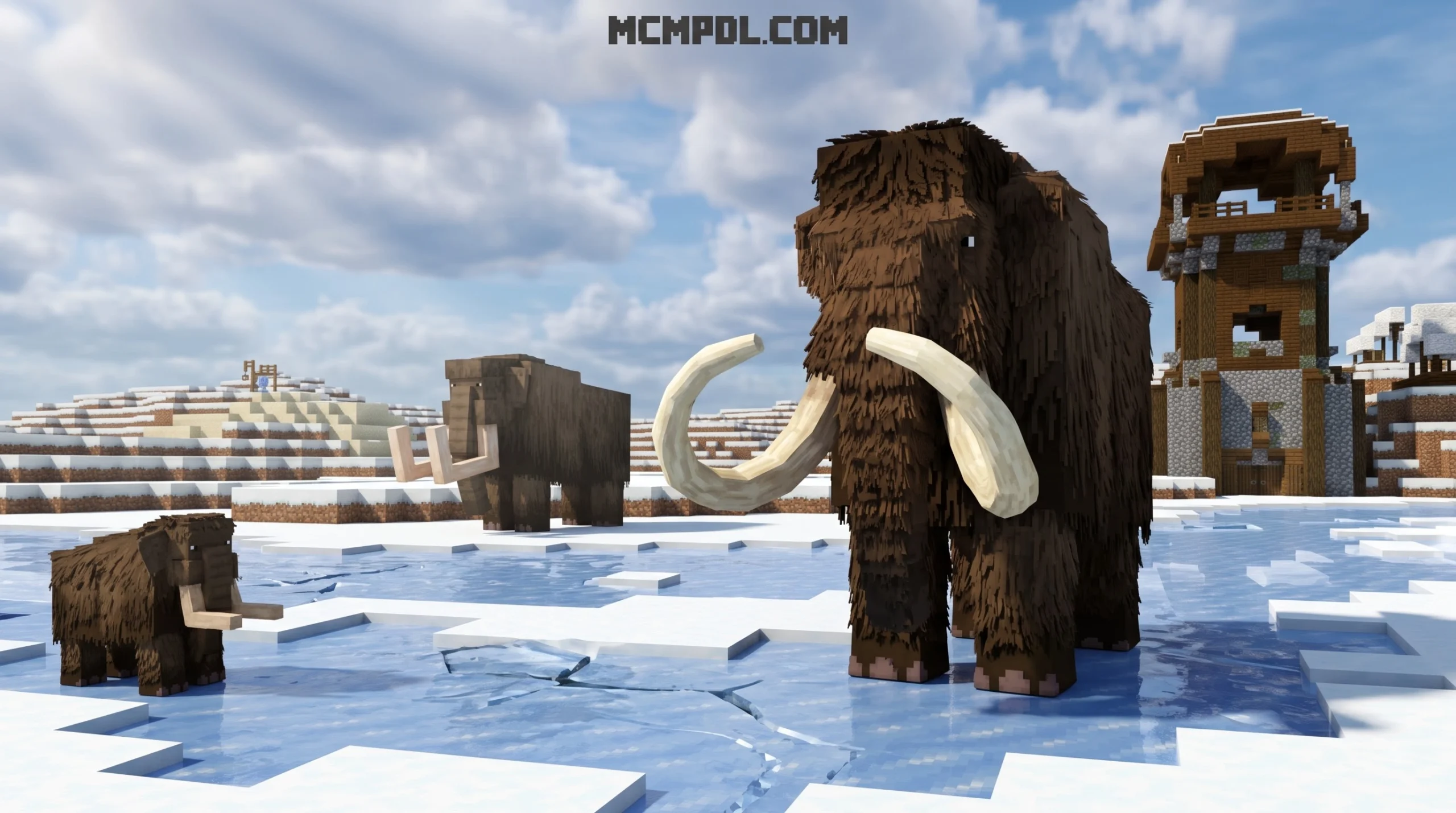
| Woolly Mammoth | Snowy Tundra, Ice Spikes | Neutral Large Herbivore | Yes (Tameable & Rideable) | High knockback resistance, excellent cold-climate mount |
| Yutyrannus | Mountains, Snowy Slopes | Aggressive Feathered Carnivore | Yes (Tameable & Rideable) | Agile predator, immune to freezing effects |
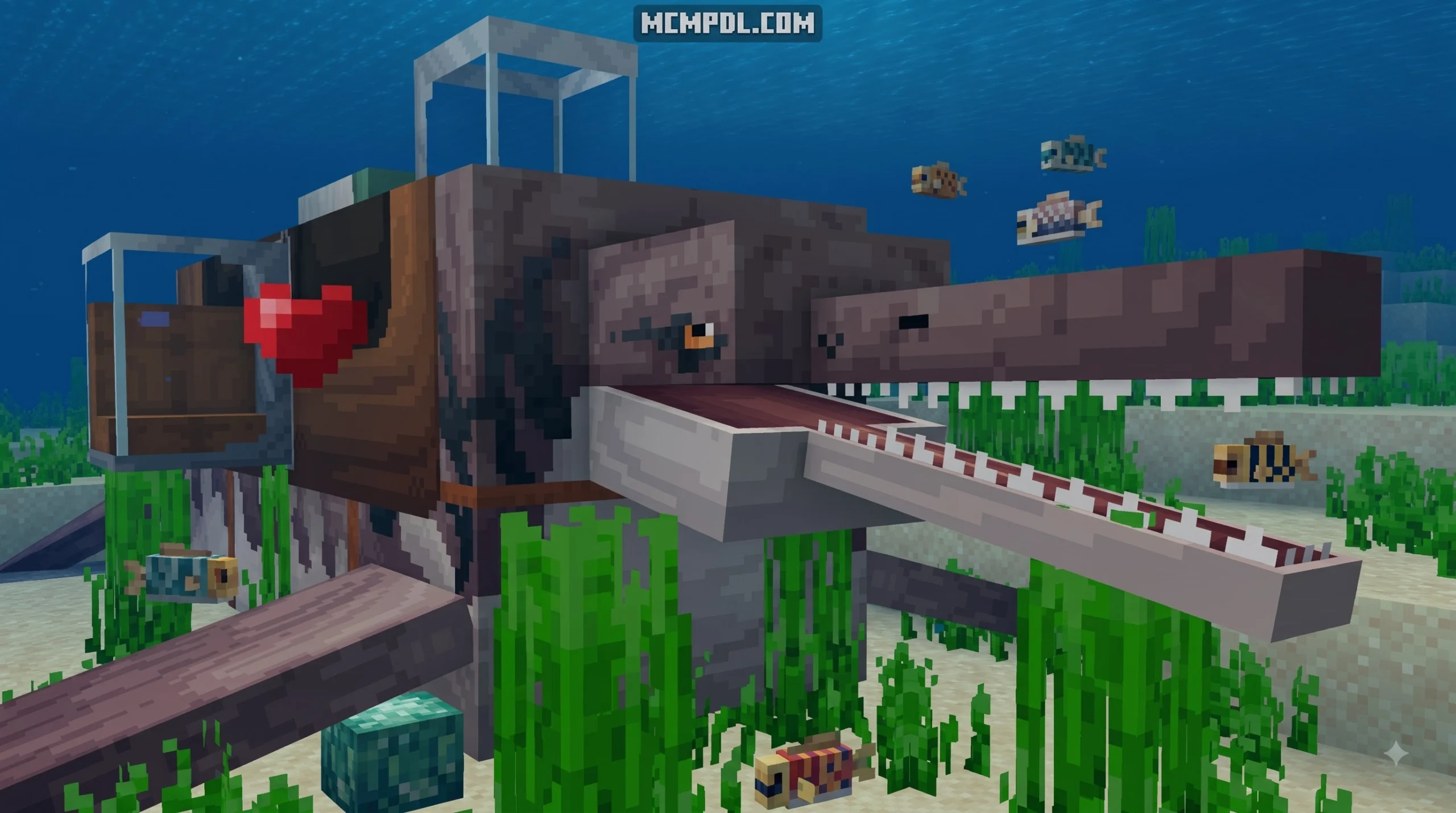
| Dimetrodon | Swamps, Riverbanks | Neutral Carnivore / Fish Eater | Yes (Tameable) | Fast swimmer, useful early-game companion |
| Velociraptor | Savanna, Badlands | Aggressive Pack Hunter | Yes (Tameable) | Swift movement speed, coordinates pack attacks |
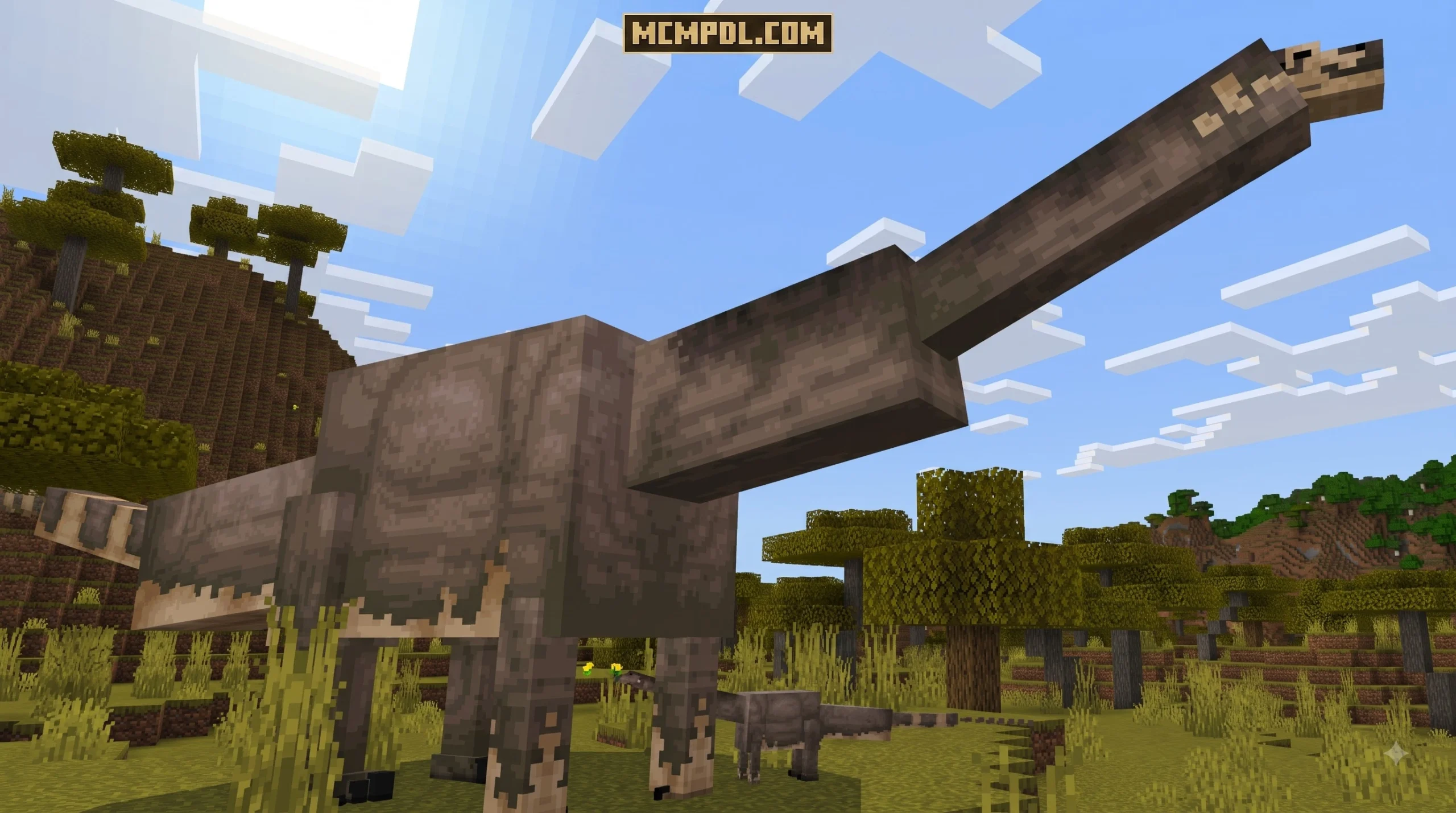
| Brachiosaurus | Forests, Taiga | Passive Giant Herbivore | Yes (Tameable & Rideable) | Extreme size, massive health pool, elevated seating view |
Installation Guide for Minecraft PE/Bedrock
Installing custom add-ons on Minecraft Pocket Edition (iOS/Android) and Bedrock Edition (Windows/Console) is straightforward once you know the exact file structure. Following proper file setup ensures both the resource textures and behavioral scripts load without errors. If you want extra background on how Minecraft Bedrock add-ons work, you can also review the official Minecraft add-ons guide.
How to Safely Download Dinosaur Era Add-On for Minecraft PE/Bedrock (Download)
To get started, obtain the verified release file. You can find direct download links for the official package through trusted community repositories for the Dinosaur Era 2.2 Addon.
Follow these step-by-step instructions based on your gaming device:
- Download the File: Save the official
.mcaddonor.mcpackfile directly to your device storage. - Locate the File: Open your device’s File Manager or Downloads folder.
- Import to Minecraft:
- Mobile (Android/iOS): Tap the downloaded file and select Open with Minecraft. The game will launch automatically and begin importing the behavior and resource packs.
- Windows 10/11: Double-click the downloaded
.mcaddonfile. Minecraft Bedrock will open and display an import notification at the top of the screen.
- Confirm Import Notifications: Wait until you see successful messages for both the Behavior Pack (BP) and Resource Pack (RP).
Enabling Experimental Gameplay and World Activation
Because complex add-ons introduce custom mob behaviors, interactive menus, and unique entity mechanics, turning on experimental toggles in your world settings is mandatory.
Follow these exact steps when creating or updating a world:
- Open Minecraft and select Create New World (or click the Edit pencil icon next to an existing world).
- Scroll down the left-hand navigation menu to Resource Packs and activate Dinosaur Era Resource Pack.
- Navigate to Behavior Packs and activate Dinosaur Era Behavior Pack. Confirm that both packs appear under the “Active” tab.
- Scroll down to the Experiments section under World Settings.
- Toggle ON all experimental switches, specifically Holiday Creator Features, Upcoming Creator Features, and Beta APIs (depending on your exact Bedrock version).
- Performance Note: Running worlds with over 70 custom entities requires adequate device RAM. For mobile devices, we recommend closing background applications and allocating at least 3 GB to 4 GB of RAM to prevent stuttering during dense entity spawning.
How Dinosaur Era Compares to Other Prehistoric Add-Ons
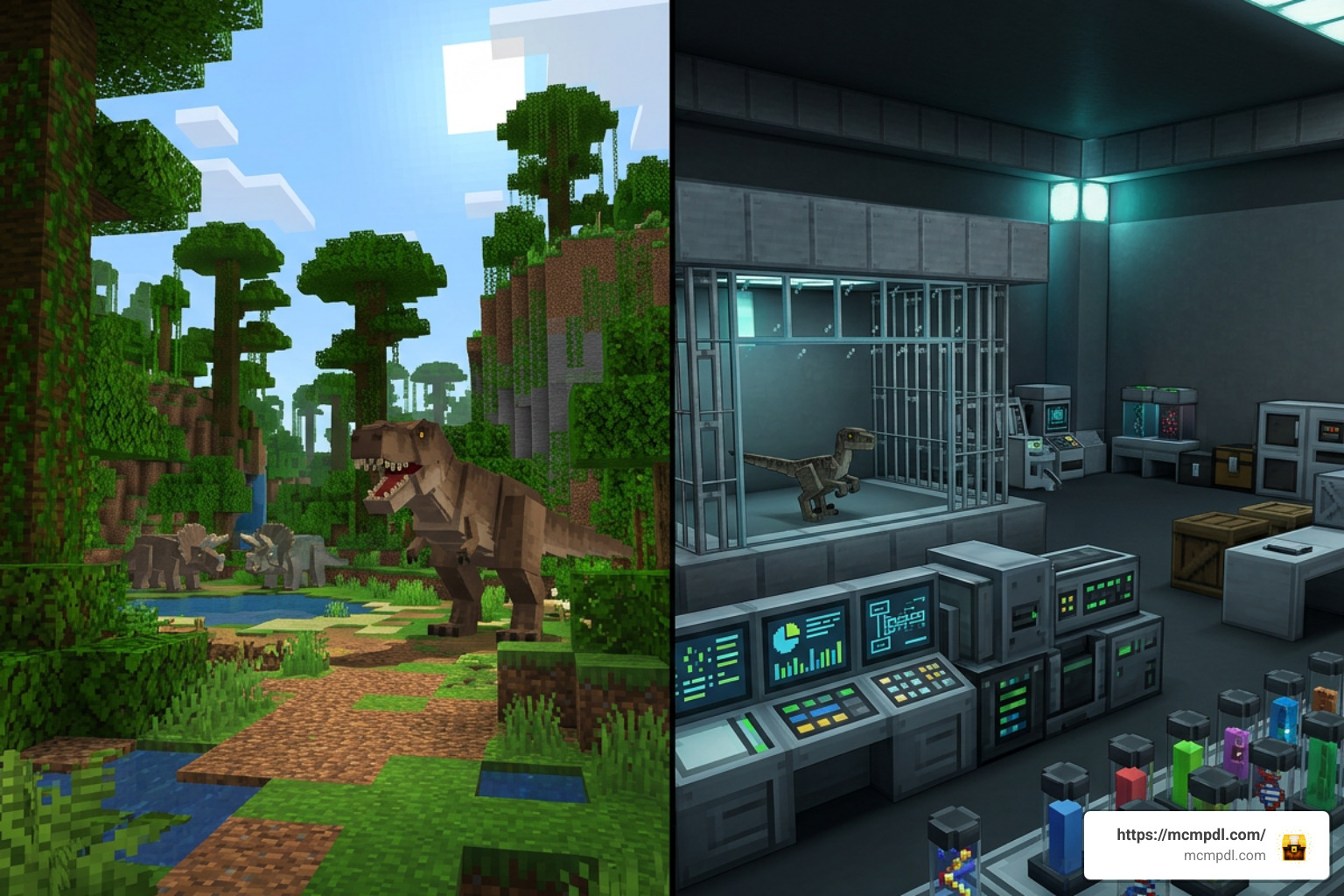
The Minecraft Bedrock community features several dinosaur-themed modifications, each serving distinct gameplay preferences. Understanding how Dinosaur Era compares to alternative add-ons helps you choose the right experience for your world.
Comparison with Dinosaurs’ Time Add-On
The popular Dinosaurs’ Time Addon (also detailed in options like Dinosaurs Time Addon v1.1) takes a sci-fi laboratory approach. Instead of finding wild animals everywhere right away, players construct complex laboratory equipment including DNA Extractors, Sequencers, Embryo Generators, and Incubators to clone over 50 species.
- Technology & Vehicles: Dinosaurs’ Time introduces drivable vehicles like the Jeep Wrangler and Ford Explorer (assembled from individual components like chassis, engines, and wheels), complete with biofuel maintenance, keys, and tablet controllers to manage pets.
- Gameplay Focus: While Dinosaurs’ Time excels at theme park management and scientific crafting, Dinosaur Era 2.2 focuses heavily on instant survival exploration, wild encounters, and blocky aesthetic integration without requiring multi-stage laboratory machinery.
Comparison with The Dawn Era and Dinosaur Saga
Other options emphasize realistic ecology or action-oriented combat mechanics:
- The Dawn Era: Available as The Dawn Era Addon, this project originated as a Java mod port. It focuses on intricate ecosystem simulation, including gender mechanics, dynamic food chains, territorial rivalries, egg hatching, and specialized dinosaur armor attachments for creatures like Ceratosaurus and T-Rex.
- Dinosaur Saga: Players looking for Monster Hunter-style action often turn to the Dinosaur Saga 1.0 Addon. This add-on features an action-RPG skill system with 5 equipment slots, sprint dodge rolls, aerial spear combos, corpse harvesting, and tail-severing combat mechanics.
- Summary Choice: Choose Dinosaur Era if you want classic Minecraft survival with tameable mounts and simple, intuitive mechanics. Choose Dinosaurs’ Time for science and park building, The Dawn Era for deep ecosystem simulation, or Dinosaur Saga for action-RPG boss combat.
Frequently Asked Questions
Why is the Dinosaur Era Add-On not loading in my world?
The most common reason an add-on fails to load or shows invisible mobs is missing experimental settings. Ensure you have activated both the Resource Pack and Behavior Pack under world settings, and verify that all Experimental Gameplay toggles are switched ON. Additionally, ensure your game is updated to Minecraft Bedrock version 1.21 or higher.
How do you tame and ride dinosaurs in Survival Mode?
In Dinosaur Era 2.2, taming usually requires feeding the target creature its preferred food while it is calm or submissive. Herbivores accept specific plants or crops, while carnivores demand fresh meat or fish. Once tamed, interact with the creature to open its Advanced Tame Menu. Equip a craftable saddle onto the dinosaur’s inventory slot to enable direct player mounting and control.
What are the device requirements for running dinosaur add-ons?
Because add-ons with custom entities and custom scripting consume more hardware resources than vanilla Minecraft, we recommend:
- Mobile (Android/iOS): At least 3 GB – 4 GB RAM and a modern quad-core processor.
- PC / Console: Windows 10/11 PC with 8 GB RAM or modern consoles (Xbox One/Series, PS4/PS5, Nintendo Switch).
- If you experience frame rate drops, lower your render distance in Video Settings to 8-10 chunks and reduce the number of active tamed entities around your home base.
Conclusion
The Dinosaur Era Add-On for Minecraft PE/Bedrock (Download) offers a thrilling way to reshape your survival worlds. By combining over 70 distinct prehistoric animals with interactive tame menus, rideable mounts, and a visual style that blends right into vanilla Minecraft, it delivers non-stop adventure from your first survival night.
Ready to explore high-quality Bedrock modifications, survival maps, and texture packs? You can Find more Bedrock mods on MCMPDL to upgrade your Minecraft experience today!
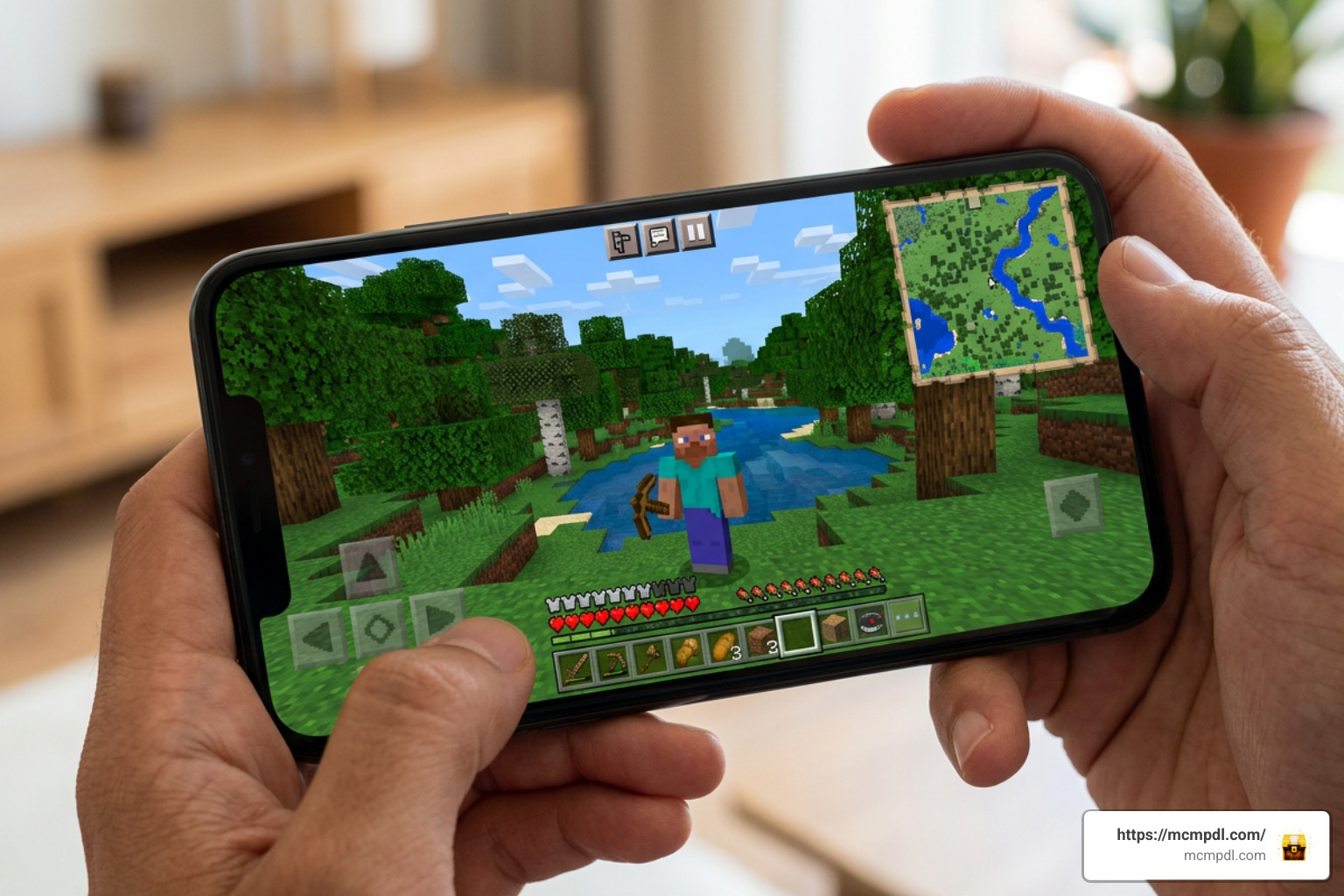 A **Minimap Addon for Minecraft PE/Bedrock** adds a small live map to your screen, helping you see nearby terrain, your direction, and sometimes nearby entities without stopping to open a full map. In simple terms, it can help players: - Find their way back to a base, village, portal, or cave entrance. - Follow terrain while exploring on mobile, PC, or Bedrock-supported devices. - Keep a compass-like view of direction during long trips. - See map support in places where vanilla map items are less useful, including the Nether and End in supported addons. These addons do not usually change world generation. Instead, they add navigation tools through resource packs, behavior packs, and, in many cases, Bedrock's script features. Options range from lightweight terrain displays to advanced HUD maps with rotation, entity indicators, waypoints, and full map views. There is an important trade-off: third-party behavior packs can disable achievements in a Bedrock world. That makes minimap addons especially useful for exploration worlds, multiplayer adventures, and survival saves where better navigation matters more than achievement progress. ## Essential Features of a Minimap Addon for Minecraft PE/Bedrock 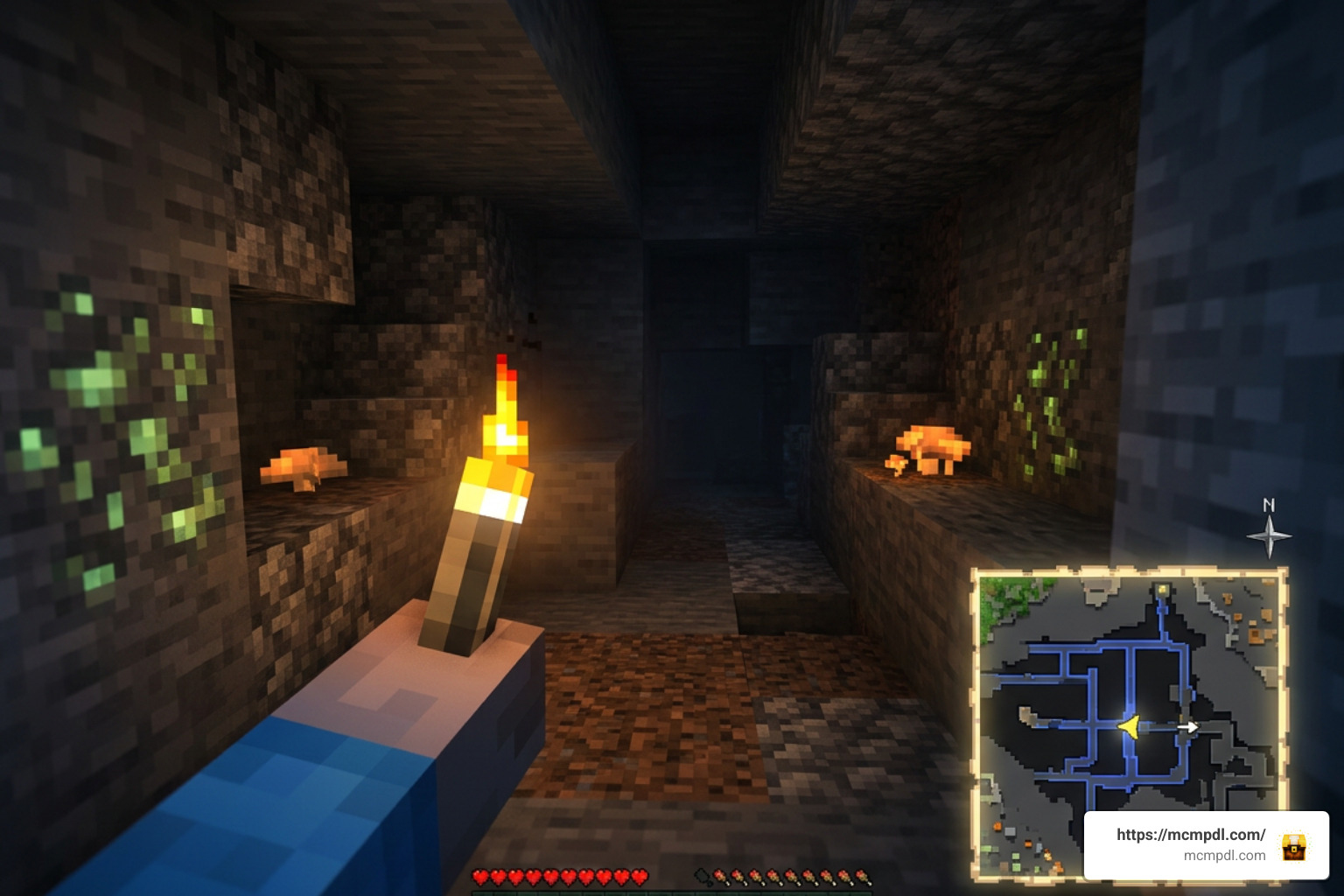 When you install a **Minimap Addon for Minecraft PE/Bedrock**, you gain immediate visibility over your surroundings without cluttering your main viewport. Modern minimap systems do far more than just draw a static image in the corner of your screen. They process block rendering, entity position data, and elevation levels in real time. ### How Minimap Addons Enhance Navigation Standard navigation in Minecraft Bedrock relies on held paper maps or crafted compasses, which occupy valuable inventory slots and slow down movement. A proper minimap addon solves this by offering active HUD elements that function automatically. * **Radius Mapping**: Most minimap addons, such as lightweight rendering mods, stream terrain data within a 31×31 block radius around the player. This gives you a crisp view of biomes, rivers, and cliffs without straining your device's memory. * **Compass Orientation and Dynamic Rotation**: Advanced addons rotate the map frame dynamically as your character turns, keeping your facing direction aligned with your physical movement. * **Entity Tracking Indicators**: Living radar systems mark mobs on the map. Friendly animals appear as neutral icons, while hostiles like Creepers, Zombies, or Skeletons show up as distinct radar blips, giving you time to prepare before an ambush. * **Subterranean Cave Mode**: When stepping beneath the surface, standard maps become useless grey grids. Dedicated minimap mods detect vertical block density and automatically switch to a high-contrast Cave Mode, mapping out dark tunnels, underground ravines, and lava pools. ### Achievements and Behavior Pack Restrictions A common concern among survival players is whether running a navigation mod will affect their game progression statistics. Mojang enforces strict rules regarding external modifications in Bedrock Edition. Because third-party behavior packs introduce custom scripts that modify game memory and player state tracking, Mojang automatically disables Xbox achievements on any world running custom external behavior packs. If keeping Xbox achievements active is your top priority, you must stick to official Marketplace content or vanilla map items. However, if your focus is uninhibited exploration, build planning, or custom server play, installing a dedicated behavior pack is well worth the trade-off. ## Comparing Popular Options: Magnificent Minimap vs. Explorer's World Map The Bedrock modding community offers several top-tier choices for real-time map interfaces. Two of the most widely used projects are *Magnificent Minimap* and *Explorer's World Map & Minimap V2*. | Feature / Metric | Magnificent Minimap | Explorer's World Map & Minimap V2 | | --- | --- | --- | | Total Downloads (CurseForge / Platforms) | Over 894,600 (CurseForge) / 788,000+ cross-platform | Over 1.3 Million (CurseForge) | | Community Rating | 4.2 / 5 (Community Rating) | Highly Popular / Community Tested | | Script Dependencies Required | UI Queue & Kamii's Script Configuration | Native Script / Beta API dependent | | Required Experimental Toggles | Beta API | Beta API | | Map Display Shapes | Circular & Rectangular Modes | Circular HUD & Full Screen Overlay | | Dimension Support | Overworld, Nether, End, Custom Dimensions | Overworld & Cave Mode | | Command Menu | `/configuration` | `/settings`, `/map`, `/minimap`, `/preset`, `/waypoint` | | Unique Features | 30%–90% Map Data Compression, 'Bad Apple' Easter Egg | Shared Multiplayer Map Area Unlocking | ### Selecting the Right Minimap Addon for Minecraft PE/Bedrock Choosing between options depends on your device specifications and preferred gameplay style: - **Magnificent Minimap**: Excellent for players who want deep HUD customization and multi-dimension travel. Updates like version 1.7 introduced custom data compression algorithms that reduce saved chunk map data sizes by 30% to 90%, preventing long-term world file bloat. It supports Minecraft versions up to 1.21.120, 1.21.130, and 26.0. It also supports custom dimensions and even includes a fun community easter egg—running `/function start_bad_apple` streams the famous 'Bad Apple' animation inside your map HUD! If you want to try it out, look for the official addon packages from trusted community mod creators. - **Explorer's World Map**: Perfect for collaborative survival servers. It features an automated waypoint system and a shared exploration mechanic where players uncover map sections together. ### Multiplayer Map Unlocking and Shared Exploration In multiplayer environments, coordination is key. Mods like *Explorer's World Map* allow players to sync their map data using commands like `/map`. When a team member explores a distant woodland mansion or ocean monument, their mapped territory unlocks for everyone connected to the realm or server. By typing `/waypoint` in chat, team members can set shareable beacon markers at base bases, end portals, or nether hubs, keeping the entire group synchronized without needing third-party coordinate trackers. ## Setup and Customisation Guide 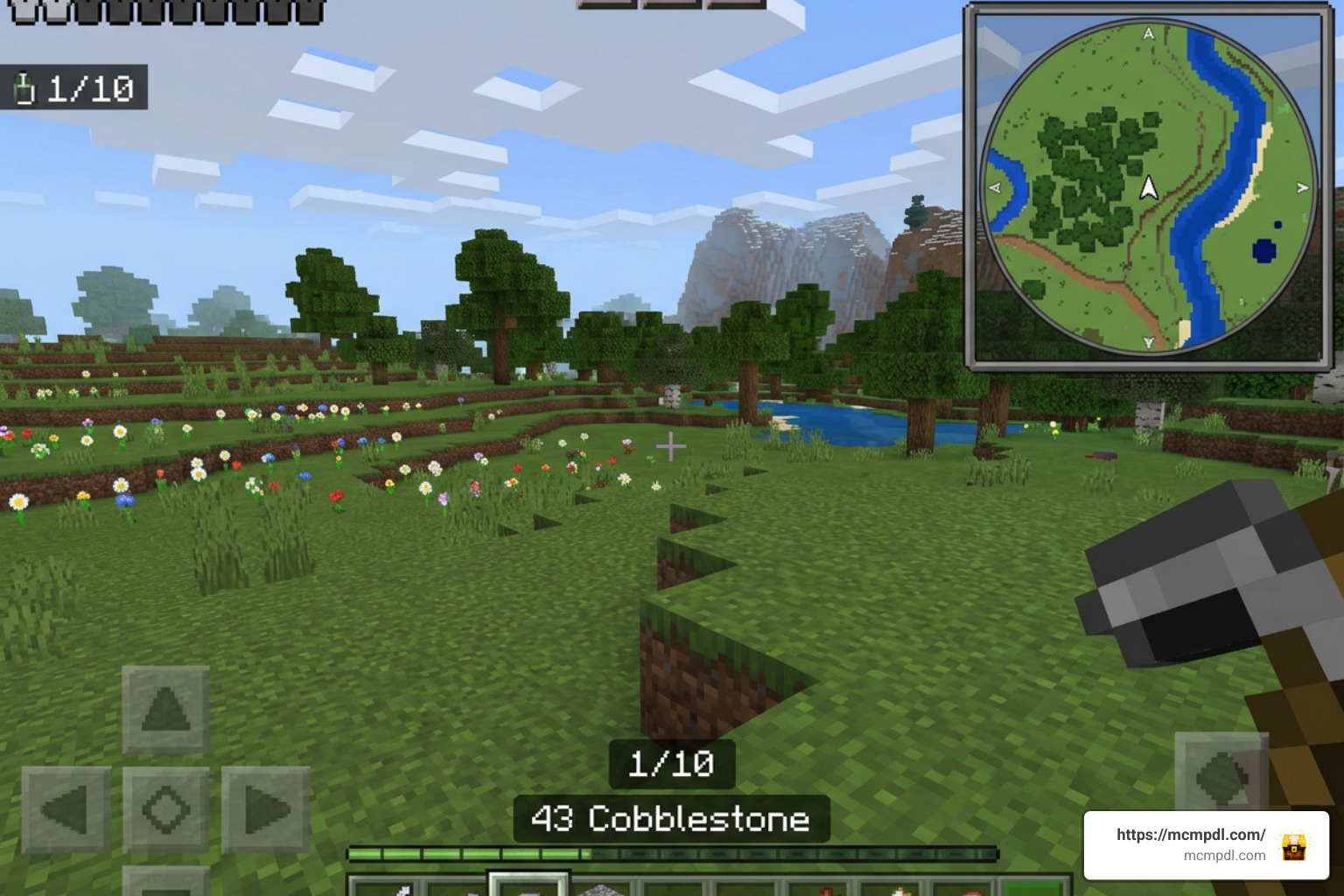 Getting a **Minimap Addon for Minecraft PE/Bedrock** running properly requires a few key configuration steps. Because these addons utilize Bedrock's advanced Script API, enabling experimental world settings is mandatory. ### Installing a Minimap Addon for Minecraft PE/Bedrock To install your preferred map addon correctly on Android, iOS, or Windows, follow this checklist: 1. Download both the **Resource Pack** (`.mcpack`) and **Behavior Pack** (`.mcpack`) or the bundled `.mcaddon` file from a trusted addon platform. 2. If installing *Magnificent Minimap*, download the two required dependency script packs: **UI Queue** and **Kamii's Script Configuration**. 3. Open the downloaded files to import them automatically into your Minecraft Bedrock client. 4. Create a new world or click the **Edit (Pencil Icon)** button next to an existing world. 5. Navigate to the **Experiments** tab in the world settings menu and toggle **Beta API** to the ON position. 6. Scroll down to **Resource Packs** and activate your minimap resource pack (along with UI Queue). 7. Scroll to **Behavior Packs** and activate the corresponding behavior packs (and Kamii's Script Configuration helper). 8. Ensure your Minecraft version is up to date (compatible with 1.21.100 through 1.21.130+). ### In-Game Customisation via Commands Once your world loads, you can tune the map interface to fit your screen size: * Type `/configuration` in the chat window to open the full visual setup menu (when using Kamii's script interface). * Adjust the map layout between **Circular** (great for smooth rotational views during horse or Elytra flight) and **Rectangular** (ideal for base building and grid alignment). * Change map scale presets to widen your view radius or zoom in for detailed building. * Enable or disable radar features like friendly mob markers, enemy alerts, terrain shadows, and biome names. For standalone mods using traditional scripting, you can also use simple toggles like `/minimap show` or `/minimap hide`. You can read more about file installation options in trusted community documentation. ## Platform Controls, System Requirements, and Troubleshooting Because Bedrock Edition spans touchscreens, desktop PCs, and game consoles, controlling your minimap HUD can vary by hardware platform. ### Toggling the Minimap Across PC, Mobile, and Console * **PC (Windows 10/11)**: Sneak (crouch) and press the **F8** key to instantly toggle the minimap display on or off. * **Mobile (Android / iOS)**: Sneak (crouch) and tap the small on-screen **'X'** button rendered near the map HUD to hide or show the interface. * **Console & Controllers**: Because controller bindings on consoles lack direct Script API keybind hooks, sneaking alone won't always toggle the HUD. Controller players should navigate to **Settings > Video** and disable **Hide Paper Doll**. Bedrock UI script extensions tie into the paper doll HUD element to display minimap overlays correctly on controller configurations. ### Performance Optimization and Graphical Bug Fixes Script-heavy addons process continuous calculations, which can affect lower-end mobile hardware if not optimized properly: * **RAM Management**: On budget mobile devices, running excessive behavior packs alongside high map zoom levels can cause memory degradation. If your game lags, open `/configuration` and reduce the active rendering scale or disable entity radar blips. * **GUI Scale -1 Artifact Fix**: If you see strange lines, graphical grids, or misaligned border artifacts across your map screen, open your Minecraft **Video Settings** and change the **GUI Scale Modifier** to **-1**. This forces Bedrock to scale script-rendered overlays evenly across display resolutions. * **Avoiding App Store Scams**: Always source your files from reputable community outlets. Some listings on general stores—like unverified utility apps claiming to be a [Minimap Mod for Minecraft PE](https://play.google.com/store/apps/details?id=com.juicymods.minimap&hl=en)—often install unrelated content like lucky blocks instead of real script addons. Stick to trusted addon index sites. ## Frequently Asked Questions About Bedrock Minimap Addons ### Does a minimap addon work in the Nether and the End? Yes! High-quality addons like Magnificent Minimap fully support all three core dimensions. When stepping through a Nether Portal, the map automatically adjusts its color palette and coordinate grid to render nether rack, lava oceans, and basalt deltas. In the End, it renders void drop-offs and chorus plant islands smoothly. ### Why are achievements disabled when using a minimap addon? Mojang automatically disables Xbox achievements on worlds utilizing custom third-party behavior packs to prevent unfair scripting advantages. If achievement hunting is your main focus, you must use vanilla maps or official Marketplace tools. ### How do you fix visual artifacts or lines on the minimap display? Visual artifacts on the map HUD are caused by GUI scaling mismatches. Go to **Settings > Video**, locate the **GUI Scale** setting, and adjust it to **-1**. This realigns custom HUD scripts with your device's native pixels. ## Conclusion Adding a **Minimap Addon for Minecraft PE/Bedrock** transforms how you navigate your survival worlds. Whether you are delving deep into subterranean cave systems, embarking on multi-thousand-block ocean voyages, or coordinating mega-builds with teammates on a server, real-time map HUDs eliminate the hassle of getting lost. Ready to upgrade your Bedrock exploration setup with top-rated utility packs, map tools, and custom mods? [Discover top Minecraft PE addons on mcmpdl.com](https://mcmpdl.com/) to find the best curated content for your next survival adventure!](https://mcmpdl.com/wp-content/uploads/2026/08/photo_6062170507097871089_w-1024x572.jpg)
1 thought on “Dinosaur Era Add-On for Minecraft PE/Bedrock – Download”