


Scroll down to D0vvnl0ad
Get Realistic Seasons! 2.0 on Minecraft PE and Bedrock
The REALISTIC SEASONS! 2.0 Addon for Minecraft PE/Bedrock introduces an extraordinary layer of environmental depth by implementing evolving climates, dynamic seasonal progressions, shifting weather cycles, and breathtaking visual enhancements across your Bedrock worlds. To begin your journey, make sure your game client is fully updated to Minecraft Bedrock version 1.21.120 or newer, purchase the official add-on directly through the Minecraft Marketplace for 660 Minecoins, and enable the pack in your individual world settings. Always create a complete backup of any pre-existing survival save before activating new packs.
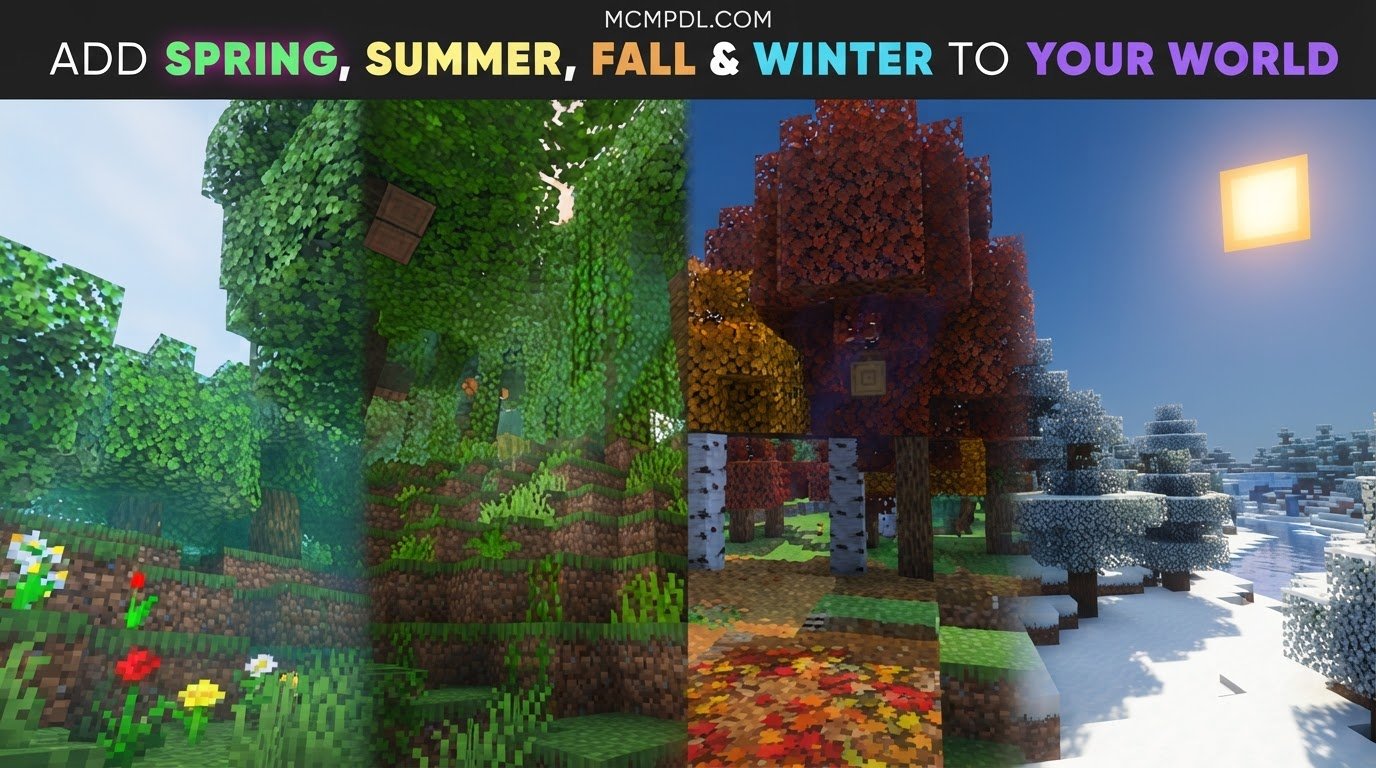
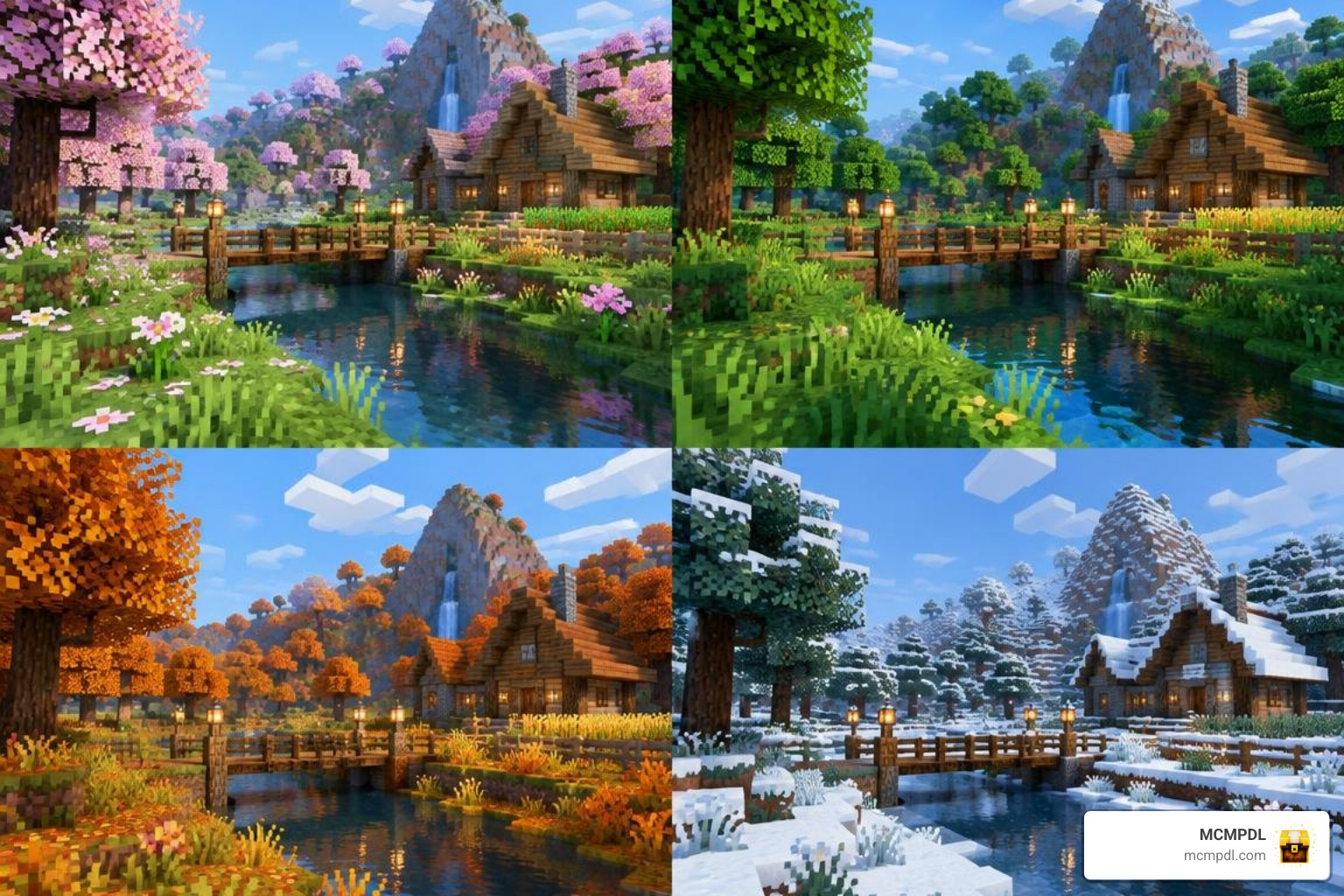
Once active, players will experience vibrant spring blossoms, bright summer canopies, rich golden autumn landscapes, and harsh frozen winters complete with footprints in powdery snow layers. Configurable sub-settings allow you to adjust high-demand visual shaders and particle systems to match your hardware.
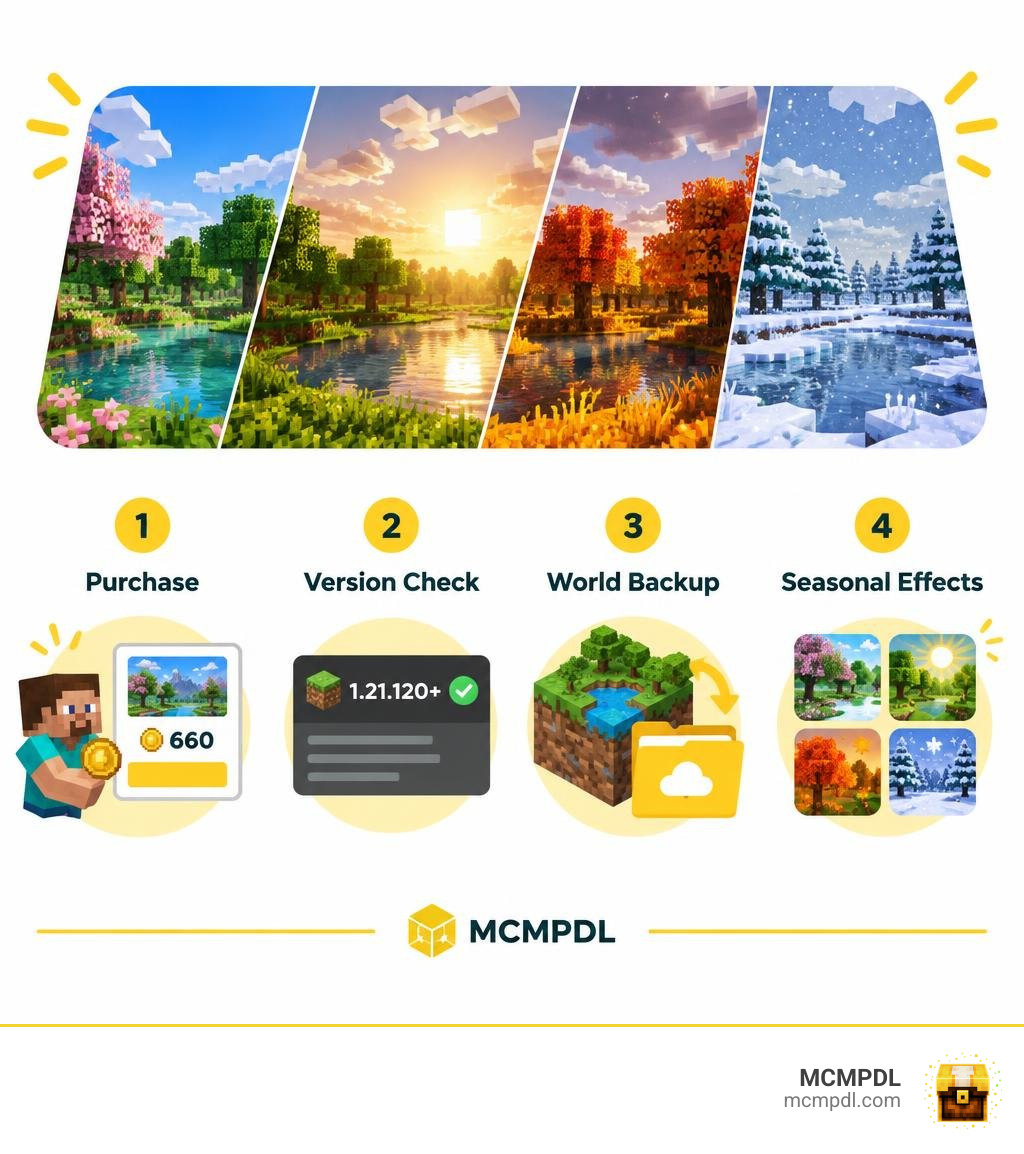
Because every biome responds differently to the shifting climate, it is worth taking a few moments to understand how the add-on’s cycle works before diving into a long-term survival world. Each full seasonal rotation moves through spring, summer, autumn, and winter, with associated weather events, temperature changes, and visual transitions unfolding over time. This means your planning, farming, building, and exploration habits will need to adapt as the calendar advances, rewarding players who prepare for each stage of the year rather than simply waiting out harsh conditions.
Key Features of the REALISTIC SEASONS! 2.0 Addon for Minecraft PE/Bedrock
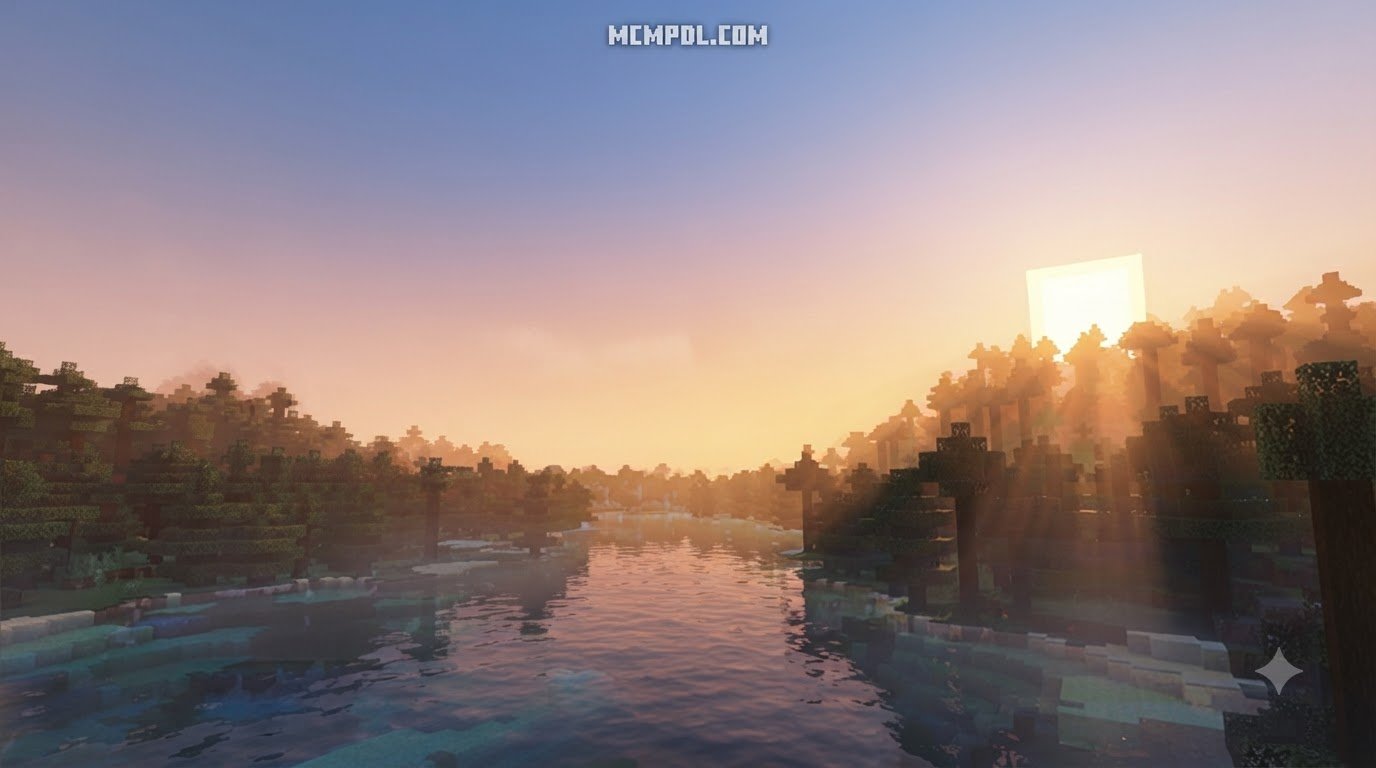
Bringing dynamic seasons to Minecraft fundamentally transforms how every biome looks, feels, and operates throughout your survival playthrough. Developed by Chunklabs, this add-on changes the atmosphere of your world by replacing flat default skies with volumetric clouds, implementing custom fog definitions, and casting dynamic godrays and sun flares across the horizon during sunrise, midday, and twilight hours.

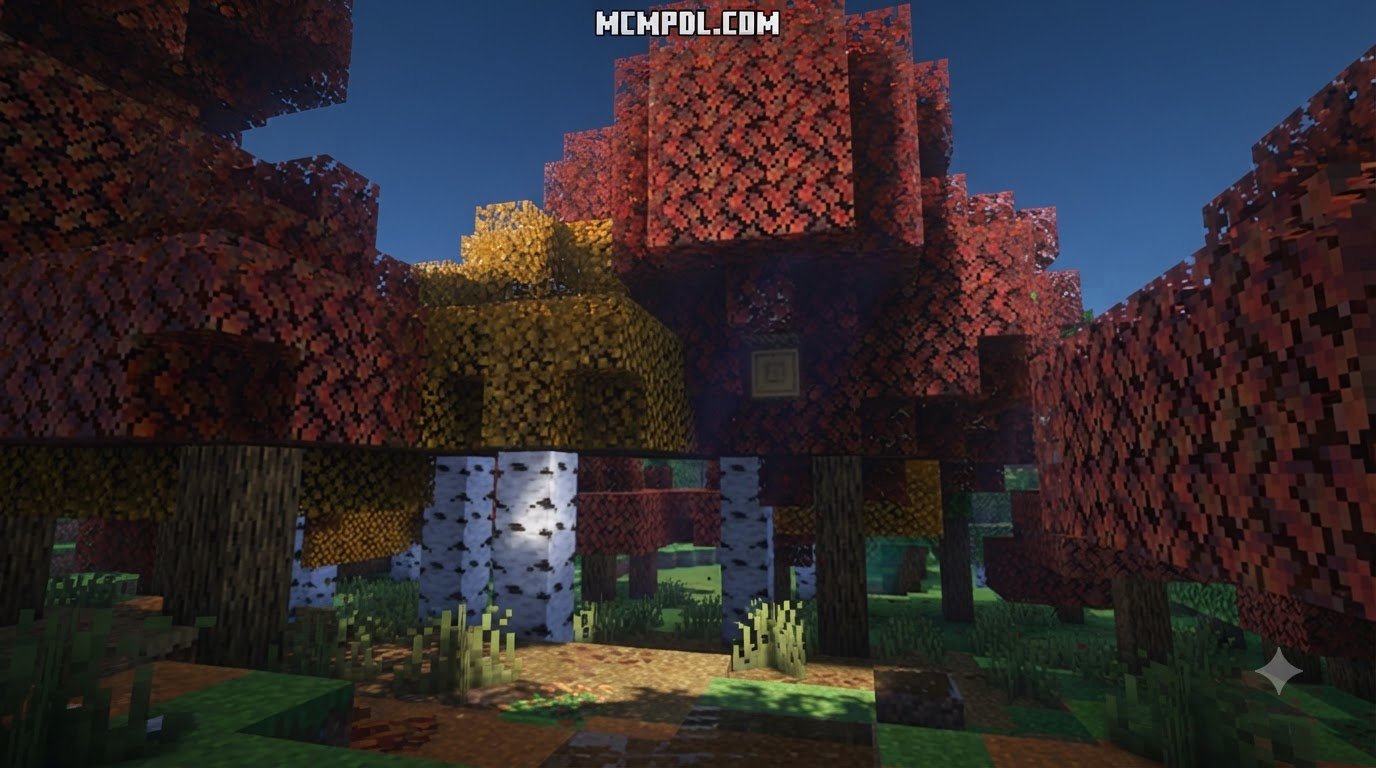
This comprehensive visual overhaul touches nearly every biome in the game. As spring transitions smoothly into midsummer, the landscape fills with lush emerald tones, gentle breezes, and crystal-clear skylines. Autumn blankets vast forests in vibrant ambers, deep oranges, and golden hues, while winter covers terrain beneath dense snow blankets, chilled blizzards, and heavy rolling mists.
Dynamic Weather, Foliage Changes, and Micro-Interactions
Beyond skyboxes, realistic lighting, and climate shifts, the add-on introduces delicate micro-interactions that make your environment feel alive, responsive, and deeply grounded. Walking across fresh powder leaves visible footprints in snow, moving through streams creates subtle ripples in water, and freezing temperatures slowly turn open waterways into solid ice during the winter months.
These environmental upgrades pair seamlessly with realistic visual enhancements to elevate the entire game world into an extraordinary visual spectacle. Leaf models and canopy colors have been reworked for specific tree types, giving a fresh look to:
- Cherry blossoms
- Dark oak trees
- Jungle canopies
- Acacia trees
- Mangrove swamps
Each tree type reflects authentic foliage stages, shedding leaves during dry or freezing seasons and developing vivid blossoms when warm weather returns.
Performance, Customization Settings, and System Requirements
Adding dense particle systems, realistic ground trails, and high-definition environmental effects can strain mobile devices and older consoles. The creators included a customizable settings menu so you can adjust features based on your hardware capabilities.
To run the add-on without stability issues, ensure your game is updated to Minecraft Bedrock minimum version 1.21.120.
- Volumetric Clouds: Toggle 3D cloud rendering on or off depending on GPU capabilities.
- Dynamic Fog & Godrays: Enable or disable atmospheric sunlight scattering and twilight haze.
- Micro-Particles: Turn off custom wind embers, falling leaves, and heavy snowstorm particles to prevent frame drops.
- Footprints & Water Ripples: Disable entity-level ground and water interactions to reduce memory overhead.
- Custom Audio: Adjust or mute custom wind howling and ambient environmental soundscapes across distinct weather profiles.
Fine-tuning these options allows players on handheld phones, tablets, or consoles to balance high immersion with reliable frame rate performance across demanding wilderness regions.
How to Install and Configure Seasons in Bedrock
Installing the pack takes only a few minutes, but taking proper safety steps ensures your world saves remain protected from permanent block updates and unexpected generation issues.
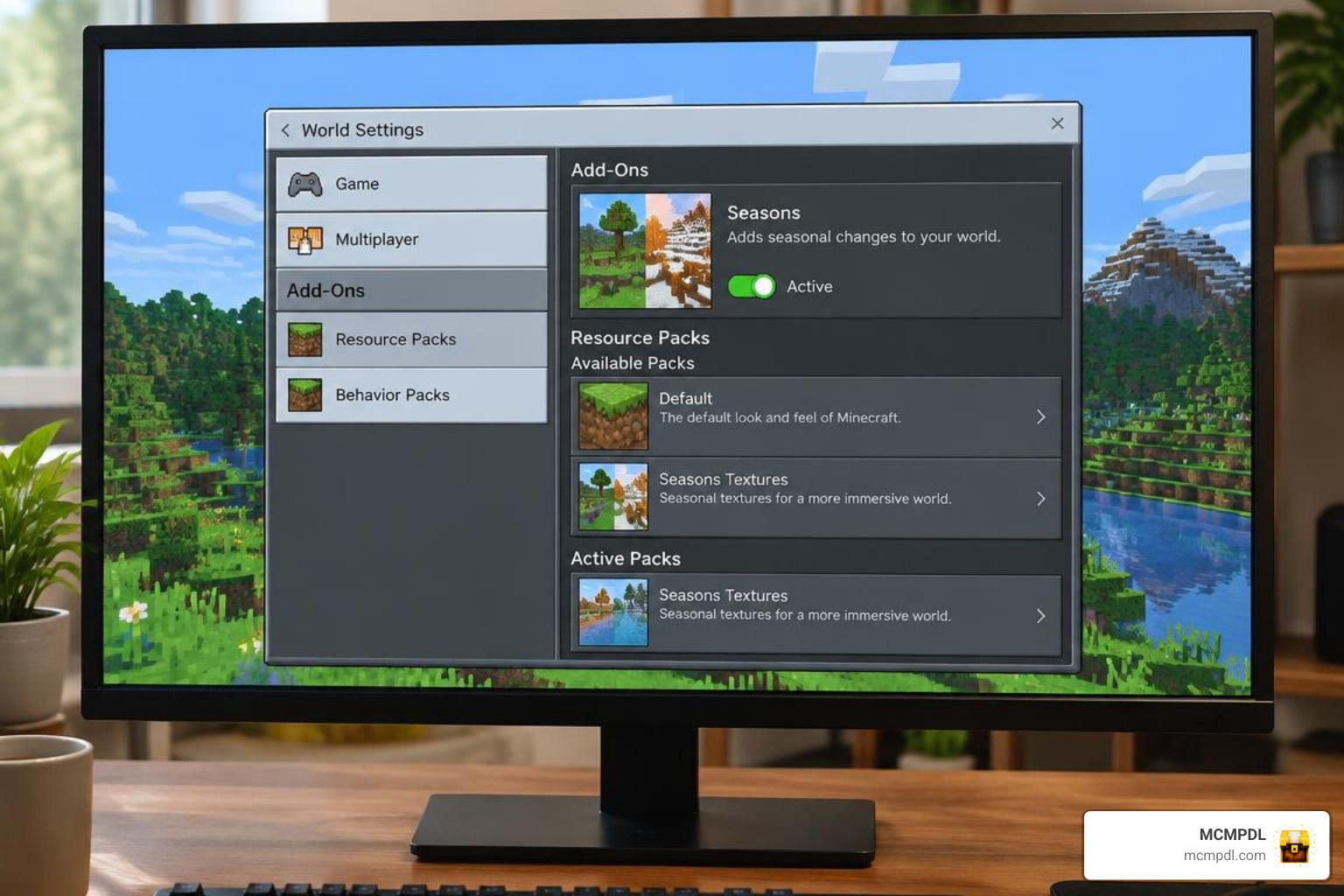
For administrative setup tips and core mechanics documentation, check out the Setup instructions and requirements provided by the development community.
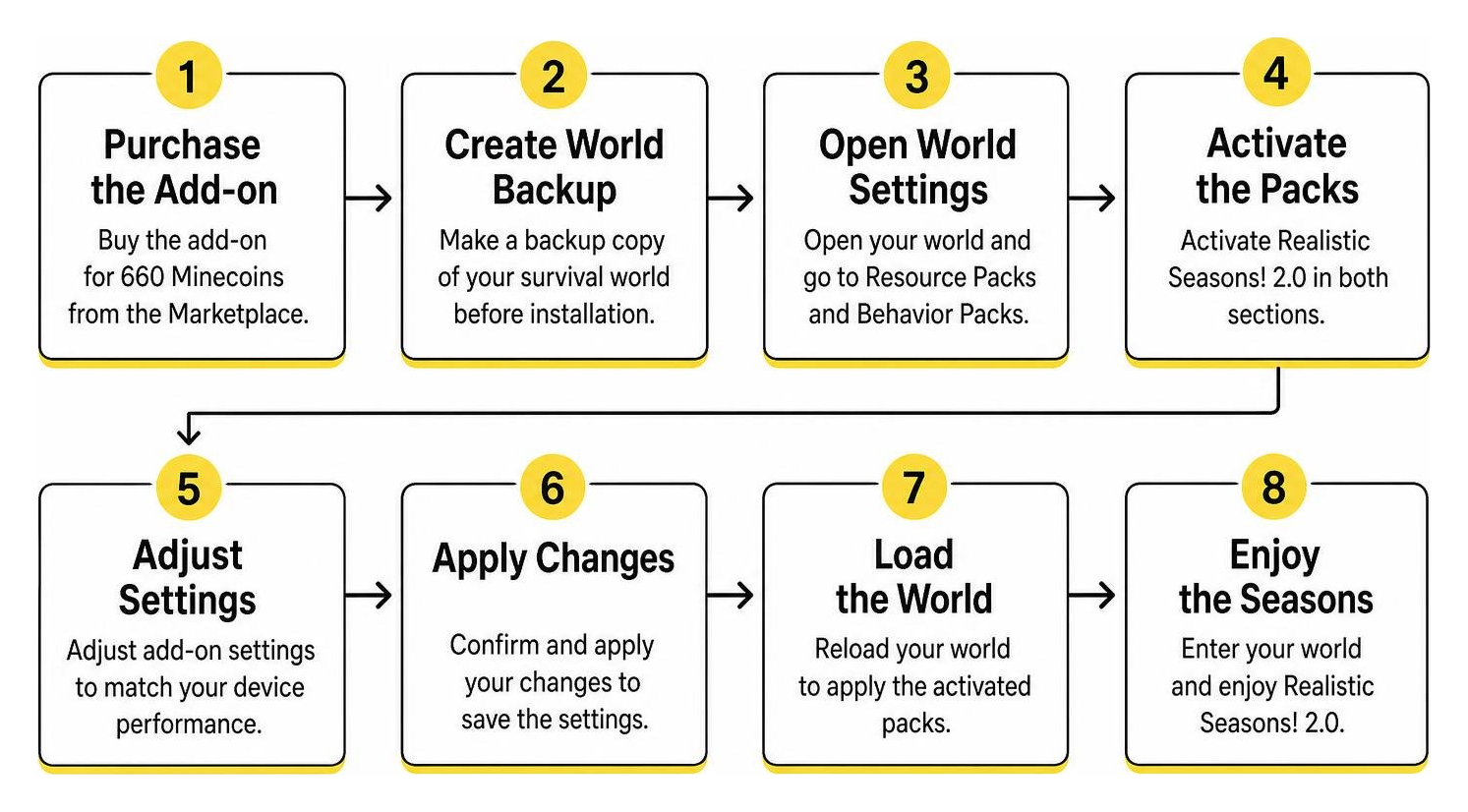
Installing the Realistic Seasons! 2.0 Addon for Minecraft PE/Bedrock
- Open Minecraft Bedrock and navigate to the Marketplace.
- Search for the add-on and purchase it for 660 Minecoins (approximately $3.46 USD or €3.26 EUR).
- Create a backup copy of your chosen survival world before enabling new behavior files.
- Open your World Settings, scroll down to Behavior Packs, and activate the add-on.
- Pair it with the associated Resource Pack under the Resource Packs menu to apply all custom textures and models.
- Enter your world and allow the initialization scripts to run their initial climate calculations.
If you enjoy exploring new terrain with these seasonal transitions, combining this add-on with an overhauled biomes exploration pack creates a breathtaking survival landscape full of unexpected discoveries and dramatic vistas.
Toggling Visuals and Optimizing Frame Rates
Heavy snowstorm particles, custom ground ripples, and rapid ambient transitions can make average mobile devices struggle during extended play sessions. If you notice stuttering during severe weather, enter your world settings or in-game configuration menu to reduce particle intensity and turn off custom wind physics.
Pairing lightweight atmospheric packs with optimized shaders for mobile optimization will help maintain stable frame rates while preserving enhanced lighting across every biome. Testing various configuration toggles allows you to find an optimal balance between smooth gameplay and rich atmospheric graphics.
Understanding Seasonal Mechanics in REALISTIC SEASONS! 2.0
Seasonal transitions alter climate rules and environment behaviors across every active biome, demanding adaptability from players as the calendar advances.
- Spring: Increased rainfall, blooming flora, and thawing snow layers across lowlands promote steady growth and pleasant exploration conditions.
- Summer: Extended daylight, dry weather cycles, and accelerated farming growth allow you to cultivate massive harvests and explore deep wilderness.
- Autumn: Drastic foliage color transitions, leaf litter accumulation, and frequent wind storms signal the approaching drop in temperature.
- Winter: Freezing water surfaces, continuous snowfall in temperate zones, and reduced crop viability challenge your preparation and base management.
Learning how climate affects individual ecosystems pairs well with seasonal biomes mechanics to give you full control over your survival strategy throughout the changing year.
Seasonal Settings and World Changes
Managing seasonal cycles requires careful planning and active resource management. In some dynamic seasons systems, players can craft an in-game guidebook using an Amethyst Shard surrounded by Leather in a Crafting Table to check commands and active climate stages.
Keep in mind that winter freezing mechanics create permanent ice on open water that may not melt automatically when spring arrives. This permanent ice behavior, along with occasional particle lag on mobile hardware, contributes to the current 2.9 out of 5-star marketplace rating across 408 community reviews. Preparing proper water insulation around docks and boat pathways prevents unwanted freeze-overs.
Environmental Effects on Crop Growth and World Immersion
Changing seasons bring real survival challenges to your farming and exploration routines. During the hot summer months, crops receive growth boosts, making it the ideal time to harvest and stockpile food for the rest of the year.
When winter arrives, outdoor farmland freezes, crops stop growing without nearby heat sources, and daylight hours grow shorter. Surviving these cycles brings deep realistic landscape immersion to your daily routine, encouraging you to build indoor greenhouses, insulate your animal pens, and prepare for harsh weather. Managing heat, food stockpiles, and shelter transforms standard Bedrock survival into a richly rewarding logistical challenge.
Frequently Asked Questions About Minecraft Bedrock Seasons
How much does the add-on cost in Minecoins?
The add-on costs 660 Minecoins on the Minecraft Marketplace, which equals roughly $3.46 USD or €3.26 EUR.
Why does the add-on have mixed reviews on the Marketplace?
The add-on currently holds a 2.9 out of 5-star rating, with 38% of ratings being 1-star reviews. These scores stem primarily from performance drops during heavy snowstorms on lower-end mobile devices and unexpected permanent ice formation over large bodies of water. Players can reduce these problems by adjusting particle sliders in the settings.
What tree types support dynamic leaf changes?
Dynamic foliage recoloring and updated leaf models are specifically tailored for cherry blossoms, dark oak, jungle, acacia, and mangrove trees. These species show distinct seasonal transitions throughout spring, summer, fall, and winter.
Can I disable specific visual effects if my game lags?
Yes, the built-in configuration settings allow you to toggle off volumetric clouds, dynamic godrays, micro-particles, and entity footprint trails to ensure smooth frame rates.
Conclusion
At MCMPDL, our goal is to provide a curated hub where Bedrock and Pocket Edition players can discover the latest content and straightforward guides to upgrade their gameplay. Adding dynamic seasons to your world completely revitalizes survival mode, making every year spent in your world feel distinct, unpredictable, and deeply rewarding. From watching autumn leaves drift across your base to preparing warm shelters before winter freezes the lakes, climate mechanics add genuine depth to sandbox survival.
When you are ready to expand your world even further, take a look at our collection and explore more Bedrock add-ons to build your ultimate Minecraft experience.