Scroll down to D0vvnl0ad
A More Realistic Minecraft Bedrock, Without Losing Its Look
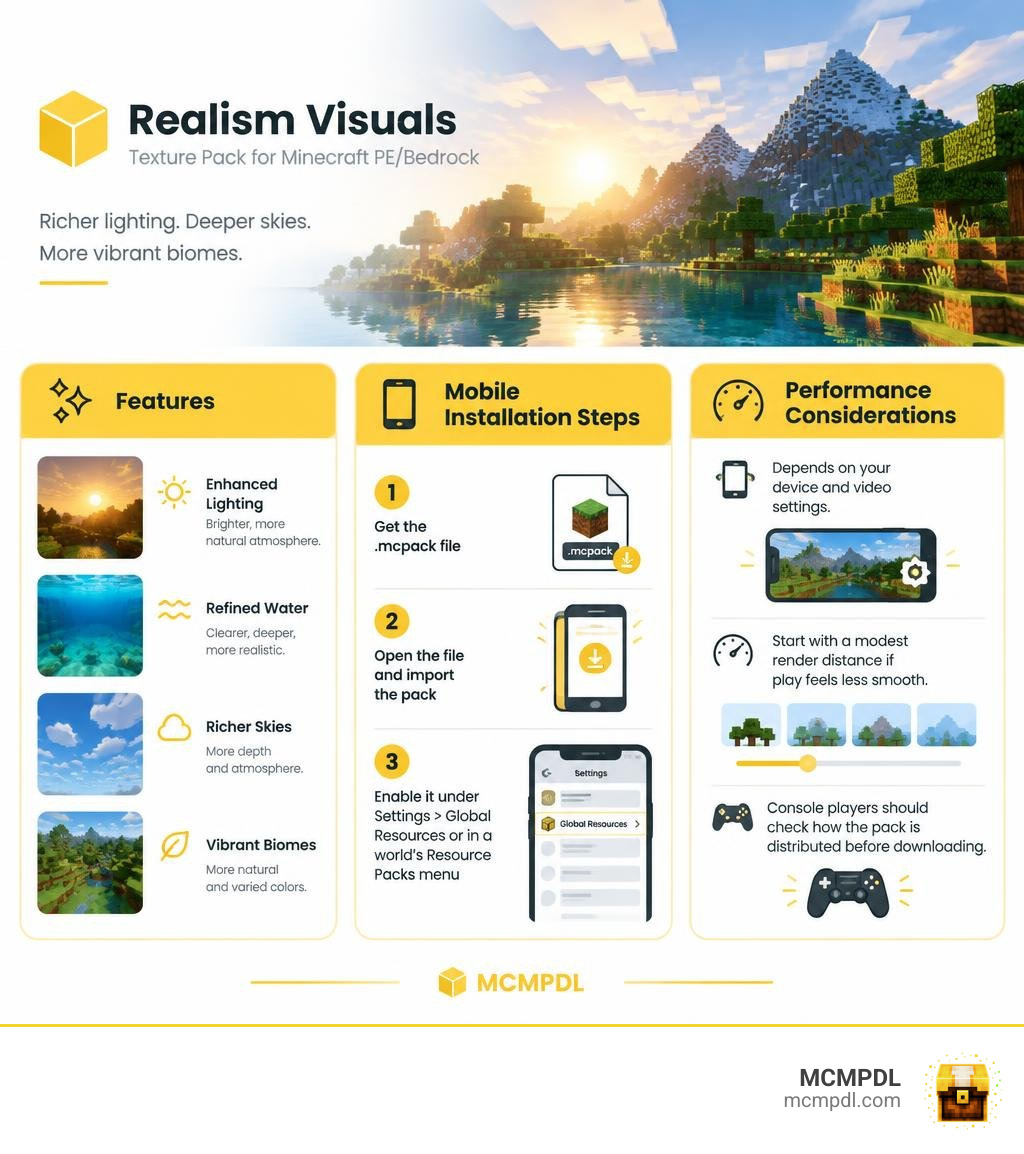
Realism Visuals is a Vanilla+ texture pack for Minecraft PE/Bedrock. It aims to make lighting, water, skies, and biome colors feel richer without replacing Minecraft’s familiar block style. To try it on mobile, import the pack’s .mcpack file, then turn it on under Settings > Global Resources or in a world’s Resource Packs menu.
It can be used in survival and existing worlds because it changes visuals, not game rules. Performance depends on your device and video settings; start with a modest render distance if play feels less smooth. Console players should check how the pack is distributed before downloading, since installing files directly is not as simple as it is on mobile.
What Is the Realism Visuals Texture Pack for Minecraft PE/Bedrock?
Minecraft Bedrock Edition has evolved dramatically over the years, yet many players still find the default visuals somewhat flat. When exploring vast landscapes across mobile devices, consoles, or PCs, the lighting can feel rigid and the biomes occasionally lack atmospheric depth. This is where the Realism Visuals Texture Pack for Minecraft PE/Bedrock steps in. Published originally for modern releases of Minecraft including update 1.21, this pack refines the game’s native presentation while keeping the iconic charm intact.
Vanilla+ Philosophy vs Total Texture Overhauls
In the wider world of resource packs, creators generally take one of two paths: a total visual overhaul or a Vanilla+ enhancement. Complete overhaul options substitute every surface with photorealistic, high-resolution materials that often require heavy computing power or RTX hardware. Similarly, packs that radically transform your builds into entirely new genres can be exciting, but they often sacrifice the familiar Minecraft identity.
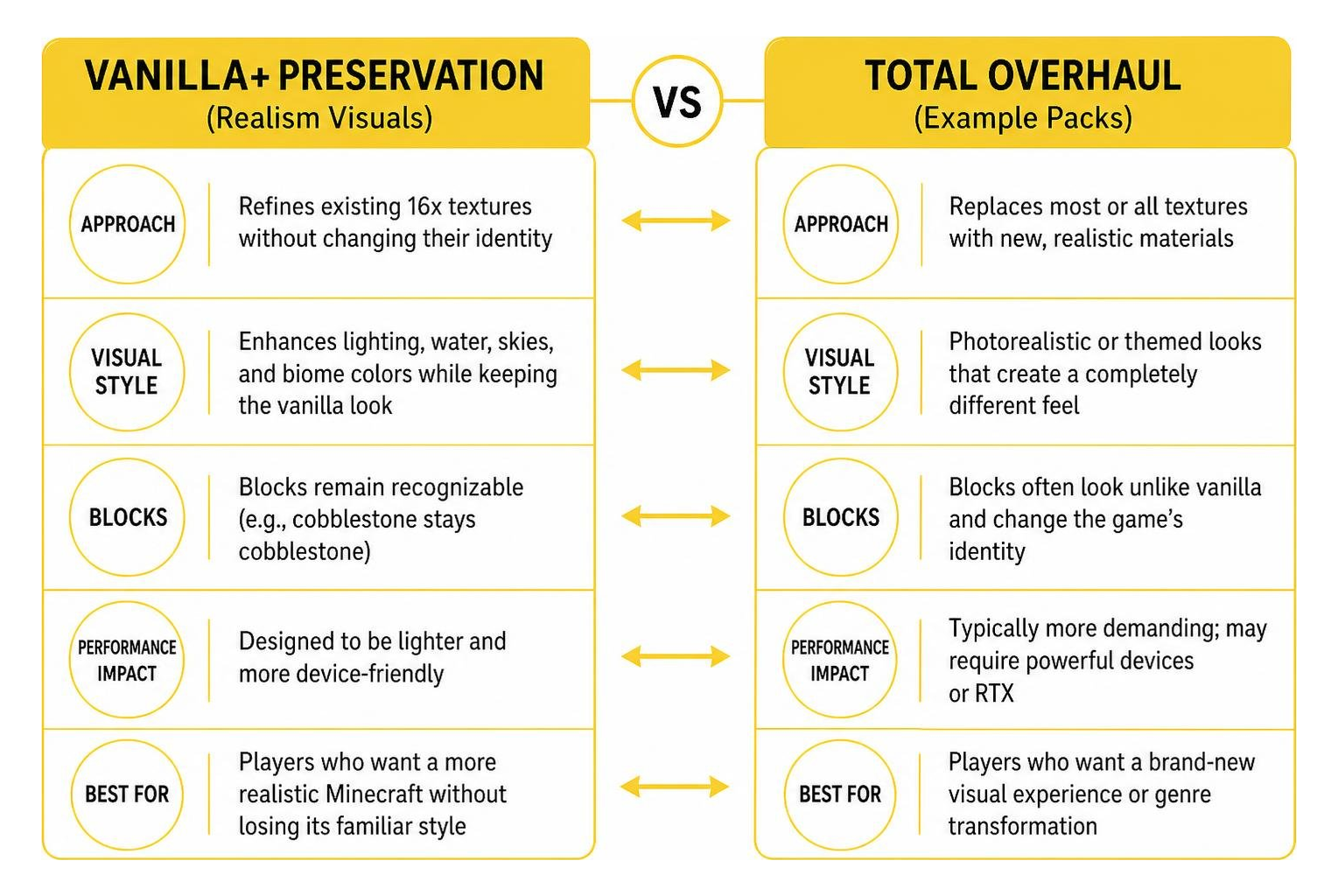
In contrast, Realism Visuals adheres strictly to the Vanilla+ philosophy. It avoids replacing blocks with unrecognizable real-world photographs. Instead, it carefully upgrades the existing 16x aesthetic by refining edge contrasts, adjusting lighting response, and introducing subtle highlights. This approach preserves vanilla fidelity, so your cobblestone castle still looks like cobblestone, and your oak wood planks retain their cozy warmth. If you appreciate the art style of Vanilla HD Texture Pack, you will find yourself right at home here.
Core Visual Upgrades in Realism Visuals Texture Pack for Minecraft PE/Bedrock
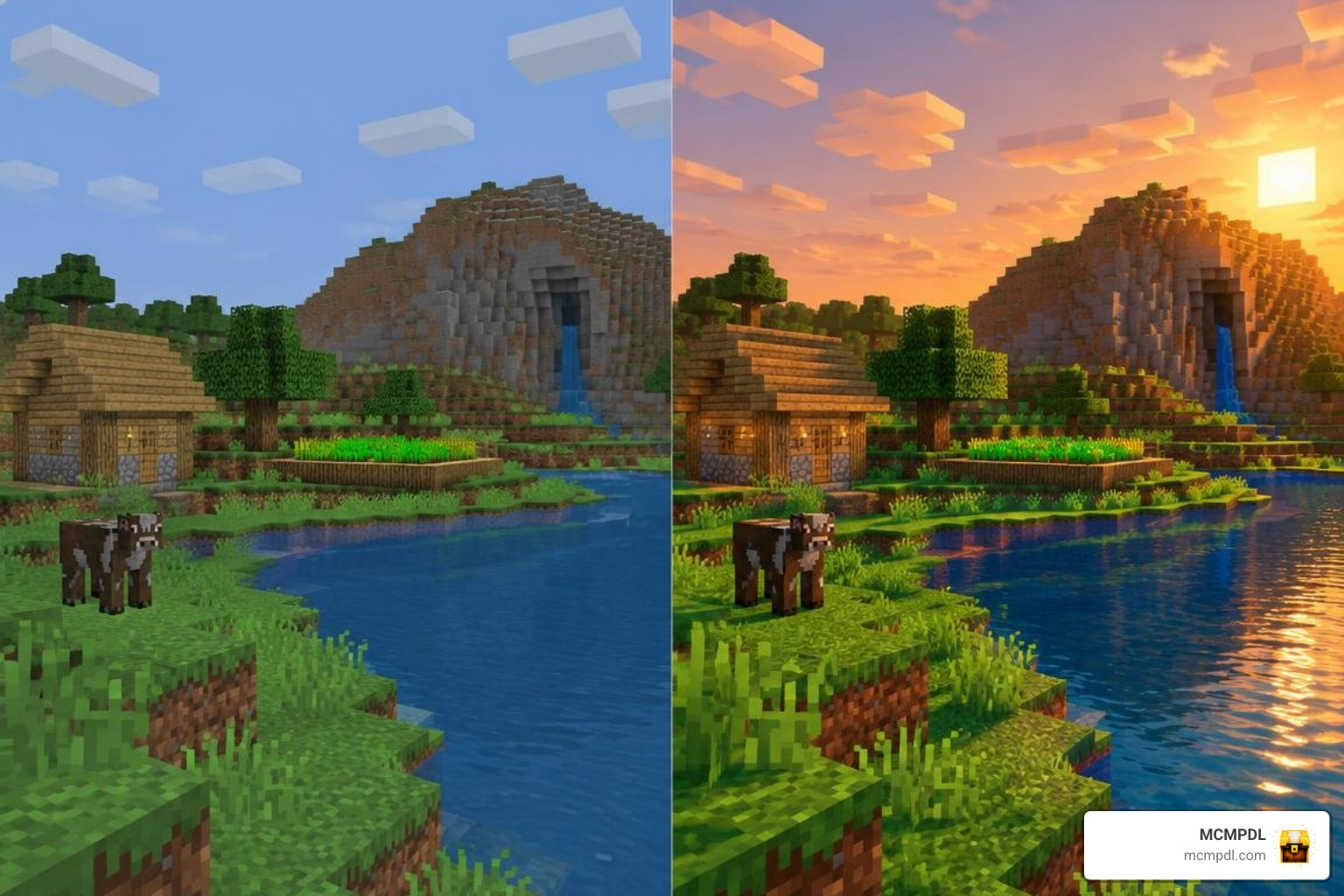
Rather than introducing clunky external shaders that break with every game patch, Realism Visuals utilizes Bedrock’s built-in visual pipeline. The core upgrades focus on:
- Enhanced Material Depth: Blocks have clearer definition and subtle surface highlights without demanding high-resolution memory overhead.
- Natural Atmosphere: Biomes boast distinct color grading, moving away from uniform washouts toward rich, saturated natural tones.
- Dynamic Lighting Nuances: Torches and lanterns cast warm, gentle ambient glows, while deep caverns embrace authentic, immersive darkness.
- Crisp Textures: Even falling snow and winter terrain look remarkably sharp—no more bulky “pixel snowballs” cluttering your screen!
By focusing on these core elements, the Realism Visuals texture pack delivers an immediate visual lift that feels native to the game.
Visual Features and Atmospheric Enhancements
To truly appreciate what this pack accomplishes, we need to look beneath the surface at how it manages environment variables, lighting systems, and dynamic elements.
Lighting, Shadows, and Per-Biome Color Tuning
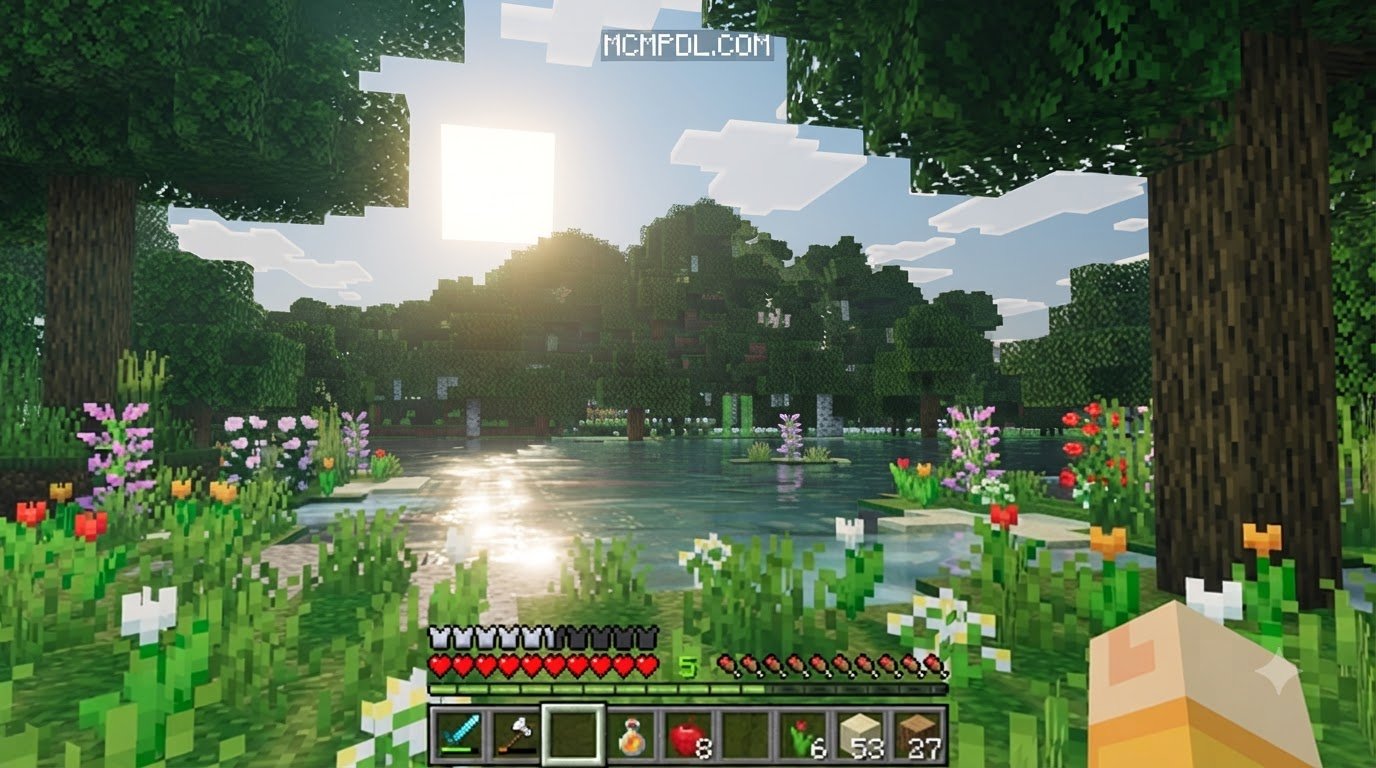
Lighting is often the single most critical factor in creating immersion. Realism Visuals smooths out jagged block light transitions, introducing soft ambient occlusion across structural corners. When you construct intricate rooms, interior shadows fall naturally against furniture and walls rather than creating harsh, checkerboard boundaries.
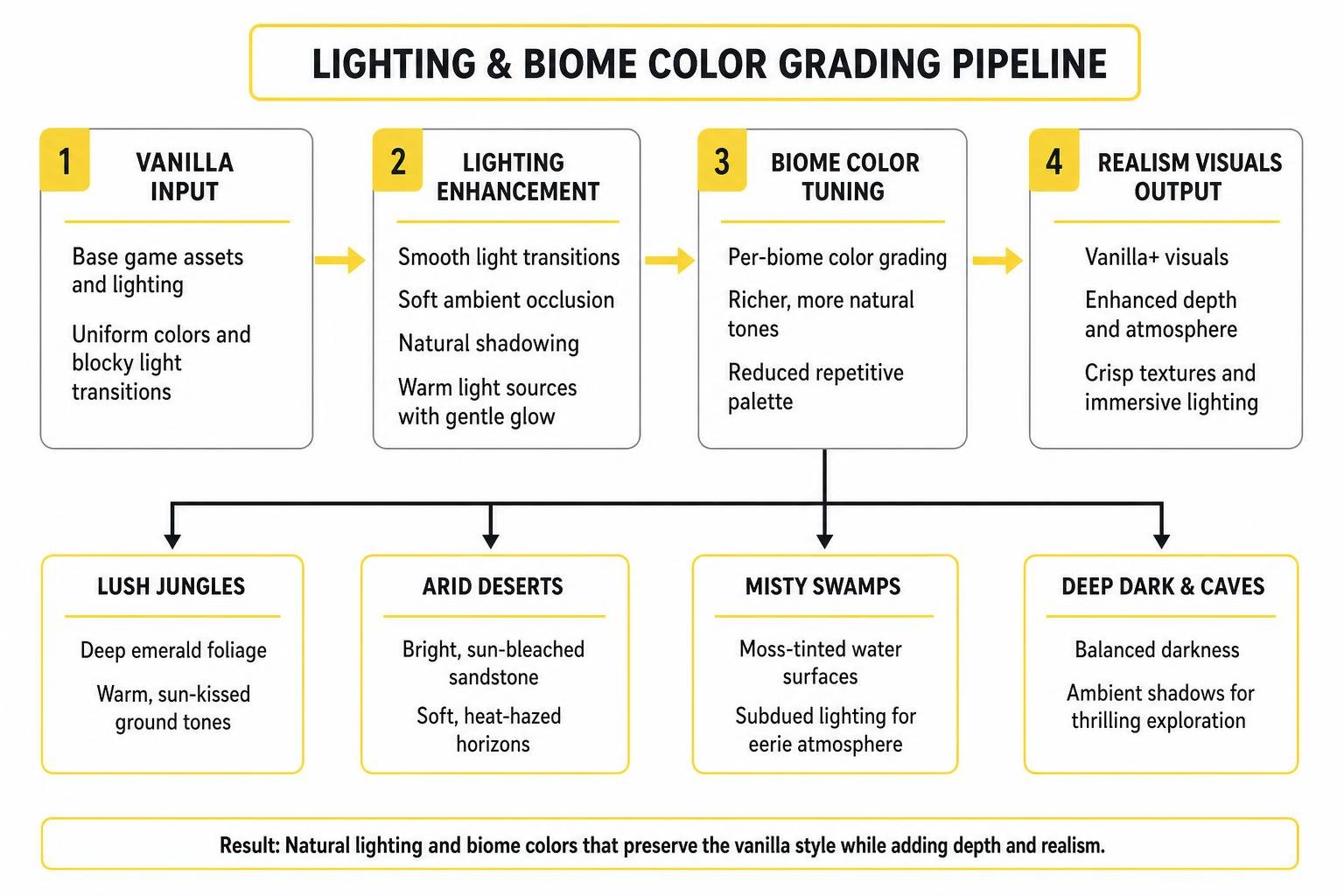
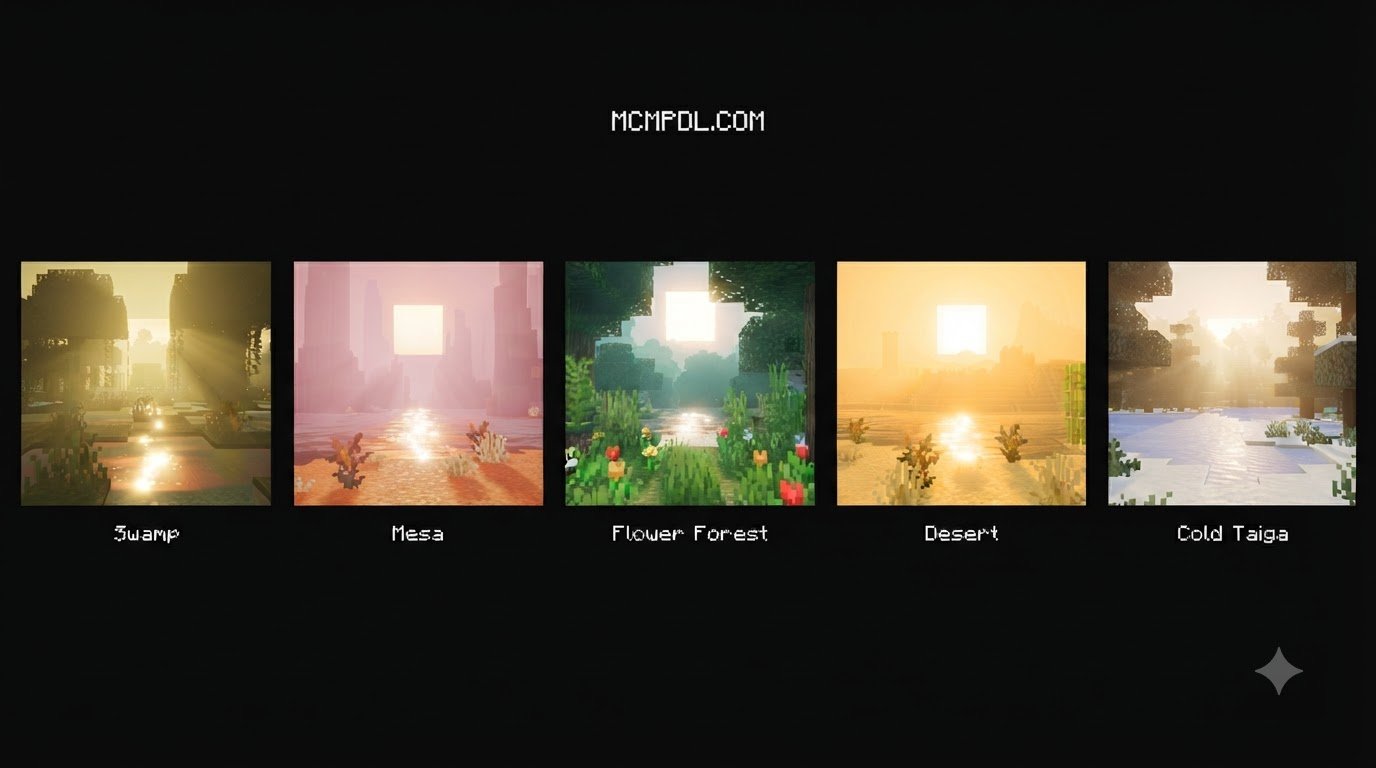
The per-biome color tuning is equally impressive. In vanilla Bedrock, grass and leaf colors can sometimes feel repetitive across neighboring regions. With this pack:
- Lush Jungles: Feature deep emerald foliage and warm, sun-kissed ground tones.
- Arid Deserts: Showcase bright, sun-bleached sandstone paired with soft, heat-hazed horizons.
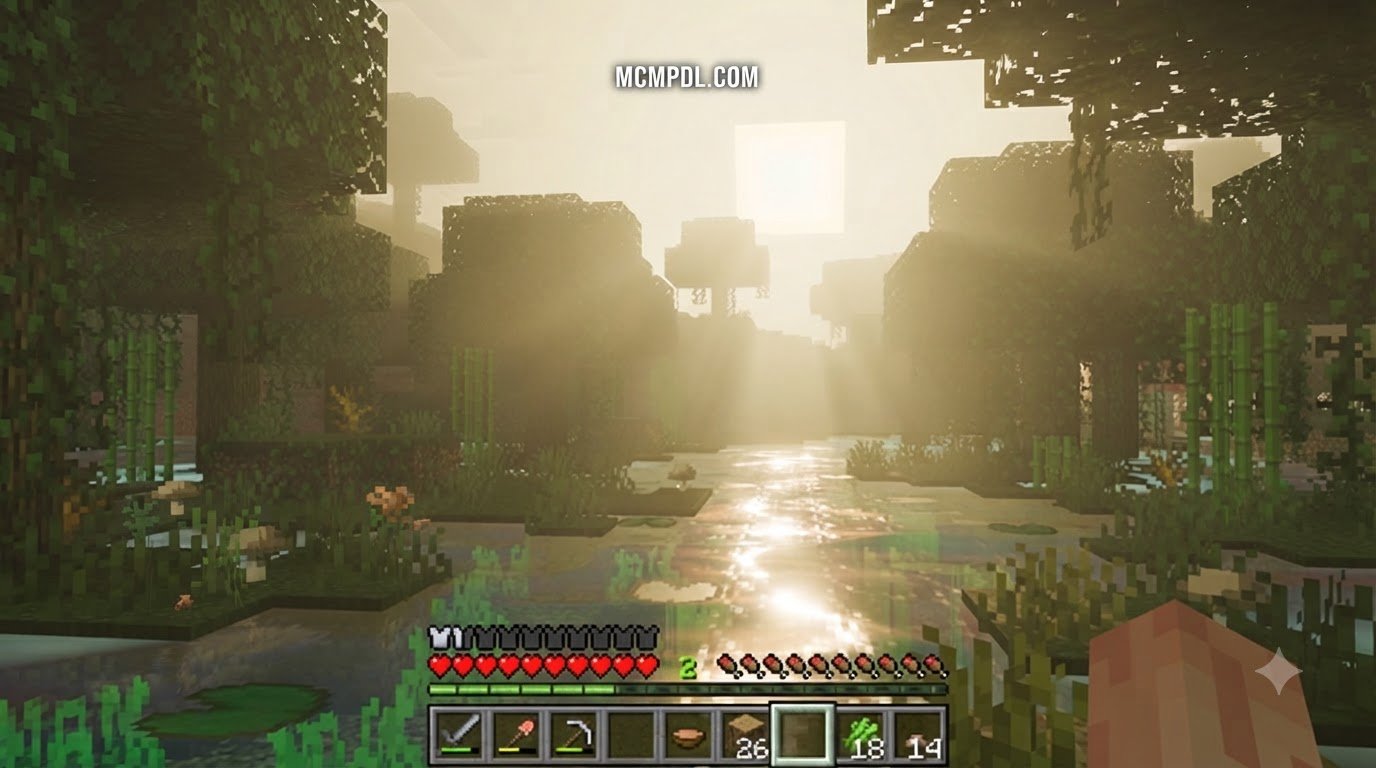
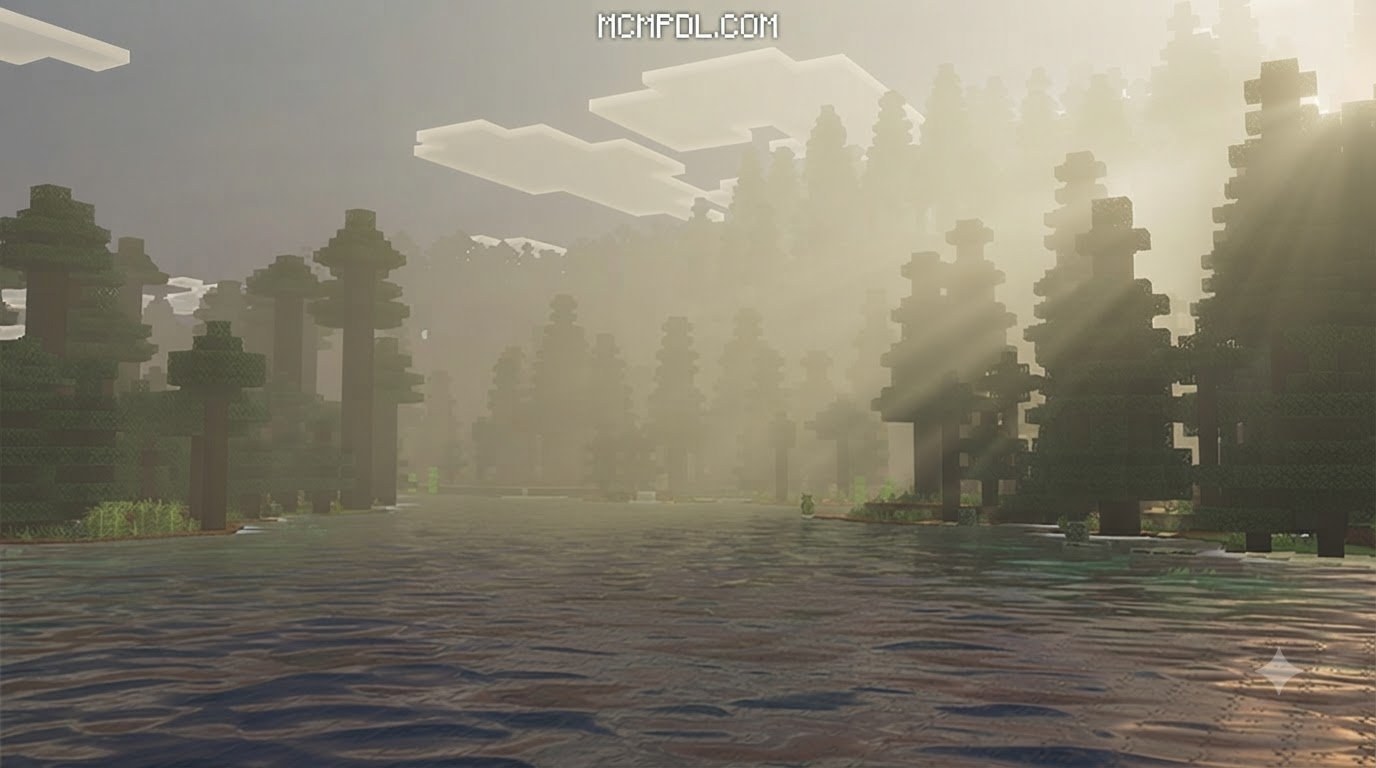
- Misty Swamps: Exhibit eerie, moss-tinted water surfaces and subdued lighting that adds tension to nighttime exploration.
- Deep Dark & Caves: Offer balanced darkness where ambient shadows make navigation thrilling without blinding your path completely.
These subtle adjustments echo atmospheric packs like Luminora Textures Pack for Minecraft PE/Bedrock, ensuring that stepping into a new biome always feels like entering a fresh ecosystem.
Water Rendering, Sky Gradients, and Ambient Effects

Water in standard Minecraft can sometimes look like a dense, opaque sheet of blue plastic. Realism Visuals reworks water transparency and surface gradients. When sailing across deep oceans or wading through shallow coral reefs, you will notice clean visibility that allows you to spot underwater ruins and marine wildlife from the surface.
The skybox also receives a thoughtful treatment:
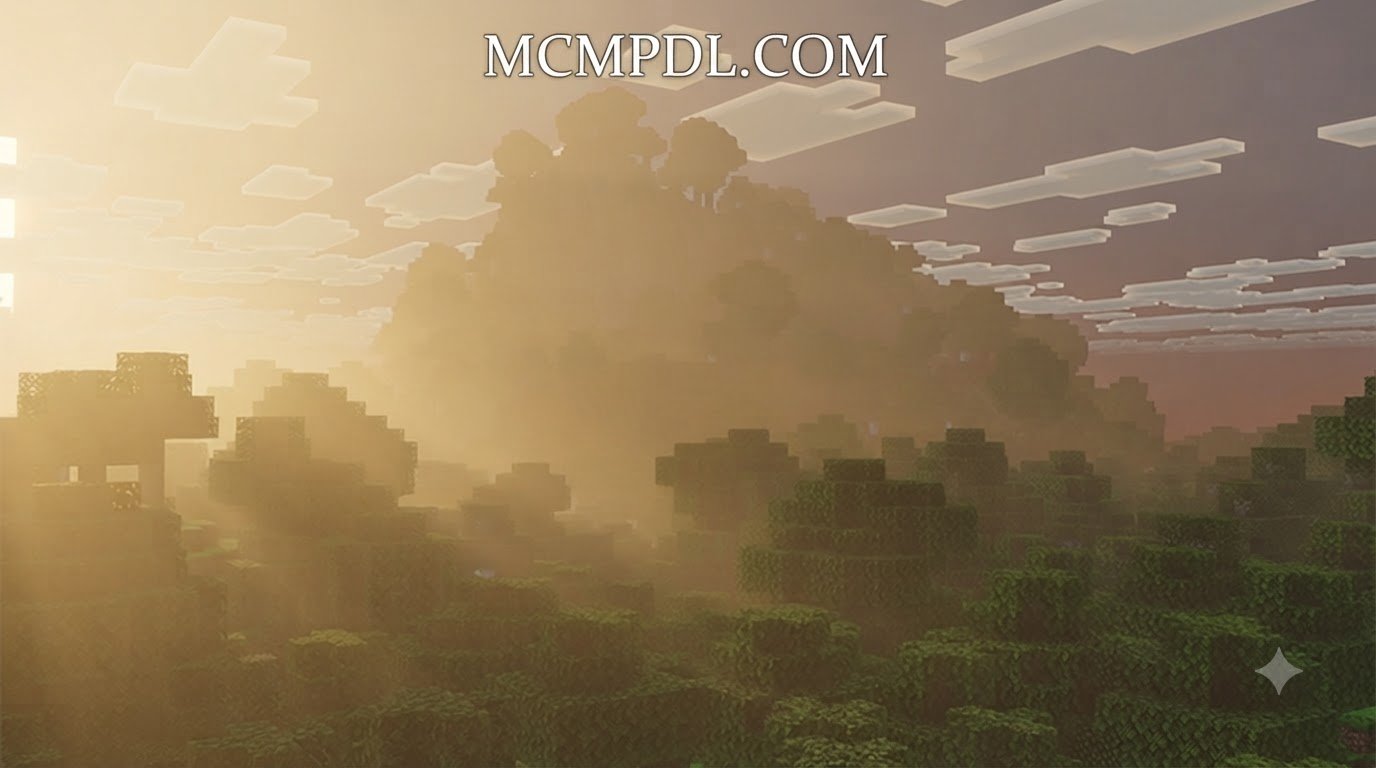
- Atmospheric Sunrises and Sunsets: Vibrant orange, magenta, and soft purple gradients wash over the horizon at dawn and dusk.
- Rich Cloud Formations: Fluffy, multi-layered cloud textures replace flat white rectangles, adding realistic depth to high-altitude builds.
- Refined Night Skies: The night sky features twinkling celestial highlights and a clearer moon phase system, making late-night survival sessions scenic rather than gloomy.
- Refined Animations: Player animations and swaying organic elements feel fluid, adding life to everyday harvesting and movement.
If you enjoy diverse visual overhauls such as Prizma Visuals Texture Pack for Minecraft PE/Bedrock or Vaxs Visuals Texture Pack Features Price Review 2026, the refined sky gradients in Realism Visuals will certainly enhance your cinematic screenshots.
Performance Benchmarks and Hardware Optimization
One of the biggest concerns for mobile and console players when testing visual enhancements is hardware lag. Many packs look incredible in promotional trailers but drop your frame rate into the single digits the moment rain starts falling. We evaluated the Realism Visuals pack across multiple tiers of hardware to see how it holds up during real gameplay.
FPS Expectations Across Low-End, Mid-Range, and High-End Devices
Because Realism Visuals operates within Bedrock’s lightweight resource pack system rather than injecting heavy custom code, GPU and CPU efficiency remain remarkably stable. Here is what you can expect across various device categories:
| Device Tier | Typical Hardware Examples | Expected Frame Rate | Visual Stability & Notes |
|---|---|---|---|
| Low-End | Older Android phones (3GB RAM), budget tablets | ~30 FPS | Stable performance; minor frame dips during rapid jungle exploration |
| Mid-Range | Modern smartphones, Nintendo Switch, base consoles | 40–60 FPS | Smooth overall gameplay with steady frametimes during combat |
| High-End | Windows PCs, Xbox Series X/S, PS5, flagship phones | 60+ FPS | Flawless experience with maximum render distance and fancy graphics enabled |
For players seeking lightning-fast responsiveness for competitive matches, dedicated options like Brilliant PvP Texture Pack for Minecraft PE/Bedrock, Ultimate PvP Pack Texture Pack for Minecraft PE/Bedrock, or our curated list of the 10 Best PvP Texture Packs for Cleaner Hits and Better Visibility exist. But for everyday survival and creative building, Realism Visuals strikes an exceptional balance between aesthetics and performance.
Recommended In-Game Video Settings
To achieve the best possible visual fidelity without overworking your battery or graphics card, we recommend adjusting your in-game video settings as follows:
- Render Distance: Set to 10–16 chunks for mid-range and mobile setups. High-end PC players can push past 20 chunks comfortably.
- Brightness: Adjust between 50% and 100%. Setting brightness around 60–75% lets the pack’s soft shadows pop without obscuring dark mine shafts.
- Smooth Lighting: Keep Enabled. This is essential for the pack’s ambient occlusion and soft corner transitions.
- Fancy Graphics & Beautiful Skies: Turn On to experience the multi-layered clouds and dynamic water gradients.
- UI & Bubble Particles: Leave default; memory usage remains minimal.
Installation and Compatibility Guide
Setting up resource packs in Minecraft Bedrock is straightforward once you know where the files go.
How to Install Realism Visuals Texture Pack for Minecraft PE/Bedrock on Mobile and Console
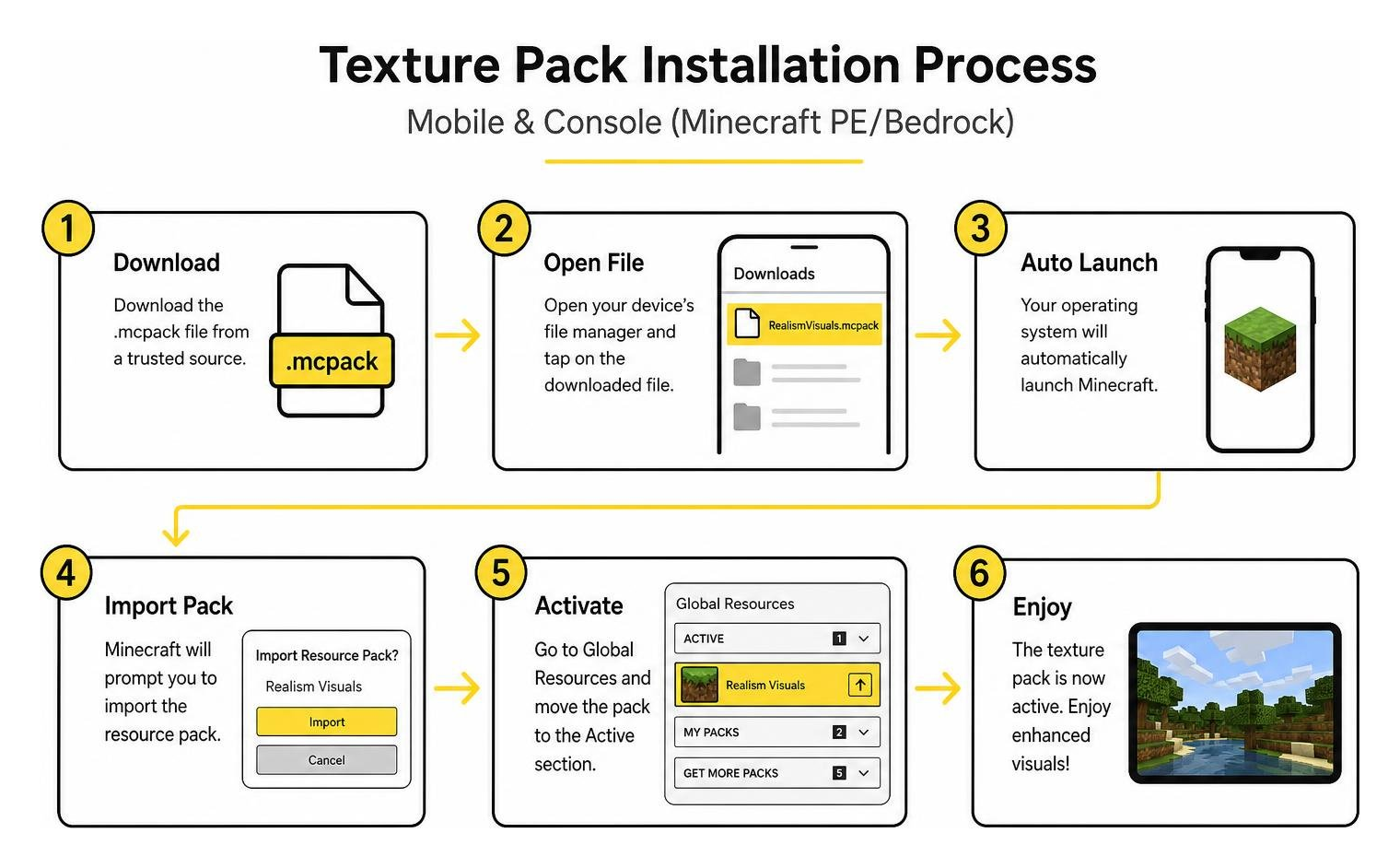
Follow these simple steps depending on your platform:
Android & iOS Setup
- Download the
.mcpackfile from a trusted source. - Open your device’s file manager and tap on the downloaded file. Your operating system should automatically launch Minecraft and import the pack.
- In Minecraft, navigate to Settings > Global Resources > My Packs.
- Select Realism Visuals, tap Activate, and ensure it moves to the “Active” list at the top.
Windows PC Setup
- Double-click the downloaded
.mcpackfile. - Minecraft will launch and display an “Import Started” banner, followed by “Successfully Imported”.
- Open Settings > Global Resources and activate the pack.
Console Setup (Xbox, PlayStation, Nintendo Switch)
Because direct file system imports are restricted on closed console ecosystems, packs must typically be managed through local network transfers, realm synchronization, or cloud profiles. If you host a Bedrock Realm on a PC or mobile device with the pack enabled in the Realm settings, console players joining your world will automatically download and display the visuals!
Target Audience and World Compatibility
Who benefits most from adopting this pack?
- Survival Enthusiasts: If you spend hundreds of hours mining, farming, and adventuring, you get a fresh aesthetic that never interferes with hitboxes or ore visibility.
- Creative Builders: Clean textures and natural block highlights make architectural creations stand out in portfolio captures.
- Content Creators: Streamers and video creators enjoy crisp sky gradients and vibrant color grading that look fantastic in high-definition video uploads.
- Thematic Explorers: While thematic options like Norse Mythology Texture Pack for Minecraft PE/Bedrock, Eldritch Horror Texture Pack for Minecraft PE/Bedrock, Ice Age Texture Pack for Minecraft PE/Bedrock, or Sci-Fi Robots Texture Pack for Minecraft PE/Bedrock cater to niche roleplay worlds, Realism Visuals works universally across every seed.
Best of all, applying this pack to existing worlds is 100% safe. It does not alter game logic, change item drops, or disable Xbox achievements, allowing you to turn it on or off at any time without risking your world saves.
Frequently Asked Questions
Does this texture pack cause significant lag on mobile devices?
No. Realism Visuals is engineered specifically around performance stability. Unlike complex shader mods that force heavy ray-tracing calculations, this pack optimizes vanilla rendering assets. Even on budget mobile phones, you can reliably expect around 30 FPS, while mid-tier devices comfortably sustain 40–60 FPS.
Can I apply this pack to my existing survival worlds?
Yes, absolutely. Because it is purely a client-side resource pack, it modifies only the visual presentation of blocks and lighting. Your world data, inventory, redstone contraptions, and achievements remain completely untouched and safe.
Does it work on all Bedrock platforms including consoles?
Yes. The pack supports all versions of Minecraft Bedrock Edition, including Android, iOS, Windows, Xbox, PlayStation, and Nintendo Switch. While console installation requires realm-sharing or specific profile syncing due to platform restrictions, the pack renders consistently across all devices once loaded.
Conclusion
The Realism Visuals Texture Pack for Minecraft PE/Bedrock provides the perfect middle ground for players who want their worlds to look vibrant, atmospheric, and modern without breaking the classic blocky aesthetic. By introducing rich skyboxes, clearer water rendering, and nuanced biome lighting while preserving high frame rates across mobile and console devices, it stands as one of the most practical visual upgrades available.
Whether you are looking for clean atmospheric overhauls or wish to experiment with distinct styles like Comicverse Textures Pack for Minecraft PE/Bedrock, Quadral Texture Pack for Minecraft PE/Bedrock, Vibrant Modern Textures Pack for Minecraft PE/Bedrock, or Sparkle Texture Pack for Minecraft PE/Bedrock, our curated library has you covered. Explore our full collection of Texture Packs to discover the perfect visual companion for your next Bedrock adventure!

1 thought on “Realism Visuals Texture Pack for Minecraft PE/Bedrock”