




Scroll down to D0vvnl0ad
Find the right inventory utility addon for Minecraft PE/Bedrock
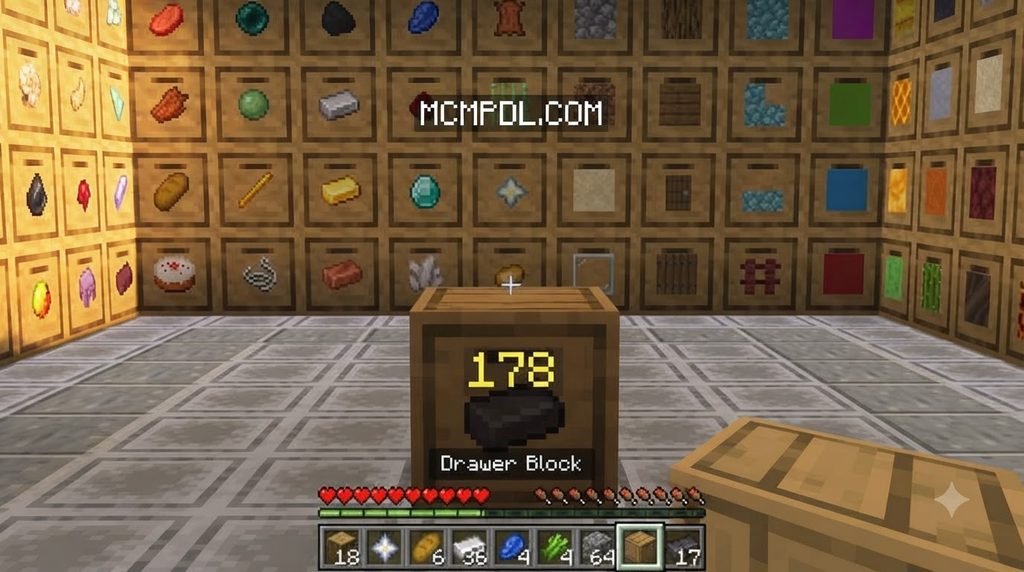
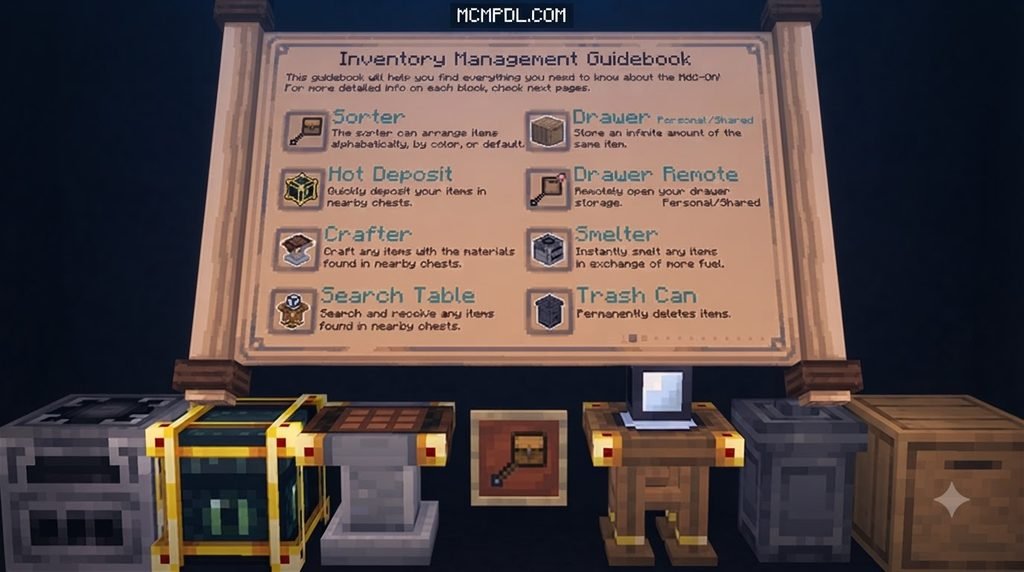
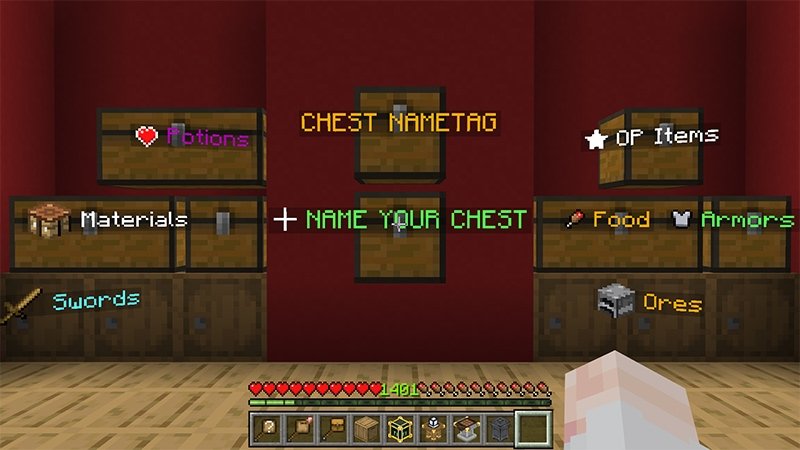
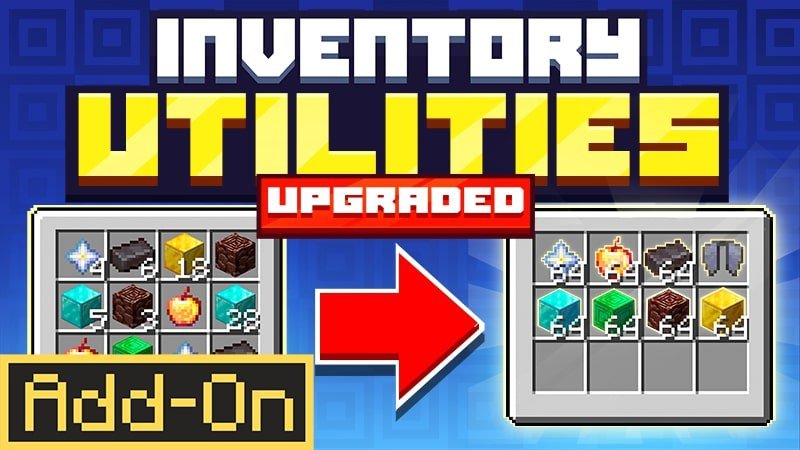
The best Inventory Utilities Addon for Minecraft PE/Bedrock depends on what slows you down. Choose Inventory Utilities (Upgraded) for sorting and chest deposits, Smart Inventory Utilities for automatic refills and tool-break warnings, or Utility Inventory for touch-friendly hotbar controls. If you want tools to switch based on what you face, consider AutoSwap Ultimate.
Before installing, check your Minecraft version, input device, and world settings. Some addons need experimental features, while quick-swap tools may not be allowed on public servers. This list compares five options so you can pick one that fits how you play.
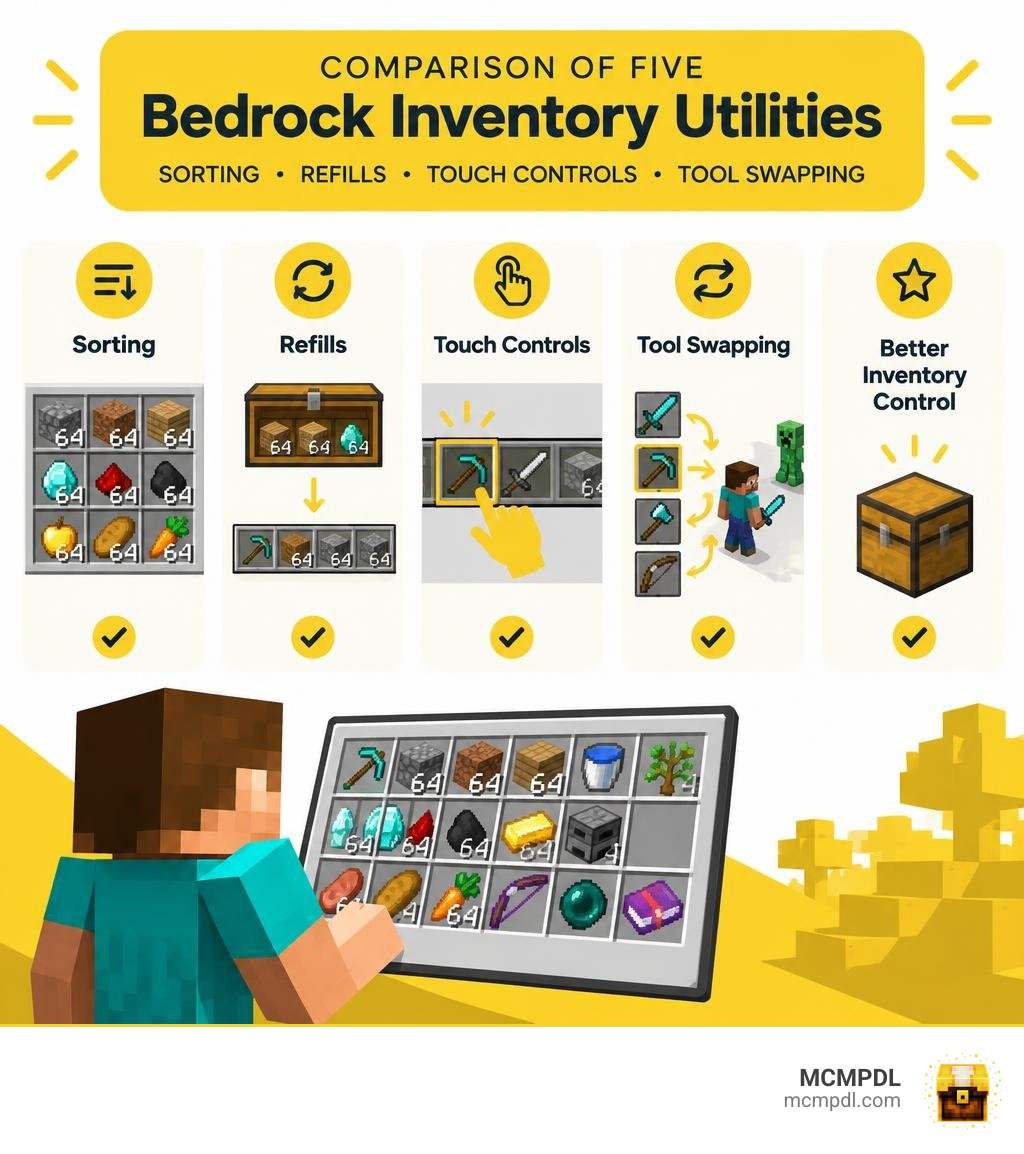
Top Features to Look for in an Inventory Utilities Addon for Minecraft PE/Bedrock
Managing items on mobile touchscreens or with a gamepad can quickly turn into a headache. Between cluttered mining hauls, shattered enchanted pickaxes, and chaotic chest rooms, we spend hours dragging item stacks across small screens. Finding the right tools transforms that experience completely.
When choosing a utility pack, here are the essential features we look for:
- Automated Sorting Algorithms: Sorting buttons that organize messy chests and player inventories alphabetically, by item category, or by block color with a single tap.
- Hot Deposit Systems: The ability to walk up to your storage hub and dump all matching items into nearby chests without opening individual containers.
- Durability Monitoring: Real-time HUD indicators or warning notifications that alert you before an enchanted Diamond or Netherite tool permanently shatters. You can also pair these tools with a dedicated HUD Essentials addon to keep track of armor status right on your screen.
- Smart Stack Refilling: Automatically replacing empty hands with matching item stacks from your backpack whenever you consume food, throw potions, or place your last building block.
- Intelligent Tool Cycling: Dynamic contextual switching that equips the optimal tool for whatever block you are targeting.

5 Best Inventory Utilities Addons for Minecraft PE and Bedrock Edition Compared
Whether you play survival on a private Realm, fight in PvP minigames, or build sprawling mega-bases, different utilities serve different needs. Combining strong inventory tools with options like the Utility Tools Addon for Minecraft Bedrock 2026 creates a streamlined gameplay loop that keeps you focused on building and exploring.
Let us explore our top five recommendations in detail.
1. Inventory Utilities (Upgraded) – Best Overall Marketplace Addon
If you want a polished, all-in-one storage management suite, Inventory Utilities (Upgraded) by Mythicus is a standout choice. Available on the official Minecraft Bedrock Marketplace, this add-on holds a strong 4.3 out of 5-star rating across 320 community reviews, with over 70% of players giving it a full 5-star score.
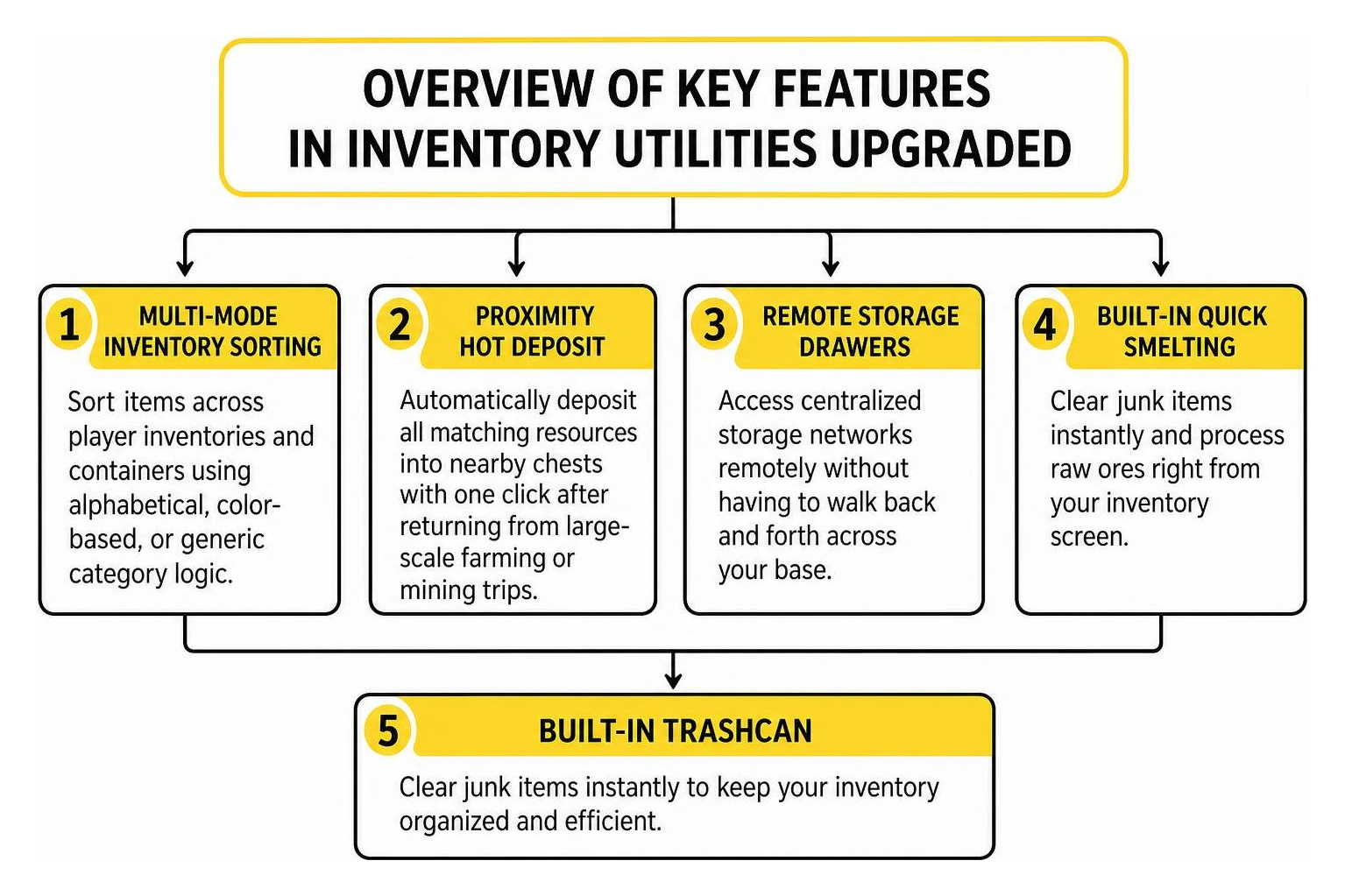
Key Features
- Multi-Mode Inventory Sorting: Sort items across player inventories and containers using alphabetical, color-based, or generic category logic.
- Proximity Hot Deposit: Automatically deposit all matching resources into nearby chests with one click after returning from large-scale farming or mining trips.
- Remote Storage Drawers: Access centralized storage networks remotely without having to walk back and forth across your base.
- Built-in Quick Smelting and Trashcan: Clear junk items instantly and process raw ores right from your inventory screen.
- Multi-Inventory Toggling: Switch between different specialized inventory layouts using custom keybindings.
Priced at 830 Minecoins (approximately $4.35 USD), it requires no complex file extraction and works natively on versions from 1.16.0 through modern Bedrock updates. It is fully Realm-friendly, making it easy for entire multiplayer groups to share seamless storage management. If you need portable storage to accompany these sorting tools, pairing this pack with the Simply Backpacks addon gives you extra mobile slots on long expeditions.
2. Smart Inventory Utilities – Best Achievement-Friendly Inventory Utility Addon for Minecraft PE/Bedrock
For pure survival players, the biggest drawback of most Bedrock script addons is that enabling experimental features permanently disables Xbox Achievements. Smart Inventory Utilities solves this issue completely.
With over 3,200 downloads, this lightweight behavior pack runs cleanly on modern Minecraft Bedrock without requiring Experimental Gameplay or Beta APIs, leaving your survival world achievements fully intact.

Multi-Tier Durability Alert System
To protect your valuable gear, the addon implements an intelligent multi-tiered warning system that tracks tool wear in real time:
- Warning Level (15% Durability): Displays a subtle yellow Action Bar notification on your HUD.
- Danger Level (5% Durability): Triggers a chat warning accompanied by deep bass sound effects and visual lava particles.
- Critical Level (3 Uses Remaining): Displays an on-screen title alert, plays a distinct break sound, and emits explosion particles to ensure you stop swinging before your tool breaks.
In addition to durability safeguards, the pack automatically refills depleted stacks of blocks, food, and potions from your inventory straight into your main hand. For technical players, open scripts/main.js to customize refill logic, adjust alert percentages, or toggle hotbar-only limits. If warnings become intrusive during busy builds, you can quickly silence alerts by applying the durability_mute tag in-game.
3. Utility Inventory – Best Touchscreen HUD & Quick-Swap Overlay
Mobile players on Minecraft Pocket Edition often struggle with small buttons and full-screen menu interruptions. Utility Inventory is an extremely popular UI texture pack with over 152,800 downloads that redesigns the mobile HUD for rapid inventory access.
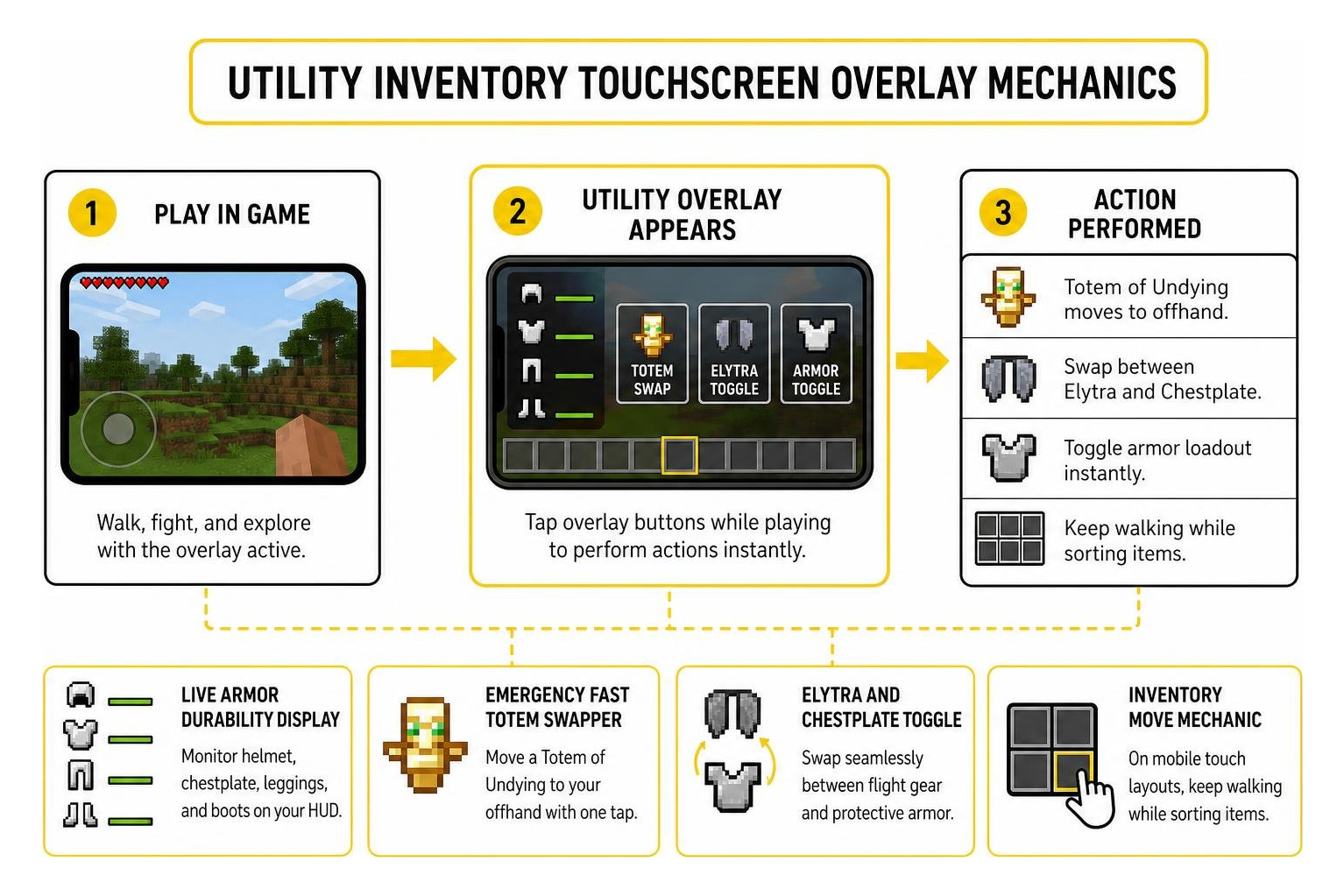
Touchscreen Optimization Features
- Live Armor Durability Display: Monitor your helmet, chestplate, leggings, and boots directly on your HUD without opening your character screen.
- Emergency Fast Totem Swapper: Move a Totem of Undying into your offhand slot with a single tap during intense combat.
- Elytra and Chestplate Toggle: Swap seamlessly between flight gear and protective armor while mid-air.
- Inventory Move Mechanic: On mobile touch layouts, the UI overlay allows you to keep walking while sorting your items.
- 4 Extra Utility Slots: Leverages crafting input slots as temporary HUD storage, allowing fast access to critical blocks or weapons.
Because Utility Inventory works purely through JSON UI alterations rather than behavior scripts, it runs smoothly on low-end mobile devices. However, because of engine limitations, you must close the overlay to interact with container blocks and villager trading menus.
4. AutoSwap Ultimate – Advanced Script API Tool & Combat Manager
If you want automated tool selection that reacts instantly to your surroundings, AutoSwap Ultimate is a strong choice. Built using modern Bedrock Script APIs, this tool manager removes manual hotbar juggling entirely.
Operating at a 3-tick (0.15-second) scan rate, the addon raycasts 5.5 blocks in front of the player. When you look at stone, it equips your pickaxe; target dirt, and your shovel appears; look at an approaching zombie within a 6-block radius, and your sword is ready to strike.
Technical Capabilities
- Durability Safety Guard: Automatically halts tool swapping whenever an item reaches 15 durability or lower, protecting enchanted tools from breaking.
- Velocity Check (MLG Clutch): Detects rapid downward falling speeds exceeding -0.6 blocks per tick and automatically places a water bucket or slime block in your hand.
- Sneak Memory Utility: Holding crouch allows you to place torches or building blocks, and releasing crouch instantly re-equips your mining tool.
- Zero player.json Conflicts: Because it uses the Script API GameTest Framework rather than modifying core player animation files, it works alongside other behavior packs without crashing.
Activating this addon requires toggling “Beta APIs” in your world settings on Minecraft version 1.21.0 or higher. Once loaded, simply type /auto:swap on in chat to activate context swapping.
5. Inventory Profiles & Container Management – Best Client-Side Inventory Utility Addon for Minecraft PE/Bedrock
For players who want granular sorting rules and quick container clearing, client-focused container tools streamline daily base management. These utilities offer precise control over item layouts without requiring complex server-side setup.
Key Container Features
- Slot Locking: Lock designated hotbar and inventory slots to prevent automated sorting routines from scattering your favorite gear.
- One-Click Chest Dump: Instantly transfer every matching item from your inventory into a target chest with a single button press.
- Empty Slot Retention: Maintain designated empty slots for incoming mob drops or harvested crops without auto-sorting filling those spaces.
- Deep Storage Integration: Works smoothly alongside large storage mods like the Storage Addon for Minecraft Pe Bedrock to organize high-capacity warehouse networks.
Paid vs. Free Inventory Addons: Compatibility and Server Safety
Choosing between official Marketplace releases and community-created behavior packs comes down to your budget, input device, and target game modes.
| Addon Name | Type / Platform | Price | Xbox Achievements | API / Experimental Requirements | Best Use Case |
|---|---|---|---|---|---|
| Inventory Utilities (Upgraded) | Marketplace Add-on | 830 Minecoins (~$4.35) | Yes (when applied as Marketplace content) | None (Requires 1.16.0+) | All-in-one base sorting & Realm storage hubs |
| Smart Inventory Utilities | Community Add-on | Free | Yes | None (Vanilla Scripts) | Survival worlds & achievement hunting |
| Utility Inventory | Resource / UI Pack | Free | Yes | None (Pure Resource Pack) | Mobile touch PvP & Elytra hot-swapping |
| AutoSwap Ultimate | Script API Add-on | Free | No | Beta APIs (Requires 1.21.0+) | High-speed mining & automated combat |
| Inventory Profiles | Container Utility | Free | Varies by setup | Experimental Toggles | Complex container sorting & slot locking |
Multiplayer Server and Anti-Cheat Considerations
Before joining public multiplayer servers, keep in mind that packs modifying player interactions—such as fast-totem swappers or moving while inside inventory screens—can trigger automated anti-cheat detections. Server watchdogs may view single-tick offhand swaps or instant container deposits as automated packet manipulation. Keep these utility packs restricted to single-player worlds, private Bedrock Dedicated Servers, or family Realms where quality-of-life tools are welcome.
Frequently Asked Questions
Do inventory utility addons disable Xbox achievements in Minecraft Bedrock?
It depends on how the addon is built. UI-only resource packs (like Utility Inventory) and lightweight script packs that avoid experimental toggles (like Smart Inventory Utilities) keep achievements fully enabled. However, addons requiring “Beta APIs” or “Experimental Gameplay” toggles in World Settings will automatically disable Xbox achievements.
Can using quick-swap and inventory utility addons get you banned on multiplayer servers?
Yes, on competitive public servers. Fast-totem buttons, rapid offhand swapping, and UI overlays that let you move while managing items can be flagged by server-side anti-cheat plugins as unfair automation. We recommend disabling these packs when joining competitive servers and using them primarily on private worlds or Realms.
What is the difference between Script API hotbar swappers and UI texture packs?
UI texture packs only alter the visual layout and JSON screen files, creating clickable shortcut buttons on your HUD. Script API swappers run background JavaScript code that actively scans block types and player velocity in real time, automatically placing items directly into your main hand without requiring manual screen taps.
Conclusion
Managing your inventory should not get in the way of mining, building, and exploring. Whether you pick the comprehensive sorting tools of Inventory Utilities (Upgraded), the achievement-friendly durability safeguards of Smart Inventory Utilities, or the rapid mobile shortcuts of Utility Inventory, these quality-of-life tools keep your focus squarely on your adventures.
Explore our curated library of Minecraft Bedrock Add-Ons to discover more tools, custom storage expansions, and performance improvements for your survival worlds today!