Scroll down to D0vvnl0ad
How to Get Better Jukeboxes for Minecraft PE/Bedrock
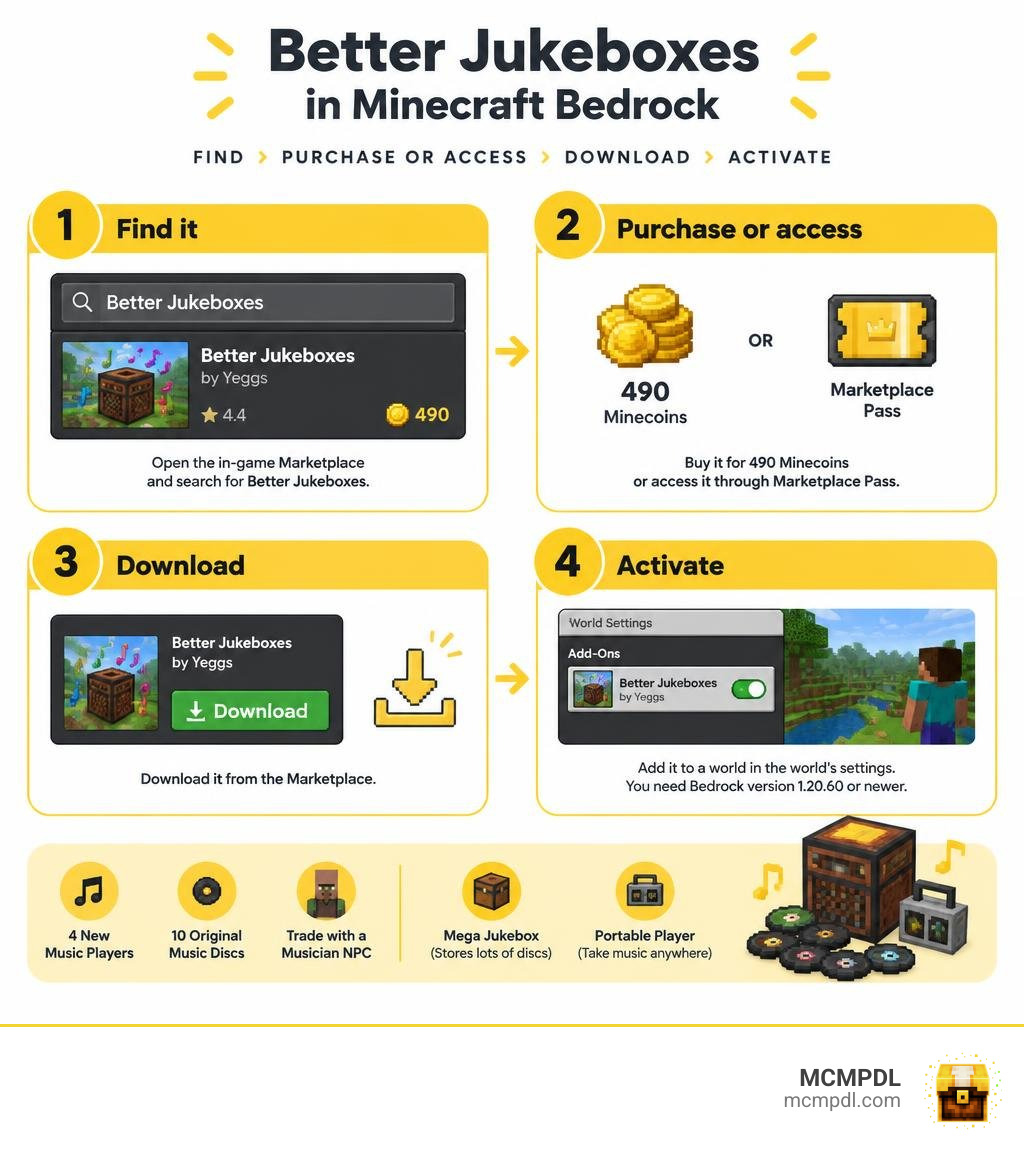
Better Jukeboxes Addon for Minecraft PE/Bedrock is a paid add-on by Yeggs. To get it, open the in-game Marketplace, search for Better Jukeboxes, then buy it for 490 Minecoins or access it through Marketplace Pass. Download it, then add it to a world in the world’s settings. You need Bedrock version 1.20.60 or newer.
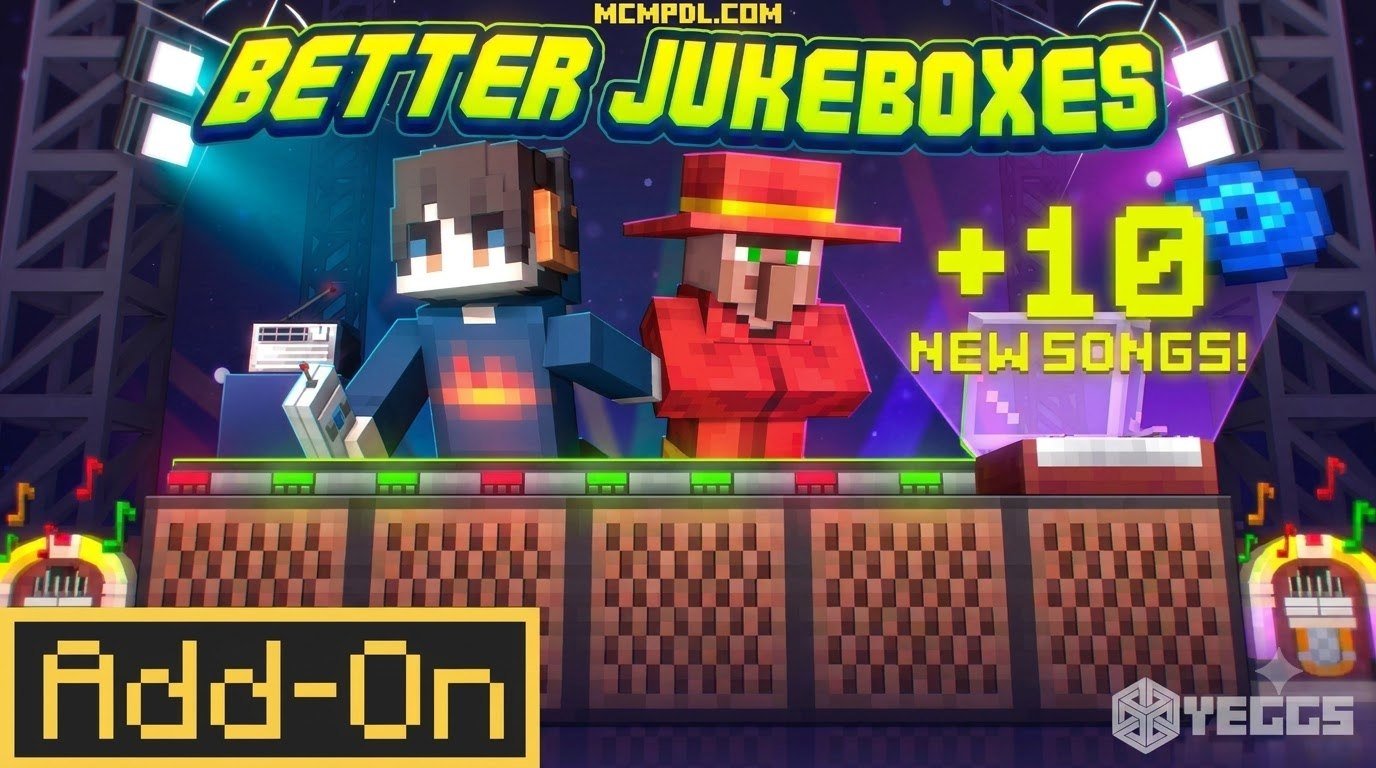
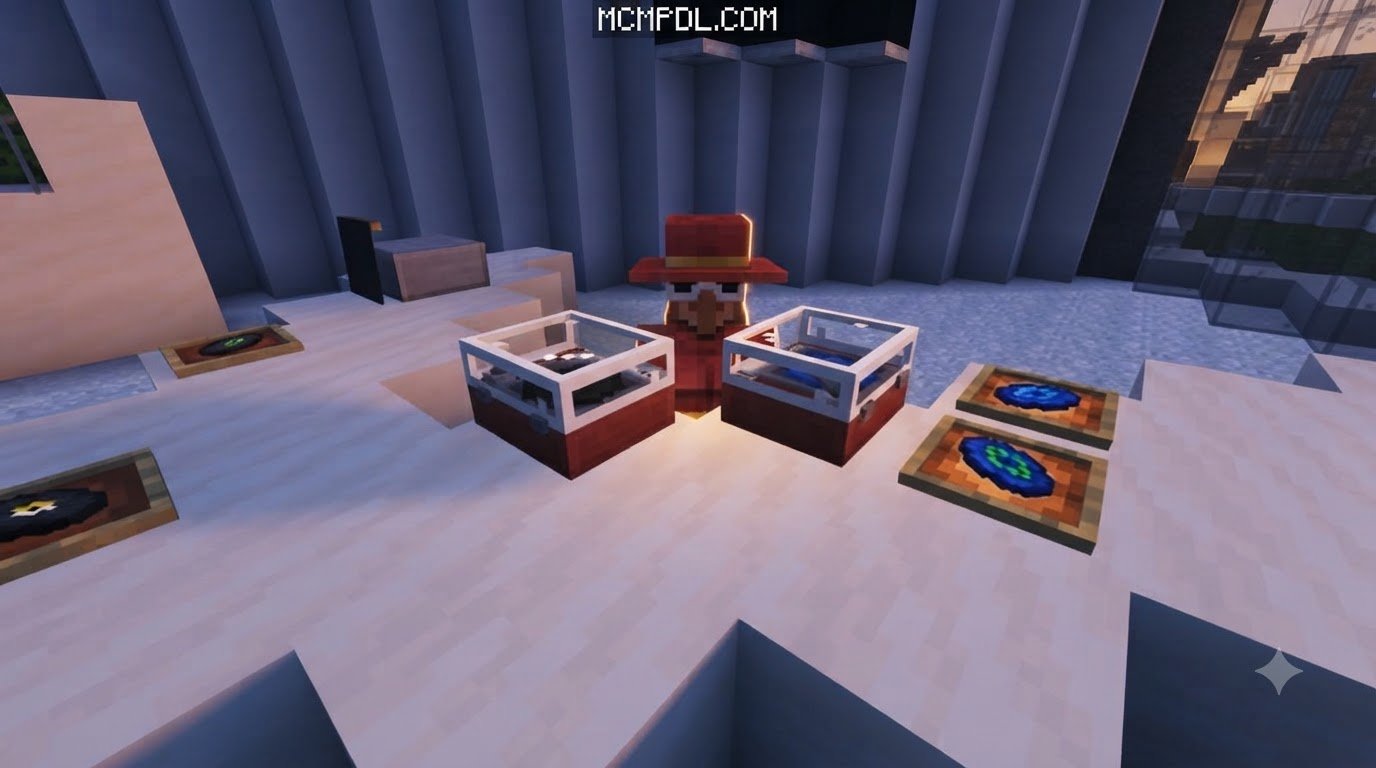
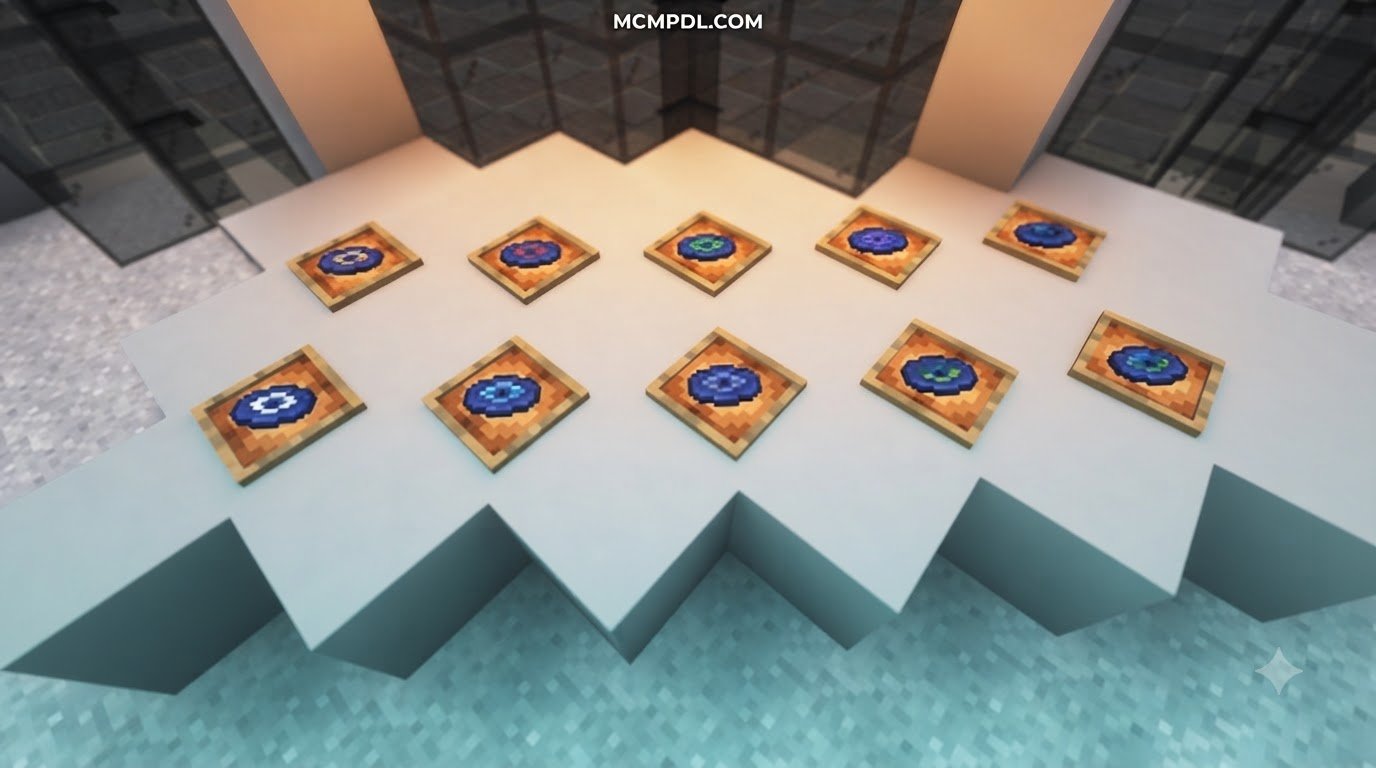
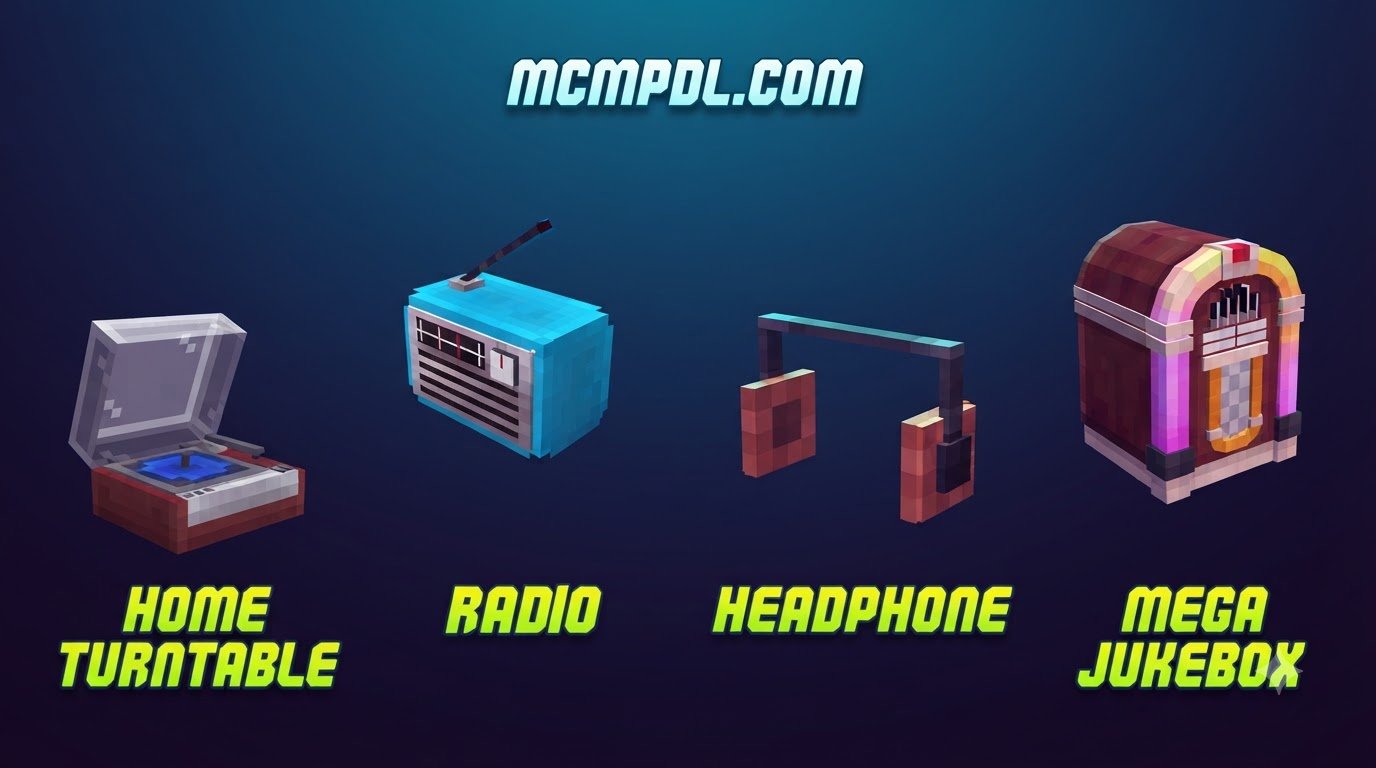
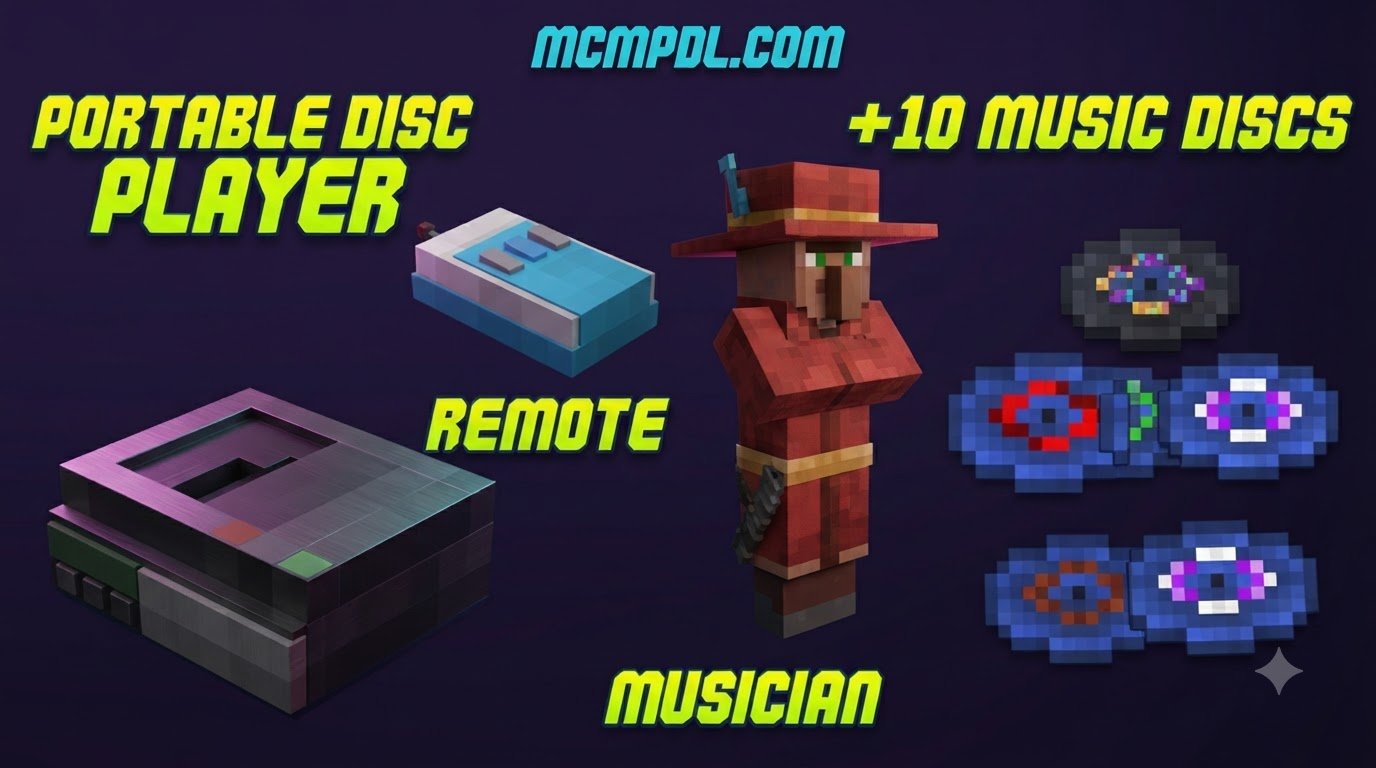
The add-on brings four music players and 10 original music discs. You can collect the tracks by trading with a Musician NPC, store discs in the Mega Jukebox, and take music along with the Portable Player. Use the official in-game listing rather than an unofficial “free download” that claims to include the paid add-on.
Taking a moment to confirm the creator name and price before downloading helps you avoid the wrong listing. Once the download is complete, activating the add-on in your world settings makes its new players and discs available when you load that world.
Better Jukeboxes Addon for Minecraft PE/Bedrock: What You Get
Better Jukeboxes is a Marketplace add-on that adds new ways to collect and play music in Bedrock worlds. Its listing describes four new music players and 10 new original music discs. Two named features are the Mega Jukebox, designed to store lots of discs, and the Portable Player, made for taking music along while exploring.
That focus on collecting and playing music is what sets it apart from add-ons that mainly change blocks, tools, or world generation. Most of your time with it will be spent finding discs, trading for tracks, and deciding where and how you want to listen, rather than learning an entirely new survival system.
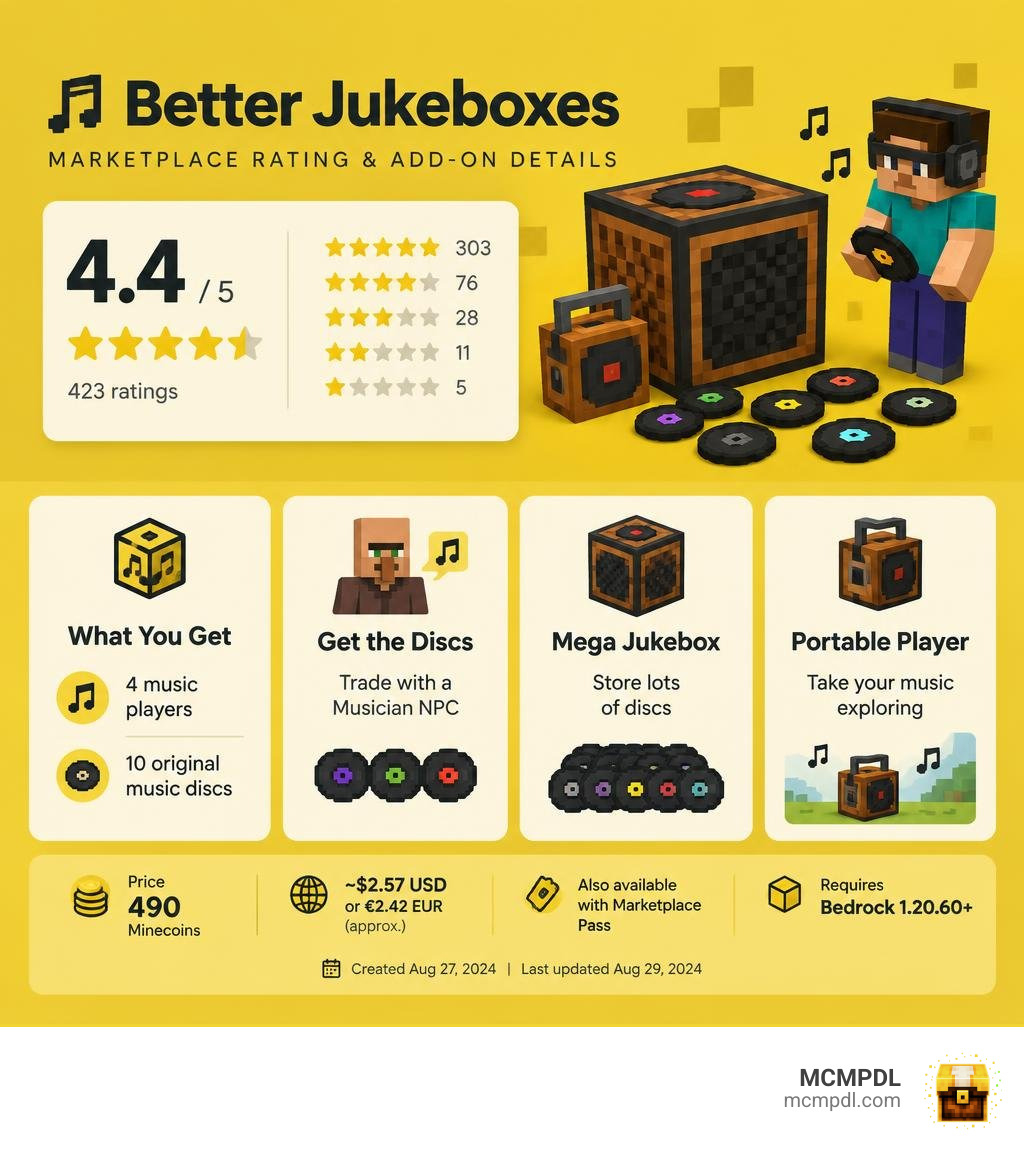
The add-on was created by Yeggs, launched on August 27, 2024, and last updated on August 29, 2024. It requires Bedrock version 1.20.60 or newer. The Marketplace listing shows an average rating of 4.4 out of 5 from 423 ratings, including 303 five-star ratings, or about 72 percent.
Those figures give a useful snapshot of how players have responded so far, but they are best read alongside the listing details themselves. Checking the version requirement, price, and included features before you buy will tell you more about whether the add-on fits your world than the rating alone.
Is the Better Jukeboxes addon for Minecraft PE/Bedrock free?
It is a paid Marketplace product, priced at 490 Minecoins. The listed regional equivalents are approximately $2.57 USD or €2.42 EUR, but local currency conversions and prices can vary. It is also listed as available through Marketplace Pass, so subscribers with access to the included content can play it without buying it separately while it remains covered by their subscription.
If you do not have eligible subscription access, purchase it from the in-game Marketplace. Avoid unofficial downloads promising a free copy: the official listing is the reliable way to get the paid content and its updates. Buying through the Marketplace also means you can reinstall it later from your library if you change devices or need to download it again.
What does the Better Jukeboxes addon for Minecraft PE/Bedrock add?
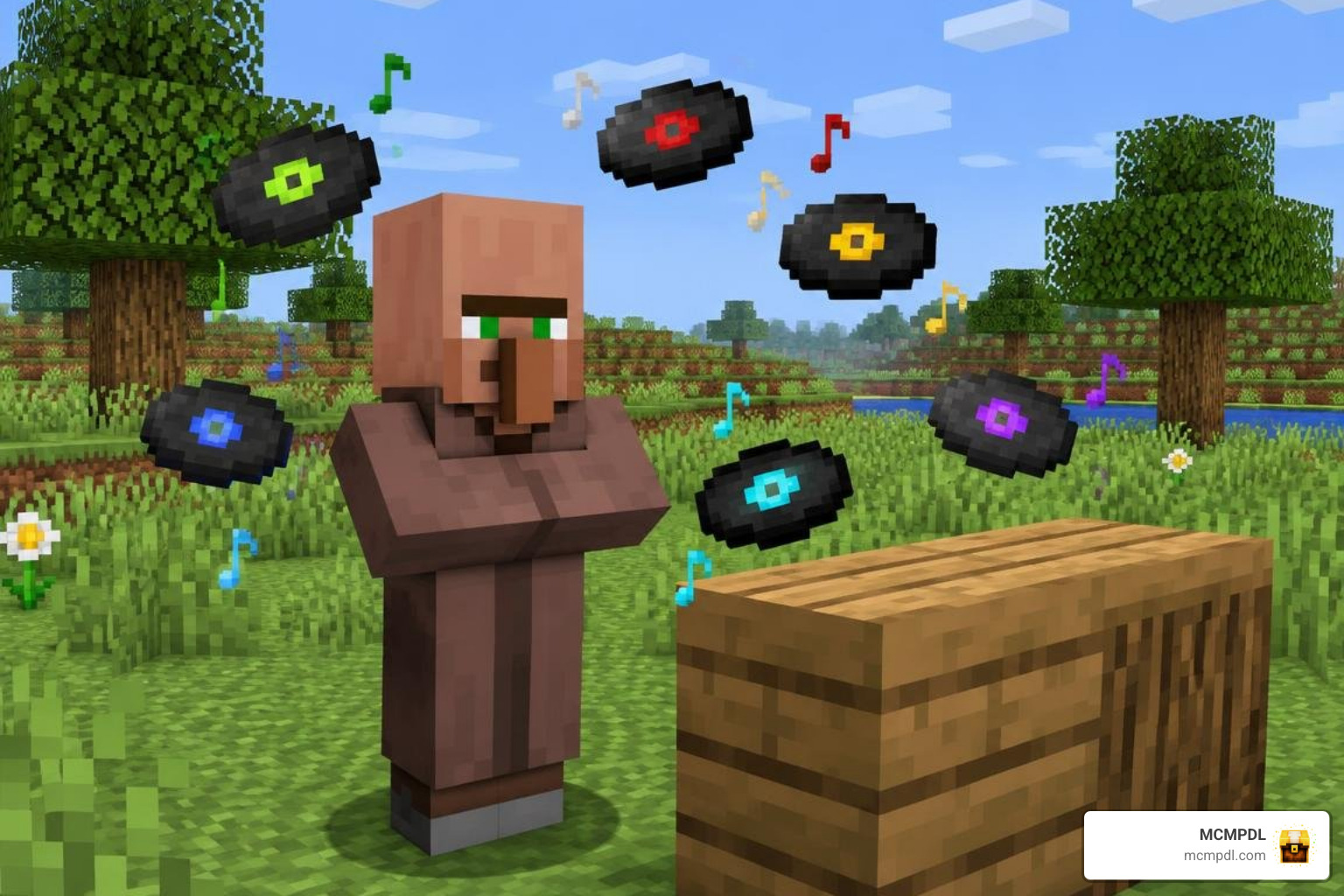
The add-on introduces four music players, 10 original discs, and a Musician NPC. Players can trade with the NPC to collect the new tracks. The Mega Jukebox is intended for storing many discs, while the Portable Player lets you carry music while travelling.
The listing does not name or explain all four players in detail, so it is best not to assume that every one has a separate crafting recipe or special playback feature. It also states that the add-on does not include additional skins. In other words, the confirmed additions are the players, the discs, and the NPC used to collect them, and anything beyond that should be checked in the listing for your version.
How to Download and Activate the Add-On
Use Minecraft’s in-game Marketplace to find and install the correct product:
- Open Minecraft Bedrock and go to the Marketplace.
- Search for Better Jukeboxes and check that the creator is Yeggs.
- Confirm the 490 Minecoin price or check whether the add-on is available through your Marketplace Pass subscription.
- Purchase or access the add-on, then download it to your device.
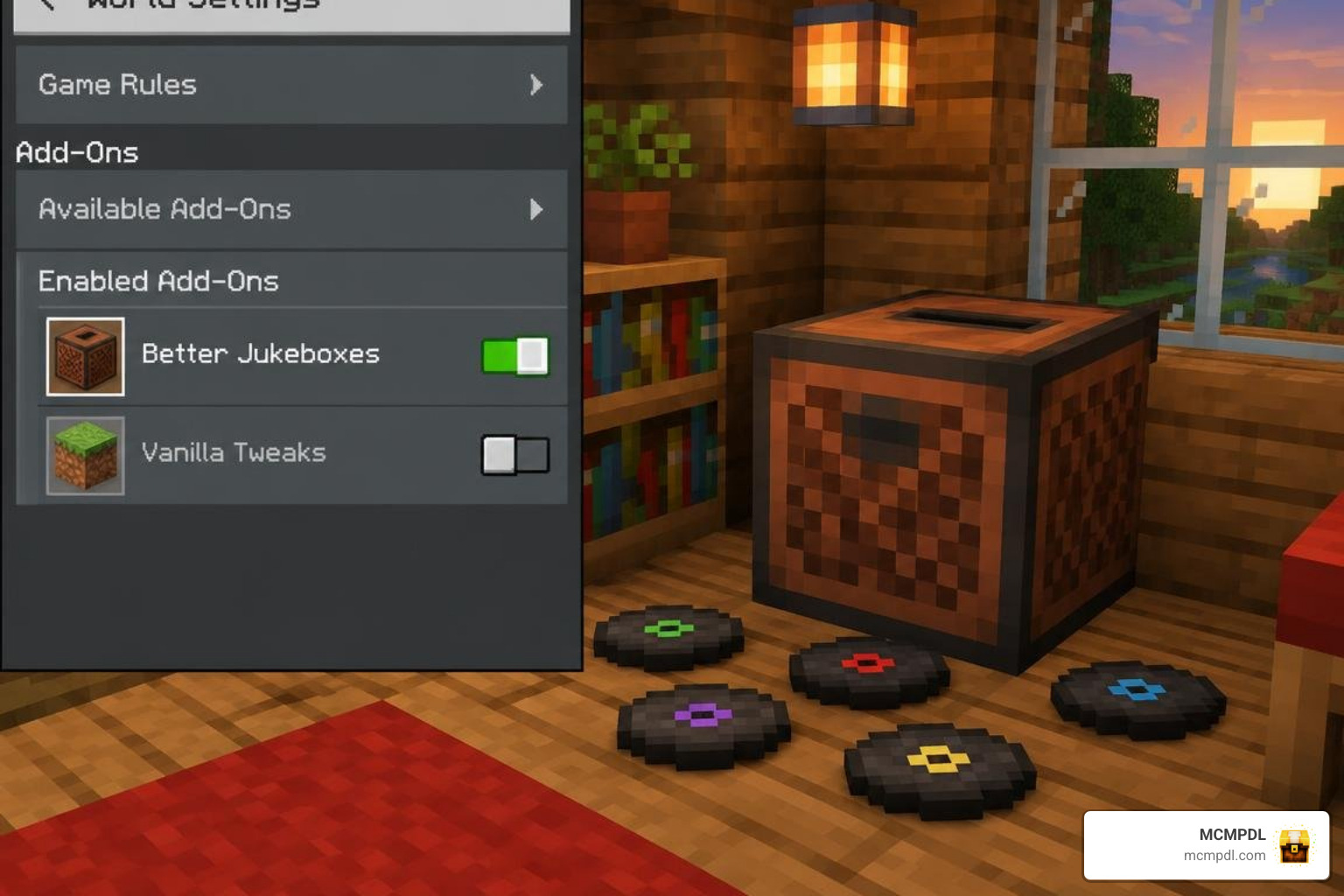
- Create a world or edit an existing one. Open its settings and activate the add-on’s packs if Minecraft prompts you to do so.
- Load the world and check that the new content is available.
Working through those steps in order helps you keep the purchase, download, and activation separate. You need to complete the Marketplace step first, then make sure the download has finished, and only then activate the packs in the world you plan to play. If you skip the activation step, the world may load without the new players or discs even though the add-on is on your device.
On Android, iOS, and Windows, start from the Marketplace inside the Bedrock game rather than trying to install an unrelated file from an unofficial download page. The exact menus can vary slightly by platform and game version. For general background on add-ons and world setup, see Minecraft’s Bedrock Add-Ons help.
Before downloading, check that your game is version 1.20.60 or newer. If the add-on does not appear in a world, revisit that world’s settings and confirm that the relevant packs are enabled. It is also worth checking that you selected the correct world, as activating an add-on in one world does not automatically activate it in every other world you own.
New Players, Music, and Gameplay
The Mega Jukebox and Portable Player serve different practical purposes: one is described as a place to keep lots of discs, and the other is designed for music on the move. The 10 original tracks are obtained by trading with the Musician NPC. The listing does not provide the NPC’s precise trade costs or a complete list of track names, so those details may depend on what is shown in your installed version.
That distinction matters when you are planning a base or a journey. A player designed for storage suits a fixed listening spot where you keep a collection together, while a portable option suits exploring, building, or travelling between areas. Choosing the right one for the situation you have in mind will make the add-on feel more useful than trying to use every player in the same way.
The add-on provides new music content, but its listing does not specify a changed jukebox listening radius, exact playback distance, or detailed multiplayer behavior. Treat those as unconfirmed rather than assuming music will reach farther than in the base game or behave the same for every player. If you plan to use it with friends, test it in your world together.
Testing together is the safest approach because it lets you check the actual experience in your world, on your devices, and with your settings. What sounds clear in a single-player test may feel different in a shared world, so a short trial with another player can save disappointment later.
How does the Better Jukeboxes addon for Minecraft PE/Bedrock handle music?
You collect the add-on’s original discs through trades with the Musician NPC, then use the music players to store or play them. The Portable Player is the listed option for carrying music while exploring; the Mega Jukebox is described as having room for lots of discs. The listing does not specify every playback control or whether a placed jukebox’s range changes.
The Portable Player should not be confused with other portable-music features described separately from Better Jukeboxes. Only the features identified in this add-on’s Marketplace listing are confirmed as part of this product. For shared worlds, check playback with another player rather than assuming the music is private or automatically synchronized.
Can players add their own tracks?
Custom-track support is not listed for Better Jukeboxes. The documented music content is the add-on’s 10 original tracks, collected through Musician NPC trades. If adding personal audio is important to you, do not purchase this add-on on the assumption that it accepts custom files. Instead, judge the add-on on the original discs and players it does confirm, and look elsewhere if custom audio is a must-have feature for your world.
Choosing a Better Jukeboxes Setup
The two named players suit different situations. The table compares only the features described in the Marketplace listing; it does not imply unlisted storage limits, range settings, or custom-music options.
| Player | Listed use | Portable? | Music playback |
|---|---|---|---|
| Mega Jukebox | Store lots of discs | No portability is specified | Part of the add-on’s music-player collection |
| Portable Player | Take music along while exploring | Yes, intended for on-the-go use | Plays music while you travel |
The listing says there are four new players overall, but only these two are named in the available product details. It does not specify whether either player supports custom tracks or how far its music can be heard. Use the table as a starting point for deciding which named player matches your plans, and check the in-game listing for any further details shown in your version before making a final choice.
Frequently Asked Questions
What Minecraft version does Better Jukeboxes require, and when was it last updated?
The minimum listed version is Minecraft Bedrock 1.20.60. The add-on launched on August 27, 2024, and its last listed update was August 29, 2024. Check the in-game listing and your game version before installing, especially if you are using a newer release. Confirming both the version and the listing details first helps you avoid installing the add-on into a world that cannot use it properly.
Does the add-on support custom music or a separate personal music player?
Custom-track support is not listed. Better Jukeboxes does include a Portable Player, but other personal music-player features are not confirmed as part of this add-on. The confirmed music content is its set of original discs obtained through the Musician NPC. If custom music is the main reason you are considering the add-on, it is worth pausing and checking the listing again before you buy.
Can other players hear the Portable Player, and does the add-on change jukebox range?
The Marketplace listing does not specify whether other players can hear the Portable Player or whether the add-on changes jukebox range. These details should not be assumed. If multiplayer playback matters, test the add-on with other players in the same world before relying on a particular range or listening behavior. A quick test in a shared world will show you how it works for your group far more reliably than guessing from the listing alone.
Conclusion
Better Jukeboxes adds four music players, 10 original discs, and a Musician NPC to Bedrock. Check that your game is version 1.20.60 or newer, then purchase the add-on through the official in-game Marketplace or see whether it is included with your Marketplace Pass access. Once it is downloaded and activated in your world settings, you can start trading for tracks and trying the Mega Jukebox and Portable Player. You can also browse more Bedrock content in MCMPDL’s Minecraft content hub.