

Scroll down to D0vvnl0ad
How to Install a Factories Add-on for Minecraft PE/Bedrock

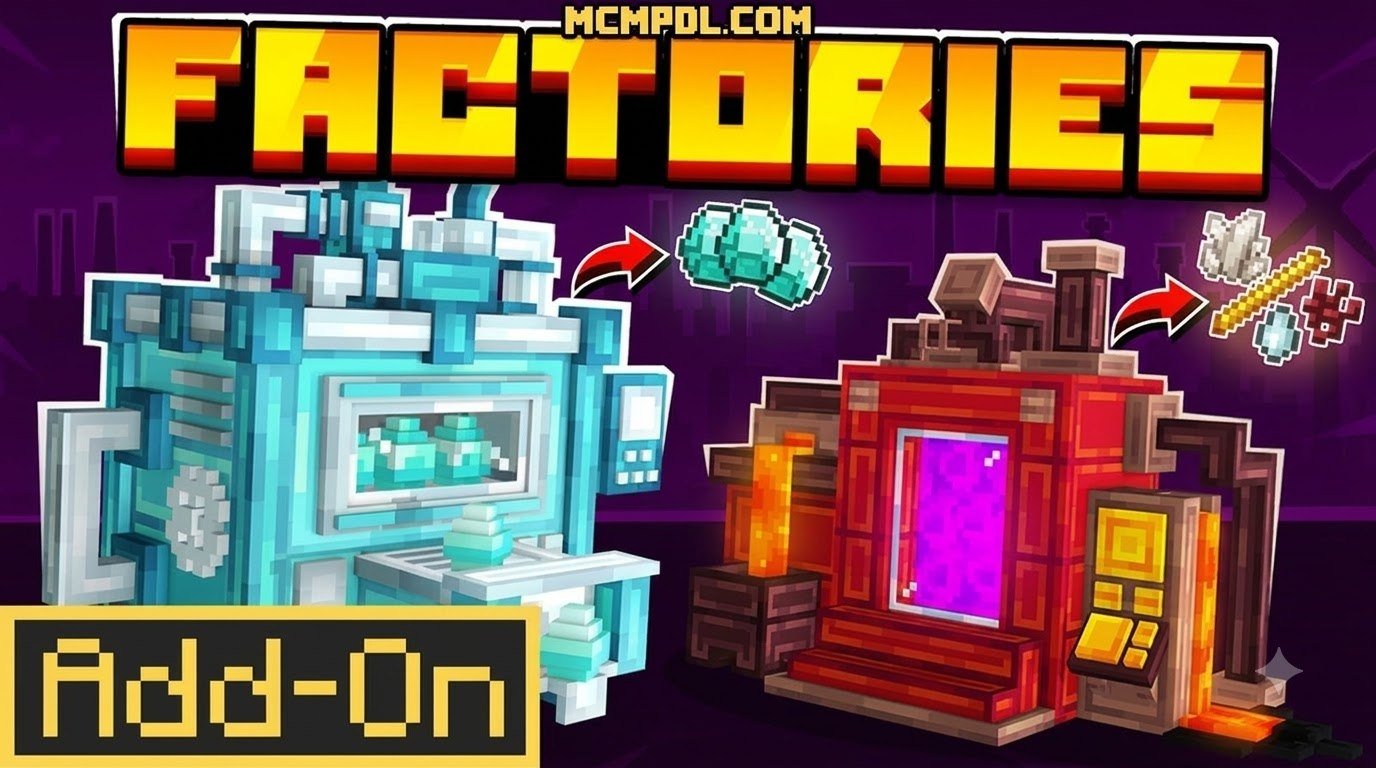
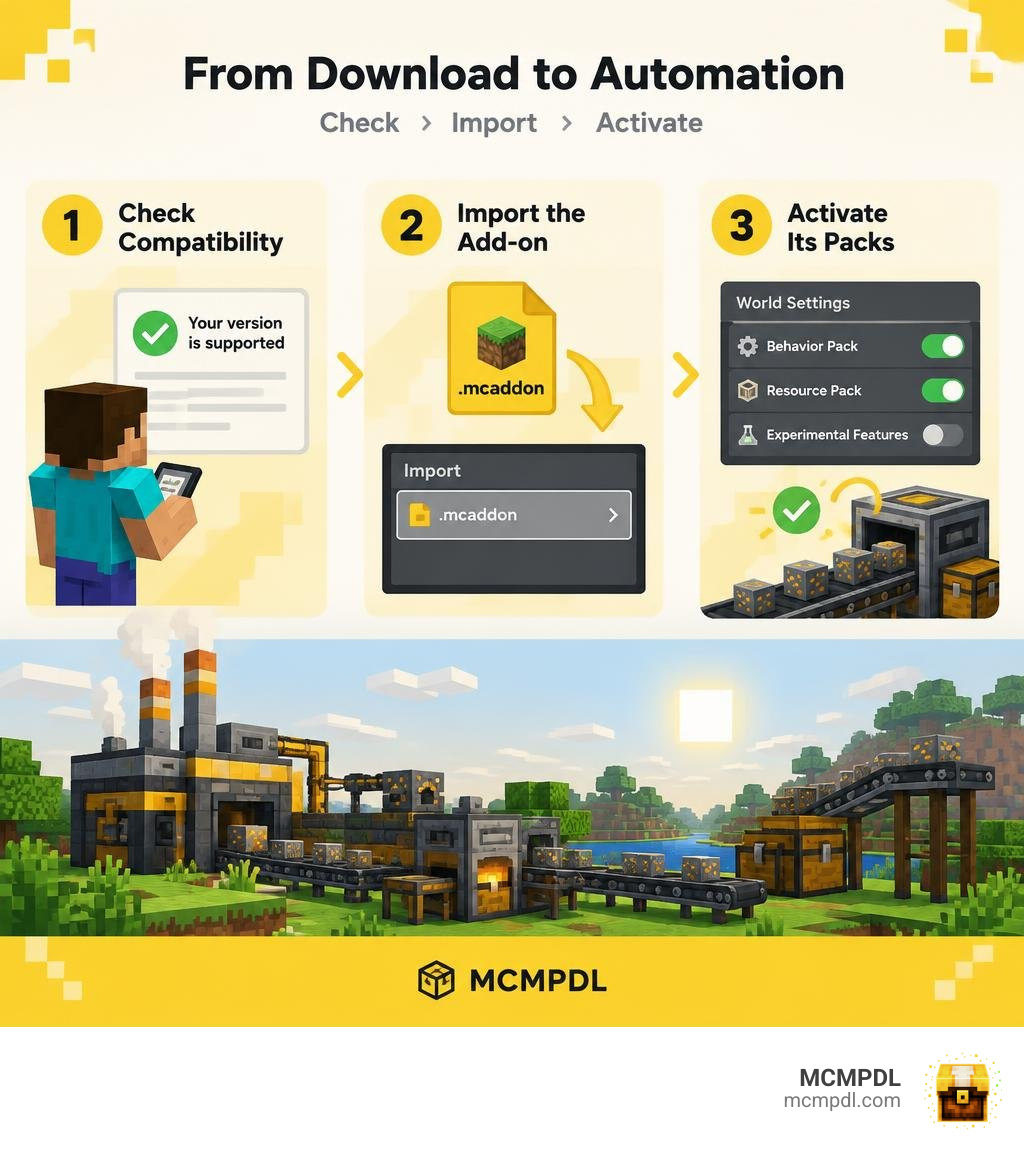
To install a Factories add-on for Minecraft PE/Bedrock, first check that it supports your game version. Download its .mcaddon file from a trusted source, open it to import it into Minecraft, then activate its behavior pack and any included resource pack in your world settings. Turn on experimental features only if the add-on requires them. Back up your world before testing new machines.
Factory add-ons can bring power systems, conveyor belts, and automated resource processing to a survival world. The best choice depends on your device, game version, and how much automation you want to build.
Best Options for a Factories Addon for Minecraft PE/Bedrock
Industrial automation has transformed how we approach survival mode in Minecraft Bedrock. Rather than spending dozens of hours manually mining ores, chopping wood, or smelting ingots, installing a factory pack allows you to design automated networks that do the heavy lifting for you. In 2026, the modding ecosystem for Bedrock Edition offers a rich selection of automation systems ranging from rotational kinetic engines to high-tech energy grids.
Understanding how these packs integrate into the game engine is straightforward if you check official developer documentation like Getting Started with Minecraft Add-Ons on Microsoft Learn. However, choosing the right pack depends heavily on what kind of industrial aesthetic and technical complexity you want in your world.
| Add-on Name | Primary Power System | Machine Variety | Pricing | Compatibility / Requirements |
|---|---|---|---|---|
| Industrial Add-On | Energium Energy Grid | 25+ Machines, Robots & Vehicles | Free (.mcaddon) | Bedrock 1.20+ / Behavior Packs |
| Basic Machinery | RF / Cable Energy Network | 60+ Machines, Armor & Tools | 990 Minecoins (~$5.19 USD) | Bedrock 1.20.60+ |
| Create Bedrock Addon | Kinetic / Rotational Power | Water Wheels, Belts, Arms | Free (.mcaddon) | Bedrock 26.x (26.0–26.52) |
| FactoryCraft | Direct Machine Fuel / Early Tech | Quarries, Sorters, Processors | Free (.mcaddon) | Bedrock 1.20.40–1.20.80 (Experimental) |
Industrial Add-On: High-Tech Factories Addon for Minecraft PE/Bedrock Gameplay
If you want a futuristic, fully autonomous industrial empire, the Industrial Add-On is one of the most comprehensive choices available. It introduces over 25 custom machines and generators alongside five worker robots and six electric vehicles.
Progression revolves around a tiered energy system powered by Energium:
- Low Tier: Created by transmuting Amethyst shards.
- Medium Tier: Mined directly within underground caves or Blackstone Geodes.
- Refined Tier: Harvested on outer End islands or created by transmuting Diamonds.
- Source Tier: The ultimate endgame energy output obtained through an Interdimensional Transmuter.
You can deploy worker robots like the Miner Robot, which clears out a designated 15×15 area automatically. The add-on also provides an AI companion named Aura (the Industrial Allay) that guides you through setup stages. For late-game players, reaching Computer Level 20 unlocks orbital satellites, spaceships, and wireless item teleportation across dimensions. If you are exploring various setups, pairing this with a dedicated industrial machinery addon can give you an incredible range of technical gear.
Basic Machinery Addon
For players looking for a streamlined, Marketplace-vetted industrial suite, Basic Machinery delivers extensive depth. Despite the humble name, this pack includes over 60 distinct machines, custom armor sets, and specialized tools.
Basic Machinery holds an average rating of 4.3 out of 5 stars from over 4,720 community reviews. Priced at 990 Minecoins (approximately $5.19 USD), it features robust pipe, tube, and cable logistics that let you build intricate multi-tier factories. Combining these systems with an advanced machines addon allows you to automate everything from crop harvesting and mob farming to automated ore doubling and advanced metallurgy.
Create Bedrock Addon: Kinetic Factories Addon for Minecraft PE/Bedrock
For players who prefer realistic mechanical engineering over digital energy cables, the Create Bedrock Addon brings the beloved rotational mechanics of Java automation straight to mobile and console platforms. Compatible with Bedrock versions 26.x (spanning 26.0 through 26.52), this pack discards traditional electricity in favor of kinetic stress and rotational speed (RPM).
Power generation starts with simple water wheels placed in flowing streams. From there, you route power using shafts, gearboxes, and cogwheels into mechanical saws, crushing wheels, and mechanical arms. Wearing Engineer’s Goggles allows you to view real-time stress capacity and rotational speed directly in your HUD. If you want to dive into mechanical engineering, you can secure your Create Add-on download to begin designing fluid conveyor lines and kinetic sorting hubs.
FactoryCraft and Modular Automation Packs
FactoryCraft (such as version 0.2) is a lightweight community pack designed to run smoothly on lower-end devices while still providing quarry blocks, automated smelting setups, and custom food processing lines. It operates smoothly across Bedrock versions 1.20.40 through 1.20.80 and requires experimental toggles.
For those who want modular upgrades without bloating their world size, running lightweight packs alongside the Tech Craft addon provides an excellent balance of custom tools, solar generators, and resource extractors without causing severe frame drops.
Core Machinery, Power Systems, and Automation Capabilities
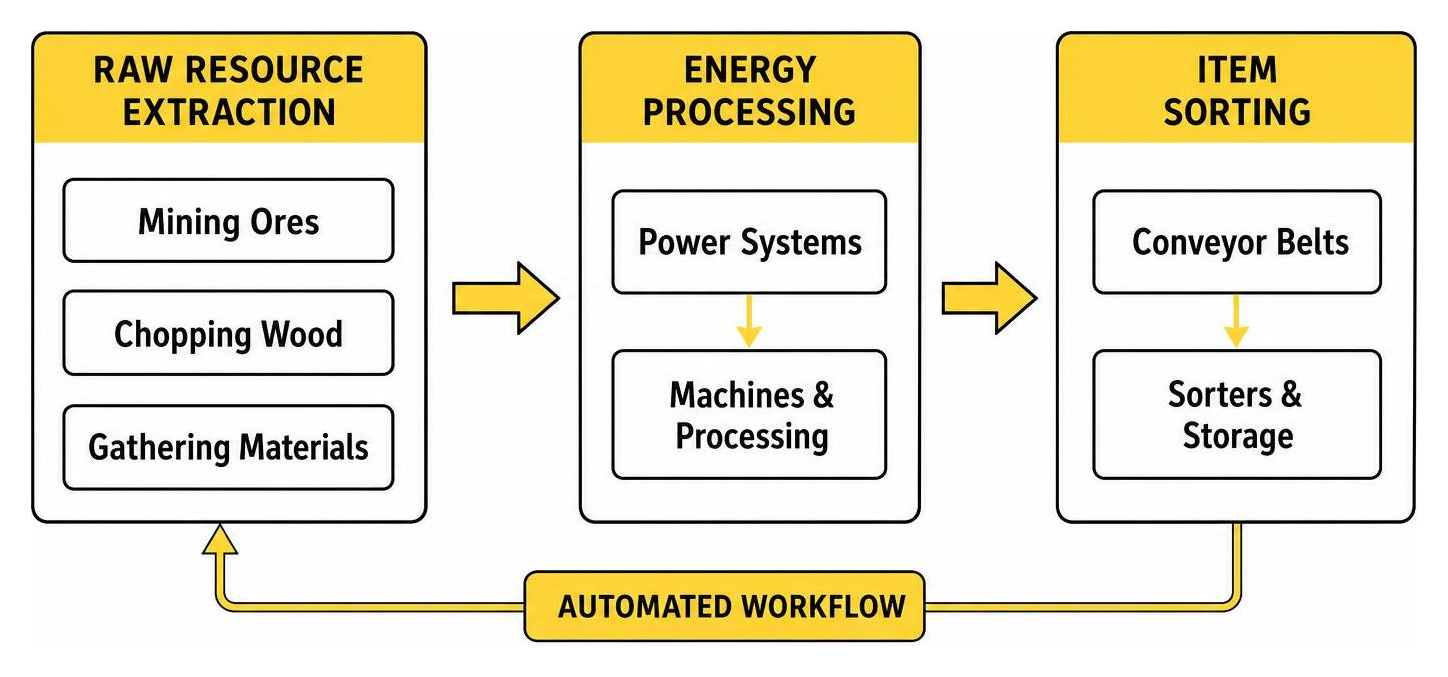
Building an automated empire requires an understanding of how power generation, logistic routing, and machine processing interact. Whether your factory relies on kinetic torque or electrical wattage, every industrial base operates on three core layers: power, transport, and processing.

To maximize your layout efficiency, you can also connect your machinery to custom redstone logic using the Craft Redstone Addon or streamline daily maintenance with specialized utility tools for automation.
Power Generation and Energy Distribution Networks
Every modern factory needs power. In electricity-based add-ons, generators burn solid fuel (like coal or charcoal) to produce initial energy, which is then supplemented by renewable solar panels during daytime cycles or advanced steam generators.
Energy is routed through specialized power cables that attach directly to machine ports marked with connection indicators. To avoid power blackouts during nighttime or high-load operations, players run cables into battery banks for energy storage. In kinetic packs like Create Bedrock, managing power means balancing stress units: adding too many crushing wheels or mechanical presses to a single water wheel will overstress the network and halt all connected machinery until additional rotational sources are added.
Resource Gathering, Processing, and Automated Logistics
Once your energy grid is online, resource extraction begins. Automated quarries and mining units dig down to bedrock, extracting raw ores, stone, and minerals.
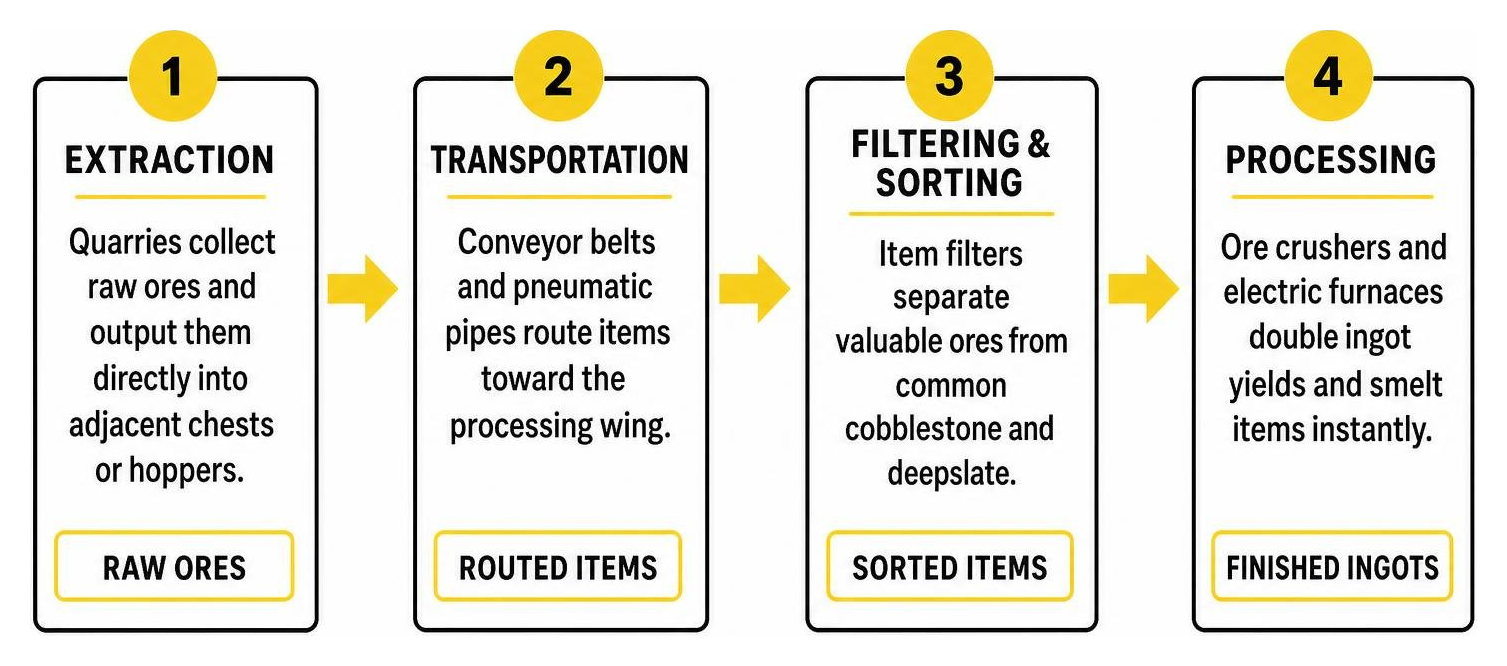
Logistics systems handle the resulting material:
- Extraction: Quarries collect raw ores and output them directly into adjacent chests or hoppers.
- Transportation: Conveyor belts and pneumatic pipes route items toward the processing wing.
- Filtering & Sorting: Item filters separate valuable ores from common cobblestone and deepslate.
- Processing: Ore crushers and electric furnaces double ingot yields and smelt items instantly.
- Storage & Crafting: Crafting controllers assemble finished products (like rails or tools) and deposit them into bulk storage silos or teleporters.
Step-by-Step Guide: How to Download and Install Factory Addons
Installing factory add-ons on Minecraft Bedrock is simple across Android, iOS, Windows, and consoles. Follow these steps to ensure your files load without errors:
- Download the File: Acquire the factory pack in
.mcaddonor.mcpackformat from a verified source. - Import into Minecraft:
- Mobile (Android/iOS): Tap the downloaded file and select Minecraft from the “Open With” menu. The game will launch automatically and display “Import Started” at the top of the screen.
- Windows 10/11: Double-click the
.mcaddonfile to trigger automatic installation into your game directory.
- Configure World Settings:
- Navigate to your world settings screen.
- Open Resource Packs and activate the factory texture assets.
- Open Behavior Packs and activate the corresponding factory scripts and entity behaviors.
- Enable Experimental Features: If using packs like FactoryCraft or custom scripted machinery, scroll down to the Experiments tab and enable toggles such as Holiday Creator Features, Upcoming Creator Features, and Beta APIs.
- Launch and Verify: Enter your world and check your creative inventory or crafting guide to verify that all custom machines, cables, and tools appear properly.
Performance Optimization, Bug Prevention, and Safe Downloading
Automated factories process hundreds of calculations per second, which can place stress on mobile processors and lower-end hardware. Following a few optimization best practices ensures steady performance:
- Build Across Chunk Borders Carefully: Avoid placing single multi-block machines across chunk boundaries (16×16 block sub-sections of the world). When chunks load or unload unevenly, cables and pipes crossing boundaries can disconnect or duplicate items.
- Limit Active Entity Spam: Worker robots and dropped items on long conveyor belts count as active entities. Use closed pneumatic pipes and hoppers where possible to minimize rendering strain.
- Keep Regular World Backups: Before updating any add-on to a newer version, always export or duplicate your world file to protect your builds against script mismatches.
- Source Files Safely: Download files only from reputable community platforms that verify files for malware and ad-free direct downloads. Avoid suspicious third-party APK sites that bundle unwanted installers.
Frequently Asked Questions About Minecraft Bedrock Factory Addons
Do factory addons cause lag on mobile devices?
Factory add-ons can cause frame drops or tick lag on mobile devices if too many visual entities (such as active worker robots, loose items on conveyor belts, or unoptimized particle effects) are active at once. To prevent performance drops on phones and tablets, lower your render distance to 8–10 chunks, store items inside closed pipe networks rather than open belts, and spread large machine rooms across several chunks.
Are factory and machinery addons free or paid on Bedrock?
Both free and paid options exist. Community-created packs like the Industrial Add-On, FactoryCraft, and Create Bedrock are free to download as .mcaddon files. Marketplace options, such as Basic Machinery, are paid packs that cost 990 Minecoins (around $5.19 USD) and offer seamless, one-click installation and automatic updates across all connected platforms.
Why are my machines not working after installing the addon?
If machines do not operate after installation, the issue is usually caused by disabled experimental toggles or incorrect power connections. Check your world settings to ensure Beta APIs and Creator Features are enabled. Additionally, verify that cables are connected to the exact input markers on your machines and that your power generators have sufficient fuel or sunlight to produce an active charge.
Conclusion and Next Steps for Your Industrial World
Automating your Minecraft Bedrock survival world transforms the game from manual gathering into an engaging engineering challenge. Whether you prefer the kinetic charm of water wheels and mechanical arms or the high-tech power grids of worker robots and orbital satellites, factory add-ons provide endless opportunities to design complex production lines.
To find more community packs, custom redstone tools, and gameplay enhancements for your next project, you can explore curated Bedrock add-ons and start building your ultimate automated base today.