

Scroll down to D0vvnl0ad
Get TreeCapitator Working in Minecraft PE and Bedrock
TreeCapitator lets you cut down a tree by breaking one log. To get it, choose an add-on that lists your Bedrock version, download its .mcaddon or .mcpack file, and open the file with Minecraft. Activate the included packs in your world settings, then test it with an axe on a natural tree. Some versions require you to crouch or turn the feature on first.
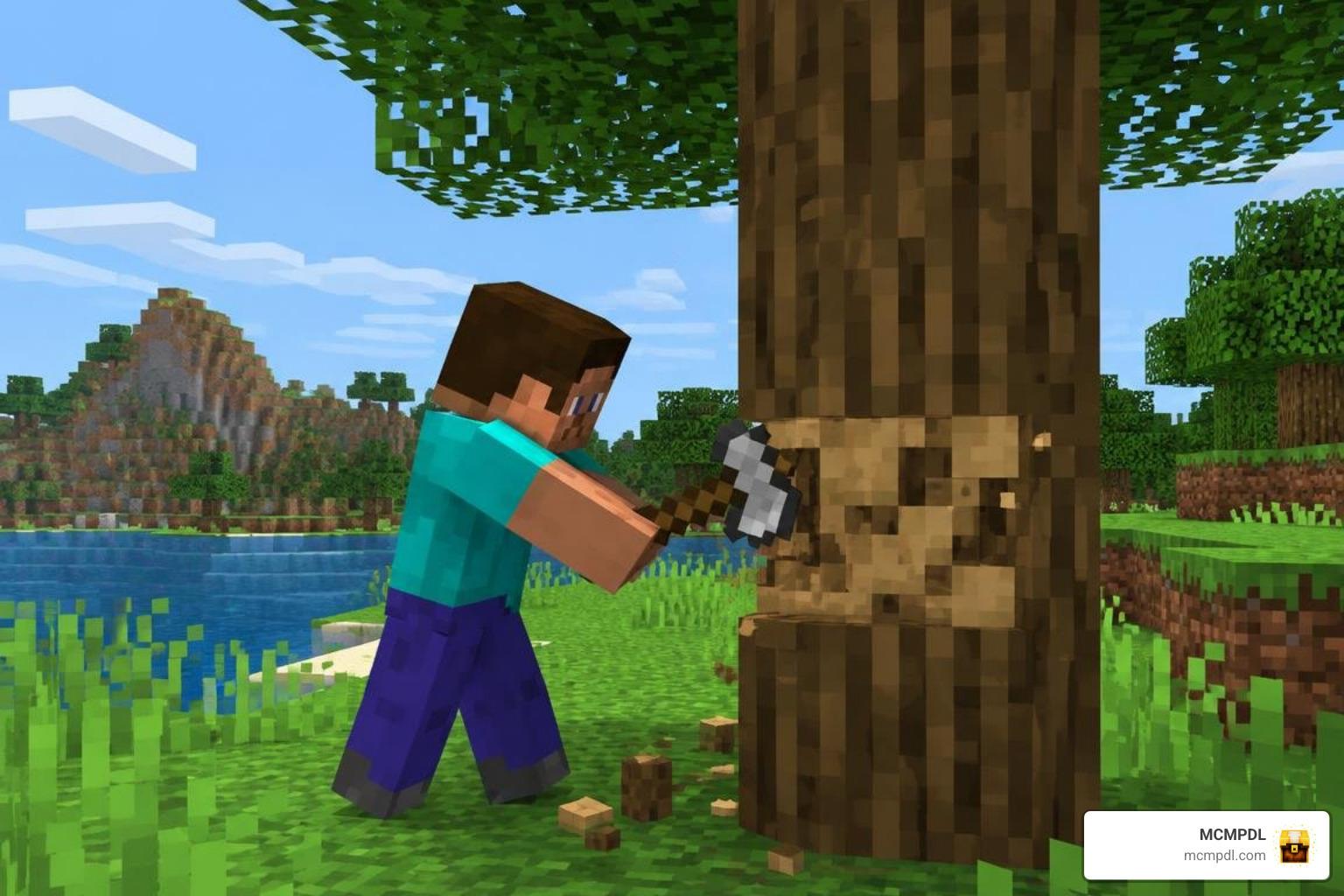
Not every TreeCapitator add-on works the same way. Some focus on axe durability and Unbreaking, while others offer safer tree detection, automatic replanting, or multiplayer controls. This guide will help you pick the right one and set it up without risking your builds.
Evolution of Tree Felling: From Java Mod to Bedrock Edition
Tree-felling mods have a storied history across the Minecraft community. The original Treecapitator mod debuted on Java Edition back in June 2013, eventually amassing over 5.2 million downloads across community modding hubs. Back then, setting it up required installing core dependencies like bspkrsCore and editing text configuration files like TreeCapitator.cfg to register custom tool IDs and define leaf-checking parameters.
The core concept proved so engaging that it transcended standard survival modding. Prominent community servers like Hypixel SkyBlock integrated the mechanic into dedicated gameplay items—turning the Treecapitator into an Epic-tier axe unlocked at Jungle Log VII. On SkyBlock, the axe allowed players to sweep through forests with a brief cooldown, pairing with Haste potions and foraging pets to clear entire groves in seconds.
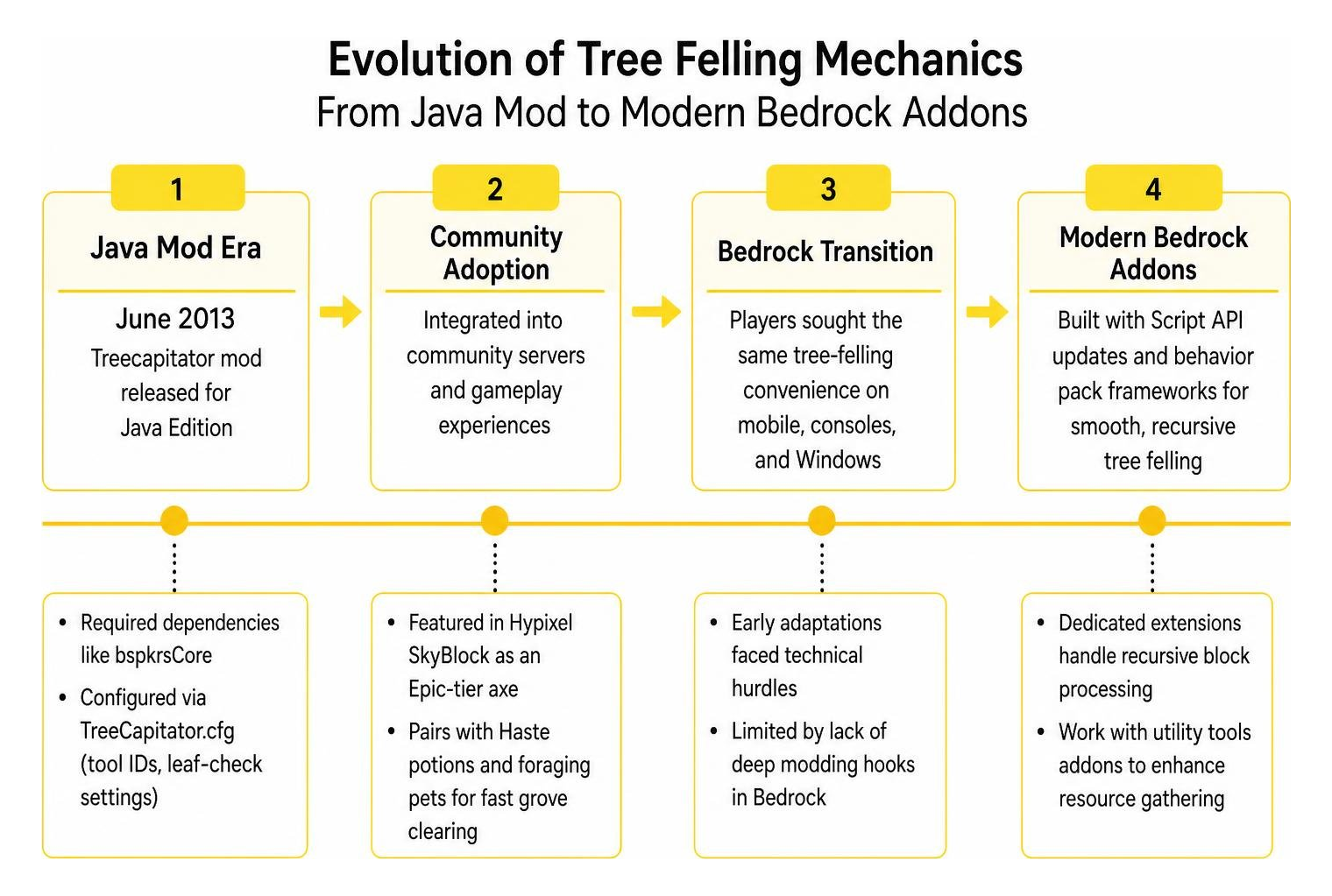
When Minecraft Pocket Edition evolved into the cross-platform Bedrock Engine, players wanted that same wood-chopping convenience on mobile devices, consoles, and Windows. Early Bedrock adaptations faced technical hurdles because the game lacked Java’s deep modding hooks. However, with modern Script API updates and behavior pack frameworks, creators have built dedicated extensions that handle recursive block processing smoothly. Modern builders can pair these with a versatile utility tools add-on to overhaul their entire resource-gathering workflow without relying on complex external loaders.
Comparing the Best Variants of the TreeCapitator Addon for Minecraft PE/Bedrock
Because Bedrock modding relies on varied community implementations, several standalone variants exist. Each creator approaches tree felling with different priorities, such as balanced survival mechanics, world safety, ultra-light file footprints, or combined multi-tool functions.
| Addon Variant | Primary Focus | File Size | Key Standout Features | Best Suited For |
|---|---|---|---|---|
| Baku’s Tree Capitator | Durability & Survival Balance | ~111 KB | Unbreaking support, automatic durability stop, per-player !tree settings | Long-term survival worlds and vanilla-plus players |
| SystemTv’s Definitive Tree Capitator | Safety & Operator Control | ~2.77 MB | Tree preview, world operator settings, giant tree safety thresholds | Dedicated servers, Realms, and large multiplayer worlds |
| Blazeslayer’s Auto Replant | Lightweight Utility | ~4.94 KB | Instant inventory collection, automatic sapling replanting, crouch activation | Low-end mobile devices and wood farming |
| RizeDigitalEnterprise’s TC & Vein Miner | Combined Mining & Chopping | ~2.46 MB | Dual tree-felling and ore vein mining, TCVM settings book, broad version support | Complete resource harvesting overhauls |
Durability and Customization
For players who want an authentic survival feel without turning tree harvesting into an overpowered cheat, the Tree capitor by baku variant stands out. Updated in late 2026, this version addresses one of the biggest complaints with legacy tree-felling mods: tool durability exploits.
Instead of breaking fifty logs while only consuming one point of tool health, this pack calculates real damage based on the exact number of logs processed. It fully respects the Unbreaking enchantment, using standard RNG damage-reduction formulas. If your axe reaches critical health, an automatic durability stop kicks in to prevent your prized netherite tool from accidentally shattering. It also features expanded tree support, smoothly felling exotic shapes like mangrove swamps, azaleas, dark oak, large jungle trees, and Nether crimson or warped fungi.
Safety and Operator Controls
If you manage a bustling Realm or server, the Definitive Tree Capitator by SystemTv delivers administrative safety. Chopping down massive 2×2 spruce trees or giant jungle towers can occasionally produce lag spikes if thousands of block updates trigger simultaneously.
SystemTv’s pack includes a Giant Tree Safety system that limits block search depth, preventing server crashes. It introduces an interactive Tree Preview to highlight what will break before you swing, configurable drop modes, and world settings accessible directly by operators. Best of all, it functions cleanly without modifying player.json, preventing conflicts when installed alongside other community behavior packs.
Lightweight Replanting
Mobile players on performance-limited devices often prioritize small file sizes over sprawling configuration menus. The Tree Capitator by Blazeslayer provides an ultra-compact solution at just 4.94 KB.
This addon requires zero complicated setup. When you crouch and break a tree base with an axe, all connected trunk blocks drop into your inventory instantly. To ensure your surrounding biome remains renewable, it automatically plants a matching sapling in place of the removed trunk, keeping your wood farms sustainable without manual replanting.
Combined Tree Chopper and Vein Miner
Why stop at trees when you also have mining expeditions to manage? The Tree Capitator & Vein Miner pack by RizeDigitalEnterprise combines recursive log harvesting with connected ore-vein extraction.
It supports an expansive range of Bedrock releases and allows players to fine-tune both chopping and mining behaviors through an in-game settings book accessed by renaming a normal book to TCVM settings. If you enjoy multi-block extraction systems, pairing this tool with specialized Bedrock tools creates a seamless, efficient gathering setup for underground spelunking and surface clearing alike.
Mechanics and Systems: How Tree Felling Works in Bedrock
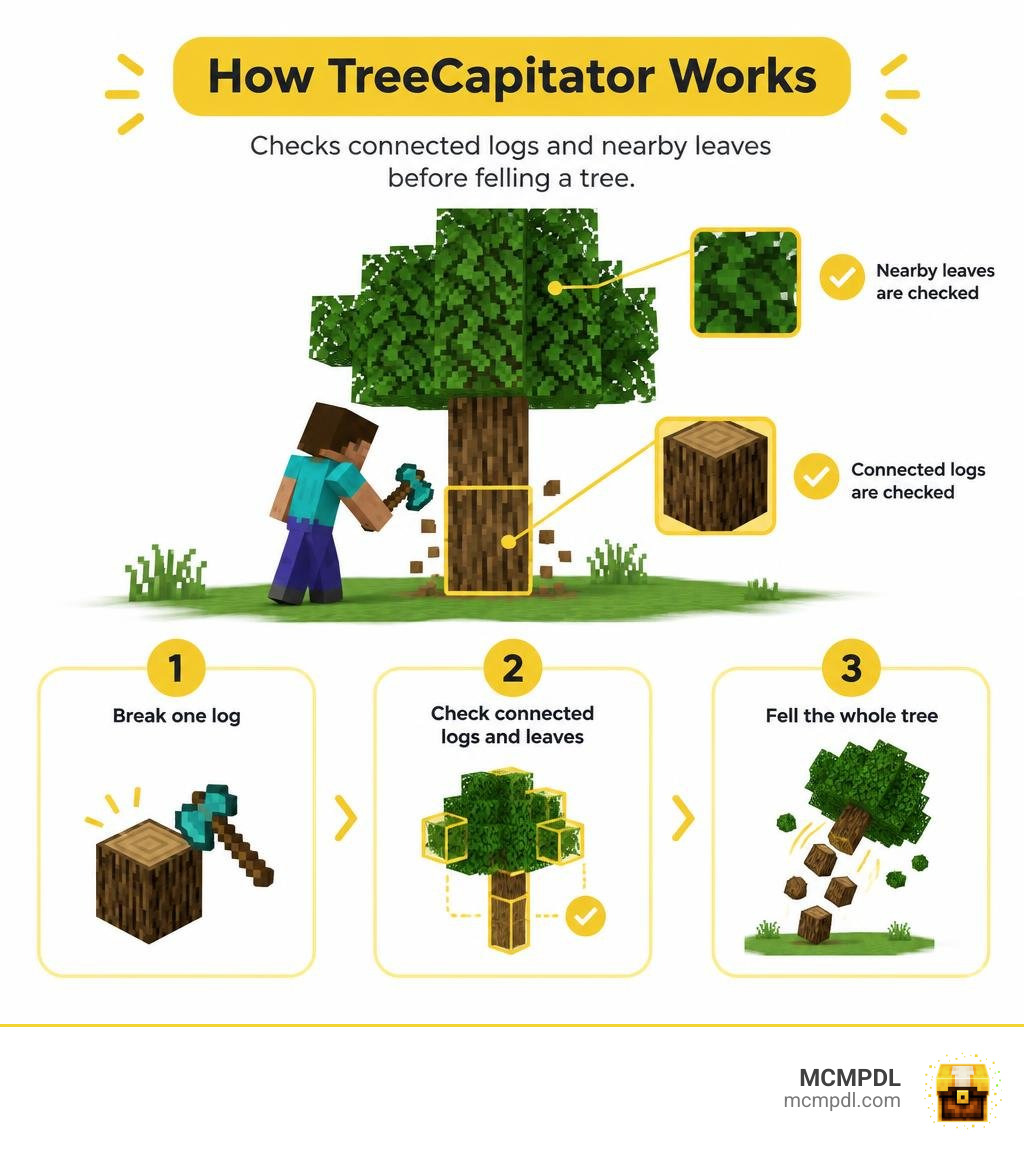
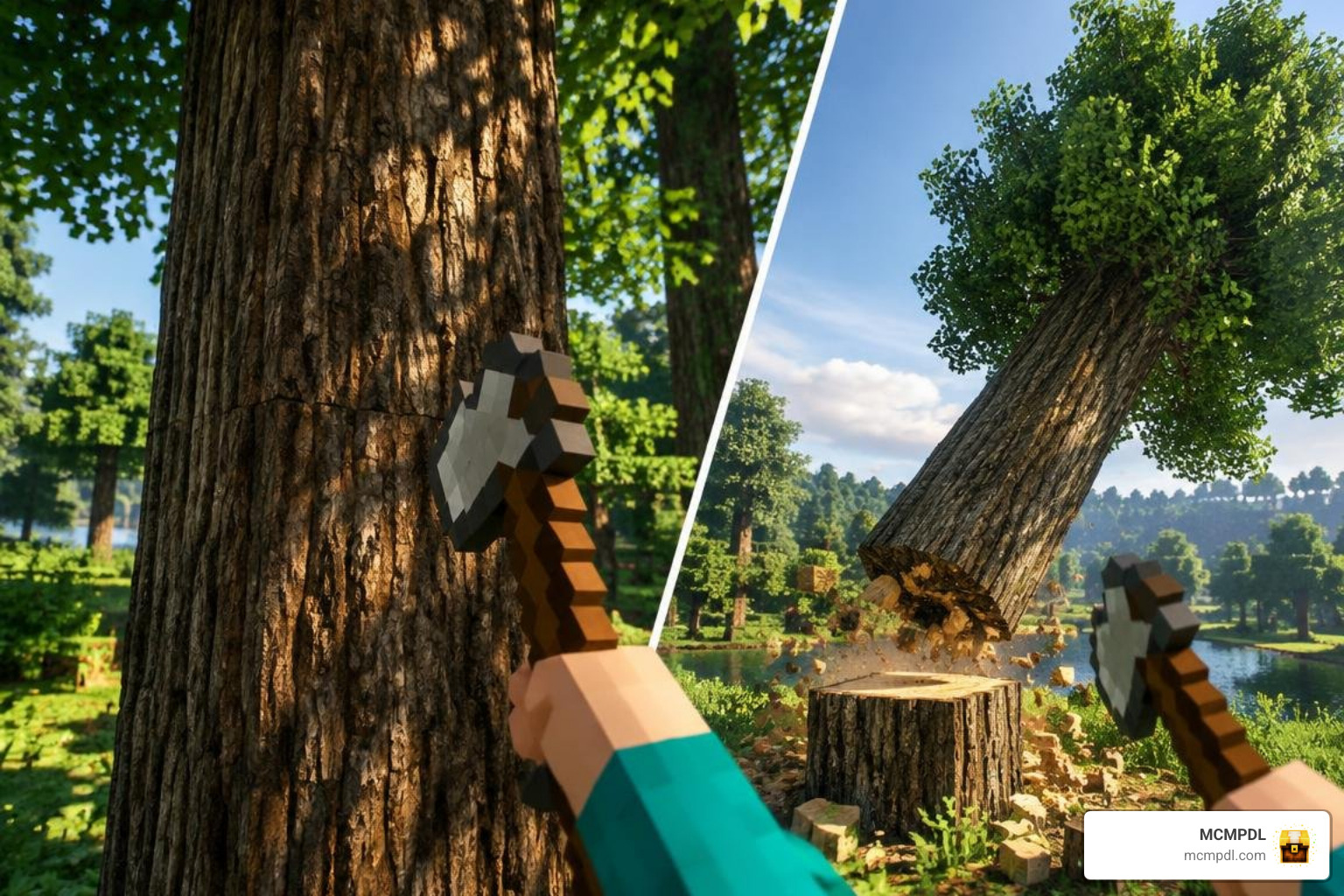
Under the hood, a tree-felling addon relies on recursive flood-fill algorithms. When a player breaks a block tagged with log components using a recognized axe item, the script searches neighboring coordinates in all directions (X, Y, and Z axes) for connected log blocks.

To prevent the algorithm from spreading infinitely, modern packs enforce strict limiters:
- Maximum Log Caps: Halts the search after a set number of blocks (typically between 200 and 800 logs) to protect game ticks.
- Directional Priority: Scans upward and outward from the broken block, preventing downward destruction into wooden pathways.
- Tool Validation: Verifies that the player is holding a recognized tool class rather than bare hands or building blocks.
- Player Sneak Toggles: Bypasses script execution whenever the player crouches (or stands, depending on configuration), allowing you to harvest individual wooden logs normally.
For players who appreciate advanced structural manipulation, understanding these block-checking mechanics is just as rewarding as using specialized block hammers to clear out 3×3 stone quarries.
Core Features of a Modern TreeCapitator Addon for Minecraft PE/Bedrock
The most crucial innovation in modern Bedrock felling addons is natural tree detection and build protection. Older mods routinely ruined wooden cabins because the script could not distinguish between a living tree trunk and a wooden support beam.
Today’s addons solve this through proximity leaf checks. When a log is broken, the script examines the top of the column for natural leaf blocks (such as oak leaves, birch leaves, mangrove roots, or nether wart blocks). If fewer than three leaf blocks are found neighboring the structure, the script flags it as a player-made structure and cancels the bulk harvest. This allows you to construct elaborate timber frames alongside builders tools without worrying that one wrong swing will bring your roof down.
Multiplayer Management and Server Operator Controls
Running utility packs in multiplayer requires robust per-player customization. When multiple players share a Realm, some may prefer instant tree felling, while purists might prefer classic single-block harvesting.
Leading variants allow individual users to toggle their own modes using simple chat commands like !tree or personal setting books. Meanwhile, server operators retain master controls through world permission toggles, ensuring that logging activities do not overload tick rates or cause desynchronization for mobile clients. You can coordinate these mechanics alongside essentials add-on packs to maintain optimal server performance across high-population worlds.
How to Download, Configure, and Master In-Game Settings
Installing an addon on Minecraft PE and Bedrock is straightforward across mobile devices, Windows, and consoles.

- Download the File: Obtain the
.mcpackor.mcaddonfile for your chosen addon variant. - Import into Minecraft: Tap or double-click the file to launch Minecraft and begin the automatic import process.
- World Settings Configuration: Open your world’s edit menu, navigate to Behavior Packs, and activate the addon. If a matching Resource Pack is included, activate it as well.
- Enable Experiments: Many script-based utility packs require toggling Beta APIs or Holiday Creator Features under the world Experiments tab.
- Launch and Test: Enter your world, craft a standard wooden or stone axe, and test the mechanic on an isolated wild tree.
You can layer these functional mechanics alongside more utilities to create a personalized survival environment suited to your playstyle.
How to Configure and Install a TreeCapitator Addon for Minecraft PE/Bedrock
Once installed, configuring your addon depends on the specific variant you selected:
- Command-Based Configuration: Type
!treein chat to open an interactive UI where you can toggle leaf destruction, set logs-only mode, or switch between sneak-to-activate and sneak-to-disable modes. - Book-Based Configuration: In packs like TC & Vein Miner, take a standard crafted book, place it on an anvil, rename it to
TCVM settings, and hold it in your main hand to trigger the settings menu. - Axe Interaction Toggles: In packs like Definitive Tree Capitator, simply sneak and right-click (or tap and hold on mobile) while holding an axe to toggle the felling mechanic on or off instantly.
Frequently Asked Questions About Tree Felling Addons
Will TreeCapitator accidentally break my wooden house?
Modern variants include natural leaf detection algorithms that check for connected foliage before executing bulk block breaks. If your wooden house lacks natural leaf blocks surrounding its upper wooden beams, the addon recognizes it as a artificial build and only breaks the single block you struck. Furthermore, you can always sneak while chopping to force single-block breaking.
Does TreeCapitator consume axe durability and support Unbreaking?
Yes, modern versions calculate durability based on the total number of logs harvested. If you fell an oak tree containing six logs, your axe expends six points of durability. These addons calculate the Unbreaking enchantment dynamically, rolling random damage-reduction chances for every log broken. If the required durability exceeds your axe’s remaining health, the system stops harvesting automatically to protect your tool from breaking.
Can I use TreeCapitator on multiplayer worlds and Realms?
Yes. As long as the world host or Realm owner installs the behavior pack in the world settings and enables required experimental toggles, all connecting players can utilize the feature. Advanced packs feature per-player settings so individual members can disable the mechanic for themselves without affecting others.
Conclusion
Manual tree chopping is one of the most repetitive chores in survival mode, especially when harvesting towering jungle biomes or sprawling dark oak canopies. Installing a dedicated tree-felling pack saves hours of tedious scaffolding and allows you to focus your energy on grand architecture and expansive exploration.
At MCMPDL, we carefully curate and test resource packs, behavior extensions, and gameplay mods to ensure they run smoothly across all Bedrock platforms. Whether you need a balanced durability system, an ultra-fast replanter, or an all-in-one mining utility, you can explore our latest Bedrock add-ons to find the perfect additions for your next survival world!