Scroll down to Download
Download the Block Furniture 1.0 Add-on for Minecraft Bedrock Edition
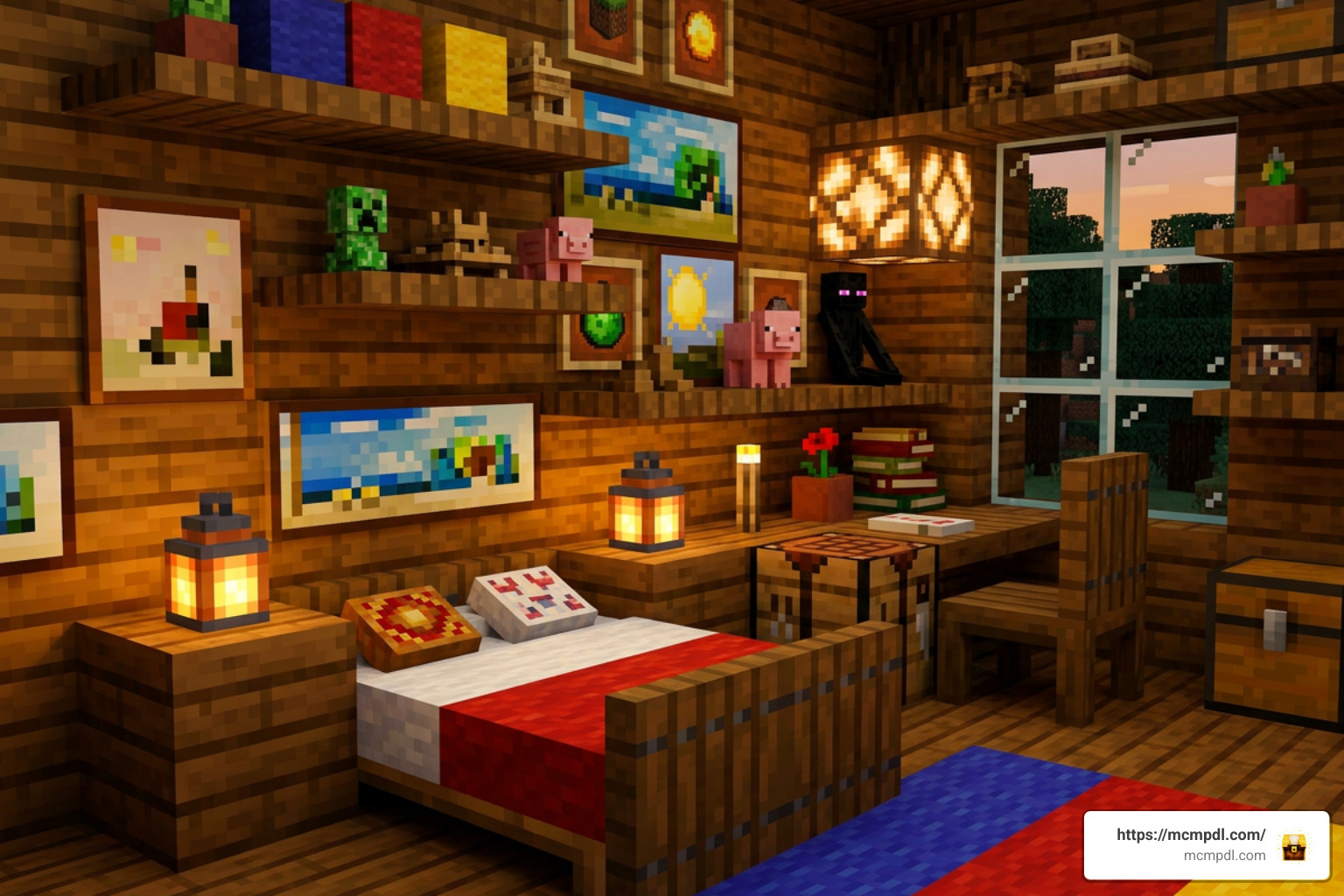
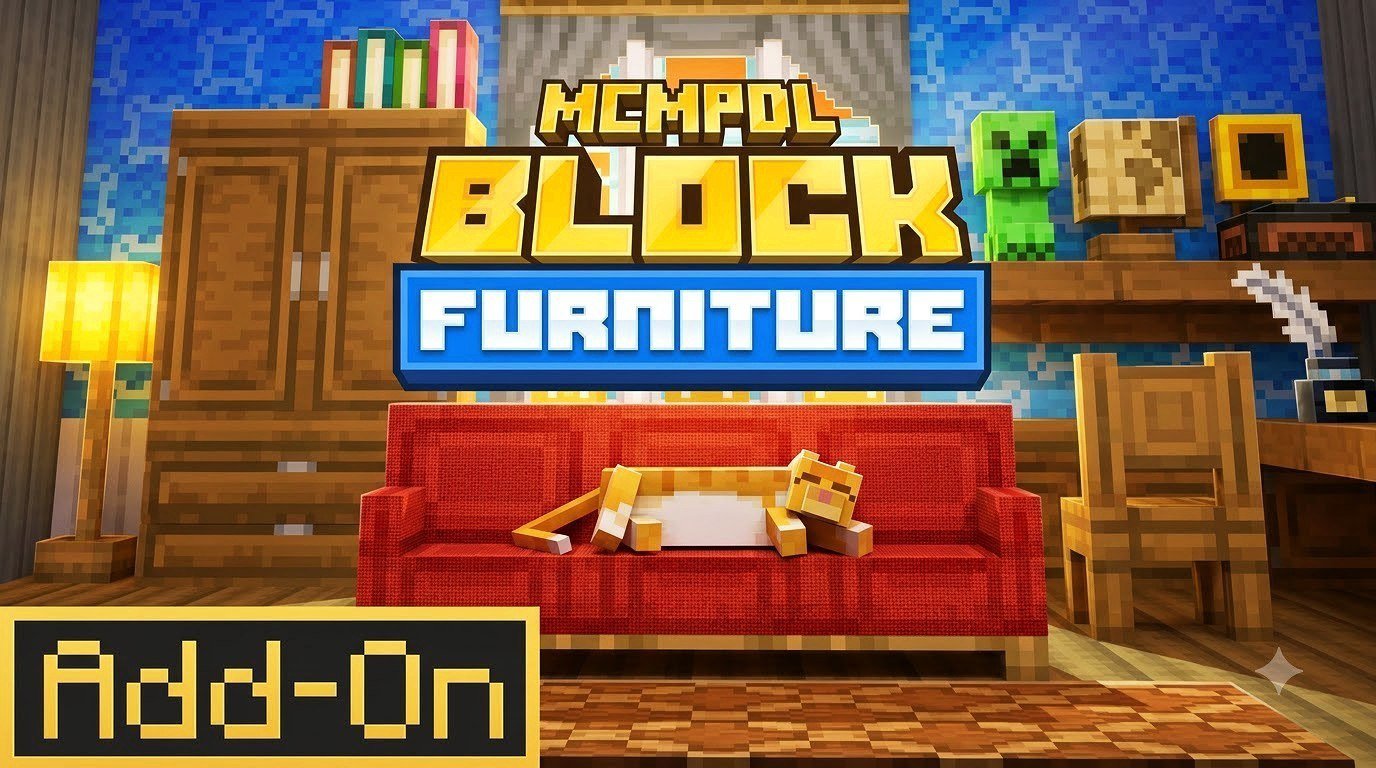
Block Furniture 1.0 Add-on for Minecraft Bedrock Edition adds vanilla-style, modular furniture blocks for decorating survival bases and creative builds. To use it, download the compatible add-on file or purchase it through the official Minecraft Marketplace, import or activate its packs in your world, and enable Experimental Gameplay when required.
Created by Solid Blocks, this furniture add-on takes a different approach from many older packs: its furniture uses custom blocks rather than entity models. That means connected tables, chairs, curtains, paintings, statues, and collectible mob plushies can fit more naturally into a Bedrock world while avoiding the clutter and lag that many placed entities can cause.
This guide covers what to download, the setup notes to check first, and what makes Block Furniture 1.0 worth considering for both Survival and Creative mode players.
Key Features of the Block Furniture 1.0 Add-on for Minecraft Bedrock Edition
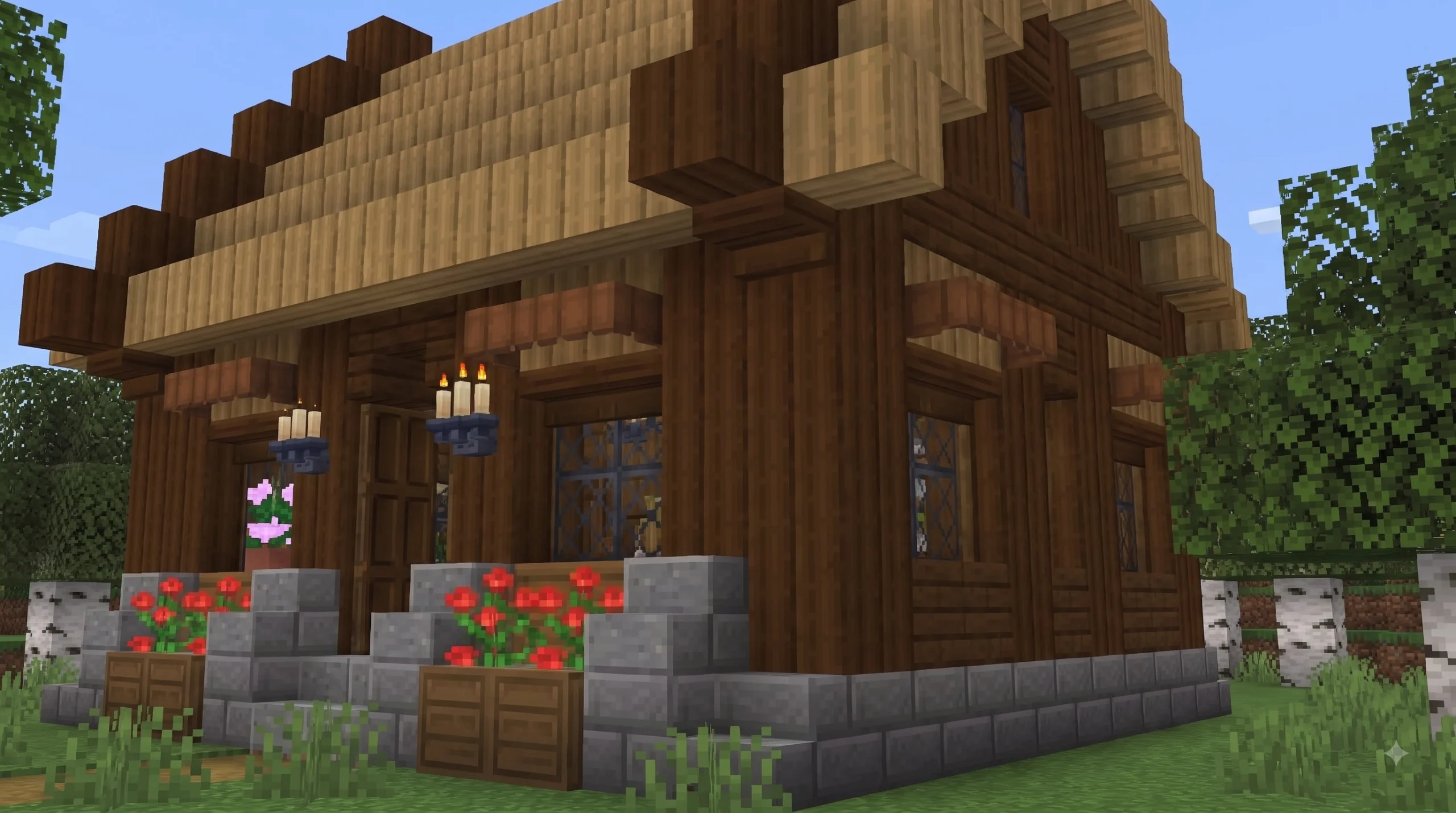
Finding decoration options that feel like they belong in standard Minecraft can be tricky. Many furniture packs introduce ultra-modern 3D models with high-resolution textures that look out of place against default pixelated blocks. The Block Furniture 1.0 Add-on for Minecraft Bedrock Edition resolves this design gap by staying true to the iconic vanilla aesthetic. Designed by creator Solid Blocks, every piece of decor aligns cleanly with the native texture palette and pixel grid of Minecraft Bedrock Edition.
Beyond aesthetics, the technical architecture behind this add-on sets it apart from traditional mods. Historical furniture modifications often relied on invisible armor stands or custom mob entities to display chair and table shapes. While that allowed complex models, placing hundreds of entities in a single base could severely degrade frame rates, cause entity lag, and create physics glitches whenever mobs or TNT interacted with the furniture.
Solid Blocks built this add-on using true custom block geometry. By treating furniture items as real blocks rather than entities, the pack maintains high engine performance, avoids entity count strain, and allows builds to feel like a seamless part of the world engine.
Core decorative block categories available in the pack include:
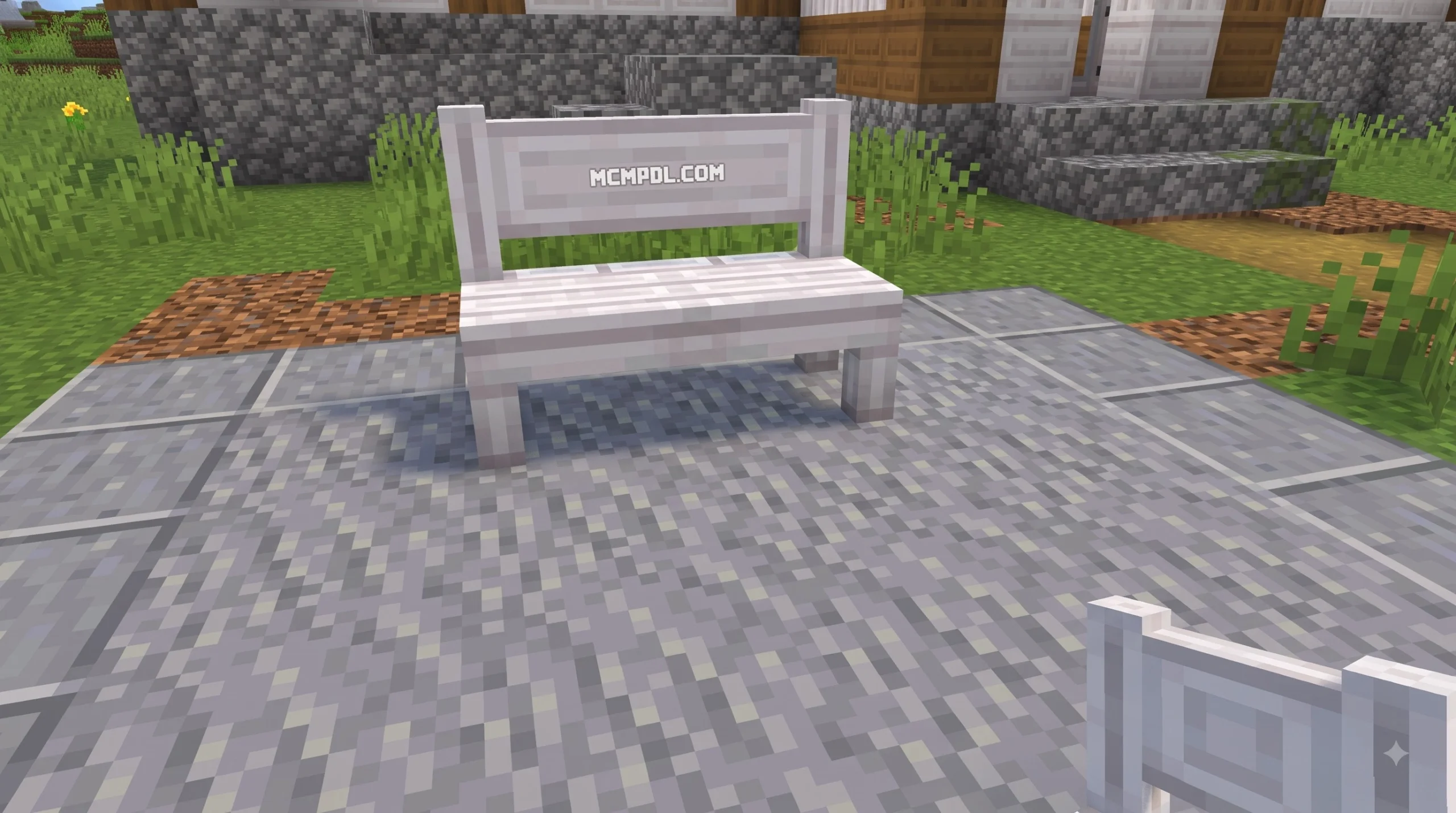
- Seating and Resting Options: Armchairs, connecting sofas, wooden stools, and padded dining chairs.
- Surface and Storage Units: Modular dining tables, side tables, wall-mounted shelves, and decorative cabinets.
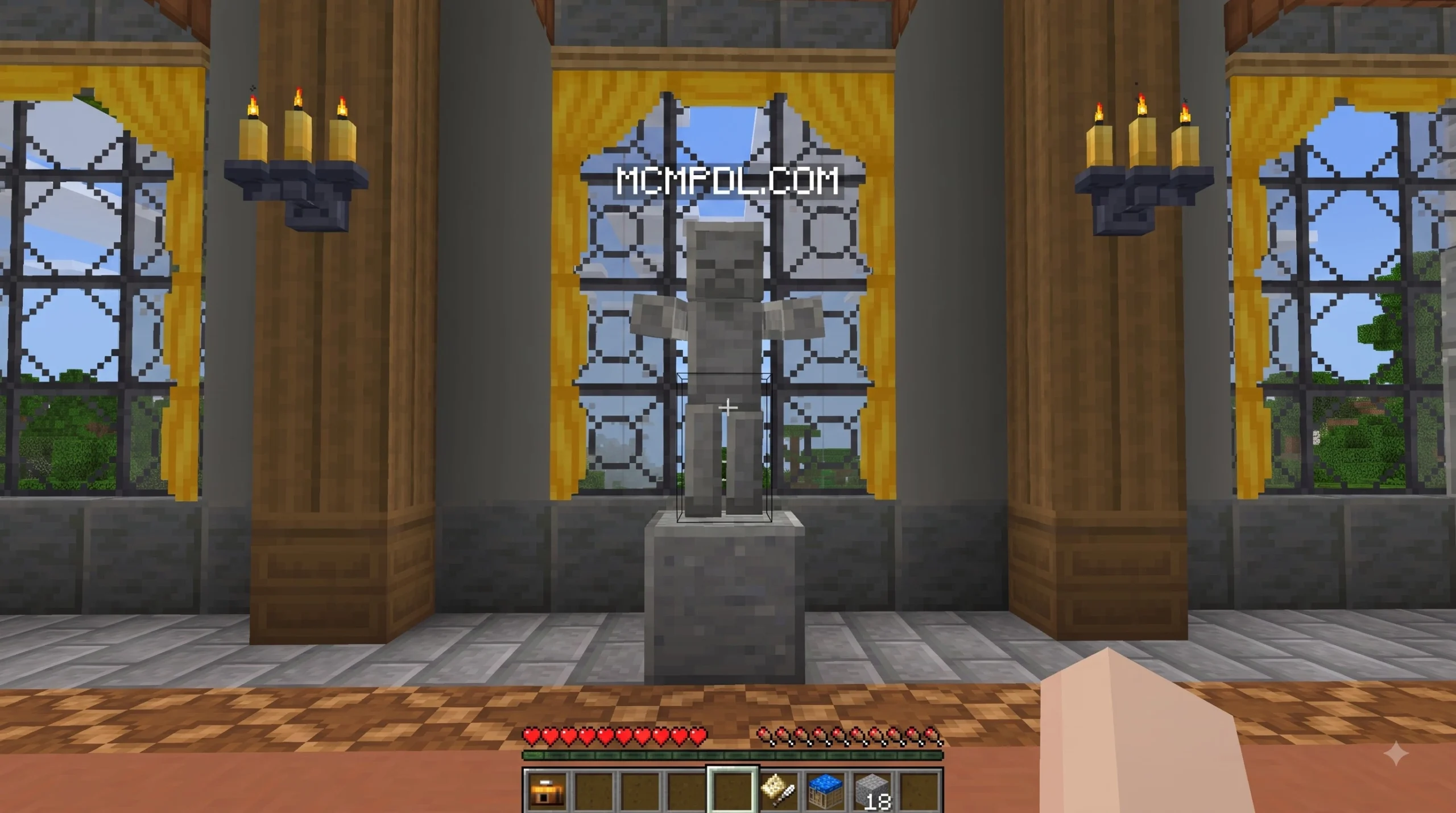
- Window and Wall Accessories: Hanging drapes, functional curtains, wall lamps, and framed artwork.
- Statues and Artistic Crafts: Chisels for sculpting custom stone statues and paint boards for creating artwork.
- Collectible Miniatures: Detailed mob plushies representing passive, neutral, and hostile Minecraft creatures.
Modular Furniture and Interactive Decor
One of our favorite highlights of the Block Furniture 1.0 Add-on for Minecraft Bedrock Edition is its modular block connectivity. When you place individual furniture blocks adjacent to one another, their geometry dynamically connects—similar to how vanilla glass panes, fences, or stair blocks join together.
For example, placing a single table block creates a small end table with four legs. Placing a second table block right next to it instantly merges their textures and transforms the pair into a long dining table supported by corner legs. The same dynamic tiling applies to chairs and couches, enabling you to construct expansive corner sectionals or cozy armchairs without visible seams or clipping issues.
Functional curtains offer similar flexibility. By stacking curtain blocks vertically alongside windows, you can cover tall glass openings, creating rich drapery that connects seamlessly from ceiling to floor.
Interactive elements extend far beyond simple surface placement:
- Statue Chiseling: You can take raw stone materials and use specialized tools to chisel out custom stone statues, adding historical grandeur to base entrance halls or outdoor gardens.
- Custom Paintings: Rather than relying solely on default randomized painting frames, players gain access to artistic tools to design and display vibrant custom paintings across base walls.
Special Gameplay Mechanics in the Block Furniture 1.0 Add-on for Minecraft Bedrock Edition
Unlike basic decor packs that simply drop items into the Creative inventory tab, this pack weaves interactive mechanics directly into your overall game loop. The most innovative feature introduced in the Block Furniture 1.0 Add-on for Minecraft Bedrock Edition is the photograph-to-plushie transformation system.
Using an in-game camera item, you can approach wild animals, pets, or monsters throughout your world and take their pictures. Photographing a mob generates a snapshot item that serves as a crafting blueprint. Bringing that picture to your workbench allows you to craft a corresponding, highly detailed mob plushie to decorate your bedrooms, shelving units, or trophy rooms.
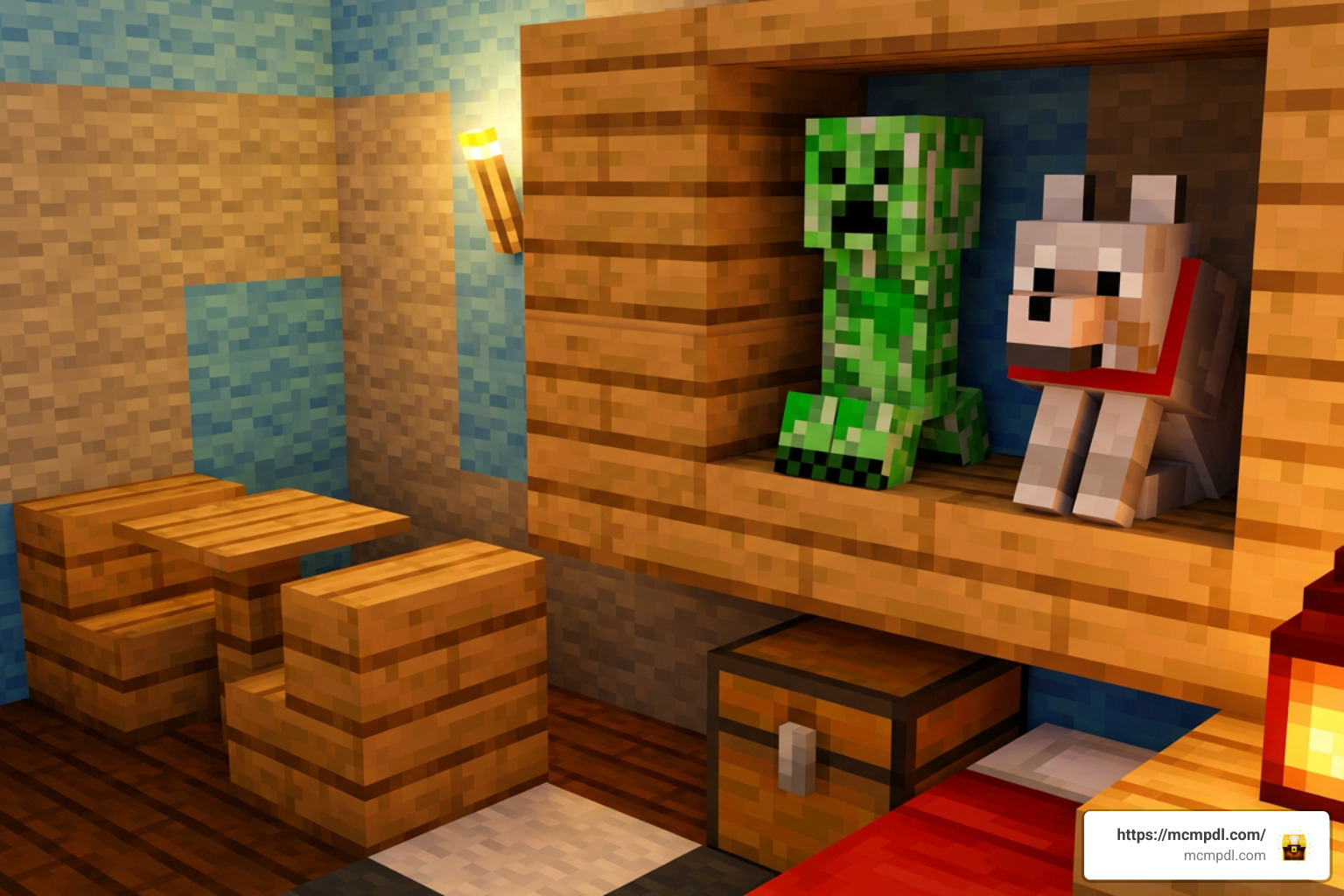
This mechanic pairs seamlessly with survival mode progression. Rather than handing you every piece of furniture immediately, the add-on encourages exploration and resource gathering. You gather wood, stone, dye, and fabric to construct your furniture step-by-step. You hunt down elusive mobs across different biomes to capture their photos and complete your plushie collection.
Whether you want to relax in a cozy cabin or show off your survival accomplishments through rare mob plushies, these Block Furniture Add-On 1.0 features bring new depth and purpose to interior decorating.
Download, Pricing, and System Requirements
Before downloading and setting up the Block Furniture 1.0 Add-on for Minecraft Bedrock Edition, it helps to review product metadata, platform availability, and hardware requirements to ensure a smooth installation process.
Launched originally in late October 2025 and kept up to date through iterative releases like version 1.0.7, this add-on is maintained for stable operation on modern Minecraft Bedrock Edition builds.
| Specification / Metadata | Product Details |
|---|---|
| Add-On Title | Block Furniture Add-On 1.0 |
| Primary Creator | Solid Blocks |
| Product ID (UID) | fa22f1e8-f09d-429e-b18e-e3f40a355590 |
| Marketplace Price | 830 Minecoins (approx. $4.35 USD / €4.10 EUR) |
| Community Alternative Pricing | 660 Minecoins on select promotional listings (~$3.30 USD) |
| Latest Known Version | 1.0.7 |
| Initial Launch Date | October 21, 2025 |
| Supported Platforms | Windows 10/11, Android, iOS, Xbox One, Xbox Series X/S, Nintendo Switch, PlayStation 4/5 |
| Content Tags | Add On, Block, Craftable Furniture, Custom Blocks, Collect |
How to Download and Install the Add-On
Installing the pack varies slightly depending on whether you are acquiring it directly through the official Minecraft Marketplace or downloading community .mcaddon / .mcpack files.
Method 1: Official Minecraft Marketplace Installation
- Launch Minecraft Bedrock Edition on your preferred platform.
- Open the Marketplace from the main menu screen.
- Use the search bar to search for “Block Furniture 1.0” or locate creator “Solid Blocks”.
- Select the product page, click the purchase button using your Minecoins, and confirm the download.
- Once downloaded, create a new world or select an existing world from your world list and click Edit (Pencil Icon).
- Scroll down to the Add-ons section on the left sidebar.
- Click Resource Packs and activate Block Furniture.
- Click Behavior Packs and activate Block Furniture.
- Navigate to the Experiments tab in World Settings and toggle on Experimental Gameplay options (such as Holiday Creator Features or Custom Biomes/Blocks if prompted).
- Launch your world to enjoy your newly installed furniture blocks!
Method 2: Manual .mcaddon File Import
- Download the verified
.mcaddonfile for Block Furniture 1.0 to your device storage. - Locate the file in your device file manager and tap or double-click it.
- Minecraft Bedrock Edition will automatically launch and display an import notification at the top of the screen (“Import Started” followed by “Successfully Imported”).
- Go to your world settings, activate both the Resource Pack and Behavior Pack, enable required Experimental Gameplay toggles, and load into your world.
For additional installation tips, guides, and download assistance across all mobile and PC platforms, check out our central repository for Block Furniture download details.
Is the Block Furniture 1.0 Add-on for Minecraft Bedrock Edition Free or Paid?
Understanding pricing structures for Minecraft content ensures you know exactly what options are available before spending your resources. On the official Minecraft Marketplace, the Block Furniture 1.0 Add-on for Minecraft Bedrock Edition is a premium, paid piece of downloadable content priced at 830 Minecoins (with occasional promotional events listing it at 660 Minecoins). Purchasing through the Marketplace directly supports creator Solid Blocks and grants automatic updates, cross-device sync, and guaranteed safety from external malware.
Across community forums and review aggregators, the add-on holds a stellar community rating of 4.5 to 4.6 out of 5 stars across hundreds of verified ratings. Players frequently praise its stable performance, vanilla texture match, and clever plushie collection mechanics.
If you are looking for free community-created furniture modifications, several standalone .mcaddon packs exist across community sharing portals. However, official Marketplace releases remain the most seamless option for console players (Xbox, PlayStation, Nintendo Switch) who cannot easily import external local files.
Comparing Block Furniture 1.0 to Other Furniture Add-ons
To understand why the Block Furniture 1.0 Add-on for Minecraft Bedrock Edition stands out, it helps to compare its technical design against conventional furniture mods.
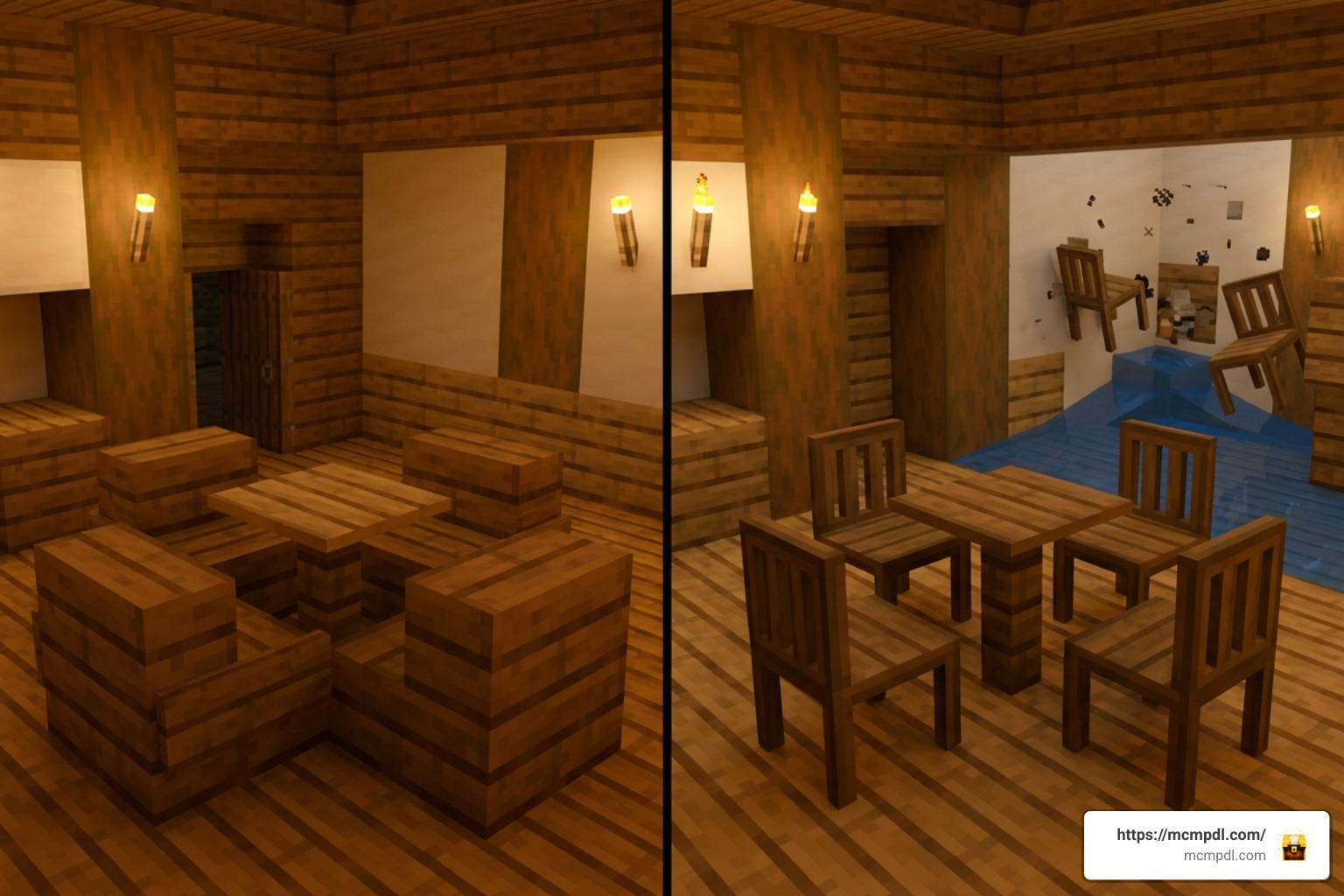
Many legacy furniture mods rely heavily on entities—the same underlying engine code that powers mobs, minecarts, and armor stands. While entity mods allow free rotation and detailed shapes, they come with substantial drawbacks:
- Frame Rate Drops: Placing dozens of entity chairs in a room forces the Bedrock engine to calculate mob-like physics and lighting for every item, causing severe stuttering on mobile devices and consoles.
- Physics Glitches: Entities can be pushed out of position by water currents, explosions, or colliding players, leaving floating, broken chairs scattered across your house.
- Visual Clutter: Entity models often suffer from flickering textures (Z-fighting) when placed flush against walls or wood planks.
In contrast, Block Furniture 1.0 utilizes real custom block geometry. Because the engine treats furniture items as static blocks, memory usage remains minimal, lighting renders predictably, and world lag is virtually eliminated.
| Feature / Comparison Aspect | Block Furniture 1.0 (Solid Blocks) | Traditional Entity-Based Furniture Mods |
|---|---|---|
| Engine Implementation | Custom Block Geometry | Entities / Invisible Armor Stands |
| Performance Impact | Very Low (Optimized for low-end hardware) | High (Prone to entity lag in large builds) |
| Block Connectivity | Dynamic / Modular (Tables & chairs join) | Static (Individual items do not tile) |
| Aesthetic Design | True Pixelated Vanilla Style | Often HD / Realism Style (Can clash with blocks) |
| Special Gameplay Features | Camera Mob Plushies, Statue Chiseling | Decorative Placement Only |
| Survival Integration | Progression Crafting System | Creative Mode / Command Give Only |
| Multiplayer Stability | Excellent (No desync or floating physics) | Moderate (Entities can shift during server lag) |
Frequently Asked Questions
Who created Block Furniture 1.0 and what is its average rating?
The Block Furniture 1.0 Add-on for Minecraft Bedrock Edition was created by the talent at Solid Blocks. The pack has earned an impressive average rating of 4.5 to 4.6 out of 5 stars from over 200+ player reviews on the official Marketplace and Bedrock community indexes. Players routinely applaud its bug-free real-block implementation, aesthetic harmony with default textures, and fun photography mechanics.
What system requirements and toggles are needed to play?
To run Block Furniture 1.0 smoothly, you need Minecraft Bedrock Edition version 1.21 or higher installed on your device. The pack is fully cross-compatible across Android, iOS, Windows 10/11, Xbox One, Xbox Series X/S, PlayStation, and Nintendo Switch. When activating the pack in your world settings, ensure you turn on Experimental Gameplay toggles (such as Custom Biomes/Blocks or Holiday Creator Features) under the Experiments tab so custom block geometry and camera scripts function properly.
How do mob plushies work in survival mode?
In survival mode, mob plushies are acquired through an interactive photography mechanic:
- Craft an in-game Camera item using standard crafting materials.
- Find any target creature (such as a Cow, Creeper, Skeleton, or Axolotl) in your world.
- Use the Camera to snap a photograph of the mob.
- The snapshot transfers into your inventory as a crafting ingredient.
- Take the photograph to a crafting table to construct a mini mob plushie block that you can place on shelves, desks, or nightstands!
Conclusion
The Block Furniture 1.0 Add-on for Minecraft Bedrock Edition is one of the most practical and well-optimized decoration packs available for Bedrock builders today. By prioritizing true block geometry over laggy entity models, Solid Blocks created an add-on that lets you furnish massive survival bases, modern city apartments, and cozy cottages without sacrificing world performance or frame rates.
From connecting modular tables and custom drapes to chiseling stone statues and photographing wild mobs for plushie trophies, this pack delivers endless creative potential for every playstyle.
Ready to transform your builds and upgrade your base interiors? Explore Bedrock Add-ons on our platform today to discover the best tools, packs, and guides to elevate your Minecraft Bedrock experience!
4 thoughts on “Block Furniture 1.0 Add-on for Minecraft Bedrock Edition”