

Scroll down to D0vvnl0ad
Choose the Right Security Addon for Minecraft PE/Bedrock
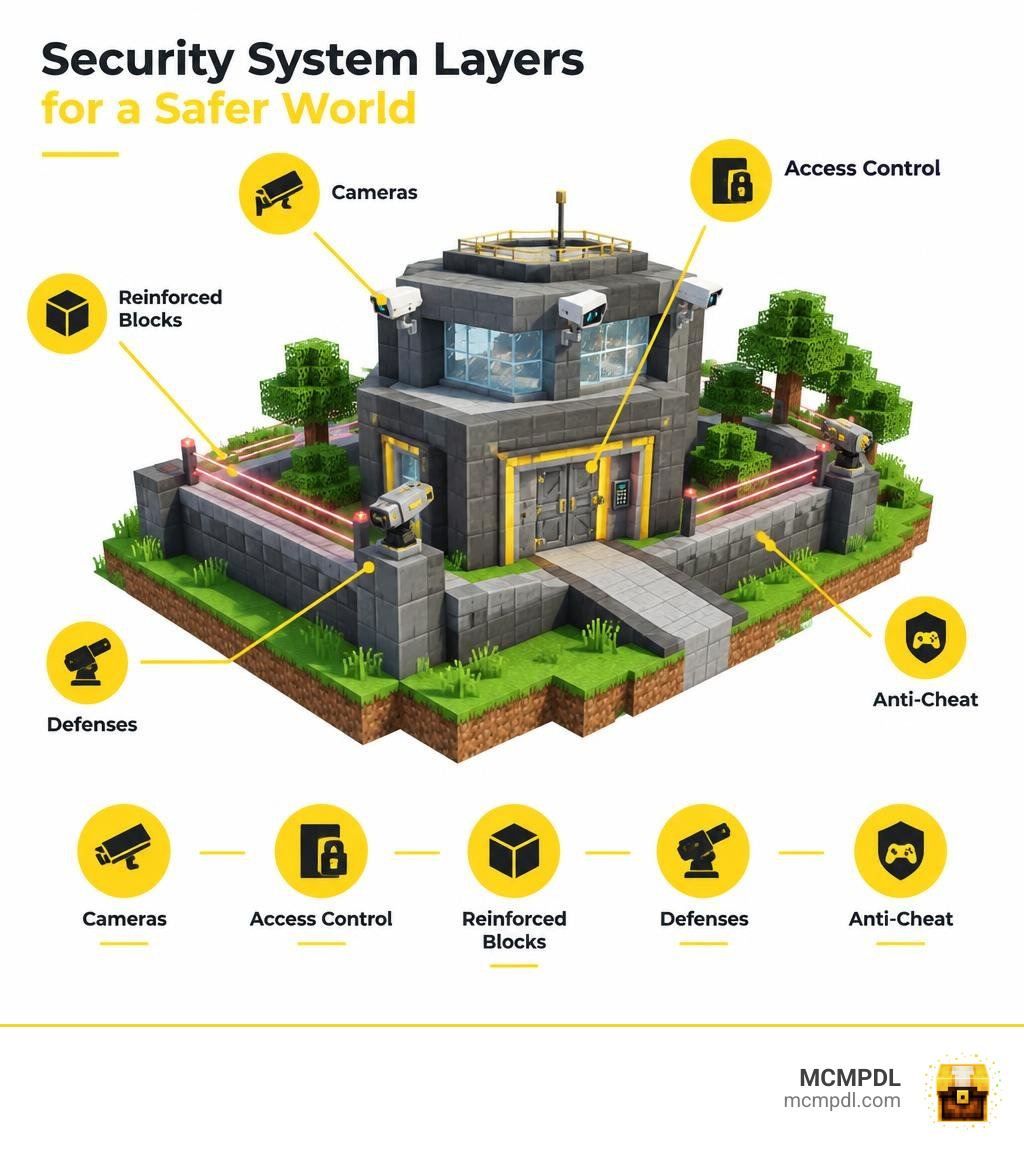
The best Security Addon for Minecraft PE/Bedrock depends on what you need to protect. Choose a camera-focused add-on to watch your base, a lightweight laser add-on for alarms, or a larger security system for locked doors, drones, and linked defenses. For a shared world, pair in-game defenses with server permissions and anti-cheat tools.
Before installing, check that the add-on supports your Bedrock version. Import its required packs and activate them in your world, and turn on Beta APIs or other Experiments only if that add-on requires them. This guide compares the options and walks through the setup.
Choosing a Security Addon for Minecraft PE/Bedrock
Finding the perfect defensive pack comes down to balancing system complexity, world stability, and device performance. While a standalone tool fits a quick survival realm, a sprawling multiplayer roleplay map demands interconnected networks.
| Add-on / Tool | System Architecture | Primary Focus | Experiments Required | Ideal Use Case |
|---|---|---|---|---|
| Security Laser | Standalone Script Device | Tripwires, beam obstacles, localized alarms | Beta APIs | Traps, escape rooms, simple vault entryways |
| Security Cameras | Standalone Camera Blocks | CCTV surveillance, monitor tablets | Optional / None | Survival base monitoring, realm oversight |
| RR CCTV System | Vanilla Entity Adaptation | Hostile mob tracking, 150-block feeds | Beta APIs & Holiday Features | Remote mob detection, lightweight realm bases |
| SecurityBeCraft | Standalone Crafting Table | Indestructible blocks, sentries, mines | Beta APIs | Classic survival defense against griefers |
| IKRN Security Core | Central Network Controller | Multi-zone access, drones, heavy artillery | None (Stable Script API) | Military bases, labs, transit checkpoints |
Which Security Addon for Minecraft PE/Bedrock Fits Your World?
If your main worry is checking on your farm or ensuring a Creeper has not ambushed your front porch, standalone surveillance tools are ideal. Packs like the Security Cameras addon let you place craftable cameras that broadcast live views directly to an in-game handheld monitor tablet.
When your goals shift from simple monitoring to protecting your base against hostile players, you need indestructible building materials, password-coded vaults, and automated sentry weapons. For large-scale servers or high-tech military roleplay facilities, selecting a centralized management ecosystem ensures your alarms, metal detectors, blast doors, and perimeter turrets work together under unified clearance tiers.
Lightweight Security Addon for Minecraft PE/Bedrock Features
If you want immediate protection without cluttering your world with complicated computer terminals, lightweight utilities are the way to go. The Security Laser addon provides glowing laser emitters that project customizable tripwire beams across corridors, doorways, and vault gates.
Instead of managing a central network, you configure each emitter individually using a dedicated in-game wrench. Tapping the laser emitter with the wrench opens an intuitive menu where you can toggle audible alarm sirens, turn direct beam damage on or off, adjust the damage intensity per second, and set precise beam projection lengths. This per-device independence keeps mobile device tick rates stable while providing responsive intruder traps.
What a Networked Security System Adds
For expansive facilities, isolated blocks quickly become tedious to manage. Networked systems, such as the IKRN Security Core addon, organize hundreds of individual security components into a unified framework managed from a single central terminal.
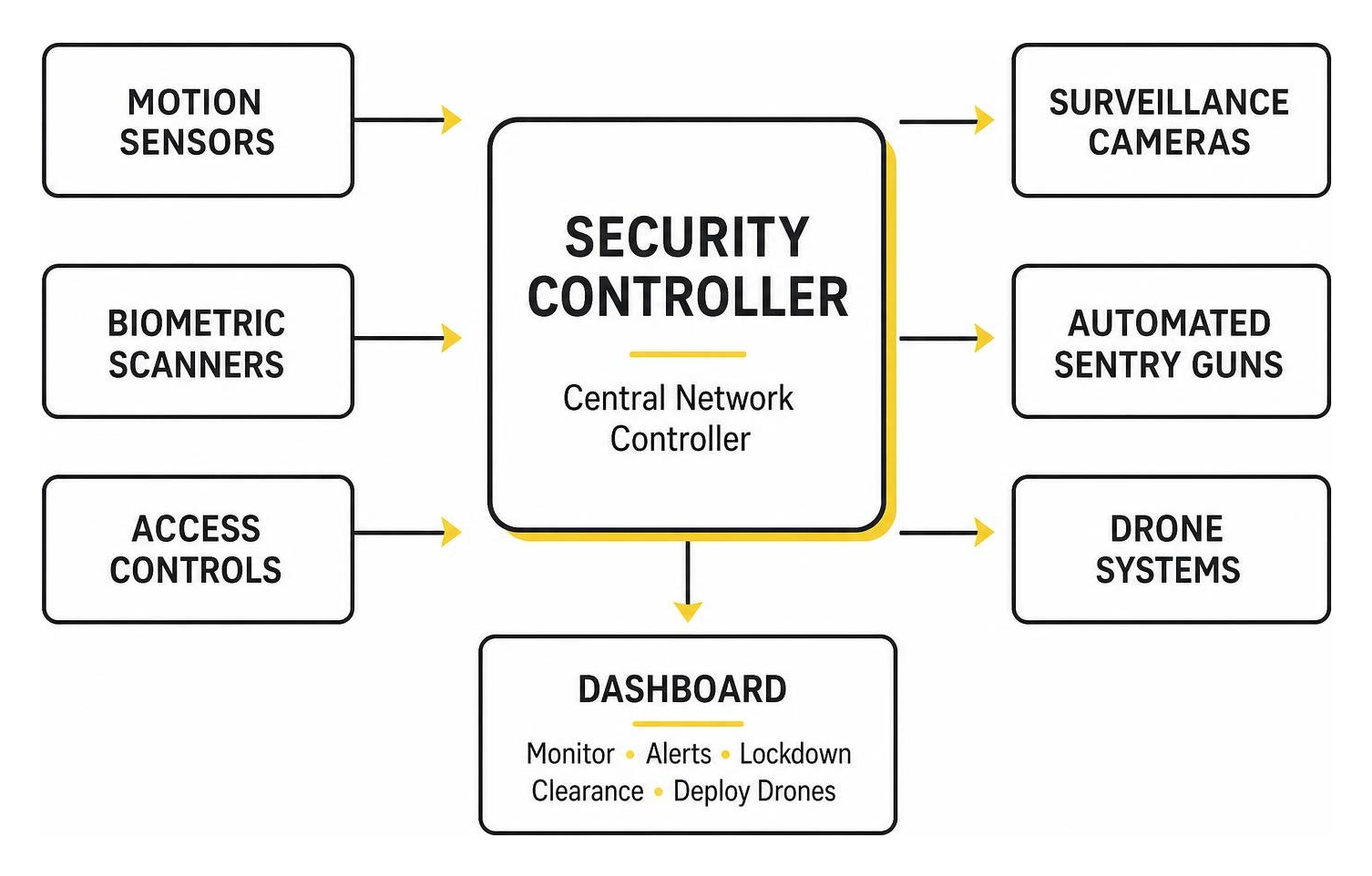
Using a dedicated pairing tool, you bind motion sensors, biometric scanners, automated ceiling sentries, and surveillance feeds to a primary Security Controller. A visual dashboard lets you monitor active alerts, coordinate facility lockdowns, assign multi-tier clearance levels to visiting players, and deploy long-range reconnaissance drones across your perimeter. Because modern networked packages can run on Bedrock’s Stable Script API, you get heavy facility management without relying on unstable experimental world settings.
Set Up Cameras, Drones, Access Controls, and Security Networks
How to Set Up a Security Addon for Minecraft PE/Bedrock
Installing add-ons on Minecraft Bedrock (across Android, iOS, and Windows) requires ensuring both the visual assets and backend mechanics load smoothly:
- Download the chosen
.mcaddonor individual.mcpackfiles. Opening the.mcaddonautomatically launches Minecraft and imports the assets. - Navigate to your world settings screen and select Resource Packs from the left-hand menu. Find the imported pack in your owned list and click Activate.
- Select Behavior Packs directly beneath Resource Packs and activate the corresponding backend pack.
- Review the add-on documentation to confirm API prerequisites. If the pack requires experimental JavaScript hooks or custom interfaces, open the Experiments tab and enable Beta APIs or Holiday Creator Features. If the pack runs purely on Bedrock’s Stable Script API, leave Experiments disabled.
- Launch your world to begin crafting and deploying your gear.
Configure Cameras, Drones, and Monitoring Tablets
Setting up CCTV surveillance gives you instant visibility across your entire property. Depending on your chosen pack, cameras can be mounted directly on walls or disguised as functional props:
- Dedicated Camera Blocks: Mount the camera block on a wall or ceiling. Upon placement, assign a distinct name (such as
NorthGateorVaultInterior). Open your monitoring tablet to select the feed. You can toggle between controllable modes (allowing player head rotation) and fixed coordinate perspectives. - Entity-Based Cameras: The RR CCTV Security System lets you place a vanilla Armor Stand, rename it via a Name Tag using the format
CCTV_YourName(such asCCTV_Kitchen), and use a standard Compass as your handheld monitor. This system continuously runs background scans every 5 seconds to alert you in chat when hostile mobs come within range. - Spy Drones: Deploy your aerial drone on the ground and assign it a callsign via your tablet. Drones allow you to pilot a remote camera feed across terrain within a fixed transmission radius (typically ranging from 25 to 300 blocks). When piloting, keep track of your battery timer and stay within link range to prevent signal loss.
Connect Devices to a Central Controller
To link multiple peripheral defense devices to a single dashboard:
- Craft and place a central Security Controller block inside a secure control room.
- Equip a Network Link Tool and interact with the controller to initialize the pairing state.
- Walk across your facility and tap each peripheral component—including ceiling dome cameras, motion sensors, blast doors, and sentry turrets—using the tool to bind them to your unique Network ID.
- Open the Security Dashboard on your terminal to verify that each device has registered.
To maintain high performance on lower-end devices, the system collects device statuses upon opening or manual refresh rather than continuously consuming server tick cycles.
Set Up Keypads, Keycards, and Biometric Access
Traditional wooden and iron doors do little to stop determined intruders. Upgrading to electronic access systems lets you control entry points with precision:
- Password Keypads: Mount a keypad beside your doorway and interact with it to define a numeric access code. Any player who enters the correct combination will trigger a redstone opening pulse, making this ideal for shared faction bases.
- Biometric Retinal Scanners: Place a biometric scanner facing your entrance. The scanner registers the player who placed it as the sole authorized user, automatically opening the door within a 2-block line of sight while denying all unauthorized visitors.
- Multi-Tier Keycards: Keycard readers can be set to distinct security clearances (Level 1 through Level 5). Players must hold a matching keycard in their main hand to unlock corresponding blast doors and elevators.
Anyone possessing your numeric password can bypass keypad security. For high-value storage, combine biometric readers with secure containers or explore secure storage options to ensure valuables remain protected even if an outer wall is breached.
Reinforce Bases and Configure Defensive Systems
Reinforce Blocks, Doors, and Storage
A secure door is useless if a raider can simply mine the cobblestone wall right next to it. Block reinforcement systems solve this vulnerability:
- The Block Reinforcer: Hold the reinforcer tool and interact with standard building blocks (such as stone, obsidian, or wood planks). This converts the material into an indestructible variant immune to physical pickaxe mining and TNT blast damage.
- Ownership Verification: Interacting with a reinforced block identifies the registered owner. Only the player who originally applied the reinforcement can remove it using a specialized Block Remover tool.
- Reinforced Storage and Doors: Reinforced chests, safes, and heavy 2×3 or 4×4 blast doors resist direct explosion damage. Normal reinforced chests open only for their placer, while keypad chests grant access to anyone entering the correct code.
If you prefer misdirection over visible fortifications, you can combine reinforced vaults with hidden entrances and secret doors to keep your primary panic rooms completely hidden from view.
Add Lasers, Turrets, Mines, and Heavy Defenses
When passive walls are not enough, active defensive weaponry can automatically eliminate intruders:
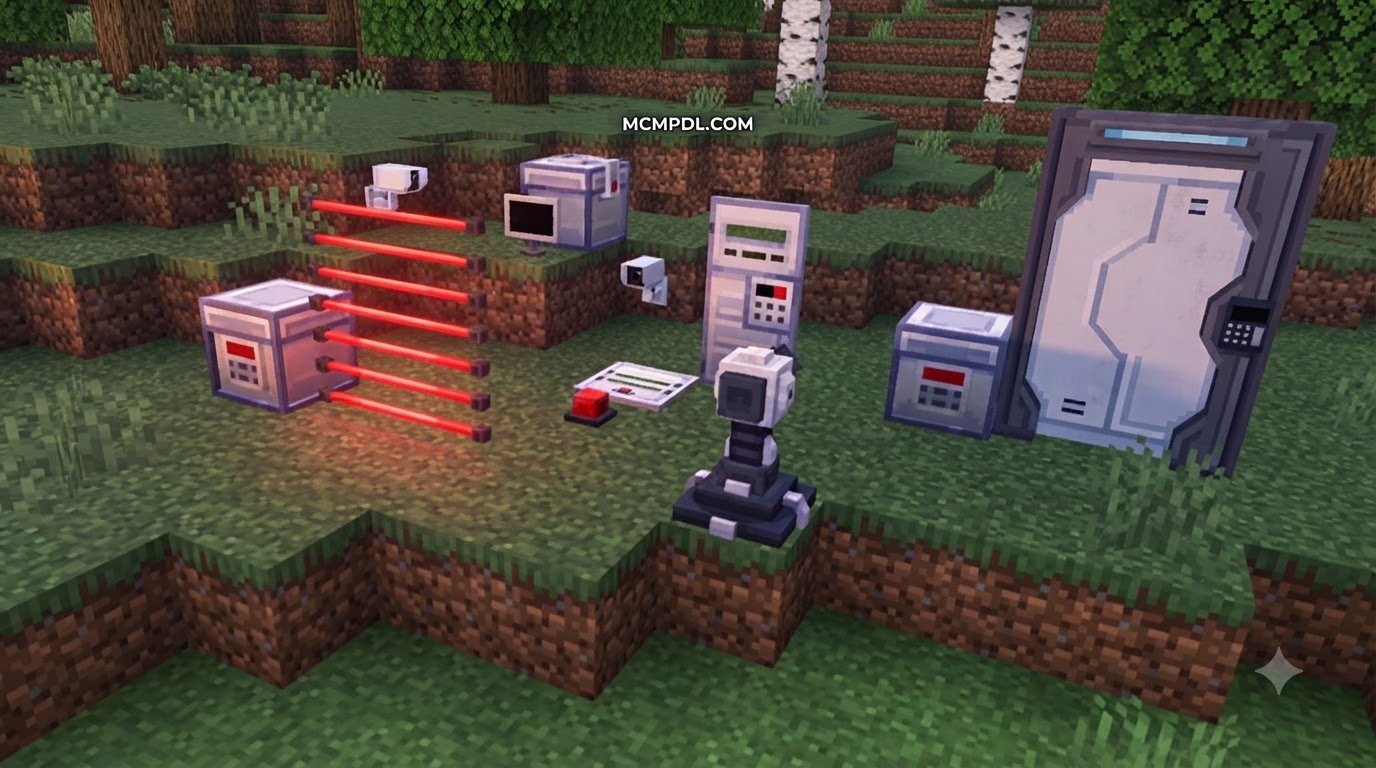
- Perimeter Laser Grids: Place laser emitters along pathways to project tripwire beams. You can set them to sound loud siren alerts, apply a slowing electric stun, or deal continuous contact damage to unauthorized players crossing the beam.
- Proximity Mines: Plant mines along approach paths and arm them using your security module. Once armed, they display a faint red hue and detonate immediately upon player or mob contact.
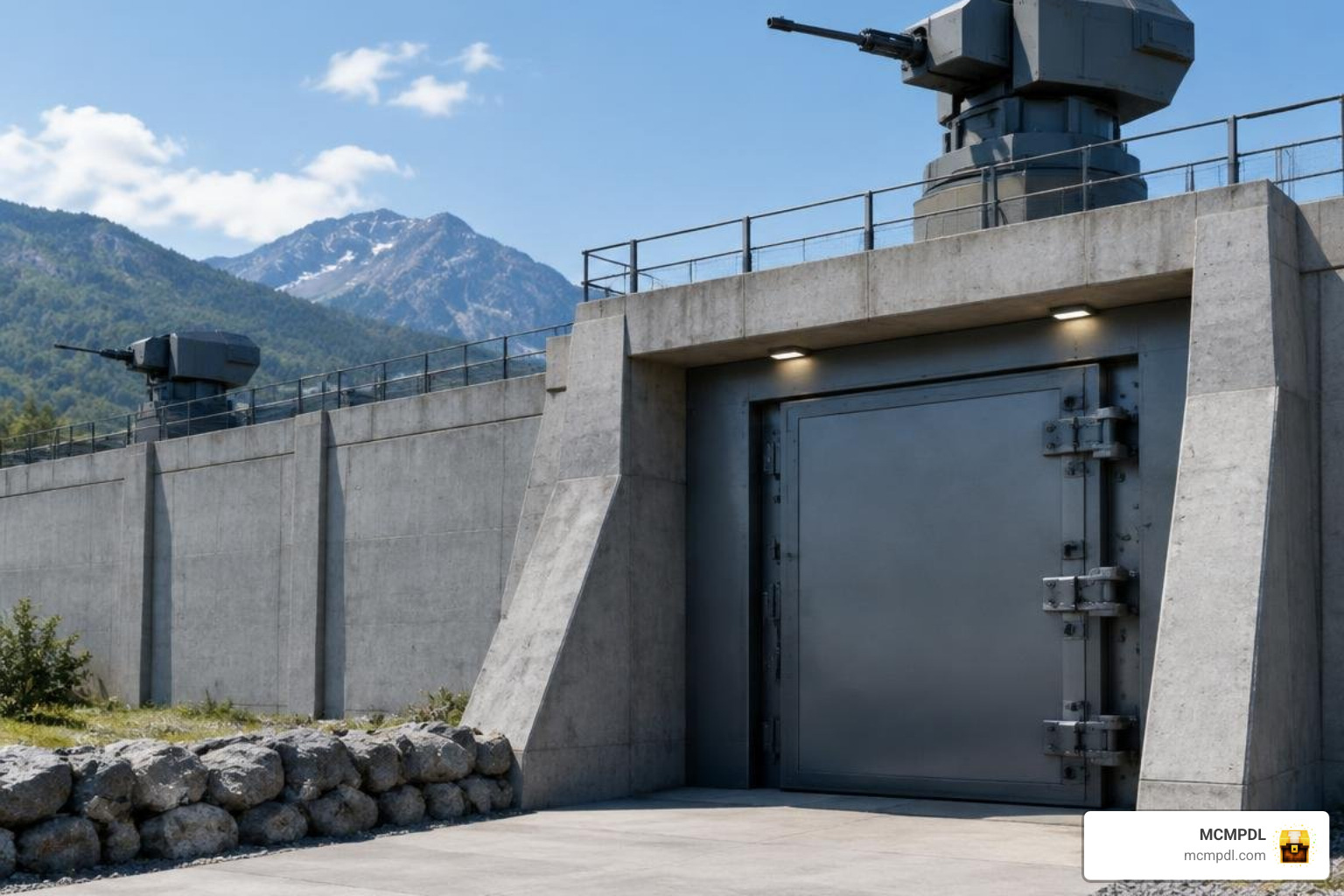
- Automated Sentries and Railguns: Automated light, heavy, and ceiling turrets track and fire upon hostile mobs and unauthorized players within engagement ranges of 20 to 50 blocks. Heavy mounted railguns expand this defense, offering targeting ranges up to 256 blocks. Keep automated sentries supplied with ammunition boxes and cooling components to ensure reliable operation during extended sieges.
- Strategic Artillery and Orbital Strikes: For high-tech military simulations, long-range cruise missiles can strike designated coordinates up to 1,536 blocks away, while orbital satellite strike systems project tactical beams creating deep craters. To prevent accidental base destruction, orbital strikes require an authorized physical keycard that cannot be bypassed even in Creative mode.
Protect Multiplayer Worlds from Griefers and Cheaters
Physical blocks and turrets protect against standard survival raiders, but public multiplayer servers and Realms require administrative protection against hacked clients. Pairing physical fortifications with server-side anti-cheat scripts creates an impenetrable layered defense:
- Combat and Movement Validation: Anti-cheat scripts run background calculations to detect abnormal attack reach, impossible click speeds, killaura scripts, and unauthorized player flight or speed hacks.
- World Grief and X-Ray Alerts: Automated logging monitors track block-breaking speed. If a player begins mining ancient debris or diamond ore at impossible rates using nuker cheats, administrators receive instant chat alerts and location coordinates.
- Administrative Privilege Management: On custom security servers, ensure that administrative roles are configured correctly. Minecraft Operator status alone does not always bypass add-on ownership scripts; administrators often need specific script permission tags (such as
/tag @s add ikscopor/tag @s add admin) to inspect and dismantle locked player contraptions.
Security Addons for Survival, Roleplay, and Custom Maps
Security add-ons provide the mechanical foundation for custom adventure maps, prison roleplay servers, and underground scientific facilities:
- Containment Facilities and Research Labs: Building SCP-style research bunkers requires strict movement control between sectors. Using Level 1 through Level 5 keycard readers, airtight quarantine blast doors, and localized decontamination mist gates lets map creators design immersive operational wings without complex command block arrays.
- Custom Elevator Transit: Advanced security packages support multi-floor custom elevator platforms capable of servicing up to 32 registered levels. Modern elevators use physical moving platform floors that keep player camera movement smooth while preventing players from clipping through the floor during rapid vertical descent.
- Prison Roleplay Checkpoints: Metal Detector Gates can be linked directly to sliding blast doors. If an inmate attempts to walk through the gate while carrying prohibited contraband (such as iron swords, shears, or lockpicks), the linked door automatically locks, an audible siren sounds, and the contraband is safely routed to an administrative evidence chest.
Frequently Asked Questions About Security Addons
Do Security Addons Require Beta APIs or Experimental Gameplay?
It depends entirely on how the add-on is constructed. Add-ons that rely on custom modal user interfaces, real-time packet inspection, or deep entity tracking scripts usually require enabling Beta APIs and Holiday Creator Features in your world Experiments settings.
However, modern large-scale packages that utilize Bedrock’s Stable Script API operate completely within standard vanilla rules, allowing you to run comprehensive security networks without toggling experimental options. Always check the specific documentation for your downloaded pack before creating a world.
How Do I Link Cameras, Turrets, and Drones to a Controller?
To link peripheral devices to a centralized hub:
- Place your primary Security Controller block inside your facility.
- Equip the add-on’s Network Link Tool and tap the controller to start linking mode.
- Walk to your cameras, automated turrets, metal detectors, and drone docks, and interact with each device using the link tool.
- To link a drone controller, simply connect your Drone Dock to the network; any tablet or controller operating on that same Network ID can then access all docked drones without needing individual pairing.
Can Security Addons Stop Griefing or Secure Roleplay Facilities?
Yes. Security add-ons provide robust protection by making reinforced blocks completely indestructible to conventional mining and TNT explosions. Only the original builder holding a verified Block Remover can dismantle these fortified structures.
For public realms facing hacked clients, physical barriers should be paired with administrative anti-cheat modules that detect and block speed hacks, flight exploits, and auto-mining scripts, giving you complete peace of mind.
Conclusion
Securing your Minecraft PE/Bedrock base is all about choosing the right tools for your specific playstyle. Whether you need a simple camera tablet to monitor your home, customizable laser tripwires for corridor traps, or an interconnected military network featuring automated railguns and multi-tier keycard elevators, modern add-ons make facility protection accessible and engaging.
Before deploying defensive networks in your main survival world, remember to check version compatibility, enable required experimental toggles, and make a world backup. When you are ready to expand your world with new utilities, maps, and defense packages, explore our collection of Bedrock add-ons and tools to find everything you need to build your ultimate base.