Scroll down to D0vvnl0ad
Overview of the More Custom Blocks Addon for Minecraft PE/Bedrock
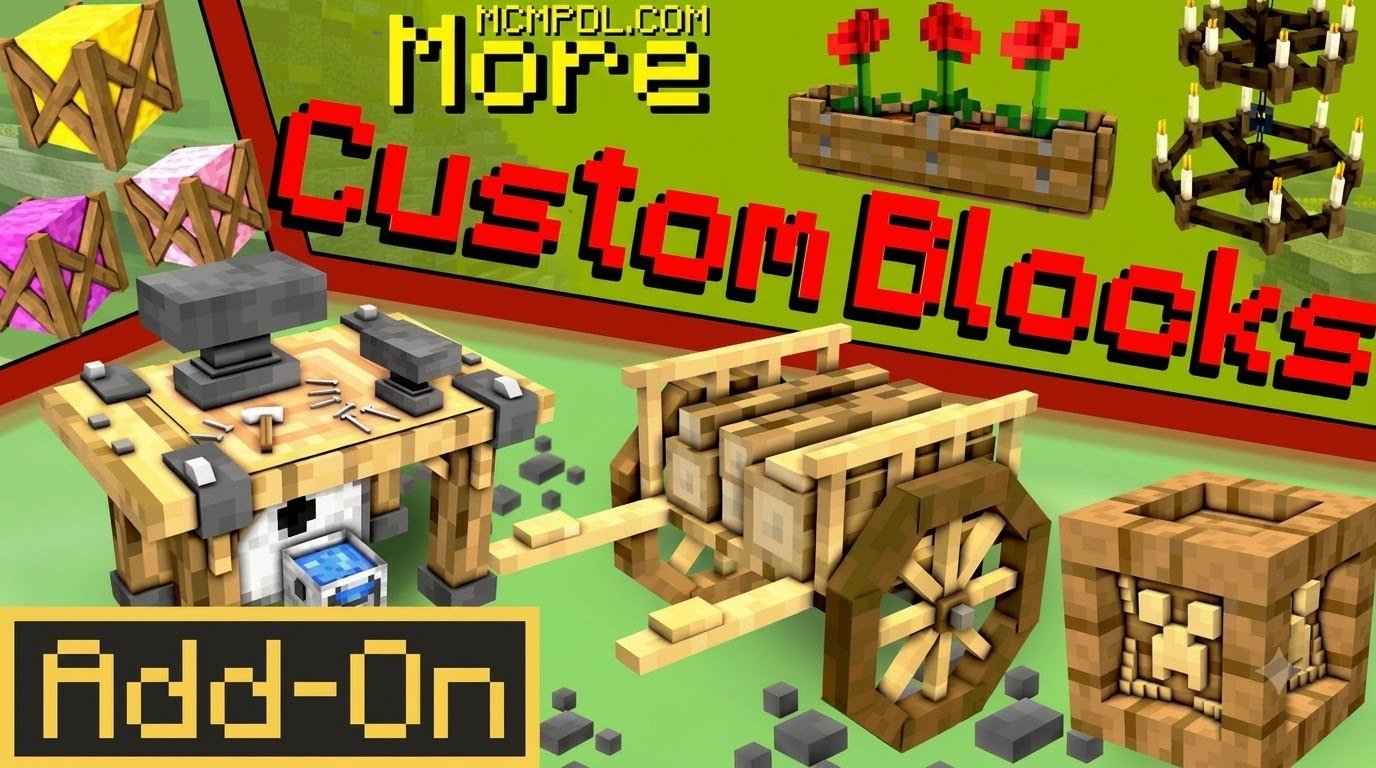
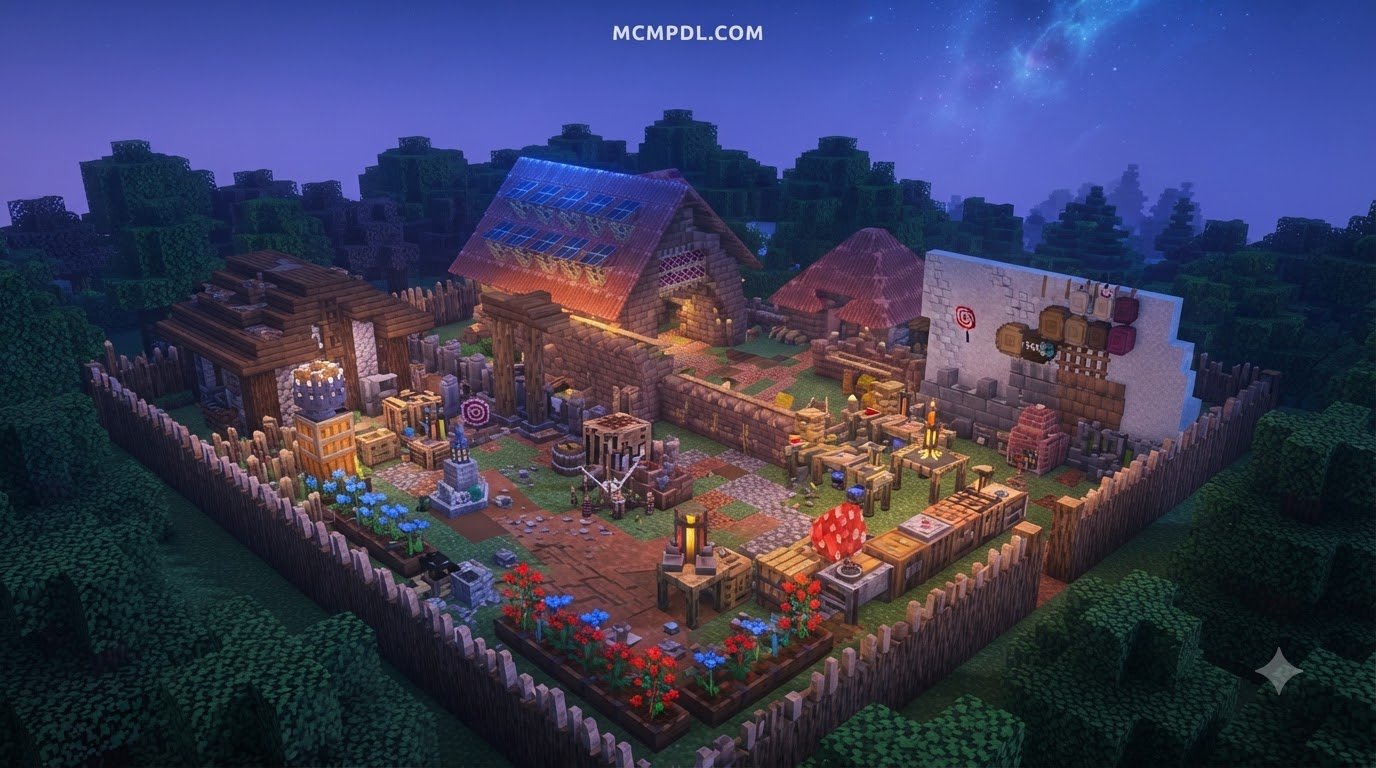
Finding the right palette of materials can transform an ordinary build into an architectural masterpiece. The More Custom Blocks Addon for Minecraft PE/Bedrock expands your creative repertoire by introducing genuine custom block geometry, decorative accents, and functional items. Developed by community creators like sparcy_no, these packs focus on seamless Bedrock integration and are distributed through curated add-on libraries that prioritize compatibility with current Minecraft versions.
Unlike basic entity-based decorative mods that place invisible armor stands or custom geometry entities, these add-ons integrate true custom blocks into Bedrock’s rendering engine. That means you get actual block mechanics: solid collision, reliable placement grids, and full survival compatibility. You can obtain these blocks through survival crafting recipes at a standard crafting table or stonecutter rather than relying exclusively on creative inventory searches or /give commands.
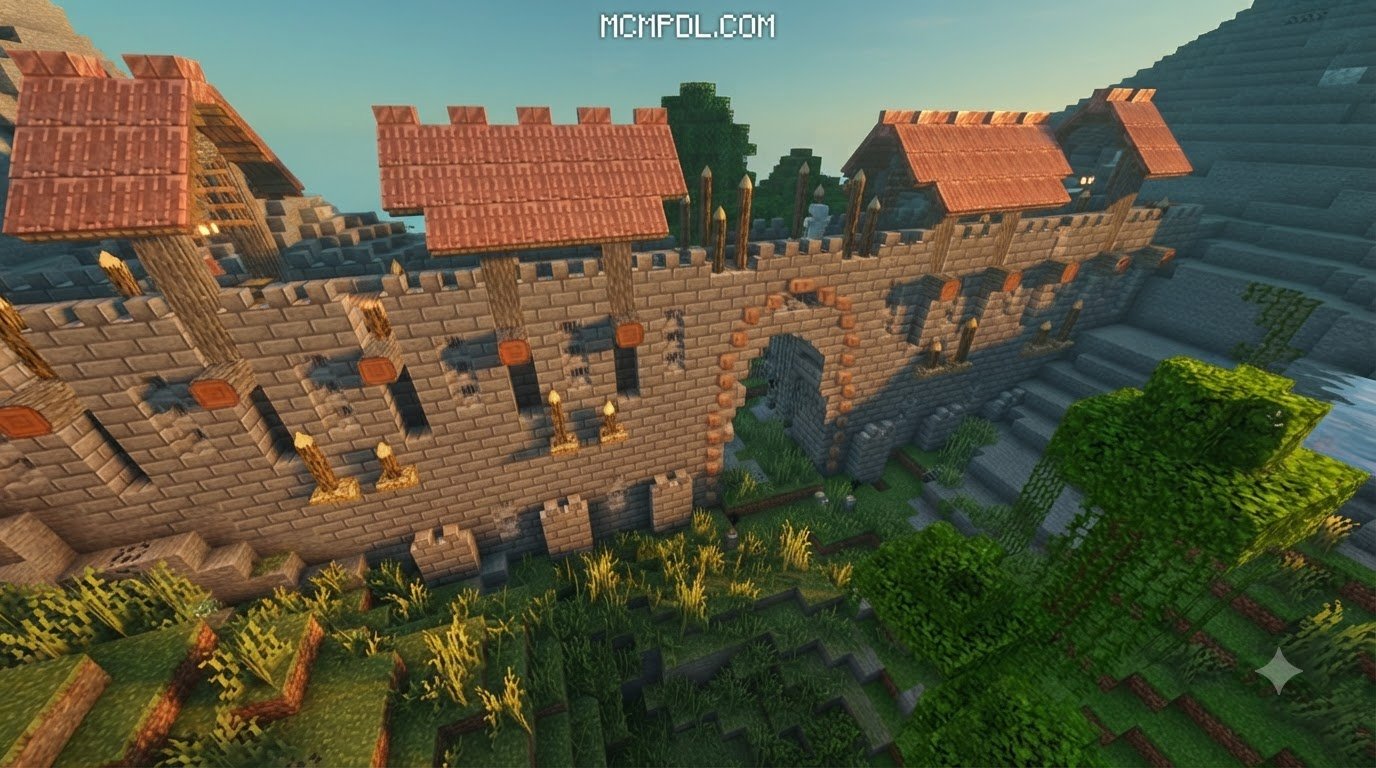
Builders working on rustic fortresses can pair these materials with fantasy aesthetics to establish deep medieval atmospheres. Whether you need custom functional doors that swing cleanly, interactive levers for complex redstone contraptions, or clean trim blocks for modern estates, this add-on brings high utility directly into your world. The pack also complements broader Bedrock add-ons by giving players a dependable foundation of structural pieces that work across creative and survival projects.
Key Features of More Custom Blocks Addon for Minecraft PE/Bedrock
- True Block Geometry: Every added element functions as a solid, breakable block with full block states and true hitboxes rather than lag-inducing entities.
- Interactive Elements: Includes operational custom doors, specialized windows, and responsive switches designed to integrate with redstone mechanics.
- Multi-Block Puzzle Structures: Versions such as More Custom Blocks 2 introduce dedicated multi-block puzzle structures that offer fresh gameplay mechanics for adventure maps and survival dungeons.
- Survival Crafting Integration: Balanced recipes allow you to harvest vanilla raw materials and craft every new block directly in survival mode.
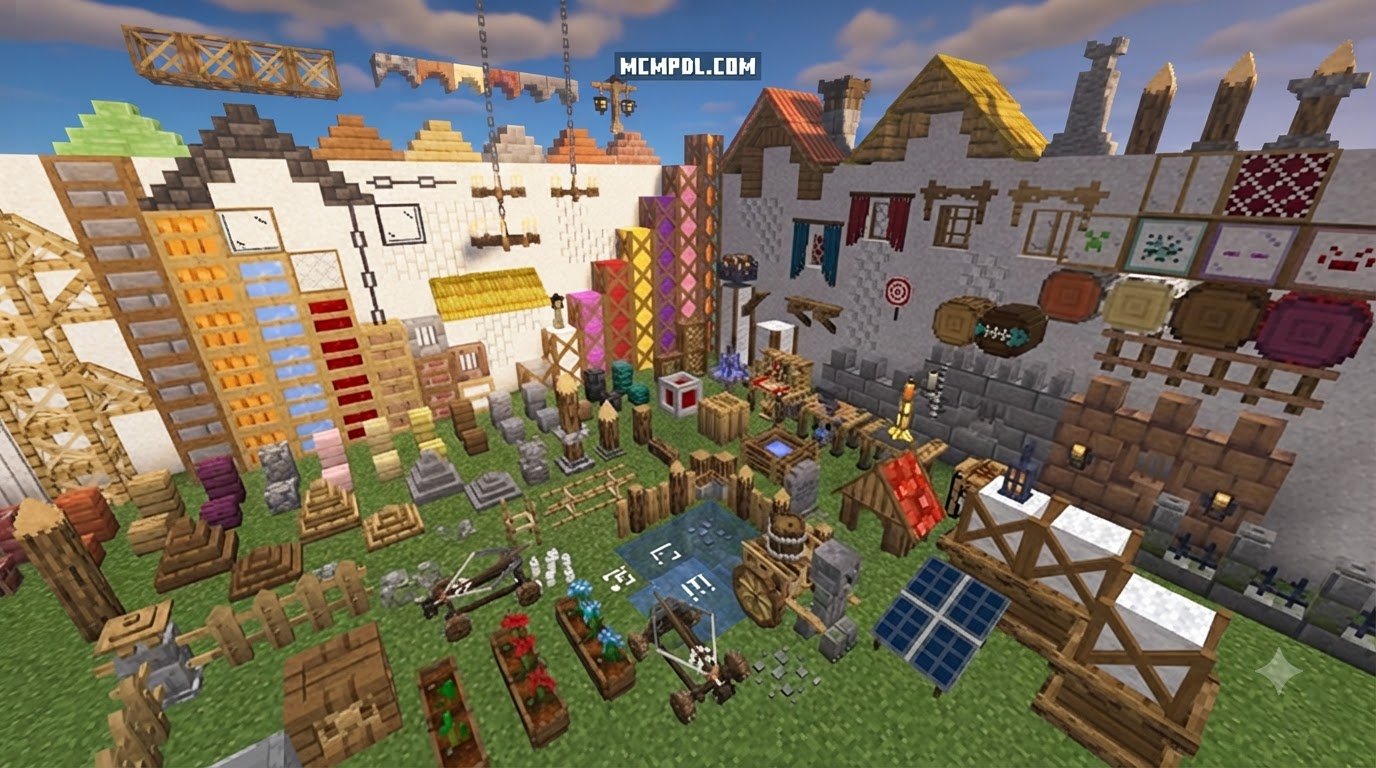
- Aesthetic Diversity: Textures range from clean modern paneling to weathered stone, making them excellent companions when building detailed furniture items.
Creative vs Survival Applications in Minecraft Bedrock
In Creative mode, the add-on speeds up detailing by eliminating complex workarounds for simple architectural shapes. You can outline grand mansions with refined window frames, construct gothic cathedral arches, and hide redstone contraptions behind custom decorative panels. Incorporating miniature decorative accents alongside custom block trims helps create lived-in spaces with depth and realism.
In Survival mode, the add-on introduces natural progression into interior design and base fortification. Instead of settling for plain cobblestone or polished andesite, survival builders can create specialized workstations, hidden vault doors, and functional multi-block security hubs. Custom levers let you rig discreet panic rooms inside your main base, turning aesthetic pieces into functional survival defenses. Because every block is obtainable through standard crafting, the add-on remains practical for long-term worlds where resource gathering and base expansion are central to the experience.
Block Design and Building Options in Bedrock Edition
Building versatility comes down to variety in shapes and dimensions. Bedrock builders often face limitations with default full blocks, simple slabs, and standard stairs. Community expansions solve this by creating custom shape variants that adapt to different construction styles.
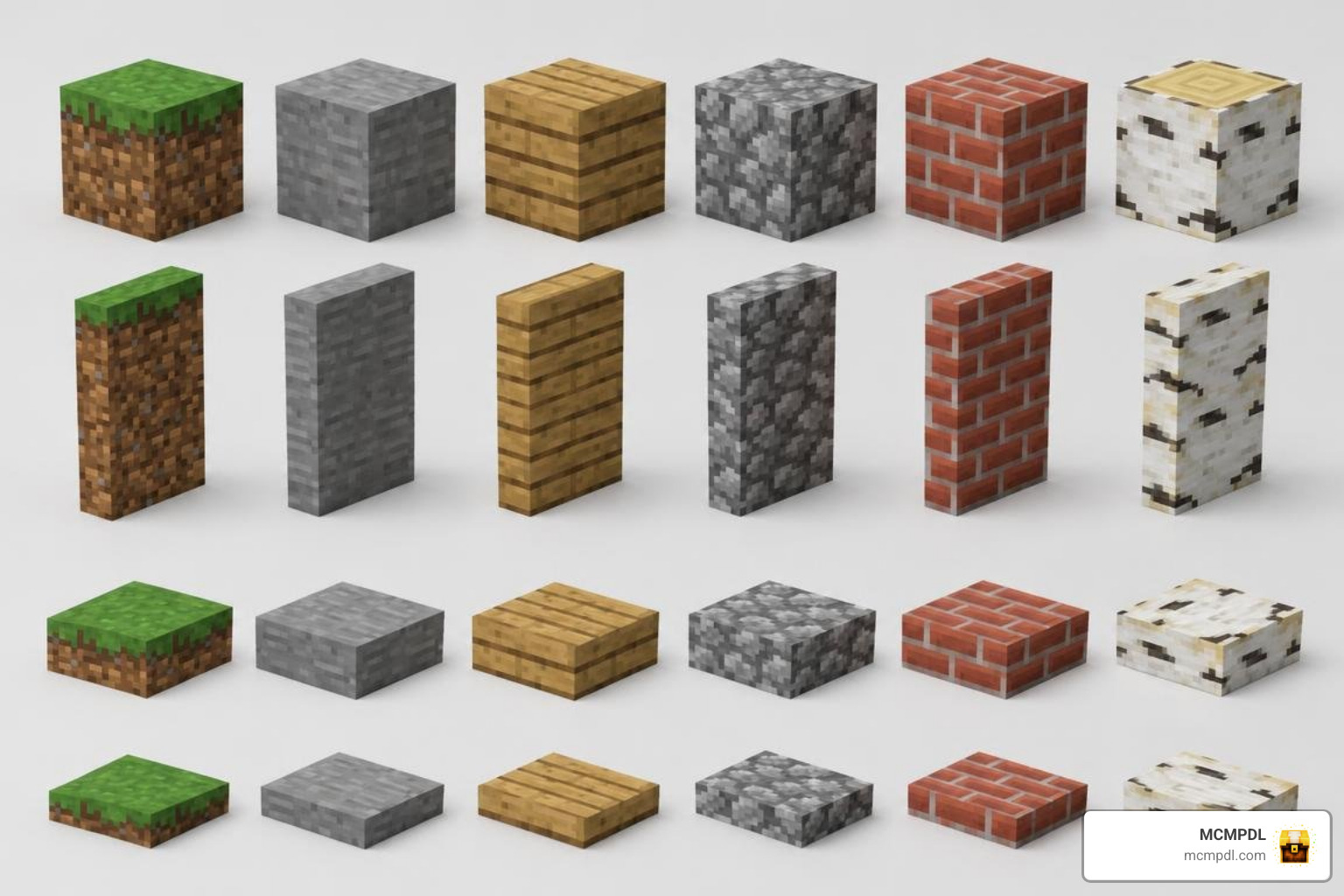
| Block Variant Type | Hitbox & Collision Behavior | Primary Structural Use Case | Survival Crafting Availability |
|---|---|---|---|
| Standard Custom Full Blocks | Full $1\times1\times1$ solid collision box | Main walls, foundations, pillars, puzzle rooms | Yes (Crafting Table / Stonecutter) |
| Vertical Slabs | Half-block vertical collision ($0.5\times1\times1$) | Thin interior partition walls, window framing | Yes (Crafting Table) |
| Horizontal Slabs | Half-block horizontal collision ($1\times0.5\times1$) | Flooring transitions, low roofing, shelving | Yes (Stonecutter) |
| Layer Blocks | Incremental height stages (snow-style) | Terraced terrain, graded roads, furniture bases | Yes (Crafting Table) |
| Custom Stairs | Stepped collision (requires sub-wall check) | Roof rafters, grand staircases, trim arches | Yes (Stonecutter / Crafting Table) |
| Functional Doors & Levers | Interactive switchable collision | Hidden rooms, redstone triggers, airlocks | Yes (Crafting Table) |
Block Shapes, Layers, and Placement
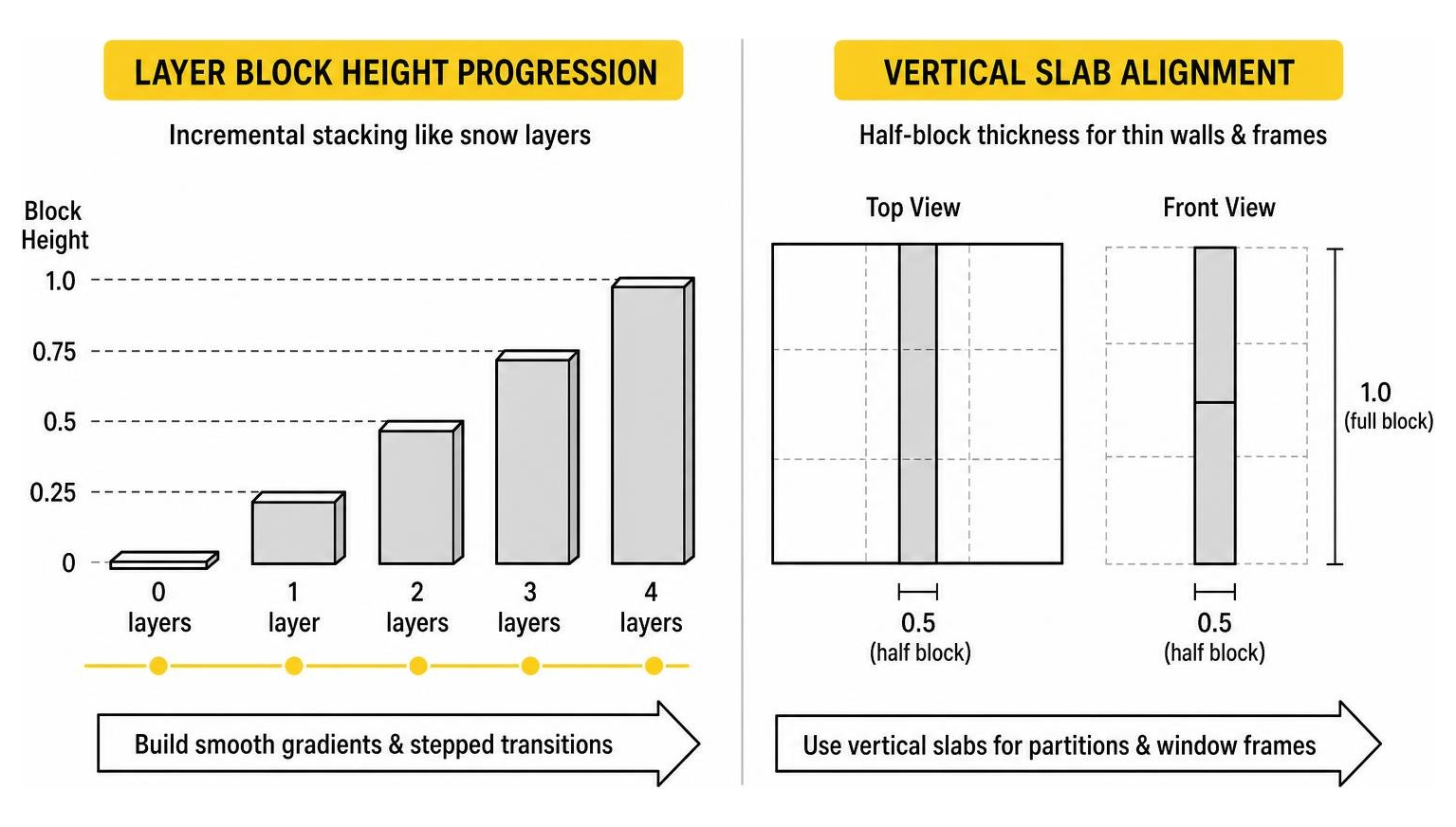
A standout feature in expanded block add-ons is the introduction of vertical slabs and layer blocks. While vanilla Bedrock only supports horizontal slabs, vertical slabs let you construct thin, elegant interior dividers without consuming a full block of living space.
Layer blocks take inspiration from vanilla snow layers, allowing builders to stack materials incrementally. This allows you to construct smooth road gradients, natural road decay, and stepped floor elevations. When combined with systems from the More Blocks Addon for Minecraft PE/Bedrock, these multi-height pieces provide smooth transitions across large custom terrain projects. The result is a more organic building workflow that reduces the need for awkward full-block stepping or repetitive terraforming.
Advanced Geometry and Structural Options
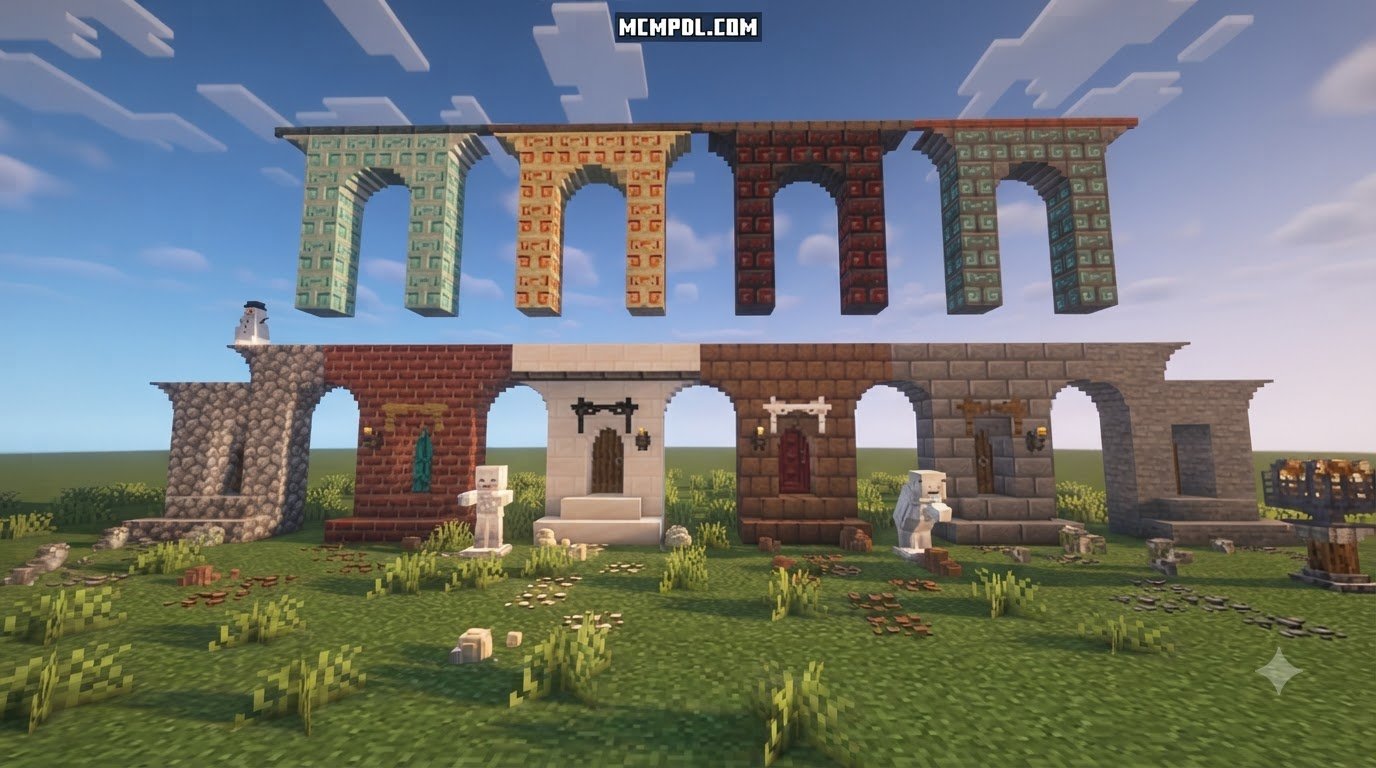
For advanced structural design, community-favorite block suites provide expansive shape libraries that include specialized stairs, shoot-through barrier walls, and reinforced frames. These pieces are especially useful for builders who want to create defensive perimeters, elevated walkways, or multi-level interiors without relying on repetitive vanilla block combinations.
When you want to assemble end-game sanctuaries or mystical temples, blending these structural blocks with God Blocks Addon for Minecraft PE/Bedrock features or organizing dynamic structures with Splitblocks Addon for Minecraft PE/Bedrock gives you deep control over custom block properties. The expanded geometry also supports practical redstone concealment, allowing you to route wiring behind decorative facades while keeping the visible surface clean and intentional.
Installation and Technical Requirements
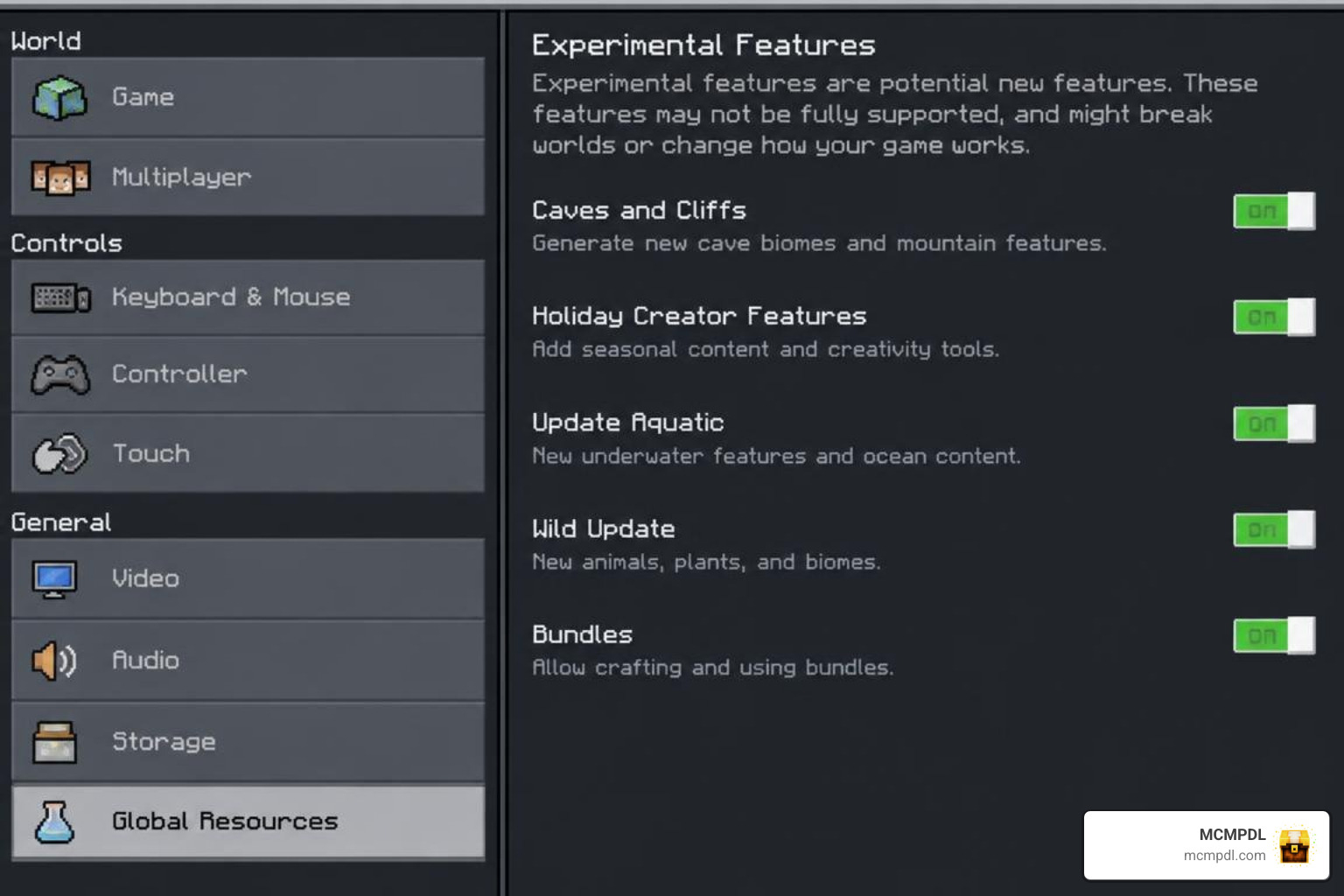
Installing custom block packages on Minecraft Bedrock requires managing both Resource Packs (textures, models, and UI definitions) and Behavior Packs (crafting recipes, block collision definitions, and custom events). In 2026, modern Bedrock releases—including versions 1.21, 1.21.41, 1.21.50, 1.21.51, and modern target builds like 26.30—require active experimental toggles for custom blocks to register correctly in survival gameplay.
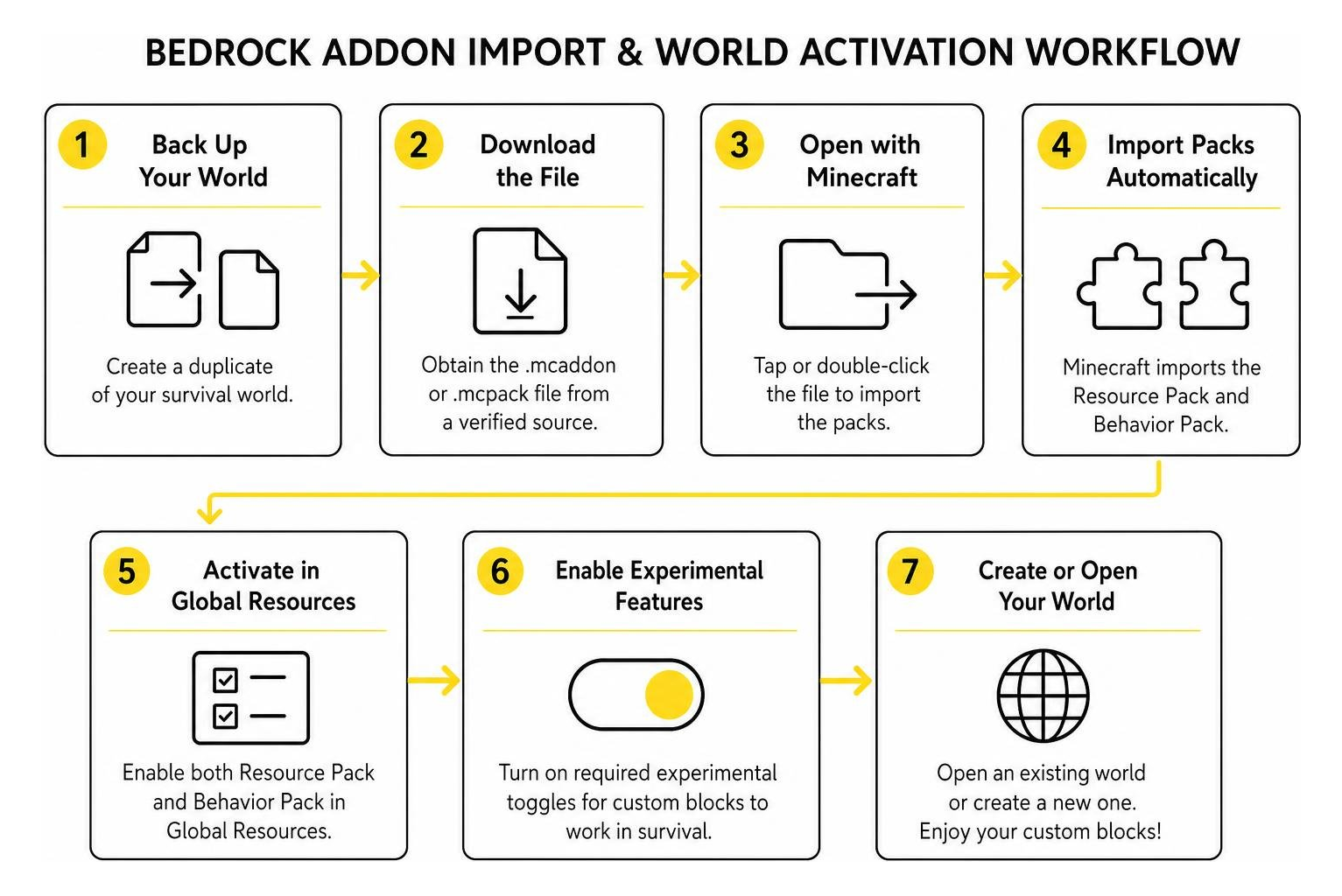
Step-by-Step Setup Guide for More Custom Blocks Addon for Minecraft PE/Bedrock
- Back Up Your World: Always create a duplicate of your favorite survival world before applying new behavior packs.
- Download the File: Obtain the
.mcaddonor.mcpackfile from a verified source. - Open with Minecraft: Tap or double-click the file on Windows, Android, or iOS to let Minecraft import the packs automatically.
- Activate Resource & Behavior Packs: Open your world settings, navigate to Resource Packs, and activate the addon. Then go to Behavior Packs and ensure the corresponding behavior pack is active.
- Enable Experimental Features: Scroll to the Experiments tab in world settings and toggle Beta APIs, Holiday Creator Features (if listed for your build version), and Upcoming Creator Features to on.
- Launch and Verify: Enter your world, open the crafting table or creative inventory, and verify that the new blocks appear and render correctly.
Troubleshooting Common Glitches and Hitbox Quirks
- Invisible or Missing Block Textures: If custom blocks appear as missing purple-and-black checkerboards or transparent frames, the resource pack is either inactive or missing its required texture definitions. In packs using shared libraries, make sure the prerequisite Assets+ pack is loaded above the main behavior pack in your resource hierarchy.
- Stair Hitbox Glitches: Due to a known Bedrock engine quirk with custom stair collision, you may find your character snagging while walking up stairs. Placing a vanilla wall block or support block directly underneath the stair helps resolve collision alignment.
- Multiplayer Desynchronization: If other players cannot see or interact with placed custom blocks on a realm, confirm that Require players to accept resource packs to join is checked in your world’s multiplayer settings.
- Crafting Recipe Not Appearing: If blocks render correctly but do not show up in the crafting table, verify that the behavior pack is active and that the required experimental toggles are enabled. Some packs also require the world to be reloaded after activation before recipes populate correctly.
Frequently Asked Questions
Are custom blocks in this addon treated as entities or true blocks?
They are registered as true blocks within Minecraft Bedrock’s custom block schema. Unlike entity-based decor that relies on armor stands or invisible mobs, true blocks do not create entity lag, feature authentic block collision, and can be mined, harvested, and placed using standard survival tools. This distinction is important for large builds, where entity-based decorations can quickly reduce performance and complicate world management.
Can I include this addon in my custom mod pack or realm?
Most community block add-ons operate under Attribution-NonCommercial-ShareAlike or similar custom open-source licenses. You can generally include them in custom modpacks, adventure maps, or personal Realms, provided you give appropriate credit to original creators like sparcy_no or Legopitstop and do not lock the pack behind commercial paywalls. Always review the specific license file included with the add-on before redistributing it as part of a larger project.
Do I need external dependencies for these blocks to render?
Standalone releases like More Custom Blocks 2 contain all geometry and texture assets in a single .mcaddon file. However, select variants (such as the More Blocks Add-On) require an associated dependency pack like Assets+ to load their block textures properly. Always check the pack manifest for companion resource requirements, and keep dependency packs above the main pack in your resource hierarchy to avoid missing texture issues.
Conclusion
The More Custom Blocks Addon for Minecraft PE/Bedrock opens up new creative avenues by turning standard structures into detailed, functional builds. With authentic block collision, balanced survival crafting recipes, interactive levers, and varied architectural geometry, this add-on gives you the tools to build without compromise. Whether you are designing a compact survival bunker or a sprawling creative showcase, the expanded block palette helps you achieve cleaner lines, more realistic interiors, and more responsive redstone integration.
Ready to upgrade your next build? Explore premier Bedrock add-ons on MCMPDL to discover curated resources, texture packs, and gameplay enhancements tailored for your world.
2 thoughts on “More Custom Blocks Addon for Minecraft PE/Bedrock”