Scroll down to D0vvnl0ad
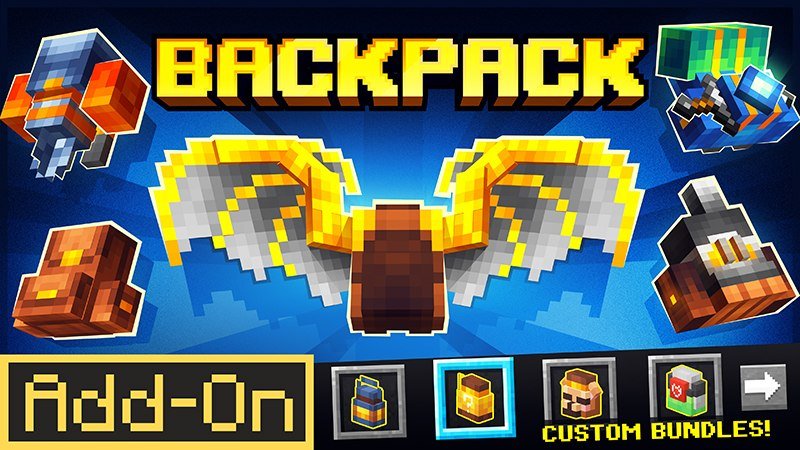
Downloading the Backpack Addon by Red Eagle for Minecraft PE/Bedrock
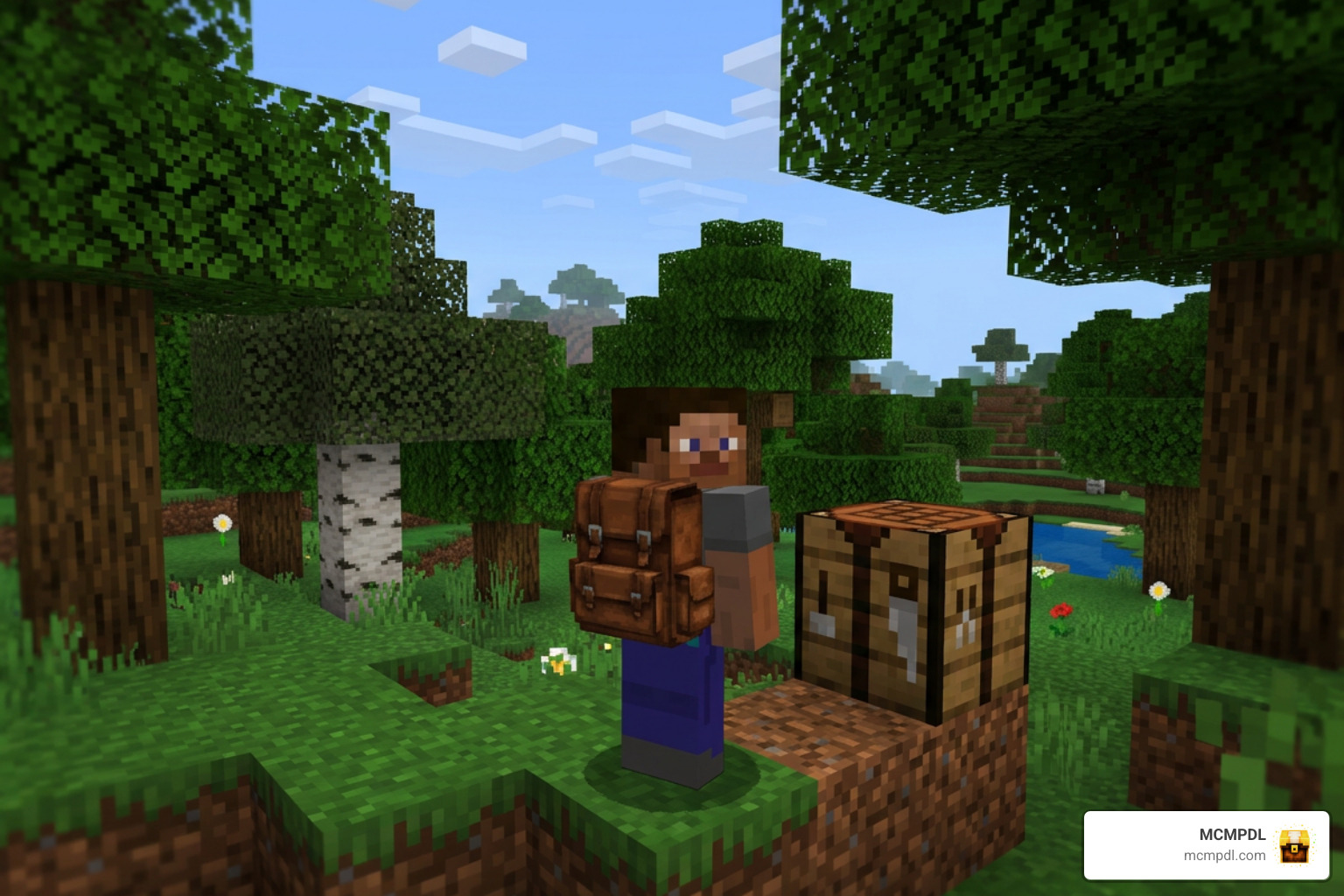
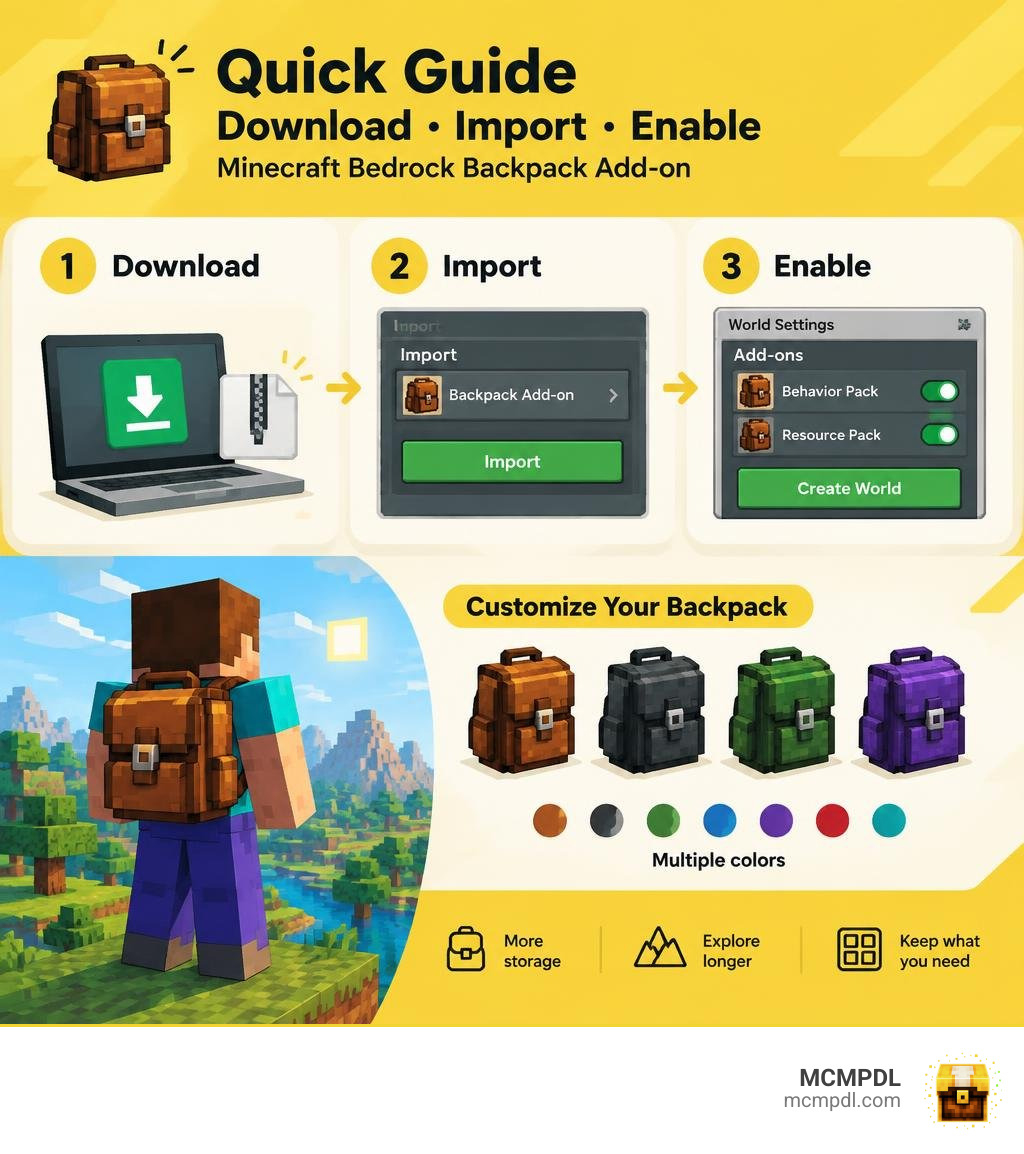
To install the Backpack Addon by Red Eagle for Minecraft PE/Bedrock, download its files, open them to import them into Minecraft, then enable the add-on in your world’s settings. If the download includes separate Resource and Behavior packs, enable both before opening the world. Check the listed Bedrock version first so you do not spend time troubleshooting an incompatible file.
The add-on is for players who want more room to carry items while exploring. This guide covers installation, in-game use, and the features to check before you add it to a survival world. For a broader look at how Bedrock add-ons work, the Minecraft Add-Ons documentation explains the relationship between resource packs, behavior packs, and world activation.
Features of the Backpack Addon by Red Eagle for Minecraft PE/Bedrock
Inventory management in survival mode has always been a balancing act. Between carrying spare pickaxes, torches, building blocks, food, and rare ores, inventory space runs out fast. While end-game items like Shulker Boxes offer deep storage, getting them requires defeating the Ender Dragon and venturing through the End.
The Backpack Addon offers an accessible, early-to-mid-game solution that integrates smoothly into standard gameplay. It allows you to craft, dye, wear, place, and upgrade portable storage packs without breaking survival balance. If you enjoy expanding your game with helpful utilities, pairing storage expansions alongside options like the Essentials Addon for Minecraft PE Bedrock or custom toolsets found in the More Tools World for Minecraft PE Bedrock creates an ultra-efficient survival experience.
Core Mechanics of the Backpack Addon by Red Eagle for Minecraft PE/Bedrock
The mechanics of this add-on focus on fluid player interaction. Unlike older modifications that relied on clunky UI menus or invisible entities that caused lag, modern Bedrock mechanics allow the backpack to function as a dynamic, physical item:
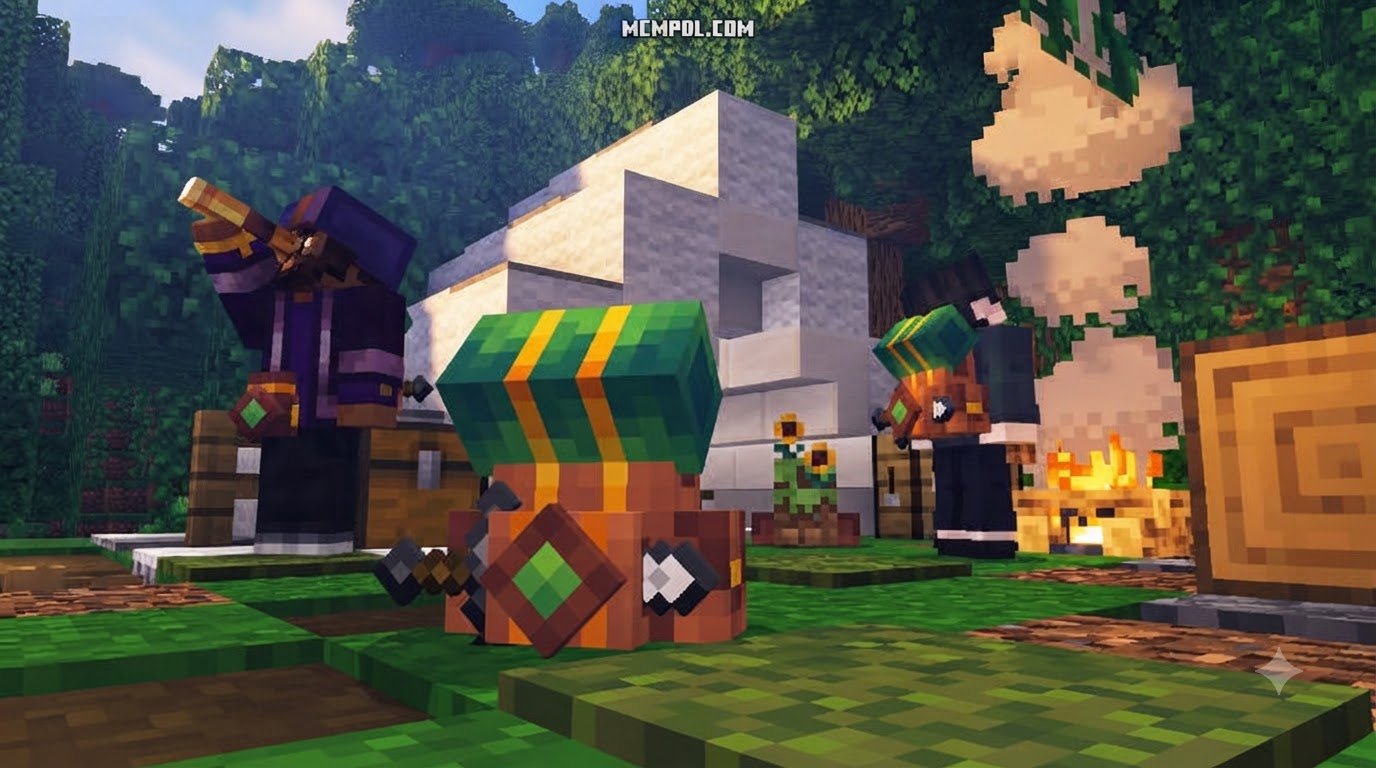
- Physical World Placement: You can place your backpack directly on the ground as a decorative and functional 3D block. This makes it ideal for organizing a base camp or sharing supplies with friends in a multiplayer realm.
- Auto-Equip Feature: Picking up your placed backpack is seamless. By simply hitting or interacting with a placed pack, it jumps straight into your inventory or equips automatically.
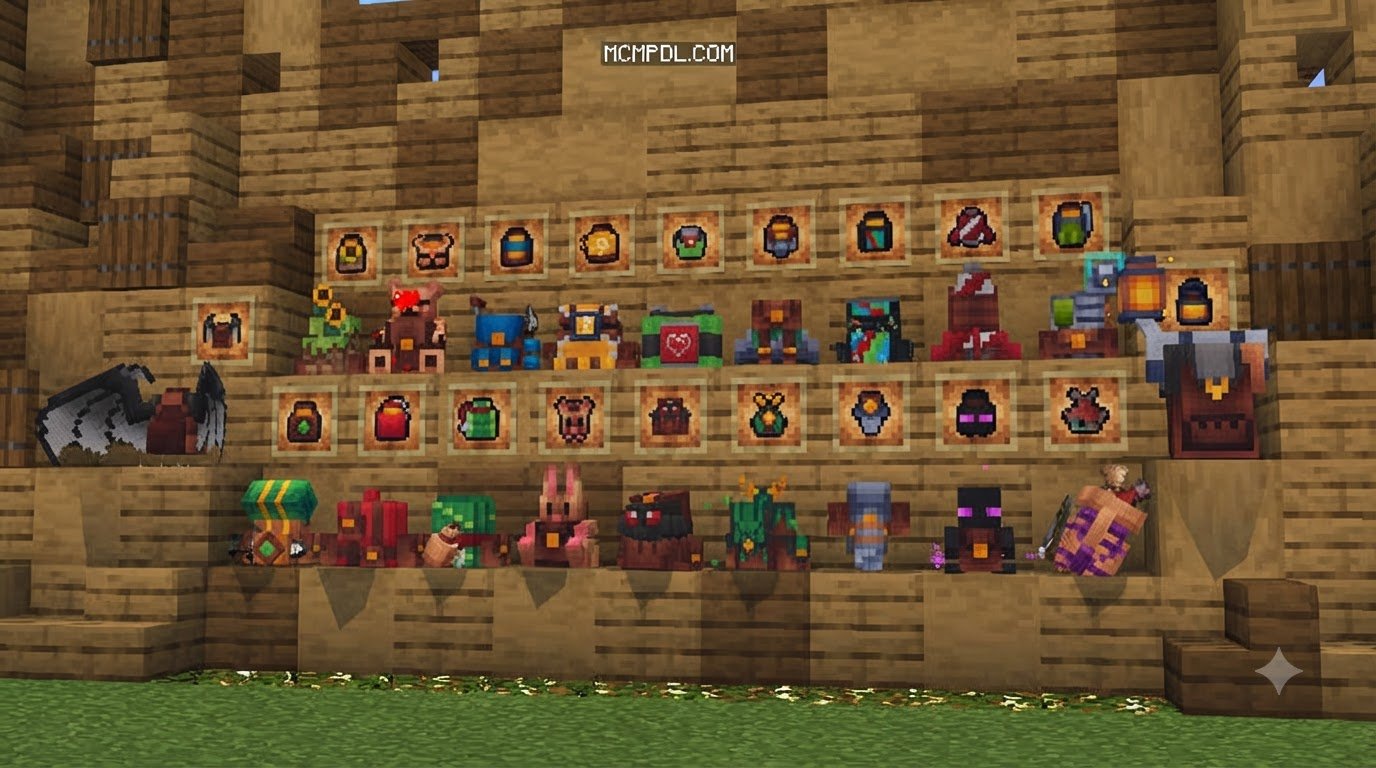
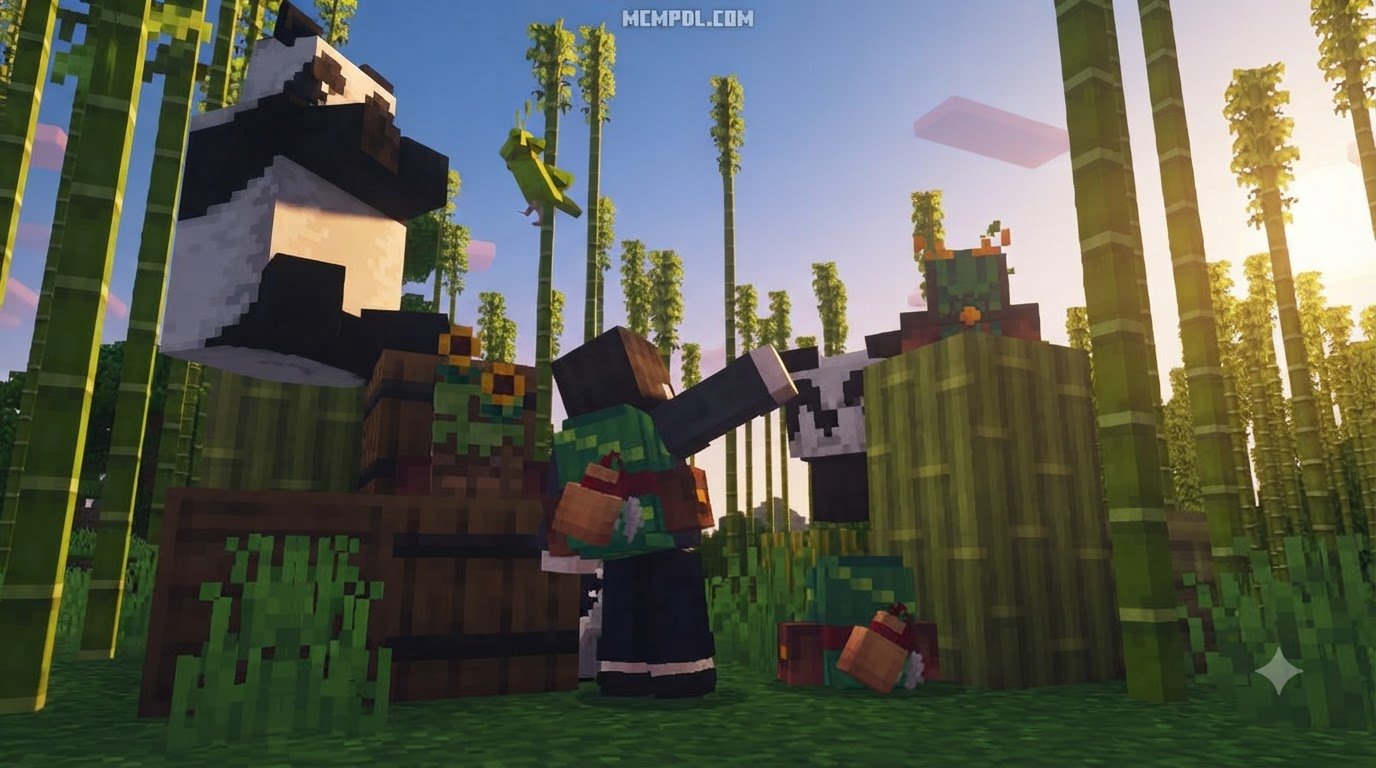
- Wearable Storage: Equipping the backpack into your off-hand slot displays a custom 3D model on your character’s back. It renders accurately across standard player skins without clipping awkwardly through armor.
- Multi-Dimension Utility: Storage contents remain intact regardless of dimension shifts. Whether you are traversing the Overworld, mining ancient debris in the Nether, or bridging the void in the End, your items stay safe.
- Cross-Addon Compatibility: The storage grid accepts items from base Minecraft as well as custom items added by other packs, making it easy to pair with expansions like the Bedrock Tools Add On.
Modular Upgrades and Utility Functions
What elevates this pack above basic portable chests is its modular upgrade system. Sneaking and interacting with the backpack opens an upgrade management menu, letting you install game-changing utility modules:
- Storage Upgrade: Increases the base storage capacity of your backpack, giving you multiple tiers of extra slots to haul massive quarry runs.
- Magnet Module: Pulls dropped items within a set radius directly into your backpack inventory—perfect when mining over deep ravines or collecting drops from mob farms.
- Dynamic Lights: Illuminates the dark area around you while the backpack is equipped or held, turning your portable storage into a walking lantern without placing dozens of torches.
- Auto-Sort Utility: Automatically stacks and categorizes items inside the backpack, saving you time after long resource runs.
- Security Lock: Establishes player ownership over the backpack. When active, other players on your server or realm cannot open, steal, or break your backpack without permission.
- Void Filter: Deletes unwanted junk items (like excess cobblestone, granite, or dirt) as soon as they are picked up, keeping your inventory clear for valuable loot.
- Auto Totem: Siphons a Totem of Undying stored within the backpack into your active use slot instantly if your health reaches zero.
- Tombstone Function: When fatal damage occurs, your backpack places itself at your exact death coordinates, securing your gear in place rather than scattering it across lava or cliff sides.
For builders and survival enthusiasts who enjoy high-efficiency setups, combining these modules alongside specialized packs like the Builders Tools Addon for Minecraft PE Bedrock or the Build Assist Addon for Minecraft PE Bedrock streamlines every construction project.
Step-by-Step Installation Guide for Minecraft PE and Bedrock
Installing add-ons on Minecraft Bedrock Edition is quick once you know how the file formats interact with your device. Modern add-ons are packaged as .mcaddon or paired .mcpack files containing both Resource Packs (textures and models) and Behavior Packs (logic, entities, and code).
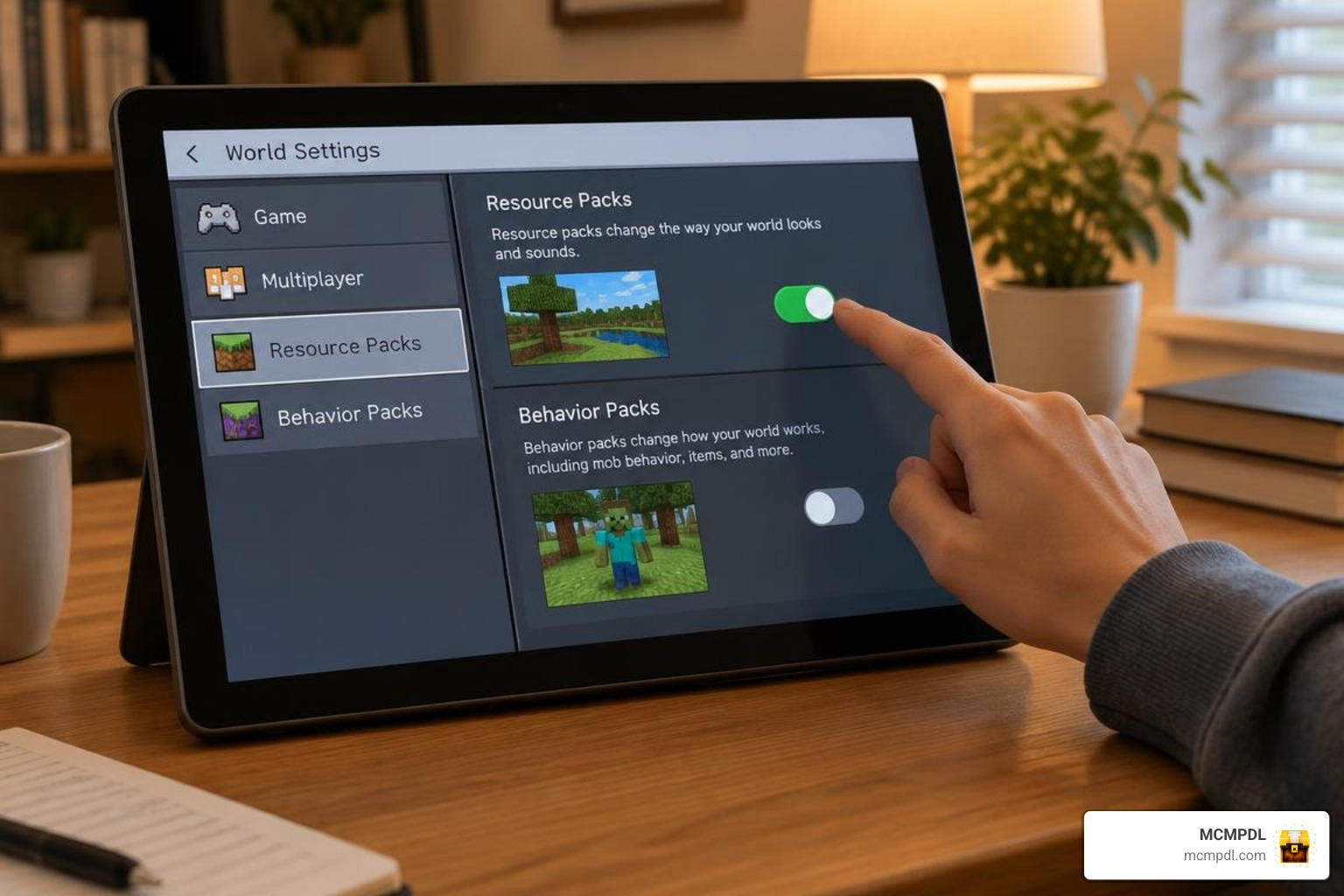
Installing the Backpack Addon by Red Eagle for Minecraft PE/Bedrock
Here is how to download, import, and install the pack on every major Bedrock platform:
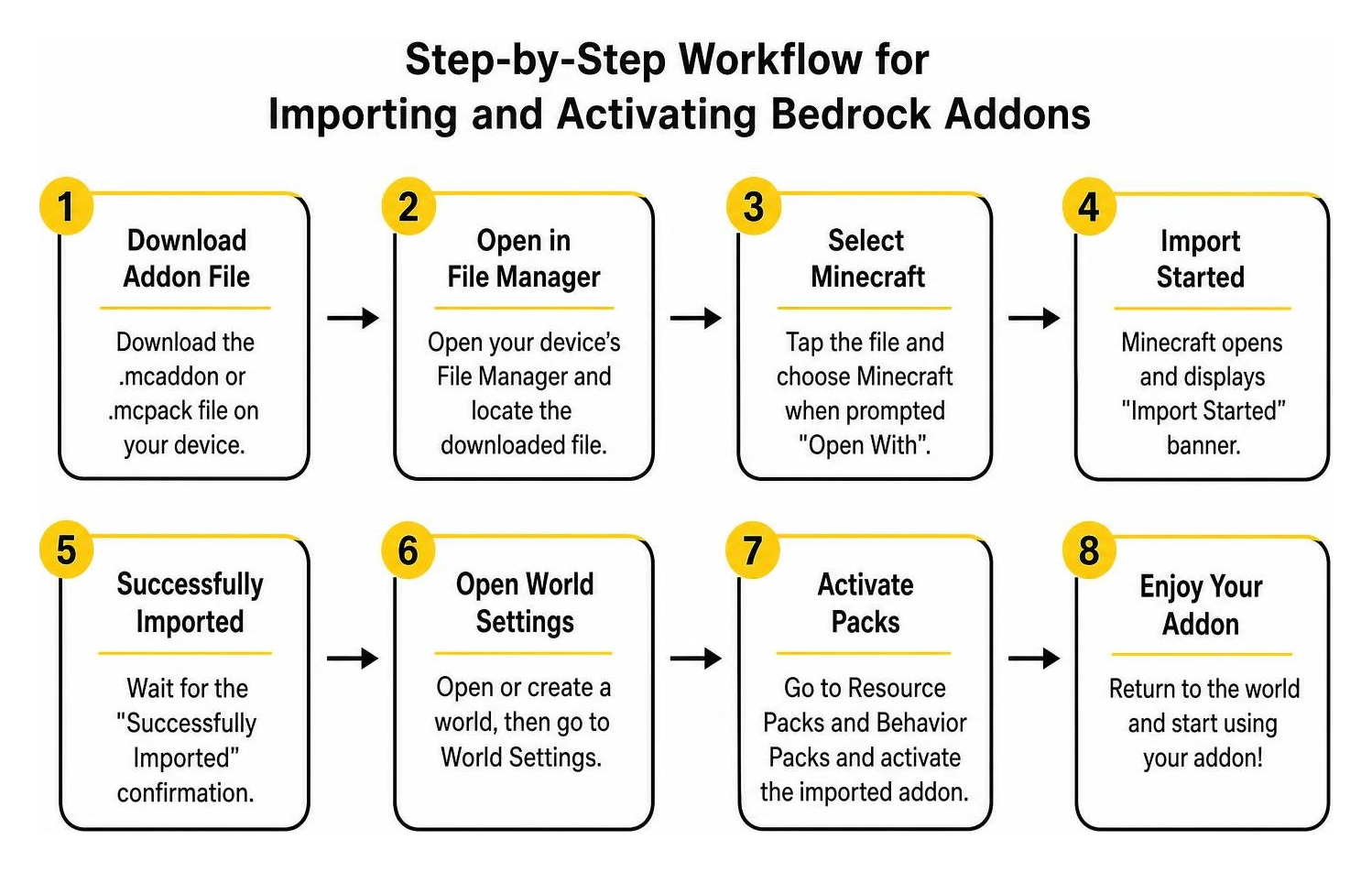
- Android Setup:
- Download the
.mcaddonor.mcpackfile using your mobile browser. - Open your device’s File Manager, tap the downloaded file, and select Minecraft when prompted with “Open With”.
- The game will automatically boot up and display an “Import Started” banner, followed by “Successfully Imported”.
- Download the
- iOS / iPadOS Setup:
- Save the add-on file into your Files app.
- Tap the file directly. iOS will launch Minecraft and import both the Behavior and Resource files into your storage directories.
- Windows 10 / 11 Setup:
- Download the file directly to your PC.
- Double-click the
.mcaddonfile. Minecraft Bedrock will launch and install the pack components automatically.
- World Activation Steps:
- Launch Minecraft and click Play.
- Create a new world or click the Edit (Pencil) icon next to an existing world.
- Scroll down on the left navigation panel to Resource Packs, navigate to Available, and click Activate on the backpack pack.
- Scroll down to Behavior Packs and ensure the corresponding behavior pack is active as well.
- If you want a versatile world loaded with quality-of-life systems, you can also activate modules like the World Utilities Addon for Minecraft PE Bedrock or the Cube Utilities Addon Minecraft PE Bedrock during this step.
Version Requirements and Experimental Toggles
Compatibility is key to maintaining a smooth survival world without crashing or corrupting saves:
- Game Version Support: This add-on is designed for modern Bedrock versions (1.21.60+ and compatible 2026 releases). Always make sure your client is fully updated before installing new add-ons.
- Experimental Toggles: Many modern add-ons utilize standard Bedrock scripting and custom components, eliminating the need to turn on unstable experimental toggles. If a specific upgrade module requires experimental features, toggle Holiday Creator Features or Beta APIs within the world’s Experiment settings.
- Achievement Notice: Enabling custom Behavior Packs on local worlds disables Xbox Live achievements. If earning achievements is your top priority, keep a dedicated vanilla world separate from your modded survival saves.
- Performance Stability: The low entity footprint of this pack ensures stable framerates on lower-end mobile devices and consoles.
In-Game Usage, Crafting, and Death Recovery
Once installed, crafting and managing your backpack fits right into survival progression. You do not need hard-to-find materials to craft your first tier, making it useful right from day one.
Crafting Recipes, Dyeing, and Upgrading
Getting started with your backpack requires simple crafting table recipes:
- Base Backpack Recipe:
- Place a standard wooden chest in the center of the 3×3 crafting grid.
- Surround the chest with 8 pieces of Leather.
- Collect the basic tier backpack from the output slot.
- Dye Customization:
- Combine your crafted backpack with any of the 16 vanilla dye items (such as Lapis Lazuli, Bone Meal, or Cactus Green) in a crafting grid.
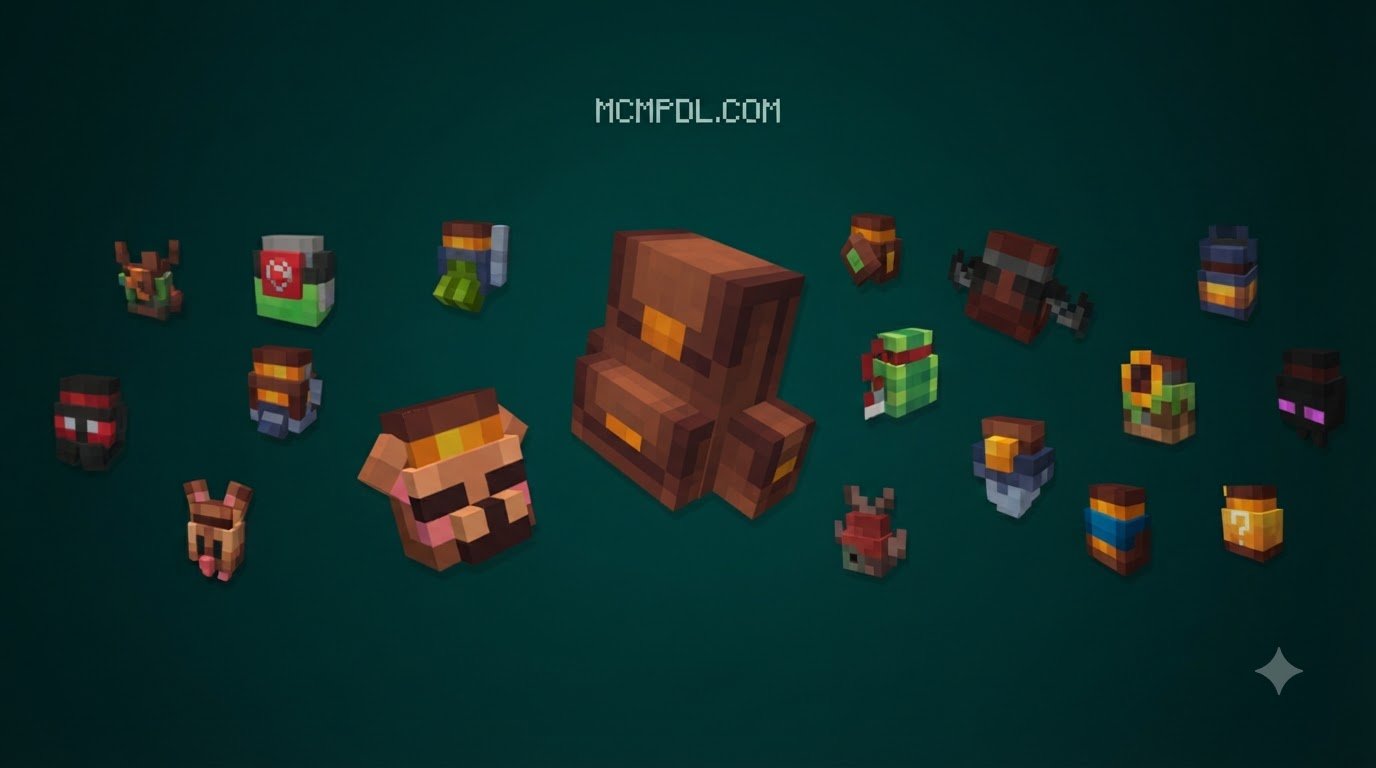
- The backpack instantly updates its textures, letting you color-code your bags for specific tasks (e.g., Red for combat supplies, Blue for mining hauls, Green for farming seeds).
- Applying Upgrades:
- Place your backpack down on a flat surface.
- Sneak (crouch) and right-click (or tap the interact button on mobile) to open the upgrade interface.
- Insert module materials—such as an Iron Ingot for basic storage expansion, Redstone for dynamic lighting, or an Eye of Ender for advanced utility—to unlock and toggle specific features.
If you enjoy engineering deeper automation alongside your mobile storage, try pairing your setup with the Create Add On for Minecraft PE Bedrock Download for automated packing and sorting pipelines.
Death Mechanics, Tombstone Recovery, and Security
Dying in Minecraft usually means a frantic race against the 5-minute item despawn timer, especially if you fall near lava or off a high cliff. The built-in death recovery mechanics remove that frustration:
- Tombstone Function: When your character dies with a Tombstone-upgraded backpack equipped, the backpack will not drop as loose items. Instead, it places itself on the nearest solid block at your death coordinates, locking all internal items inside safe from fire, lava, and despawn timers.
- Coordinate Log: Check your chat log upon respawning to view the exact X, Y, Z coordinates where your backpack tombstone was placed.
- Security Lock in Multiplayer: On public realms or shared servers, item theft can be an issue. Enabling the Security Lock ensures that only the player who crafted and keyed the backpack can open its inventory or break the placed block, keeping your valuable diamond and netherite gear safe from griefers.
Frequently Asked Questions About Minecraft Bedrock Backpacks
Does the Red Eagle backpack addon require experimental features enabled?
In most standard survival setups on Bedrock version 1.21.60+, the core backpack features run smoothly without requiring experimental gameplay toggles. However, if you are running other mods or using advanced scripting features, checking the add-on’s specific release notes on its download page will confirm whether any specific toggle is needed.
How does the Tombstone upgrade protect inventory upon death?
When fatal damage occurs, the Tombstone upgrade automatically detects the player’s death position and converts the backpack into a secure placed block. All items held within the backpack stay stored inside that container, preventing them from scattering, burning in lava, or despawning.
Can backpacks be dyed and locked in multiplayer worlds?
Yes. You can dye backpacks using any of the 16 standard Minecraft dyes directly in your crafting menu. In multiplayer games, the Security Lock upgrade binds ownership to the player who locked it, preventing unauthorized players from opening or picking up the backpack.
Conclusion
Expanding your carry capacity transforms how you explore, mine, and build in Minecraft Bedrock. The modular upgrades, custom dyeing, secure locking, and death recovery mechanics provide everything you need to keep your adventures moving without endless trips back to base.
At MCMPDL, our mission is to make finding, downloading, and installing top-tier Bedrock content effortless across Android, iOS, Windows, and console platforms. If you are ready to equip your survival world with the best gear, utilities, and gameplay expansions, explore our curated catalog of Minecraft Bedrock add-ons to discover your next must-have pack today!