
Scroll down to D0vvnl0ad
Overview of the Realism VFX Addon for Minecraft PE/Bedrock
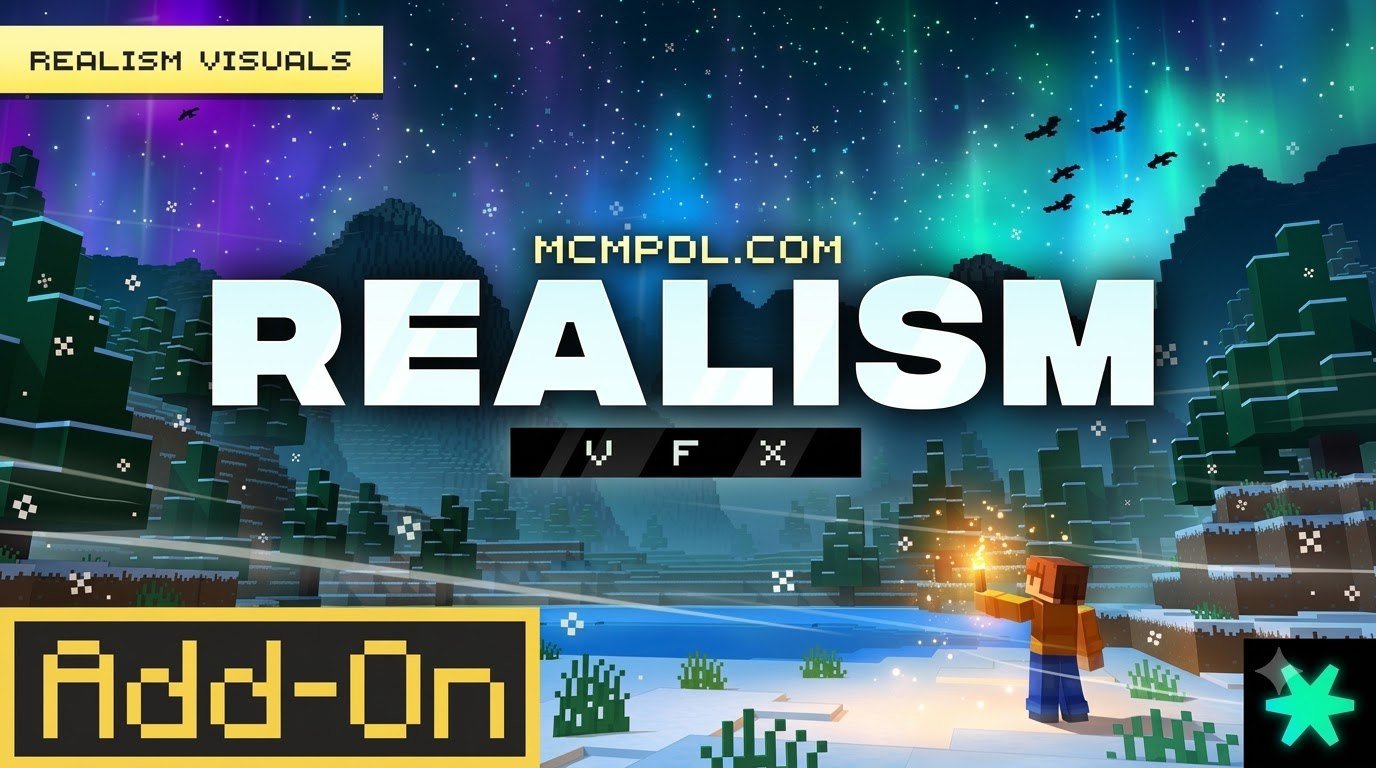
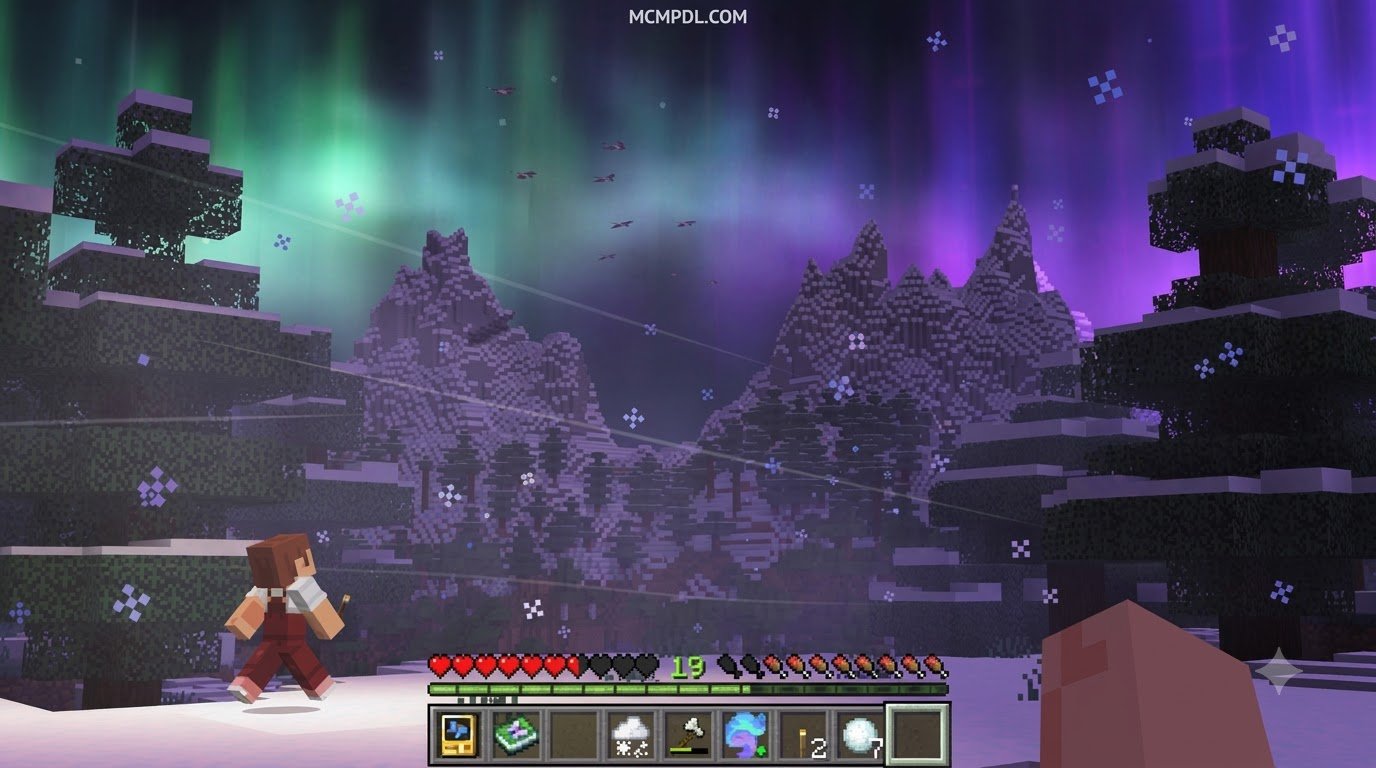
Finding the right visual balance in Minecraft Bedrock can be tricky. Many players want the immersive atmosphere of modern shaders without changing the fundamental mechanics of their survival worlds. The Realism VFX Add-On by Spark Universe bridges this gap by acting as a dedicated visual layer rather than a world-altering overhaul.
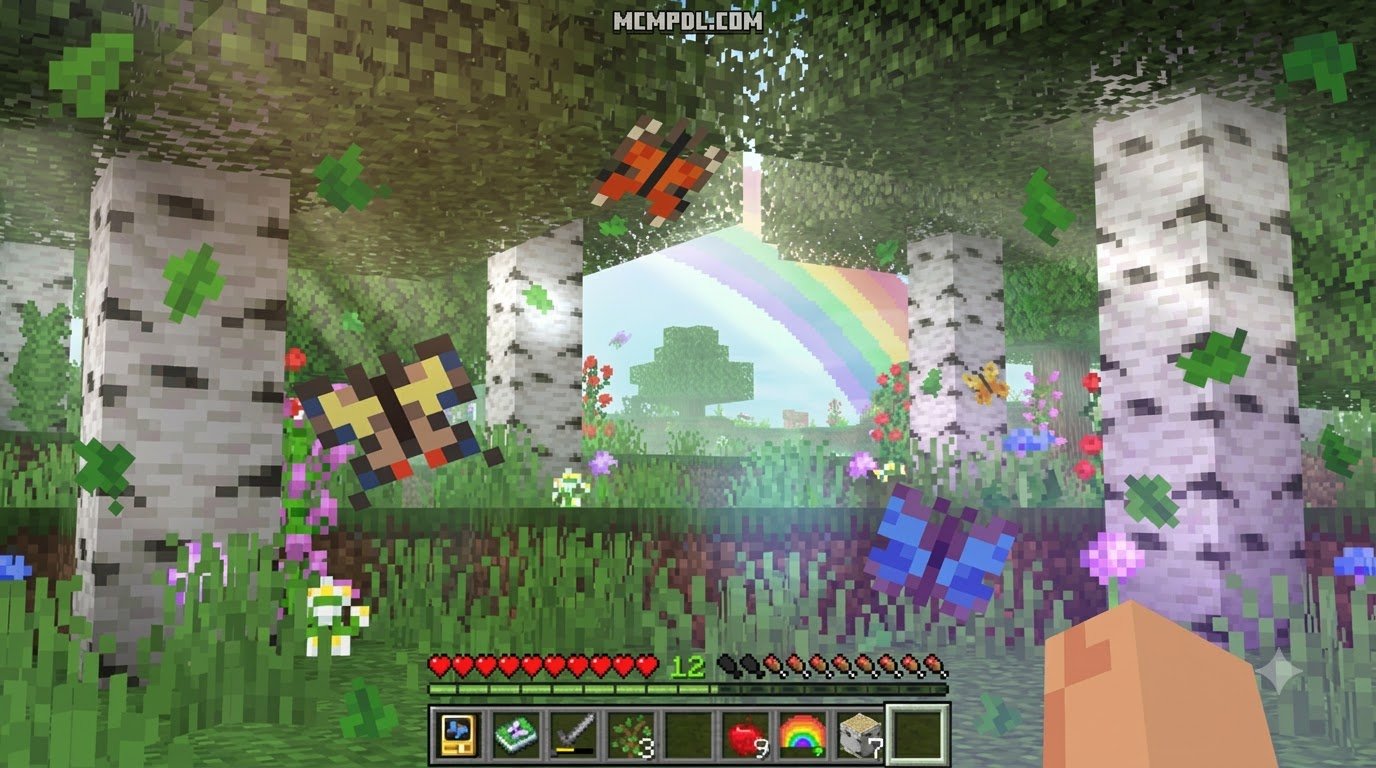
Designed specifically for modern versions of the game, this pack targets aesthetic rendering. Running smoothly on Minecraft Bedrock version 1.21.120 and newer, it applies atmospheric post-processing and particle effects directly onto your existing worlds. Whether you are exploring dense jungles, sailing across deep oceans, or navigating dark caves, the visual presentation shifts dramatically to create depth and cinematic drama. The result is a more engaging Bedrock experience that feels closer to a high-end PC shader setup while remaining fully compatible with the vanilla game.
Core Features of Realism VFX Addon for Minecraft PE/Bedrock
The addon focuses entirely on environmental aesthetics. Instead of altering terrain generation, it injects life into vanilla environments through several dynamic visual systems:
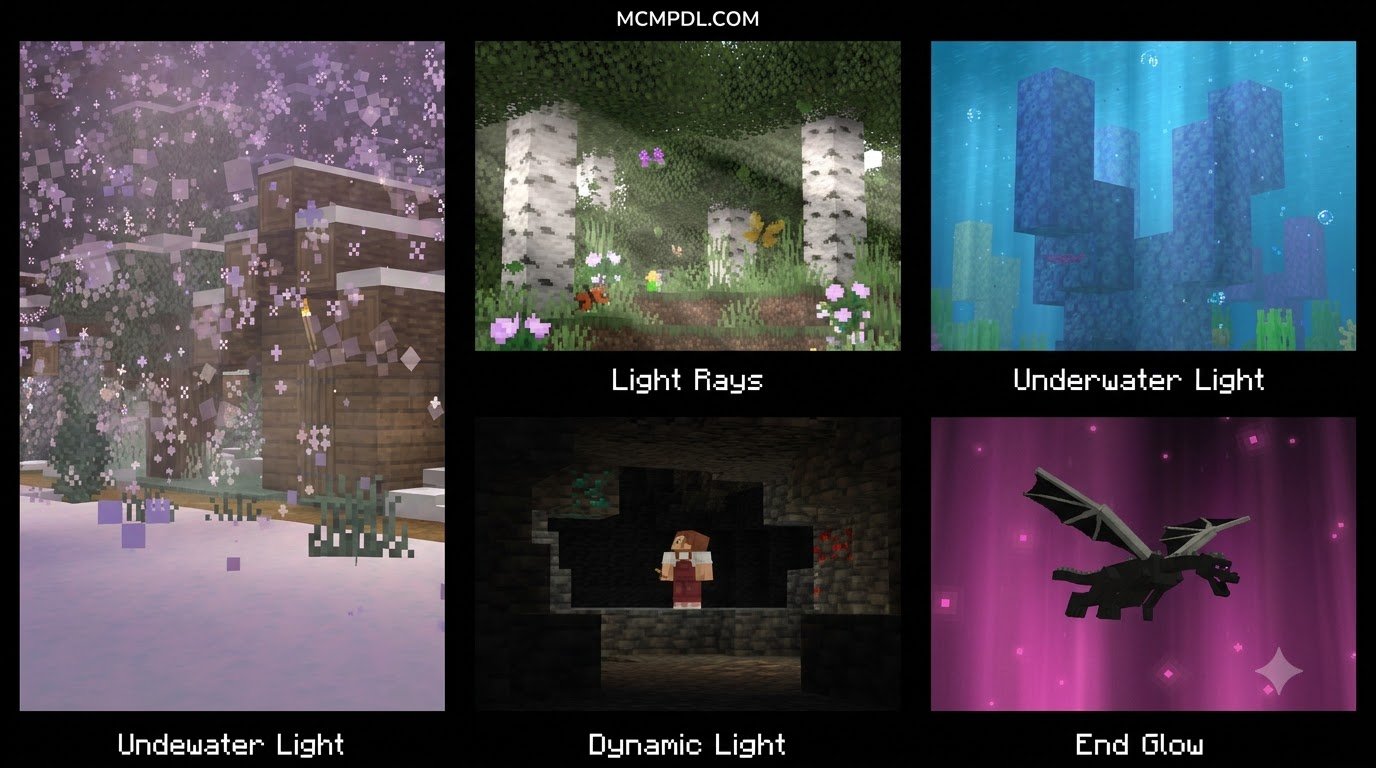
- Dynamic Light: Light sources feel alive. Handheld torches cast ambient illumination as you move, and environmental fire creates warm, fluctuating radiants across nearby surfaces. This makes nighttime exploration and cave navigation feel more atmospheric without changing how light levels affect mob spawning or crop growth.
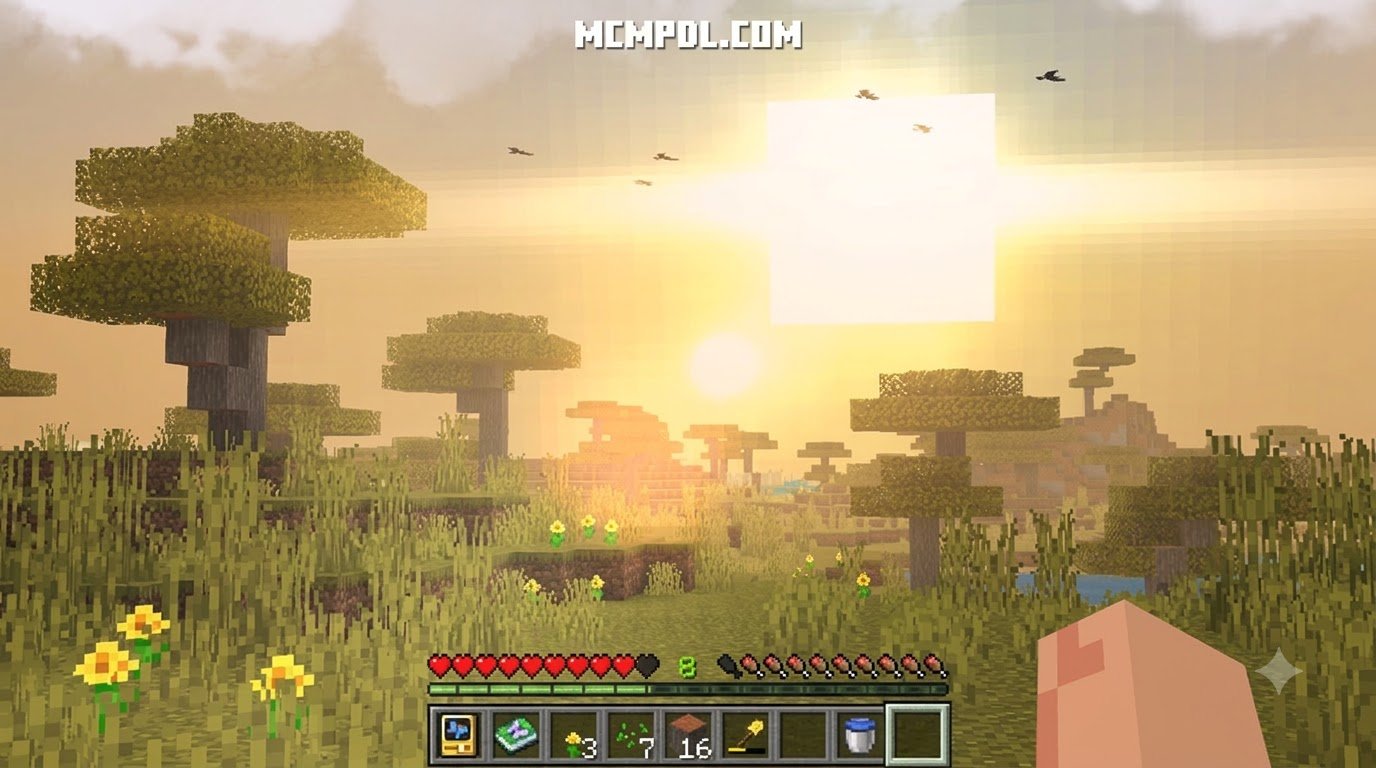
- Cinematic Lens Flares: Gazing toward the sun or bright celestial bodies produces realistic optical flares. Dynamic light and lens flares make your creeper explosions look like a Hollywood blockbuster, adding a layer of visual drama to combat and exploration alike.
- Biome-Specific Weather: Rain, snow, and storms adapt to local geography. Mist settles in swampy lowlands, while snowstorms create heavy, drifting visibility drops in frozen peaks. Desert biomes receive subtle heat haze effects, and coastal areas can experience rolling fog banks that roll in from the ocean.
- Enhanced Water Visuals: Water surfaces gain improved transparency, realistic sun glints, and surface ripple effects that mimic natural fluid motion. Rivers, lakes, and oceans each receive slightly different treatment, making aquatic biomes feel more distinct and rewarding to explore.
- Atmospheric Skyboxes: Day-to-night transitions feature gradient color changes, volumetric cloud effects, and richer astronomical backdrops. Sunrises and sunsets are particularly striking, with layered color gradients that shift gradually as the in-game clock advances.
| Feature | Standard Bedrock Visuals | Realism VFX Addon |
|---|---|---|
| Lighting Engine | Static block light levels | Dynamic radiance and ambient glows |
| Solar & Light Glare | Flat sun texture | Multi-stage dynamic lens flares |
| Weather Atmosphere | Uniform precipitation layers | Biome-tailored particle density and fog |
| Water Surface | Flat animated texture | Light reflections and fluid ripples |
| World Impact | Standard terrain | Unchanged terrain (pure visual overlay) |
How Realism VFX Addon for Minecraft PE/Bedrock Differs from Other Realism Enhancements
When players browse community packs, it is easy to confuse visual effect overlays with total conversion mods. Understanding the difference helps you build the exact visual setup you want without unexpected performance drops.
Total overhaul expansions alter block models, introduce custom mob animations, and generate custom terrain biomes. In contrast, the Realism VFX Addon for Minecraft PE/Bedrock leaves block palettes, custom generation, and gameplay mechanics untouched. This focused approach means you can enable or disable the visual layer at any time without corrupting your world saves or breaking existing builds.
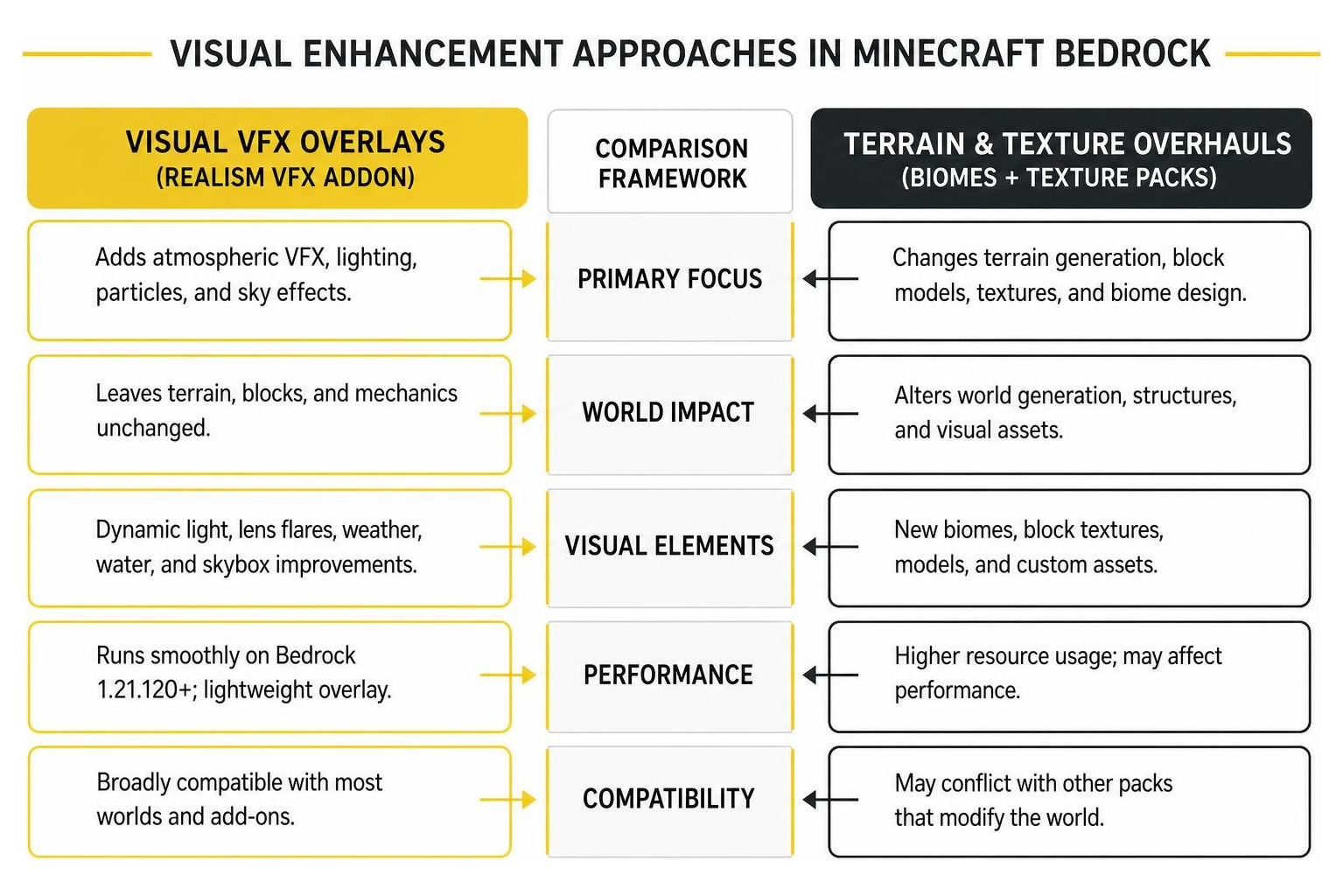
If you want massive structural changes, pairing this visual pack with dedicated world overhauls like the Realistic Biomes Addon for Minecraft PE/Bedrock will modify the actual landscape generation. If you prefer high-resolution block art to accompany your new lighting, applying the Realism Remagined Texture Pack for Minecraft PE/Bedrock will upgrade individual surface resolutions. Realism VFX handles only the visual atmosphere, making it lightweight and broadly compatible with most other Bedrock content you may already have installed.
Pricing, Ratings, and Version Updates
Available directly through the official Minecraft Marketplace, the Realism VFX Add-On is priced at 990 Minecoins, which converts to approximately $5.19 USD or €4.89 EUR.
The add-on launched on October 1, 2024, and received consistent support from its creators, with its major Update 1.3 landing on January 20, 2026. This update introduced vibrant visual tuning, expanded per-player settings, quick-select graphic presets, and critical stability fixes across mobile devices.
Player feedback has been exceptionally strong across the Bedrock community:
- Average Rating: 4.5 out of 5 stars
- Total Ratings: 13,780 verified player reviews
- 5-Star Reviews: 77% (10,587 ratings)
- 4-Star Reviews: 11% (1,513 ratings)
- 3-Star, 2-Star, and 1-Star Reviews: ~2% each
The overwhelming majority of players highlight the balance between performance and visual upgrades, noting that the pack delivers modern graphical flair without requiring high-end desktop hardware.
Product Metadata, Parental Controls, and Support
Parents and players managing Marketplace purchases can verify official release details through integrated account management tools:
- Platform Compatibility: Available across Android, iOS, Windows 10/11, Xbox, PlayStation, and Nintendo Switch through the unified Bedrock Marketplace.
- Parental Controls: Fully integrated with Microsoft Family Safety. Account holders can manage Minecoin allowances, require approval for Marketplace transactions, and restrict multiplayer settings.
- Developer Support: Maintained through official Marketplace developer channels, ensuring future version compatibility patches as vanilla Bedrock updates roll out.
Performance Optimization and Configuration Settings
One of the standout additions in the 1.3 release is the dedicated in-game configuration interface. Because mobile devices, consoles, and PCs have different graphical capabilities, visual fidelity can be adjusted directly from the pause menu. This flexibility is essential for players who want cinematic visuals on a high-end PC while still being able to play with friends on older phones or tablets.
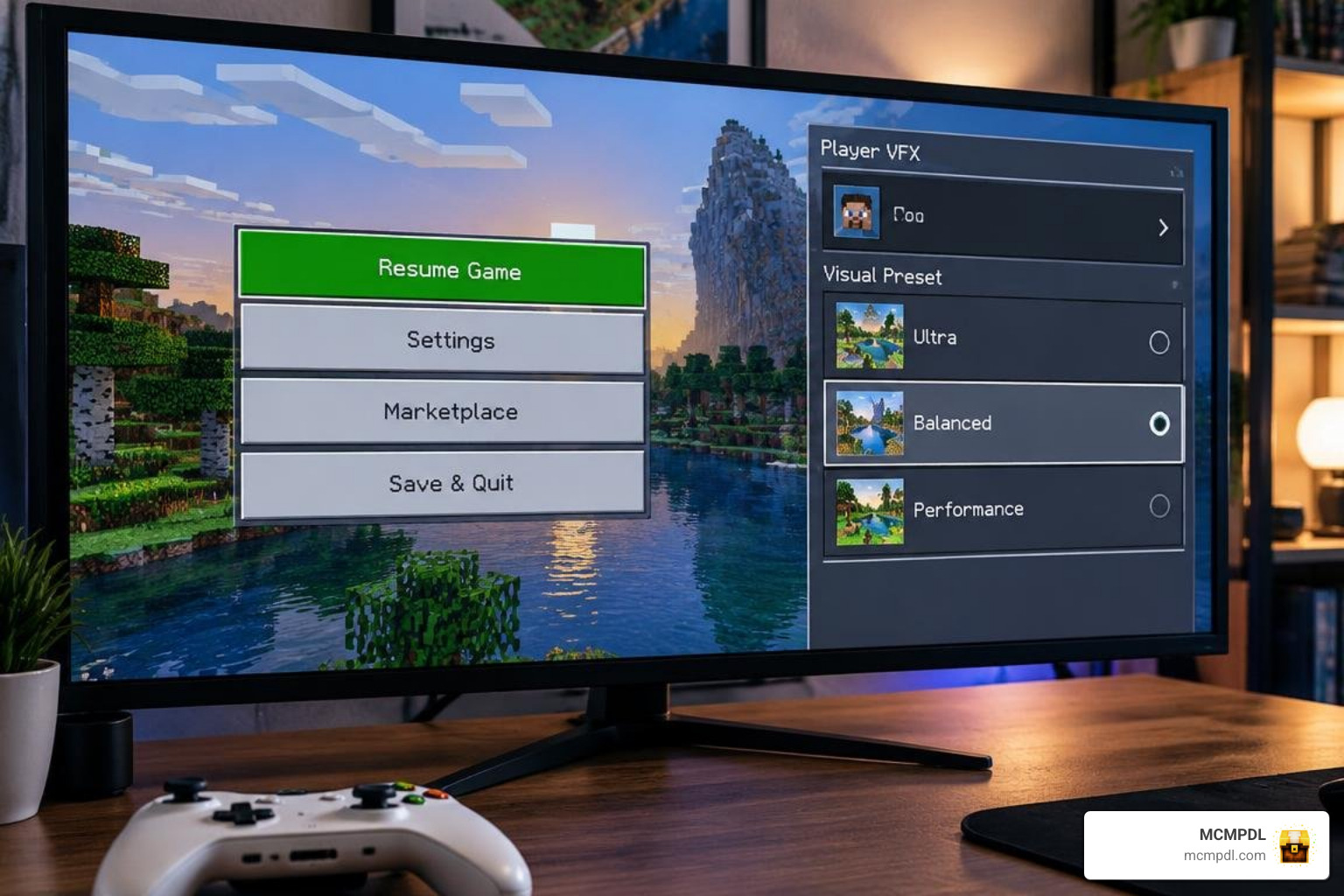
The addon includes per-player VFX settings, meaning two players on the same Realm or dedicated server can choose completely different visual loads:
- Ultra Preset: Enables full lens flare passes, complex water caustics, dense volumetric weather fog, and real-time handheld light calculations. Ideal for modern consoles and gaming PCs with dedicated graphics hardware.
- Balanced Preset: Retains dynamic lighting and lens flares while scaling back particle density and distant fog blending. This preset works well on mid-range devices and provides a solid compromise between visual quality and performance.
- Performance Preset: Designed for entry-level mobile devices. It keeps subtle atmospheric color grading and basic water glints while disabling GPU-intensive real-time reflections to protect frame rates. Battery drain is also reduced on portable devices.
To get the most out of your hardware, keep these best practices in mind:
- Adjust Bedrock Render Distance: Lowering your render distance by 2 to 4 chunks often recovers enough memory bandwidth to run higher VFX presets smoothly. This is especially effective on mobile devices where memory bandwidth is shared between the CPU and GPU.
- Toggle Fancy Graphics: Keep in-game “Fancy Graphics” enabled so particle blending renders smoothly alongside the addon’s overlays. Disabling this setting can cause visual artifacts or reduce the quality of water reflections.
- Use Per-Player Scaling: If a friend on an older phone joins your world, they can drop their personal preset to Performance without reducing your visual quality. This makes the addon ideal for mixed-device multiplayer sessions.
- Close Background Apps: On mobile devices, closing unnecessary background applications frees up system resources and can noticeably improve frame rates when using higher visual presets.
- Update Graphics Drivers: On Windows PCs, keeping your graphics drivers current ensures the addon’s shader-based effects run as efficiently as possible.
Pairing Realism VFX with Texture Packs and Worlds
Because Realism VFX is an atmospheric engine rather than a texture replacement, it combines seamlessly with other visual packs on our platform. The layering approach means you can mix and match different content types to create a truly personalized Bedrock experience.
For custom adventure maps and nature exploration, pairing these lighting effects with the Realistic Landscapes World for Minecraft PE/Bedrock creates breathtaking panoramic views. If you enjoy stylized block art, the vibrant palettes of the Prizma Visuals Texture Pack for Minecraft PE/Bedrock or the Luminora Textures Pack for Minecraft PE/Bedrock look stunning under dynamic lens flares.
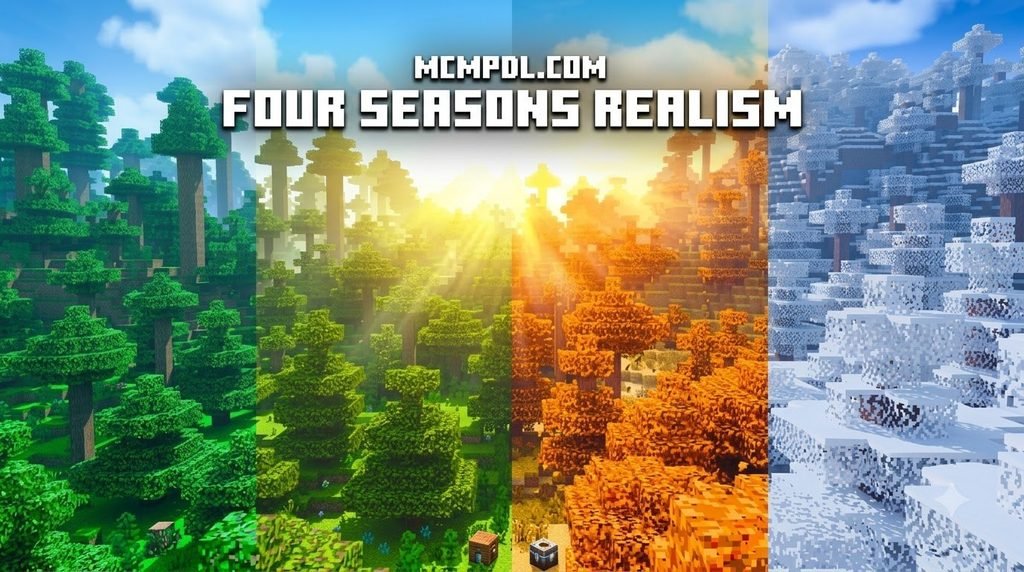
For players who prefer changing environmental climates alongside realistic skies, combining this addon with the Seasons Realism Mashup Pack for Minecraft PE/Bedrock adds cyclical seasonal weather. Alternatively, if you prefer clean, simple surface aesthetics, you can experiment with the Smoothic Texture Pack for Minecraft PE/Bedrock, the Vibrant Modern Textures Pack for Minecraft PE/Bedrock, or the artistic patterns of the Quadral Texture Pack for Minecraft PE/Bedrock. Each combination produces a distinct visual identity, so experimenting with different pairings is part of the fun.
Frequently Asked Questions about Realism VFX
Players often have questions about compatibility, performance, and how the Realism VFX Add-On interacts with other Bedrock content. Below are answers to the most common inquiries we receive from the MCMPDL community.
Does Realism VFX include custom block textures or structures?
No. The Realism VFX Add-On is purely focused on visual effects, lighting, and environmental atmospheres. It does not replace vanilla block textures, introduce custom mobs, or generate new structures. If you want faithful block detailing that preserves the original Minecraft feel, we recommend combining it with the Vanilla HD Texture Pack. This pairing gives you the best of both worlds: high-resolution vanilla-style textures paired with cinematic lighting and weather effects.
What are the minimum system requirements for Bedrock?
To use the Realism VFX Add-On, your game must be updated to Minecraft Bedrock version 1.21.120 or newer. The addon runs on standard mobile devices (iOS/Android), consoles, and Windows PCs. On lower-end mobile devices, using the built-in “Performance” preset ensures smooth frame rates. We recommend at least 3GB of RAM on mobile devices for the Balanced preset, while the Ultra preset performs best on devices with dedicated graphics hardware or recent flagship processors.
Can individual players adjust their own VFX intensity on multiplayer servers?
Yes. Thanks to the per-player settings introduced in recent updates, each player connected to a world or Realm can open their settings menu and select their own graphic preset. High-end PC players can enjoy full cinematic flares while mobile players use battery-saving performance modes without conflict. This per-player approach also means that server administrators do not need to enforce a single visual standard across their entire player base.
Will the Realism VFX Add-On affect my world’s save data or existing builds?
No. Because the addon operates purely as a visual overlay, it does not modify block data, entity behavior, or world generation. You can safely enable or disable the addon at any time without risking corruption to your existing worlds. This makes it a low-risk way to experiment with enhanced visuals on long-running survival worlds.
Does the addon work with other shader packs?
We recommend using Realism VFX as your primary visual layer rather than stacking it with other shader packs. Running multiple shader-based addons simultaneously can cause visual conflicts, performance drops, or rendering artifacts. If you want to combine Realism VFX with other content, texture packs and world overhauls are the safest companions.
Conclusion
The Realism VFX Add-On offers an accessible way to transform Minecraft Bedrock into a cinematic visual experience. By delivering dynamic lighting, realistic water behavior, and rich atmospheric weather without altering your world’s underlying blocks, it provides a dramatic graphical upgrade suitable for survival worlds, creative showcases, and multiplayer servers alike. The per-player settings, broad device compatibility, and consistent developer support make it a reliable choice for players who want modern visual flair without sacrificing performance or stability.
Looking to discover more ways to customize your game? We invite you to explore curated Minecraft Bedrock content on MCMPDL to find the latest verified add-ons, texture packs, shaders, and custom worlds. Whether you are building a realistic survival experience, designing a cinematic adventure map, or simply want to refresh your visual setup, our platform offers a single hub for all your Bedrock customization needs.


1 thought on “Realism VFX Addon for Minecraft PE/Bedrock”