Scroll down to D0vvnl0ad
Download and Install HUD Essentials for Minecraft PE/Bedrock
The HUD Essentials Addon for Minecraft PE/Bedrock puts useful game information on your screen while you play. To install the full version, buy it in the Minecraft Marketplace for 490 Minecoins, download it, and enable it in your world settings. For the free version, download its .mcaddon file, open it with Minecraft, and enable the imported add-on in your world.
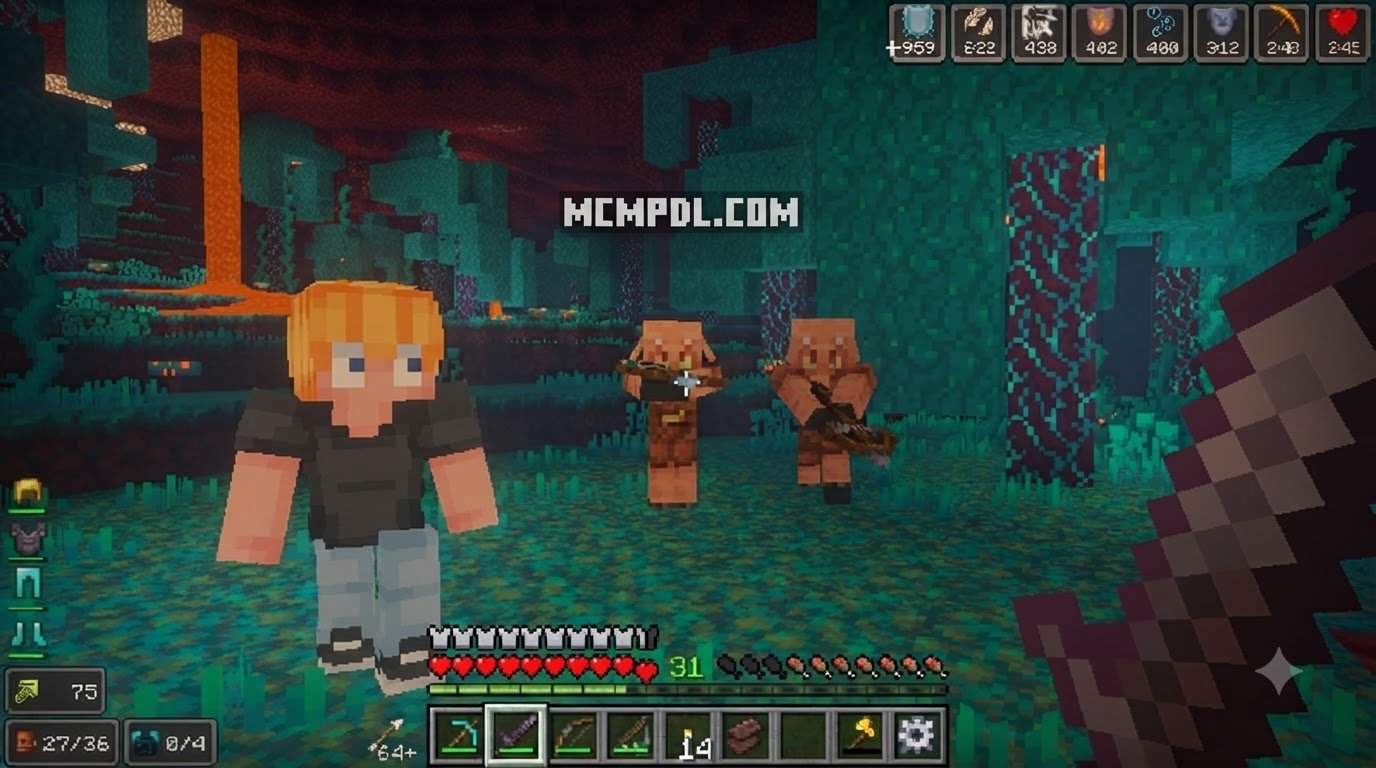
The full version adds tools such as waypoints, chunk borders, and mob health bars. The free version covers basics like a compass, clock, biome, light level, and coordinates. Check your game version first: the full Marketplace add-on requires Bedrock 1.21.120 or newer.
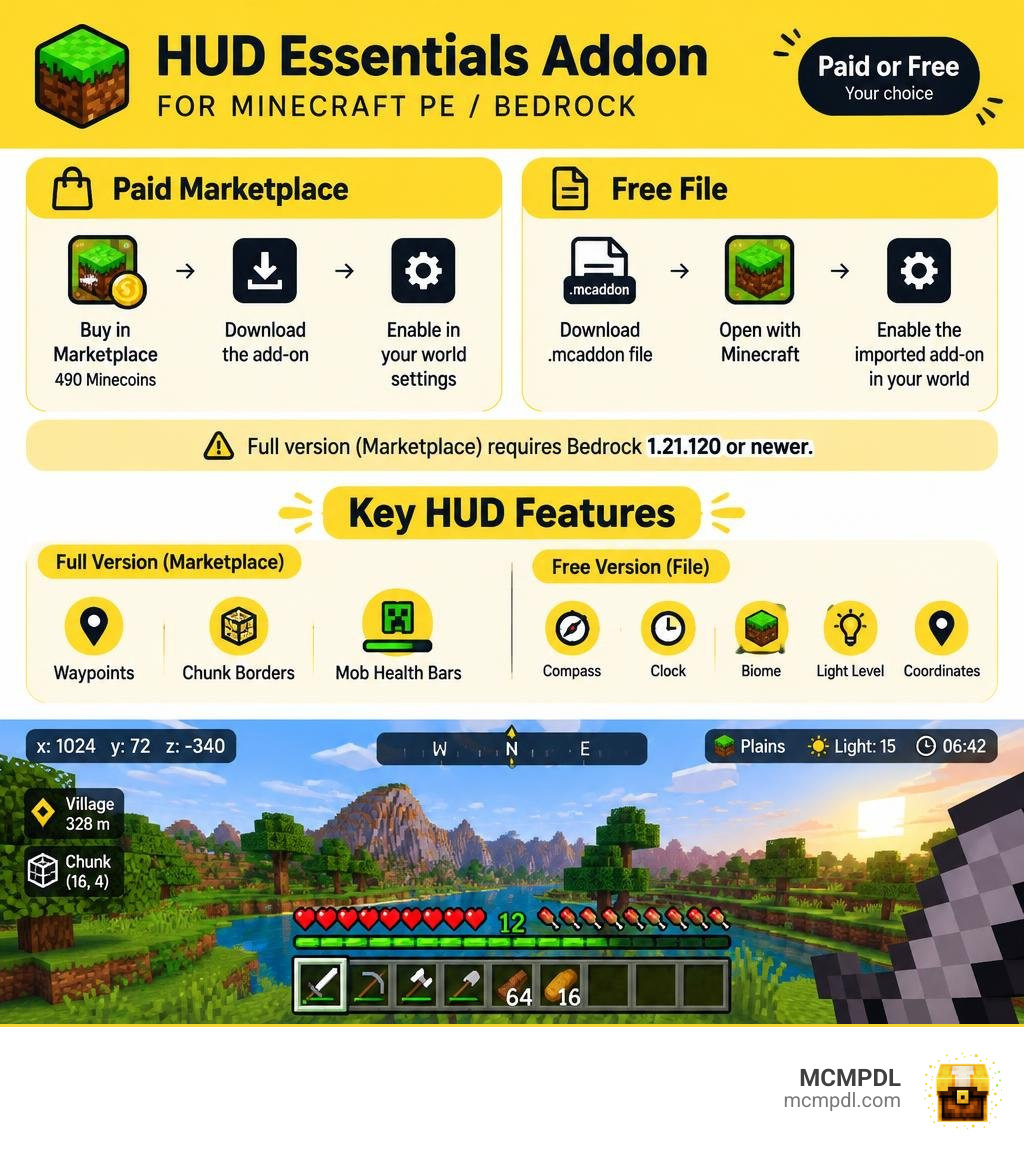
Overview of the HUD Essentials Addon for Minecraft PE/Bedrock
Navigating Minecraft Bedrock Edition often feels like balancing survival instincts with guesswork. Knowing whether a dark corner is safe for mining or how close you are to a biome boundary usually requires opening menus, checking maps, or running commands. Developed by SandBlock Studios and updated in October 2026, the HUD Essentials add-on bridges that gap by putting vital gameplay metrics directly on your heads-up display.
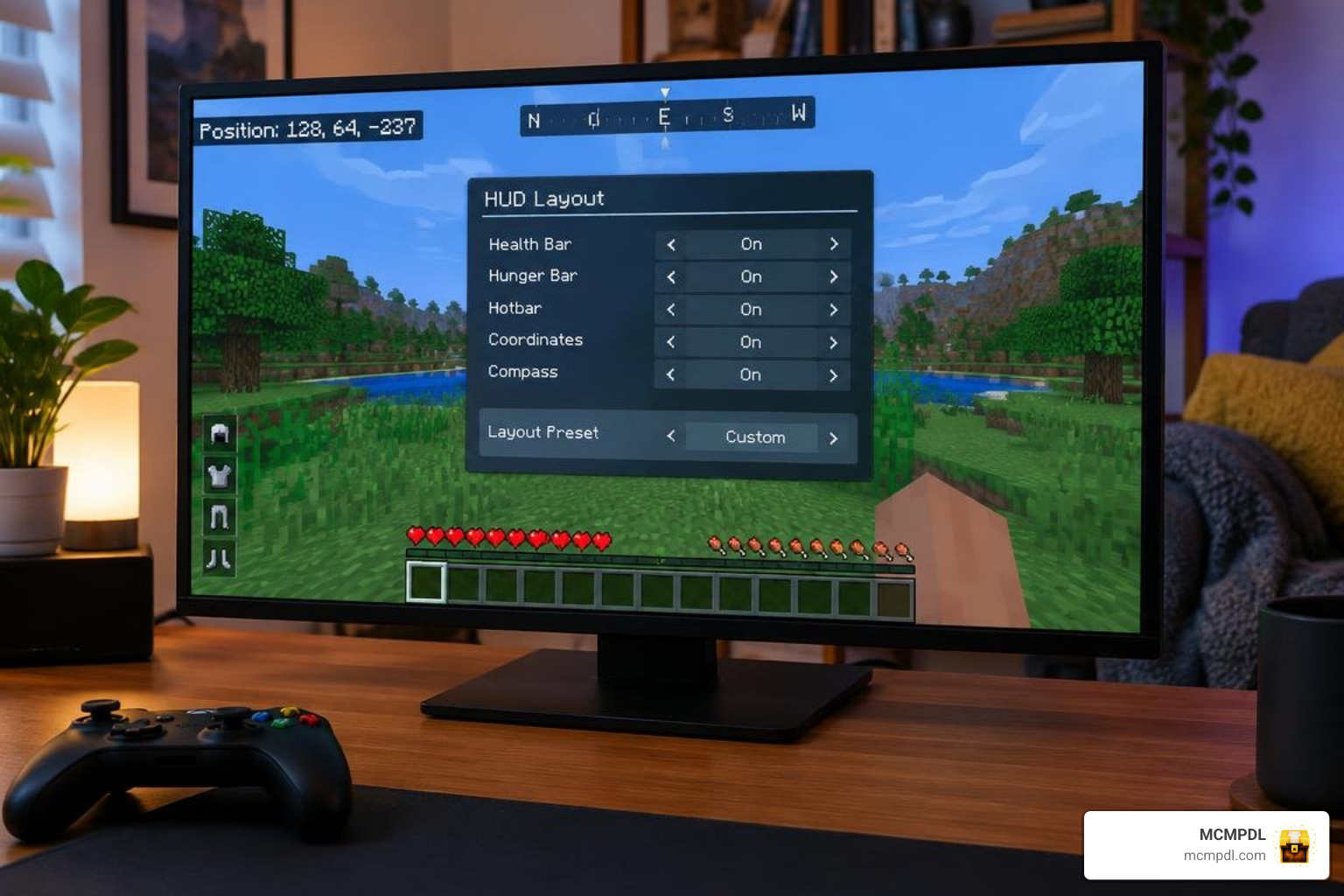
One of the standout design elements of this tool is its adaptability across different hardware. Because Minecraft Bedrock runs on everything from smartphones to consoles and PCs, a one-size-fits-all HUD quickly clutters smaller screens. HUD Essentials solves this by offering three tailored UI modes:
- Pocket Mode: Streamlined for smaller mobile screens to prevent interface crowding.
- Small Mode: Balanced for mid-sized tablets and handheld devices.
- Regular Mode: Expanded layout designed for monitors and TV displays.
Beyond statistical overlays, the add-on introduces dynamic lighting for glowing items. When holding torches, lanterns, or other light-emitting blocks, your immediate surroundings illuminate naturally as you walk, without placing down a single block.
Pricing and Ratings for the HUD Essentials Addon for Minecraft PE/Bedrock
The premium edition of HUD Essentials is available directly through the official Minecraft Marketplace. It costs 490 Minecoins, which translates to approximately $2.57 USD (or €2.42 EUR) depending on local store conversions and bundle purchases.
Community reception remains solid across diverse player types:
- Average Rating: 3.8 out of 5 stars across 67 community reviews.
- Top Satisfaction: 51% of all submitted ratings award a full 5-star score.
Players who enjoy detailed tracking often pair utility packs like this with stats and skills tracking to turn standard survival worlds into comprehensive RPG experiences.
Compatibility Requirements for the HUD Essentials Addon for Minecraft PE/Bedrock
Before purchasing or importing files, ensure your device meets the technical baseline:
- Minimum Game Version: Minecraft Bedrock 1.21.120 or newer.
- Engine Support: Utilizes modern Bedrock Script APIs to feed real-time coordinates, entity data, and lighting changes smoothly.
- Multiplayer Ready: Fully functional on dedicated servers, Realms, and local split-screen sessions.
- System Impact: Minimal memory footprint, allowing it to work side by side with extensive packs like cube utility tools without causing frame drops.
Comprehensive Feature Breakdown: Paid vs. Free Versions
Choosing between the commercial Marketplace release and the standalone free edition depends on how much real-time automation you need during survival sessions.
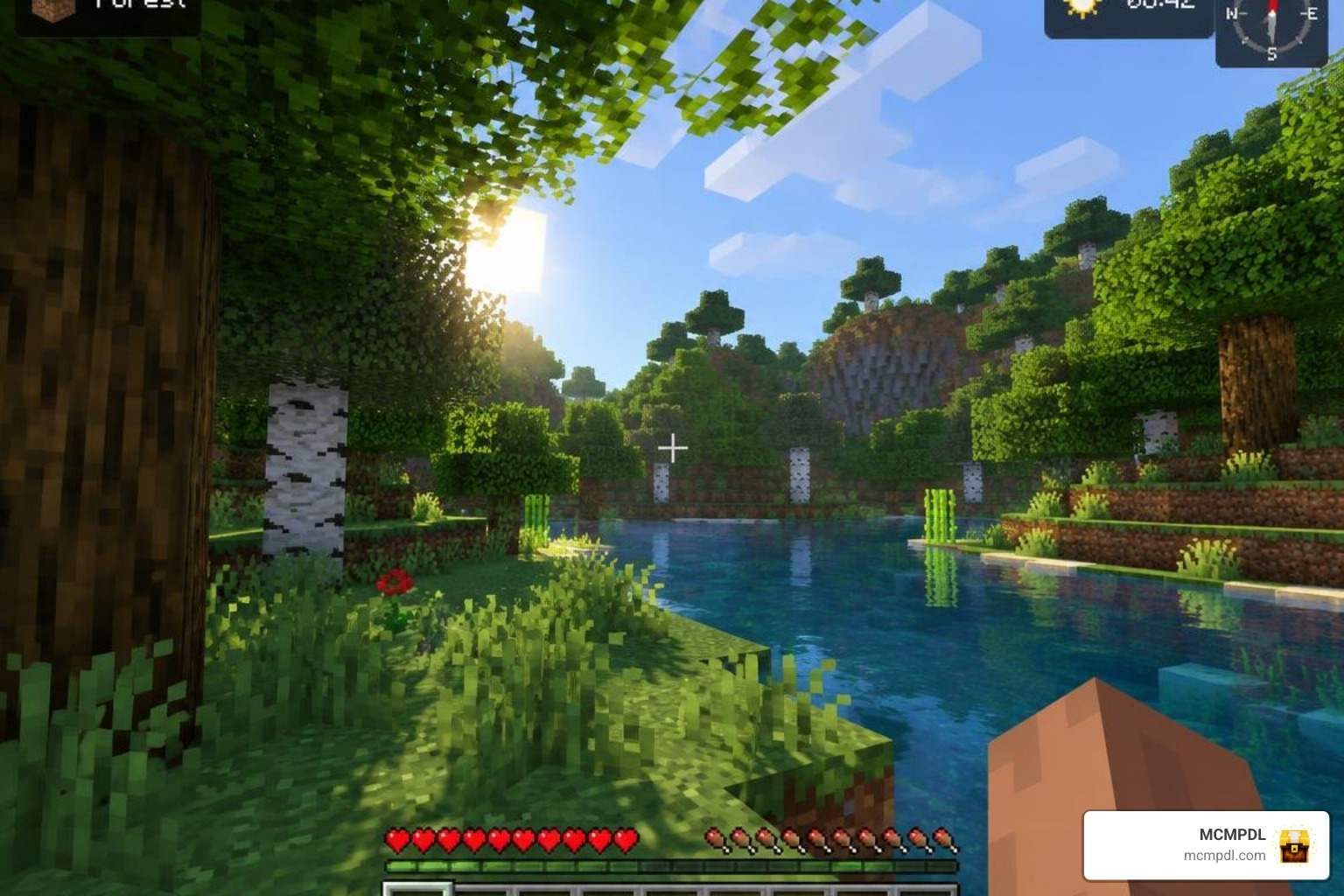
While the paid version functions as an all-in-one exploration and farming suite, the lightweight release (released on October 21, 2026) delivers essential survival metrics without any price tag.
Full Marketplace Features and Advanced HUD Elements
The full Marketplace edition provides an expansive toolset built for technical players, builders, and deep-cavern miners:
- Chunk Borders and Slime Chunk Detection: Visualizes exact 16×16 sub-chunk limits and highlights natural slime-spawning areas.
- Creeper Alerts: Audio-visual warnings that notify you when an explosive mob sneaks into your blind spot.
- Mob Health Bars and Status Overlays: Displays real-time health totals and active potion effect timers for both allies and hostiles.
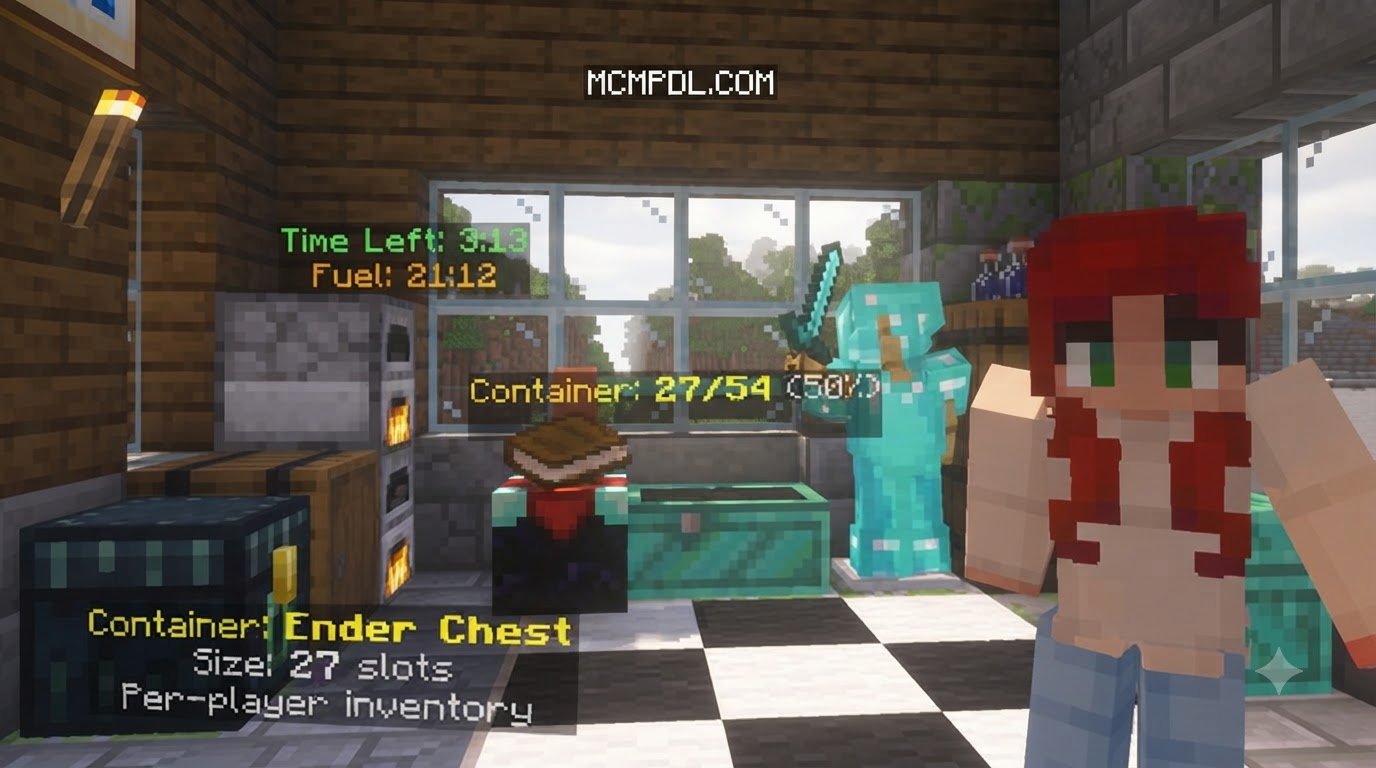
- Crop Growth & Brewing Information: Monitors exact tick stages for crops and provides live progress timers on active brewing stands.
- Distance Measure & Block Counter: Measures spatial gaps between builds and tracks blocks placed during large construction projects.
- Customizable Waypoints and Death Waypoint: Automatically pins your exact coordinates upon death and integrates with your custom navigation markers. For worlds requiring dedicated navigation networks, you can also combine these tools with an in-game waypoints system.
- Redstone Signal Data: Inspects wire strength, repeater delays, and container fill states in real time.
HUD Essentials Free Capabilities and World Tools
If you prefer a clean setup or simply want basic navigation without spending Minecoins, the standalone free version provides an ultralight footprint:
- File Size: Compact 442.28 KB download.
- Navigation Elements: Clean on-screen compass, in-game clock, real-time light level detector, and current biome name.
- Survival Data: Active coordinates, total days played counter, entity hitboxes, and horse jump/speed readouts.
- Operator Utilities: Built-in world tools allowing hosts to modify weather, daylight cycles, game modes, and game rules on the fly without console commands.
For players seeking standard quality-of-life adjustments alongside their display mods, pairing this interface with a modular survival essentials add-on ensures balanced gameplay across any survival world.
Comparing HUD Essentials Against Alternative Bedrock UI Addons
Bedrock players have access to several utility and overlay packs across the community. Here is how HUD Essentials measures up against other available options:
| Feature / Metric | HUD Essentials (Paid) | HUD Essentials Free | Lightweight HUD Overlay | Bedrock Utility Pack |
|---|---|---|---|---|
| Primary Platform | Minecraft Marketplace | Community .mcaddon | Community .mcpack | Community .mcpack |
| Price / Currency | 490 Minecoins (~$2.57) | Free | Free | Free |
| File Size / Weight | Managed by Marketplace | 442.28 KB | ~25 KB – 63 KB | 430.29 KB |
| Target Version | 1.21.120+ | 1.21.120+ | Bedrock 26.30 | Bedrock 26.0 – 26.30 |
| Dynamic Lighting | Yes (glowing items) | No | No | No |
| Waypoints / Tracking | Death & Custom markers | Coordinates only | Coordinates only | Basic markers |
| Mob / Crop Info | Health, breeding, growth | Hitboxes only | Vitals display | Vitals & Auto-cook |
| Operator Tools | Full GUI tools | Quick World Tools | None (HUD only) | Menu configuration |
If you enjoy keeping full spatial awareness on your screen, combining a modular display mod with a real-time minimap overlay gives you comprehensive situational control across caves, oceans, and nether fortresses.
HUD Essentials vs. Other Bedrock HUD Add-ons
Some lightweight HUD packs prioritize ultra-lightweight performance using official Script APIs, delivering coordinates, armor durability displays, and health vitals in tiny file sizes. While these packs offer clean multiplayer safety, HUD Essentials excels by integrating interactive world tools, crop timers, and dynamic handheld lighting directly into its display pipeline.
HUD Essentials vs. Other Bedrock Utility Add-ons
Utility-heavy packages sometimes bundle survival shortcuts, such as auto-cooking ores and quick-crafting systems. However, configuration menus in broader utility packages can occasionally cause setup confusion on certain devices. HUD Essentials keeps its focus centered firmly on informative UI rendering and clear operator menus.
Step-by-Step Installation and Setup Guide
Setting up your new display layout is straightforward on mobile, Windows, and console editions.
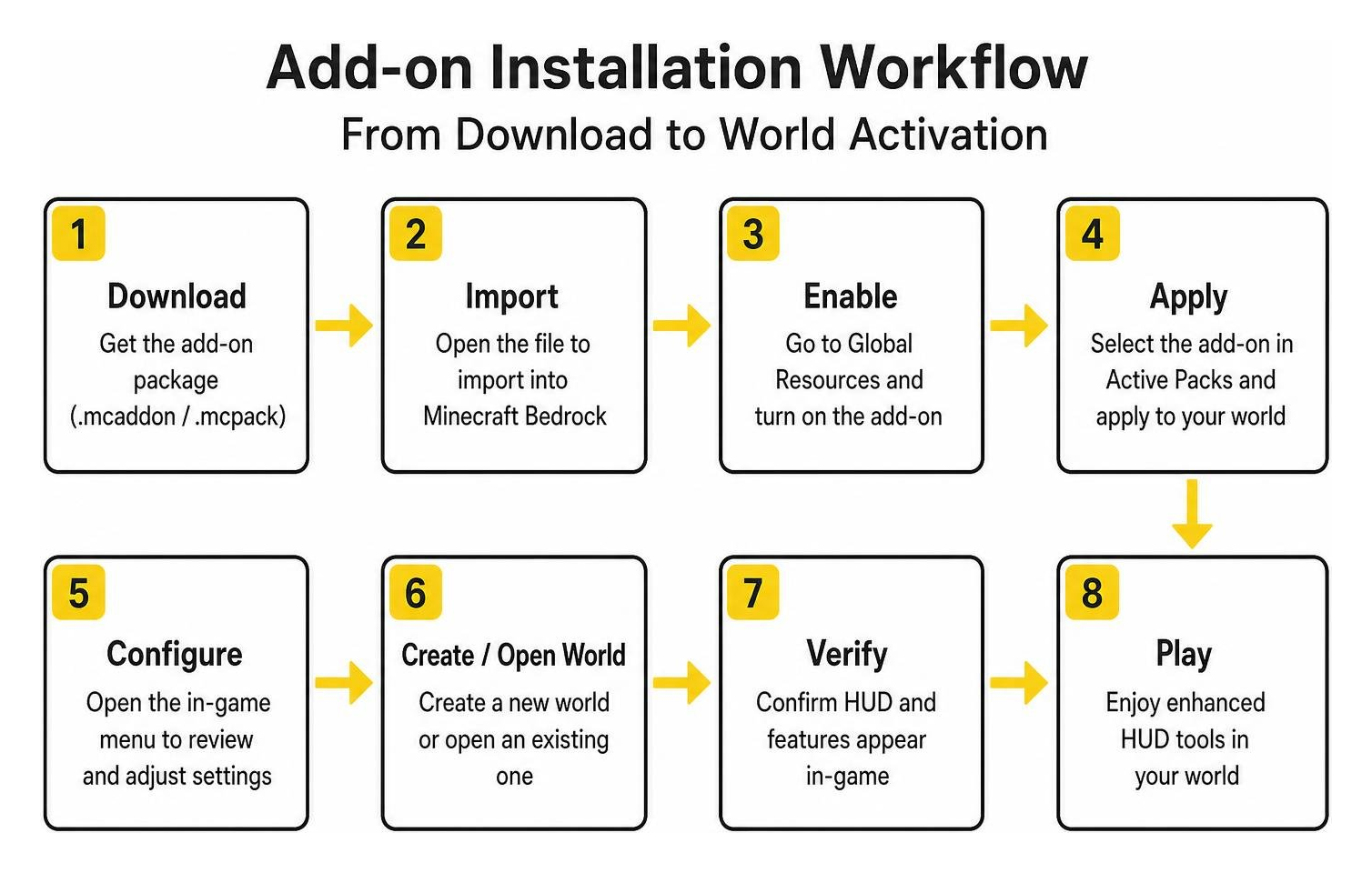
For a deeper dive into technical pack structures, you can explore the official Getting Started with Minecraft Add-Ons guide on Microsoft Learn.
Installing via the Minecraft Marketplace
- Open Minecraft Bedrock Edition and select the Marketplace button from the main menu.
- Use the search bar in the top-right corner to search for HUD Essentials.
- Select the listing by SandBlock Studios and click the 490 Minecoins purchase button.
- Once unlocked, click Download to store the files locally.
- Create a new world or click the Edit (Pencil) icon next to an existing save.
- Scroll down to Behavior Packs on the left menu, select HUD Essentials, and click Activate.
- Confirm the Resource Pack is automatically enabled, then launch your world.
Installing the Free .mcaddon File on Mobile and PC
- Download the official free package (
.mcaddonfile) for HUD Essentials. - Locate the downloaded file (
HUD_Essentials_Free.mcaddon) in your device’s file manager or browser download folder. - Tap or double-click the file. Your system will launch Minecraft and display an “Import Started” banner at the top of the screen.
- Wait for the “Successfully Imported” notification.
- Go to your world settings, navigate to Behavior Packs, and activate the free add-on.
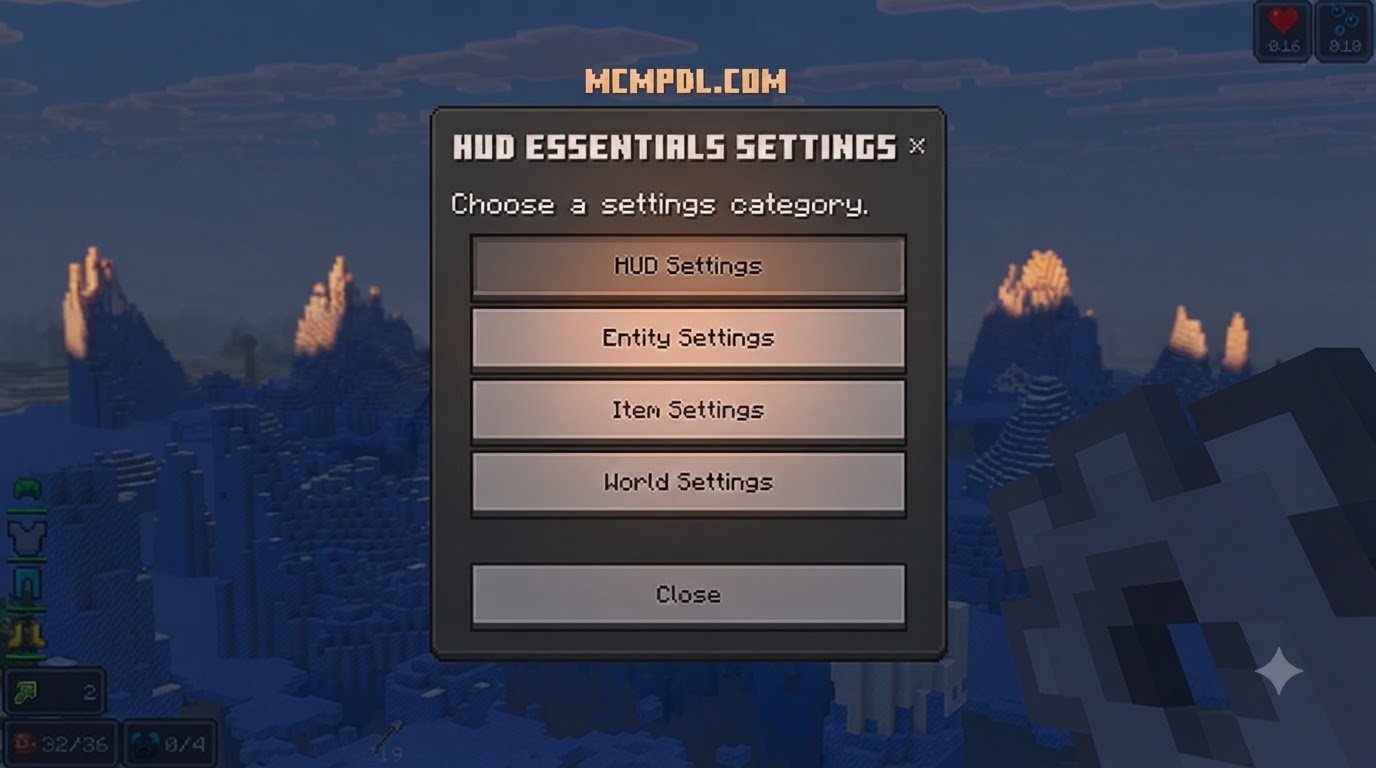
- No experimental gameplay toggles are required—simply load into your world and adjust your preferred HUD positions via the in-game settings menu.
Frequently Asked Questions about Minecraft Bedrock HUDs
Is the HUD Essentials addon compatible with multiplayer worlds?
Yes. When activated by the host on a multiplayer world or Realm, all connecting players can see the customized UI overlays. Because the add-on relies on supported Bedrock scripting channels, it operates smoothly across cross-play sessions connecting Android, iOS, Windows, Xbox, PlayStation, and Nintendo Switch players.
Does HUD Essentials cause lag on low-end mobile devices?
HUD Essentials is optimized to minimize CPU overhead. However, on older mobile devices with limited RAM, enabling every visual element simultaneously (such as chunk borders, mob health bars, and dynamic lighting) may cause minor frame drops. Switching the UI layout to Pocket Mode and disabling hitboxes will maintain smooth 60 FPS performance.
Can I use the free and paid versions of HUD Essentials together?
Yes, the files are packaged to avoid direct script conflicts. You can layer the free operator utilities and horse metrics alongside the full Marketplace overlays without crashing your world.
Conclusion
The HUD Essentials Addon for Minecraft PE/Bedrock remains one of the most practical UI enhancements available for Bedrock Edition. Whether you choose the feature-packed Marketplace version for its chunk borders, dynamic lighting, and crop timers, or opt for the lightweight free version for its clean coordinates and light-level indicators, you get immediate access to critical survival data.
At MCMPDL, we make it easy for players to explore and organize top-tier add-ons, skins, and texture packs in one central hub. To take your survival customization even further, check out our comprehensive Bedrock tools collection and equip your worlds with the best quality-of-life enhancements available today!