Scroll down to Download
What is the Create Add-On for Minecraft PE/Bedrock (Download) and How Does It Work?
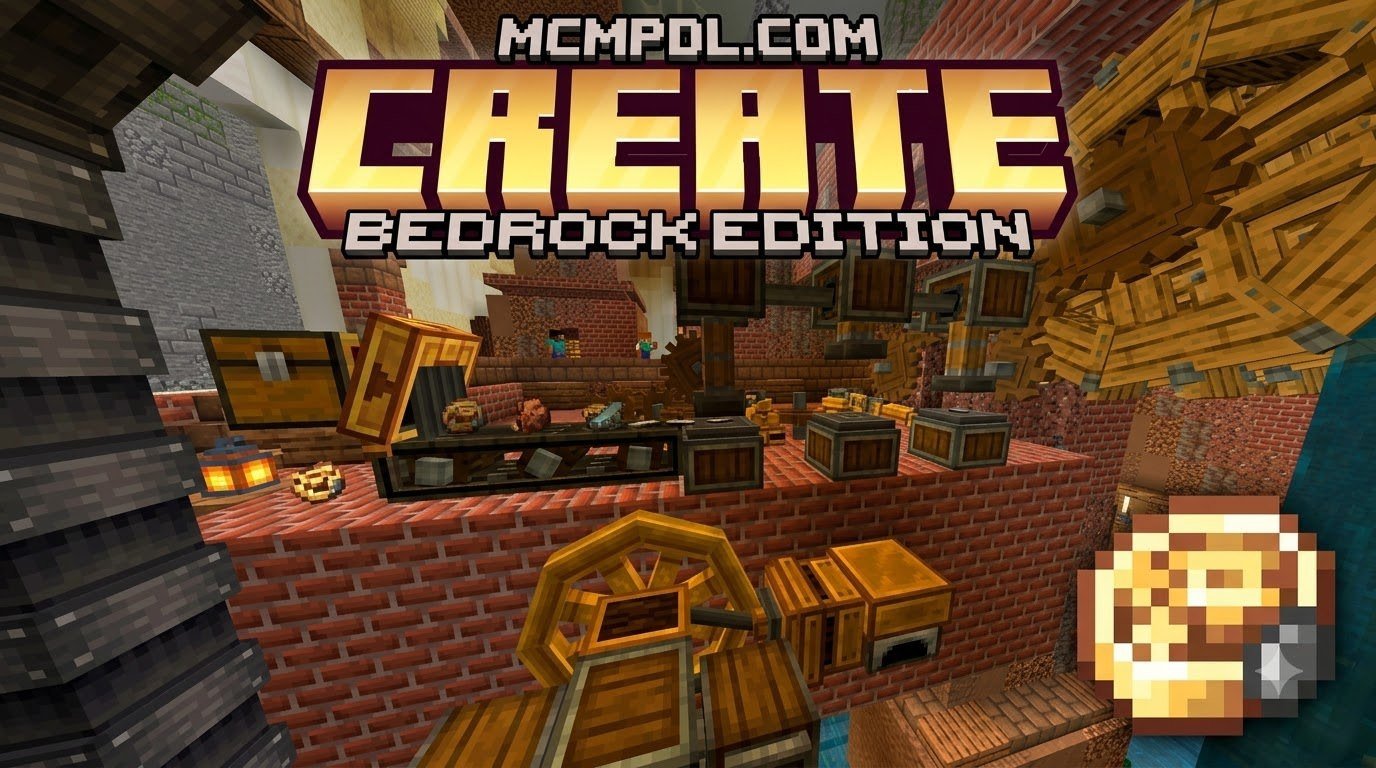
The Create Add-On for Minecraft PE/Bedrock (Download) is a fan-made adaptation that transforms standard Bedrock survival into an industrial playground. While Java Edition players have enjoyed the original Create mod—which boasts over 18.35 million downloads—Bedrock players long wished for a way to experience rotational energy and physical automation on mobile, Windows, and modern platforms.
At its core, the Create Add-On works on the principle of kinetic energy. Instead of using traditional Redstone lines or electric wires, your machinery relies on physical motion. You generate rotational force using sources like Water Wheels, Hand Cranks, or heat-powered generators, and then transfer that force through Shafts, Cogwheels, and Mechanical Belts to drive functional tools.
Because Bedrock Edition operates on a completely different rendering engine and scripting framework than Java Edition, porting these mechanics required rebuilding custom components using Bedrock’s native Behavior Packs and Resource Packs. When configured correctly, kinetic systems calculate turning speeds and rotational direction, allowing you to design visually stunning factory floors where raw ores are crushed, washed, and forged right before your eyes.
Core Features of the Create Add-On for Minecraft PE/Bedrock (Download)
The primary feature that sets the Create Add-On apart is its visual and interactive approach to machinery. You never have to stare at a silent block UI while an arbitrary progress bar fills up. Everything happens physically within the world.
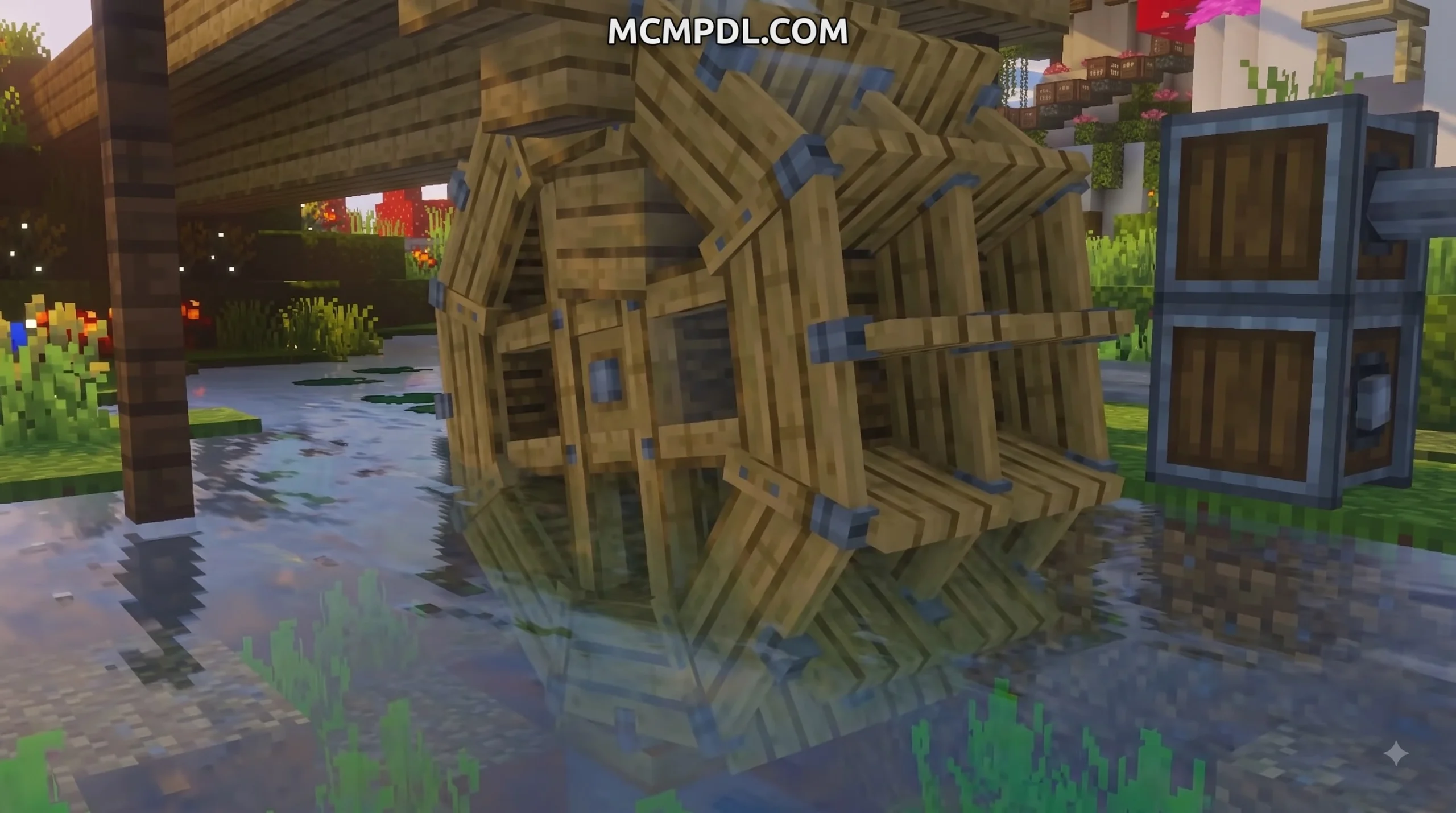
- Kinetic Generators: Hand Cranks offer early-game manual force. Water Wheels supply continuous background power when water flows past them, while high-tier thermal generators turn fuel into raw torque.
- Rotational Power Transmission: Shafts extend power in straight lines, Cogwheels change speed and direction, and Gearboxes allow 90-degree directional shifts across tight spaces.
- Processing Tools: Mechanical Drills dig through stone and ore without breaking bedrock or obsidian. Mechanical Saws automate wood logging, Mechanical Presses flatten metals into sheets, and Mechanical Mixers work with Basins to craft complex alloy recipes.
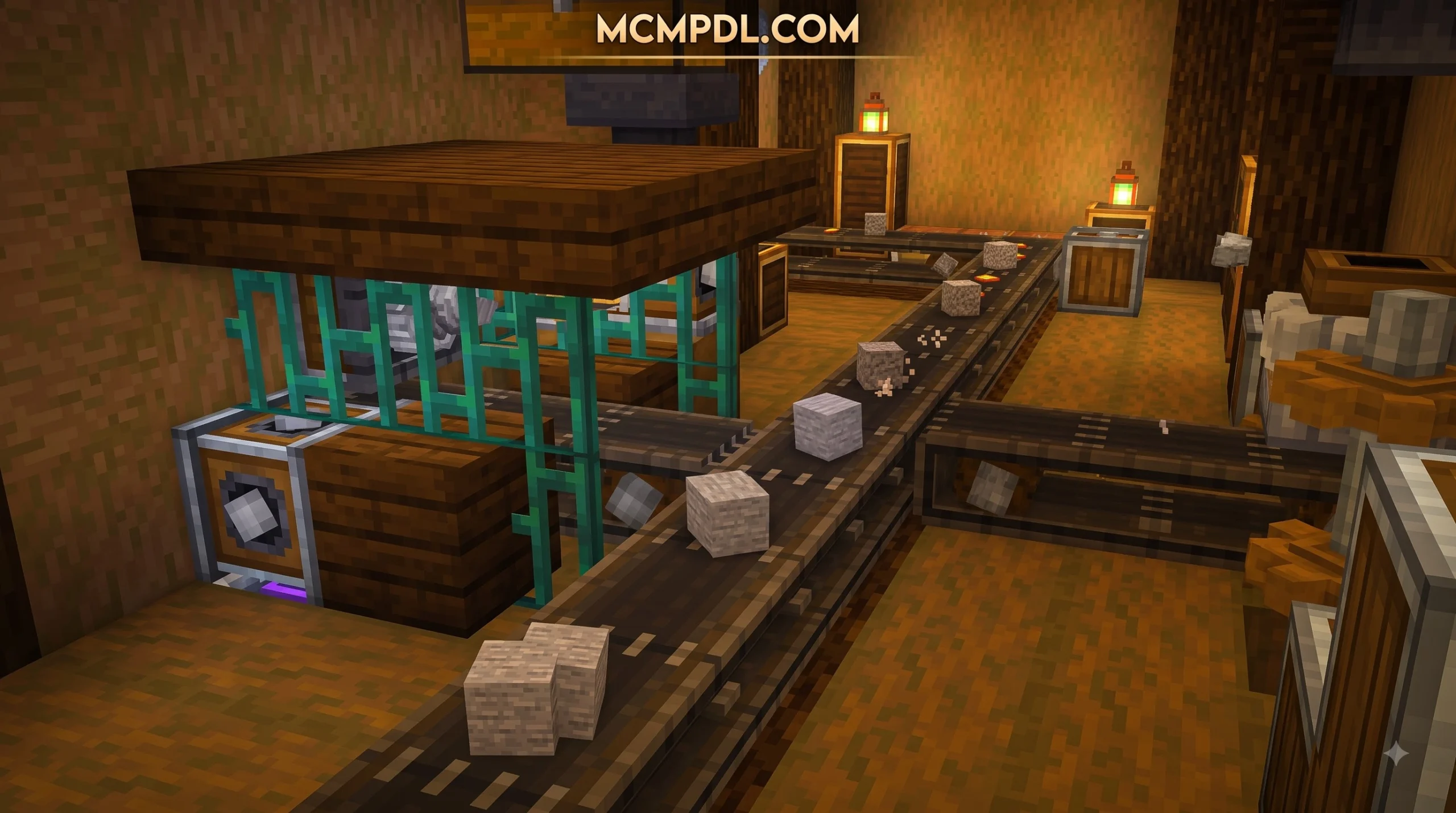
- Item Transport: Chutes, Smart Chutes, and Mechanical Belts carry items physically across your base without performance-heavy hopper networks.
- Player Utility: Components like Seats come in up to 16 color variants, allowing you to ride moving contraptions or customize your aesthetic control rooms.
Setting up these kinetic systems requires a solid understanding of how packs are structured. Developers and technical players interested in how custom behavior trees are organized can explore the Bedrock Wiki Project Setup Guide to understand how custom block properties are defined under Bedrock rules.
Key Differences Between Bedrock Add-Ons and Java Mods
While the Bedrock Create Add-On captures the spirit and look of the original Java mod, the technical underpinnings are noticeably distinct due to engine constraints and API differences.
| Feature / Aspect | Java Edition Create Mod | Bedrock Edition Create Add-On |
|---|---|---|
| Engine / Framework | Java (Forge, NeoForge, Fabric) | Bedrock C++ Engine (Behavior & Resource Packs) |
| Rendering Pipeline | Custom Flywheel engine for smooth high-FPS rendering | Render controllers and custom geometry models |
| Documentation System | Interactive “Ponder” 3D spatial tutorials | Integrated Pause Menu tutorial screen & Ponder previews |
| Complex Movement | Native full-grid contraption physics | Companion add-ons (such as Physics Glue) for physical motion |
| Device Compatibility | High-end PCs only | Mobile (Android/iOS), Windows 10/11, and cross-play worlds |
| Performance Scaling | Heavy RAM usage; scales with CPU single-core speed | Lite and Full versions optimized for mobile memory limits |
In Java Edition, the Flywheel rendering engine handles thousands of spinning shafts smoothly. On Bedrock, add-on creators must balance visual fidelity with mobile hardware constraints. To ensure smooth performance on mobile devices running Minecraft PE, Bedrock add-ons often split kinetic calculations between client-side animations and server-side script triggers.
5 Best Ready-Made Tech and Mechanical Add-Ons for Bedrock
If you want to bring industrial automation, kinetic power, and advanced resource processing to your Minecraft Bedrock worlds, several complementary options stand out. Here are the top 5 ready-made mechanical add-ons you can download and install today:
- The Official Bedrock Create Add-On Port: The premier choice for rotational energy, offering animated shafts, water wheels, drills, presses, and custom item transport.
- Industrial Automation & Conveyor Pack: A high-throughput factory pack focused on motorized conveyor belts, item sorters, auto-smelters, and ore doubling chains.
- Redstone Expansion & Utility Pack: Upgrades standard redstone mechanics with wireless links, pulse repeaters, customizable logic gates, and compact redstone transmitters.
- Fluid Transport & Pipe Systems Add-On: Dedicated to liquid automation, providing pumps, fluid pipes, pressurized tanks, and automated liquid smelting vats.
- Basic Kinetic Machinery Lite: A lightweight alternative designed specifically for low-end mobile devices, offering core mechanical drills, saws, and generators with reduced visual overhead.
1. The Official Port: Create Add-On for Minecraft PE/Bedrock (Download)
The most popular option available to Bedrock players is the unofficial Create Add-On port originally developed by community creators. Garnering over 500,000 views and tens of thousands of downloads across community platforms, this project brings Java’s most iconic kinetic mechanics to mobile and PC devices.
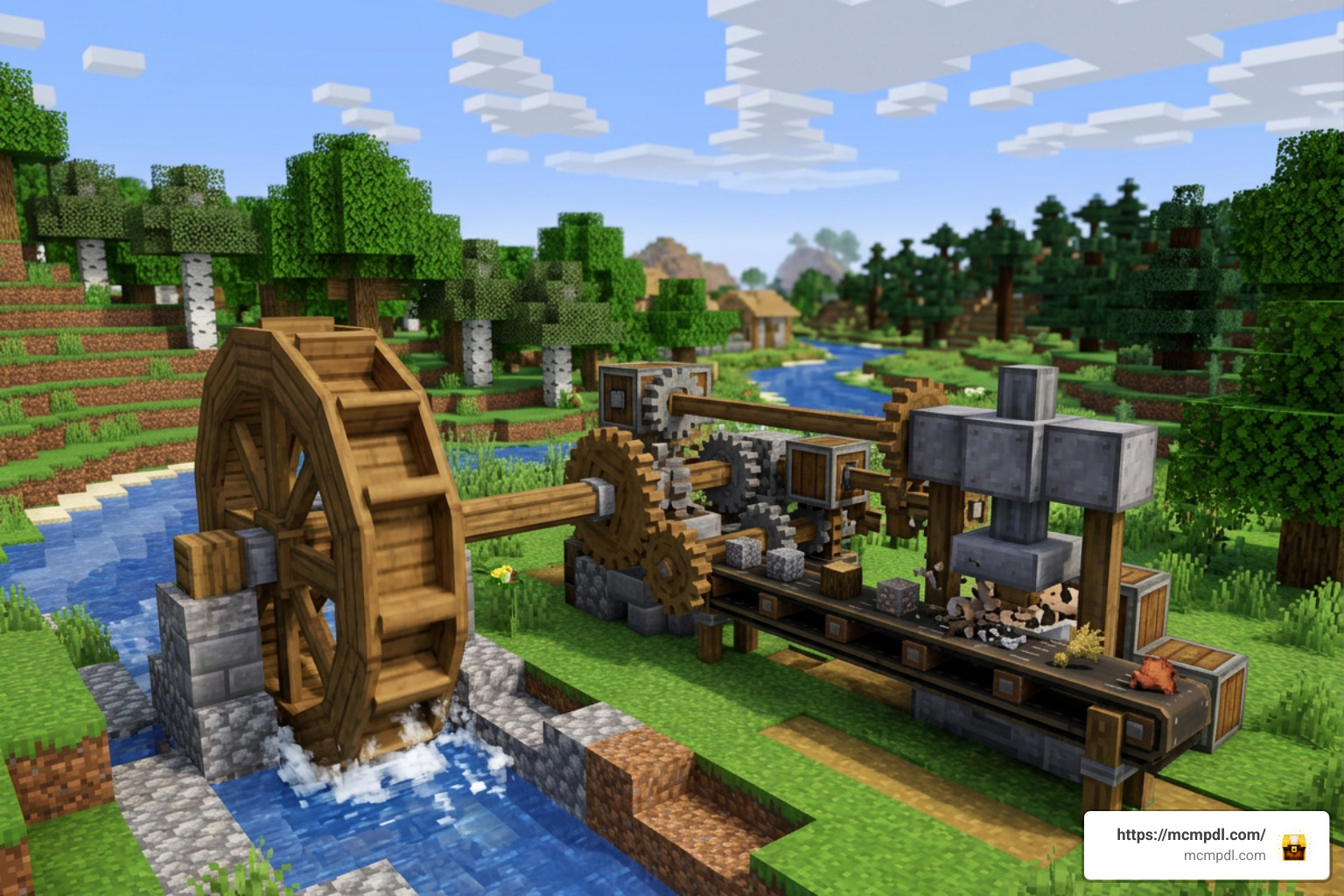
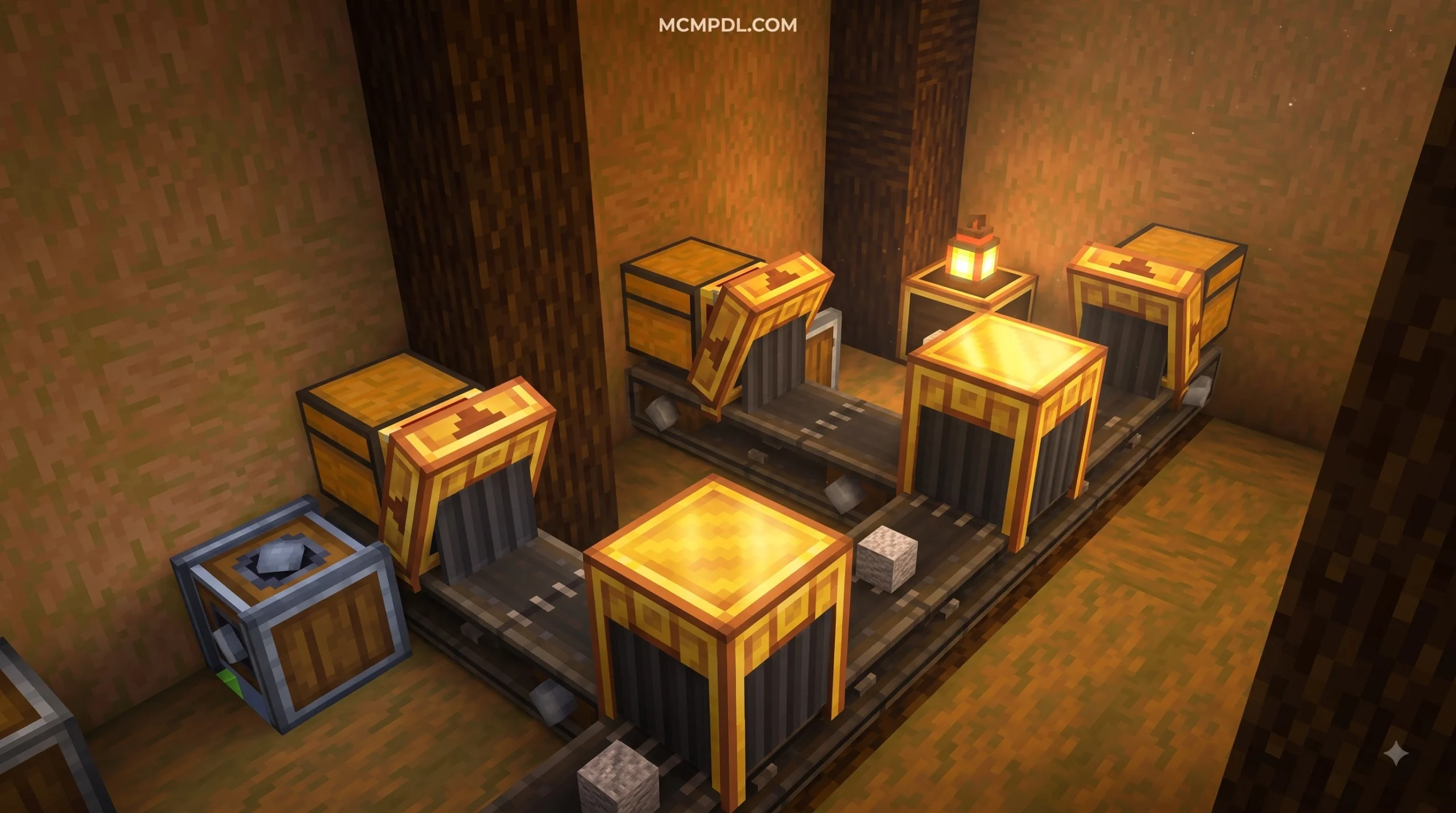
This add-on introduces essential machinery including the Spout, Pump, Blaze Burner, Fluid Pipes, Smart Chute, Mechanical Crafter, Item Vault, and Item Drain. Players can build elaborate production lines where items drop from chutes onto moving belts, get pressed by mechanical stamps, and drop straight into secure Item Vault storage.
To build moving contraptions that physically travel across your world, you can pair the main pack with companion add-ons like Physics Glue. The developers have even added an in-game Tutorial Menu accessible directly from the Minecraft pause screen, allowing you to look up mechanics and assembly patterns without leaving your world.
2. Custom Machinery and Industrial Automation Packs
For players who want an industrial setup centered around heavy manufacturing rather than aesthetic gear assemblies, broader industrial machinery packs provide an excellent alternative. These add-ons prioritize resource throughput, ore processing, and automated logistics.
Key highlights of custom industrial packs include:
- Motorized Conveyor Belts: Move stacks of items rapidly across wide production floors without relying on slow water channels.
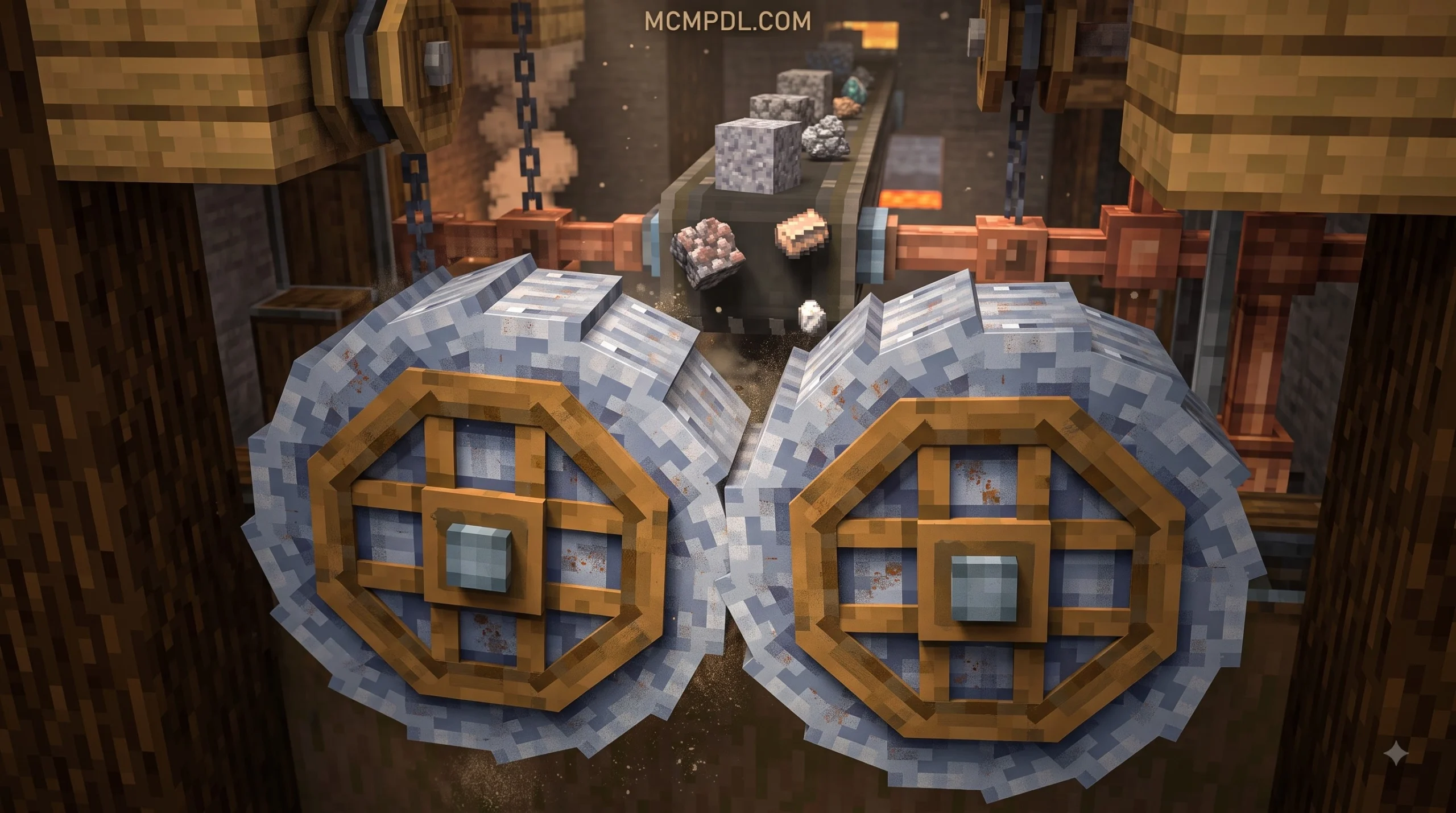
- Ore Doubling Facilities: Process raw iron, copper, and gold through crushing wheels and washing vats to increase ingot yields per block mined.
- Thermal Fuel Generators: Convert coal, lava, and biofuel into centralized power networks that keep heavy machinery running around the clock.
- Smart Item Sorting: Filter items instantly into specialized chests based on custom tags, keeping your storage hubs completely organized.
3. Redstone Expansion and Mechanical Utility Add-Ons
Mechanical automation is only as smart as the control system driving it. Redstone expansion add-ons work alongside kinetic mods to provide compact, reliable logic control without requiring massive, lag-inducing redstone dust layouts.
- Redstone Links: Send wireless redstone signals across hundreds of blocks by matching color frequencies on transmitters and receivers.
- Pulse Adjustable Repeaters: Fine-tune timing delays down to single game ticks without stringing together dozen-block repeater lines.
- Gearshifts & Clutches: Instantly invert rotational motion or cut off power to specific machine sectors using a simple redstone signal.
- Compact Logic Blocks: Single-block solutions for AND, OR, XOR, and NAND gates that dramatically reduce redstone footprint in technical bases.
4. How to Download and Install Mechanical Add-Ons on Mobile and PC
Downloading and installing a Create Add-On for Minecraft PE/Bedrock (Download) file correctly is essential for preventing world crashes or missing block textures. Because mechanical add-ons introduce custom block geometry and script behaviors, standard installation requires a few extra steps compared to simple texture packs.
To establish a proper installation and testing pipeline on your device, you can reference the official Microsoft Learn Add-On Development Workflow, which outlines how Bedrock handles custom behavior and resource pack loading natively.
Here is the step-by-step process for installing add-ons across different platforms:
Installation on Android & iOS (Mobile / PE)
- Download the File: Obtain the official
.mcaddonor.mcpackfile using your mobile web browser. - Open with Minecraft: Tap the downloaded file in your file manager or downloads folder and choose Open with Minecraft.
- Automatic Import: Minecraft PE will launch automatically and display a message at the top of the screen reading “Import Started”, followed by “Successfully Imported”.
- Apply to World: Edit your existing world or create a new one, scroll down to the Resource Packs and Behavior Packs sections under Add-Ons, and activate both packs.
Installation on Windows 10/11
- Download and Double-Click: Download the
.mcaddonfile to your PC and double-click it. Windows will automatically open Minecraft Bedrock Edition and begin the import process. - Verify File Placement: If you prefer manual installation, extract the archive and place the Behavior Pack folder inside
development_behavior_packsand the Resource Pack folder insidedevelopment_resource_packswithin yourcom.mojangsystem directory. - Activate in World Settings: Open your world settings, activate both resource and behavior components, and verify that the resource pack is listed above default textures.
Enabling Experimental Gameplay Settings Correctly
Complex mechanical add-ons rely on experimental Bedrock APIs to execute custom block rotation, animation controllers, and entity scripts. If you skip this step, blocks may render as invisible missing textures, or shafts will refuse to rotate.
When creating or editing your world, navigate to the Experiments tab in World Settings and toggle on the following options:
- Holiday Creator Features (handles custom block geometry and interactions)
- Upcoming Creator Features (enables newer block and item definitions)
- Beta APIs / Scripting Capabilities (required for rotational math and kinetic calculations)
- Molang Features (allows dynamic bone animations for spinning shafts and gears)
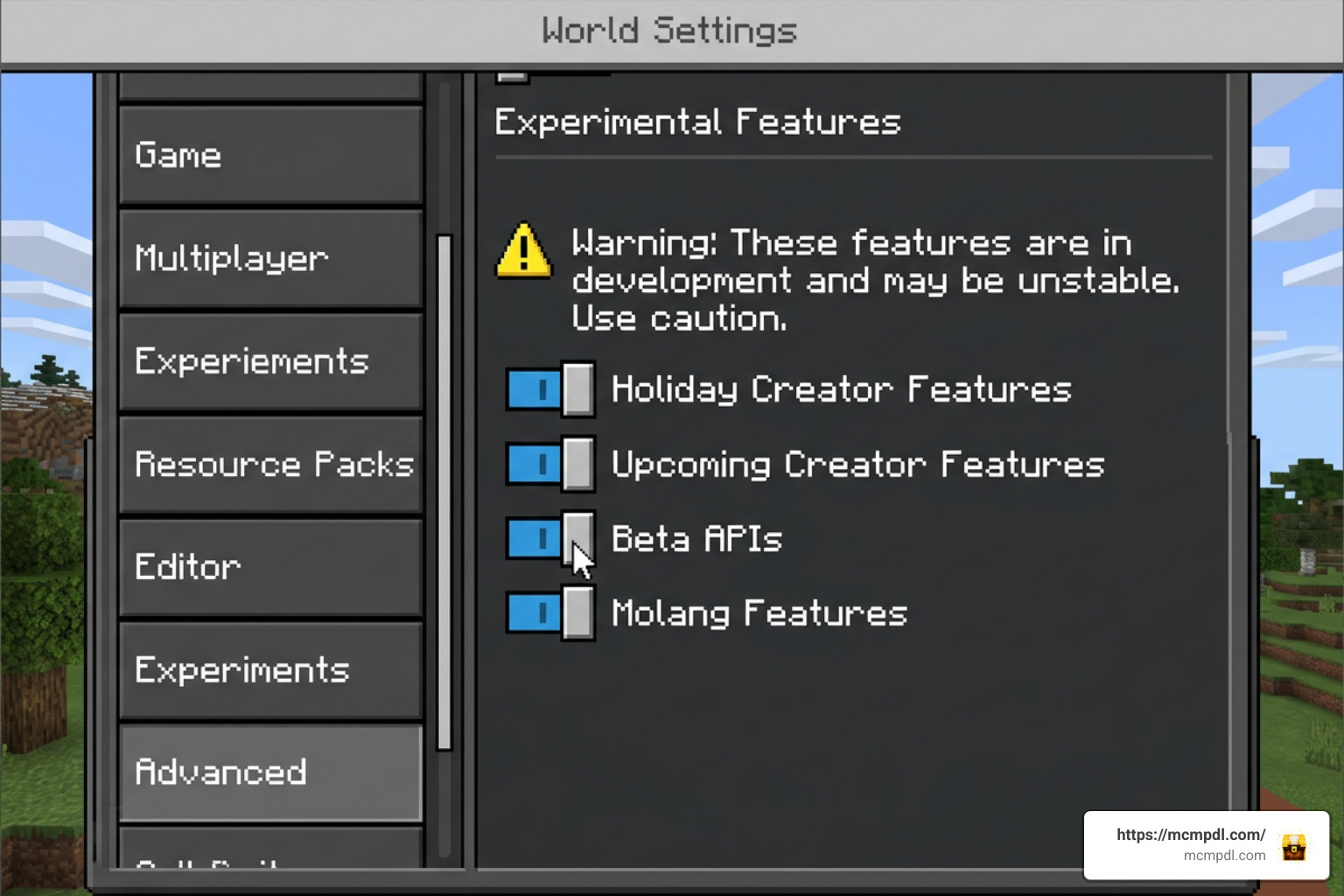
Note: Always create a backup of your existing worlds before turning on Experimental toggles, as experimental worlds cannot be reverted to standard settings.
Troubleshooting Common Installation Errors and Duplicate Packs
Despite your best efforts, you might occasionally run into errors when importing or updating add-ons. Here are quick fixes for the most frequent issues:
- “Duplicate Pack Detected”: This occurs when you try importing a pack with a UUID (Universally Unique Identifier) that is already installed on your device. To fix this, go to Settings > Storage > Behavior Packs / Resource Packs inside Minecraft, delete the older version of the add-on, and re-import the new file.
- Items Missing or Rendering as Invisible Blocks: This almost always means the Behavior Pack is active, but the Resource Pack is missing or placed below conflicting texture packs. Ensure both packs are activated and move the add-on’s resource pack to the top of your active list.
- Severe Lag on Mobile Devices: If gear animations cause frame rate drops on low-end phones, check whether the download page offers a Lite Version. Lite versions strip complex block models while keeping core kinetic logic intact, ensuring smooth frame rates.
- Avoid Mobile App Store Installers: Be cautious when downloading third-party “Mod Installer” apps from mobile store listings. Many of these applications function primarily as aggressive ad platforms, often serving non-functional files or triggering corrupted pack warnings inside Minecraft PE. Always download
.mcaddonfiles directly from reputable community channels.
Frequently Asked Questions About Minecraft Bedrock Add-Ons
Can you install the Create Add-On on consoles like Xbox, Switch, or PlayStation?
Directly downloading .mcaddon files onto consoles like the Nintendo Switch, PlayStation 4/5, or Xbox Series X|S is restricted due to closed console file systems. However, you can still play the Create Add-On on consoles using cross-platform play or Realms.
To do this, host the world on a PC or mobile device with the Create Add-On and its Experimental Features enabled. Then, set up a dedicated server or invite your console account to join the world via Bedrock cross-play or a Realms subscription. The console will automatically download the required resource and behavior packs upon joining the host world.
Is the Create Add-On free and safe to download on mobile devices?
Yes, legitimate fan ports of the Create Add-On are 100% free to download and community-driven. You should never pay money for fan-made ports of open-source Java mods on third-party app stores.
To stay safe on mobile:
- Download files in standard
.mcaddon,.mcpack, or.zipformats. - Never install
.apkfiles or third-party executable apps that claim to auto-inject mods into Minecraft. - Avoid installer apps that force you to watch endless video ads before revealing download links.
What upcoming features are planned for future Bedrock Create updates?
As Bedrock Edition’s scripting engine evolves, developers continue to push the boundaries of what is possible on Bedrock. Community roadmaps for upcoming updates focus on expanding physical transportation and fluid handling:
- Expanded Fluid Networks: Advanced steam engines, pressurized pumps, and animated liquid smelting vats.
- Windmills and Aerodynamic Power: Sky-based kinetic power generation powered by sail assemblies.
- Train Systems and Track Assembly: Building fully controllable, multi-block train contraptions capable of crossing custom track networks across long distances.
Conclusion
The Create Add-On for Minecraft PE/Bedrock (Download) bridges the gap between Java Edition’s famous mechanical modding scene and the accessible, cross-platform world of Bedrock. By replacing static interface menus with physical gears, turning shafts, water wheels, and functional mechanical belts, this add-on transforms resource gathering into an engaging design challenge.
Whether you are building your first water-powered logging station on a smartphone or constructing a multi-tiered factory base on Windows 11, kinetic automation injects fresh life into survival gameplay. Just remember to enable your Experimental toggles, keep your resource and behavior packs synchronized, and source your files from trusted community platforms.
To discover more survival worlds, texture packs, and high-quality mechanical modifications, you can Explore top Minecraft add-ons on MCMPDL to take your Bedrock industrial builds to the next level.


3 thoughts on “Create Add-On for Minecraft PE/Bedrock (Download)”