Scroll down to D0vvnl0ad
cWhat Is the Conquest Texture Pack for Minecraft PE/Bedrock?
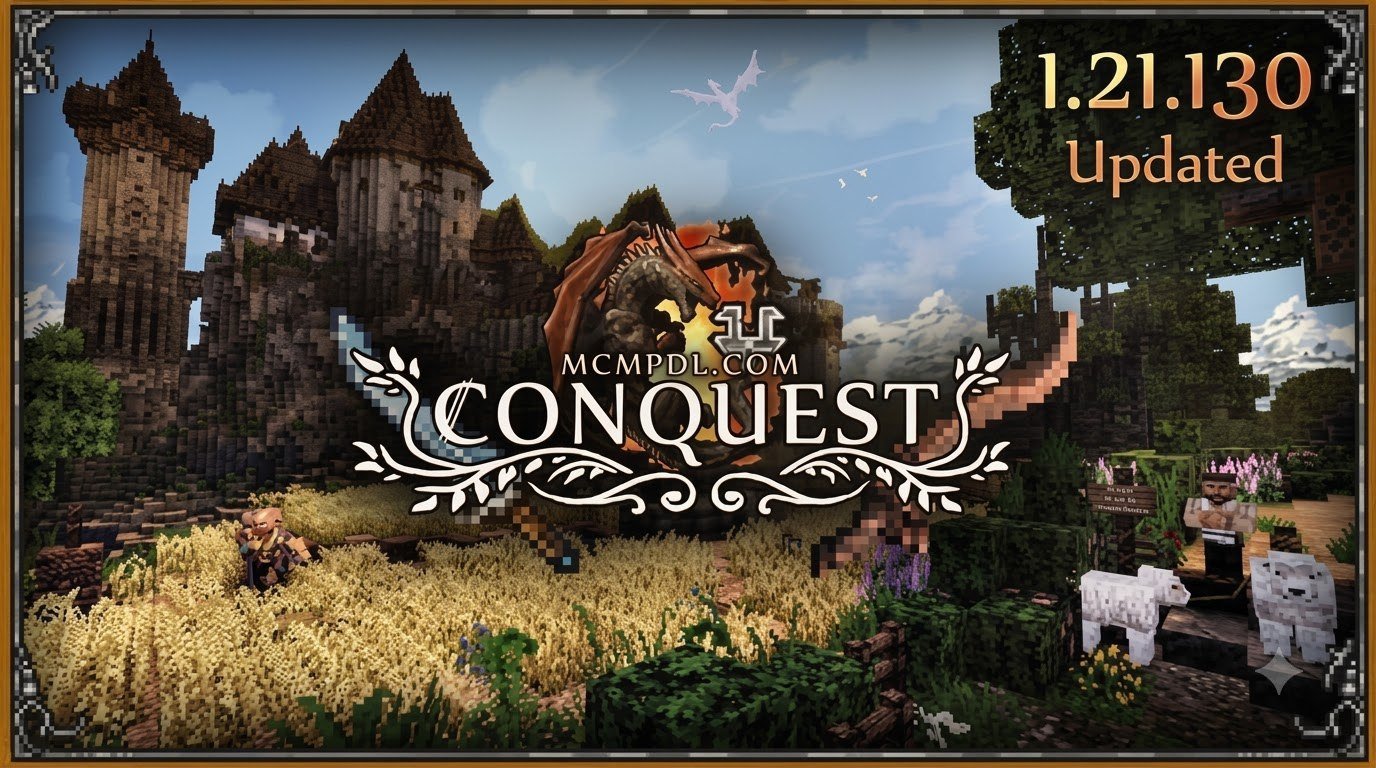
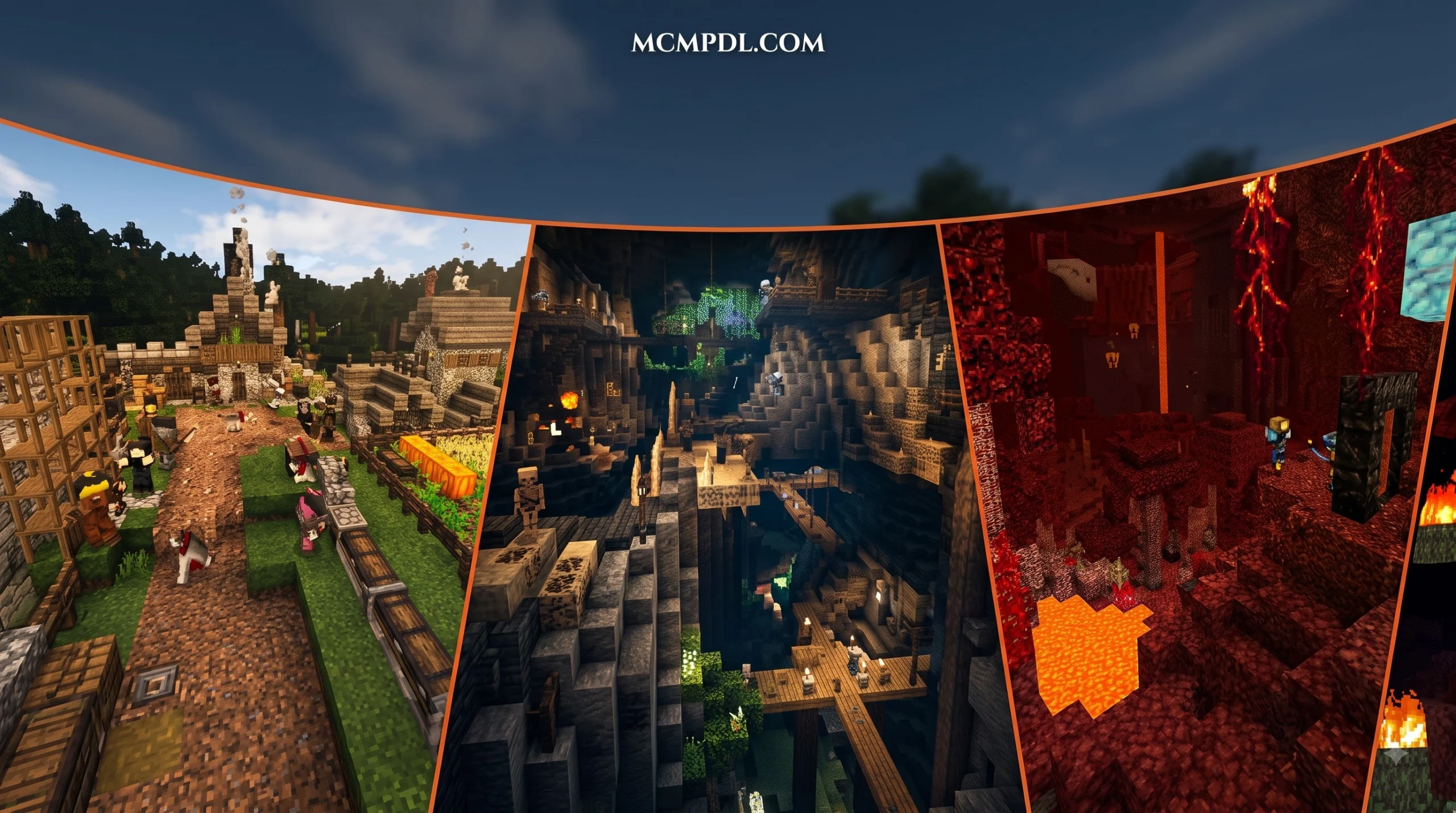
The Conquest Texture Pack for Minecraft PE/Bedrock is a comprehensive visual conversion designed to bring a rugged, handcrafted, and immersive medieval aesthetic to your portable cubic worlds. Originally famous on Java Edition, the official Bedrock port adapts this legendary visual style natively for mobile devices, consoles, and Windows 10/11 platforms.
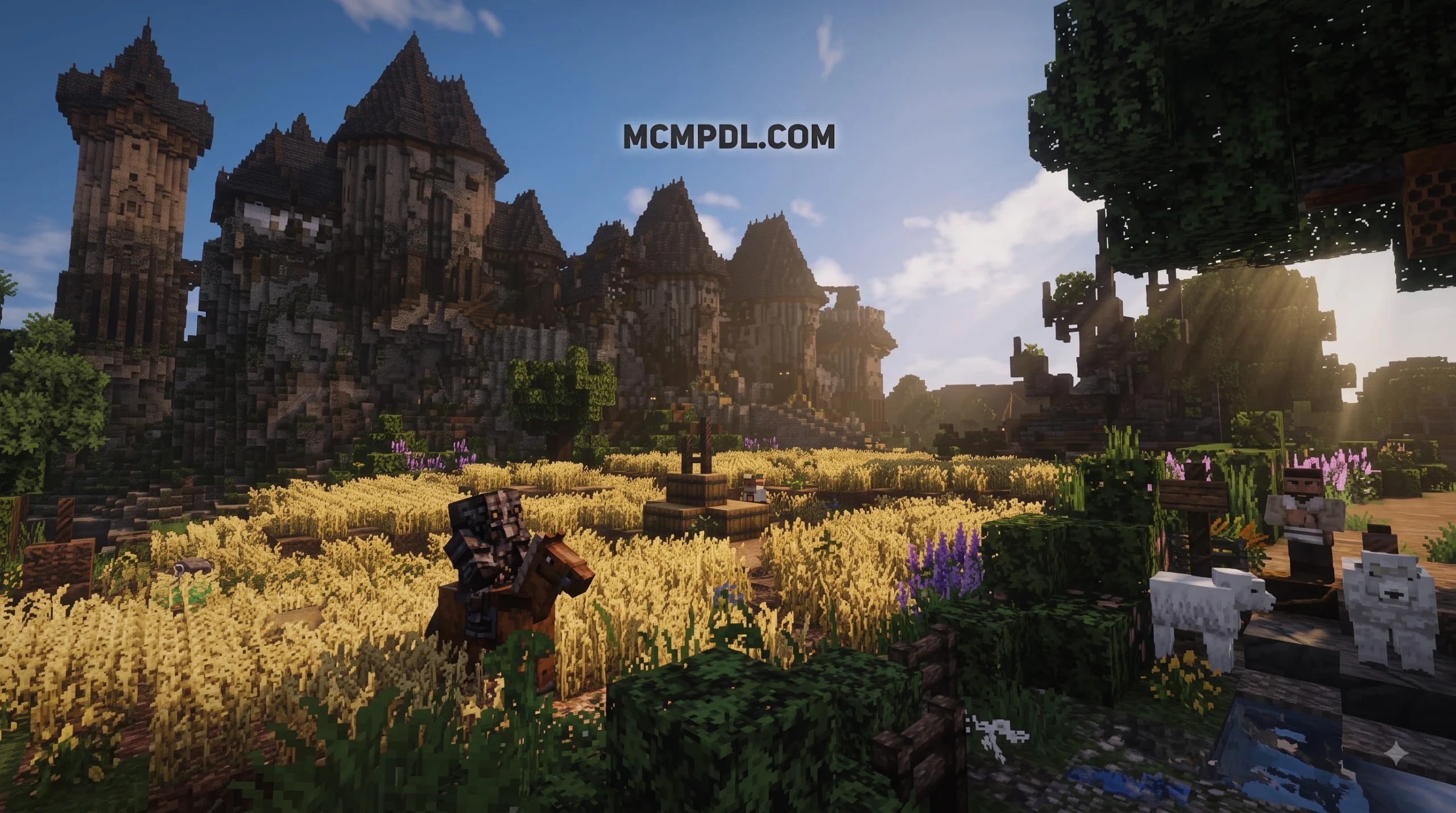
Unlike simple recolors or basic filters, Conquest transforms the baseline experience into something heavy, weathered, and deeply believable. Every stone looks hand-carved, and every timber feels as though it came straight from a historic carpenter’s workshop.
The pack introduces a native custom skybox that breathes atmospheric depth into every sunrise and stormy night without requiring external shader patches. Additionally, it features connected textures and smart gradient transitions that allow structures to blend seamlessly into the surrounding wilderness.
Visual Features of the Conquest Texture Pack for Minecraft PE/Bedrock
What sets this pack apart from traditional resource packs is its builder-centric engineering. The creators have maximized Bedrock’s capabilities to give architects more creative freedom:
- Double-Slab Texture Variations: By placing two slabs together, you unlock distinct, hidden block patterns that do not exist in the base game.
- Petrified Oak and Technical Block Usage: Specialized technical blocks are repurposed visually to act as distinct stone, dirt, or timber paths.
- Weathering Gradients: Blocks are shaded so that stacking different stone or dirt types creates a natural upward moisture or decay effect.
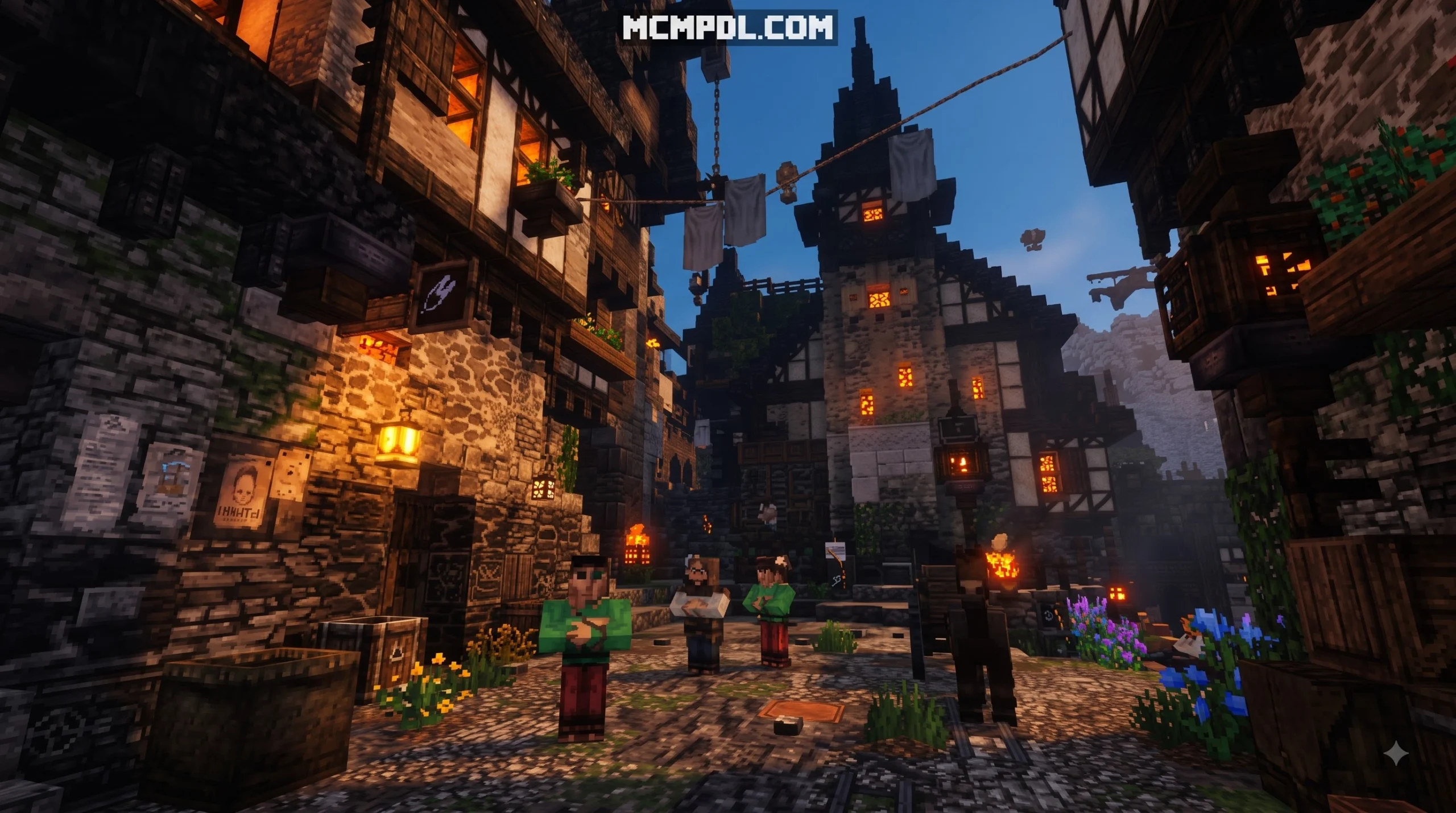
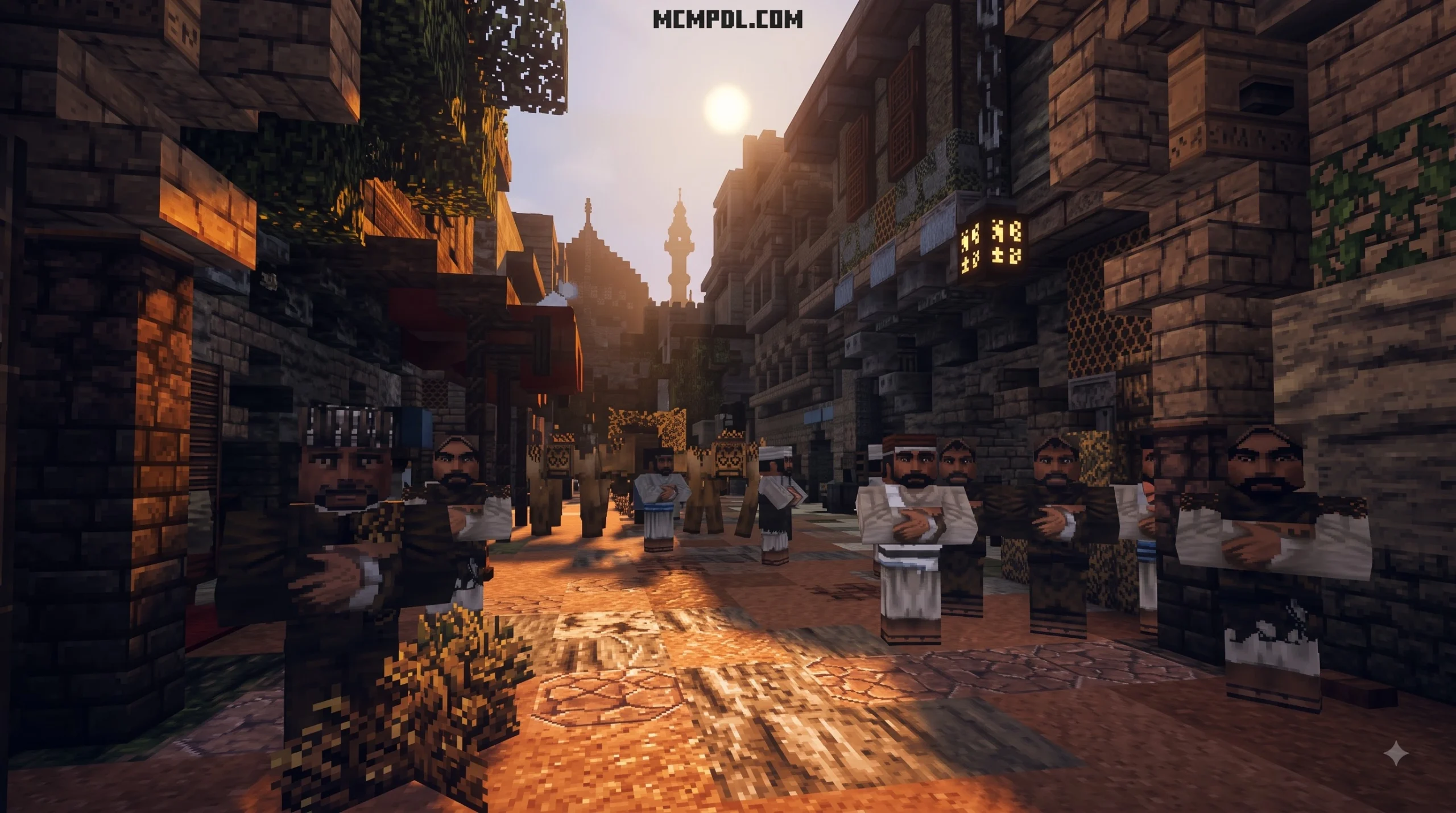
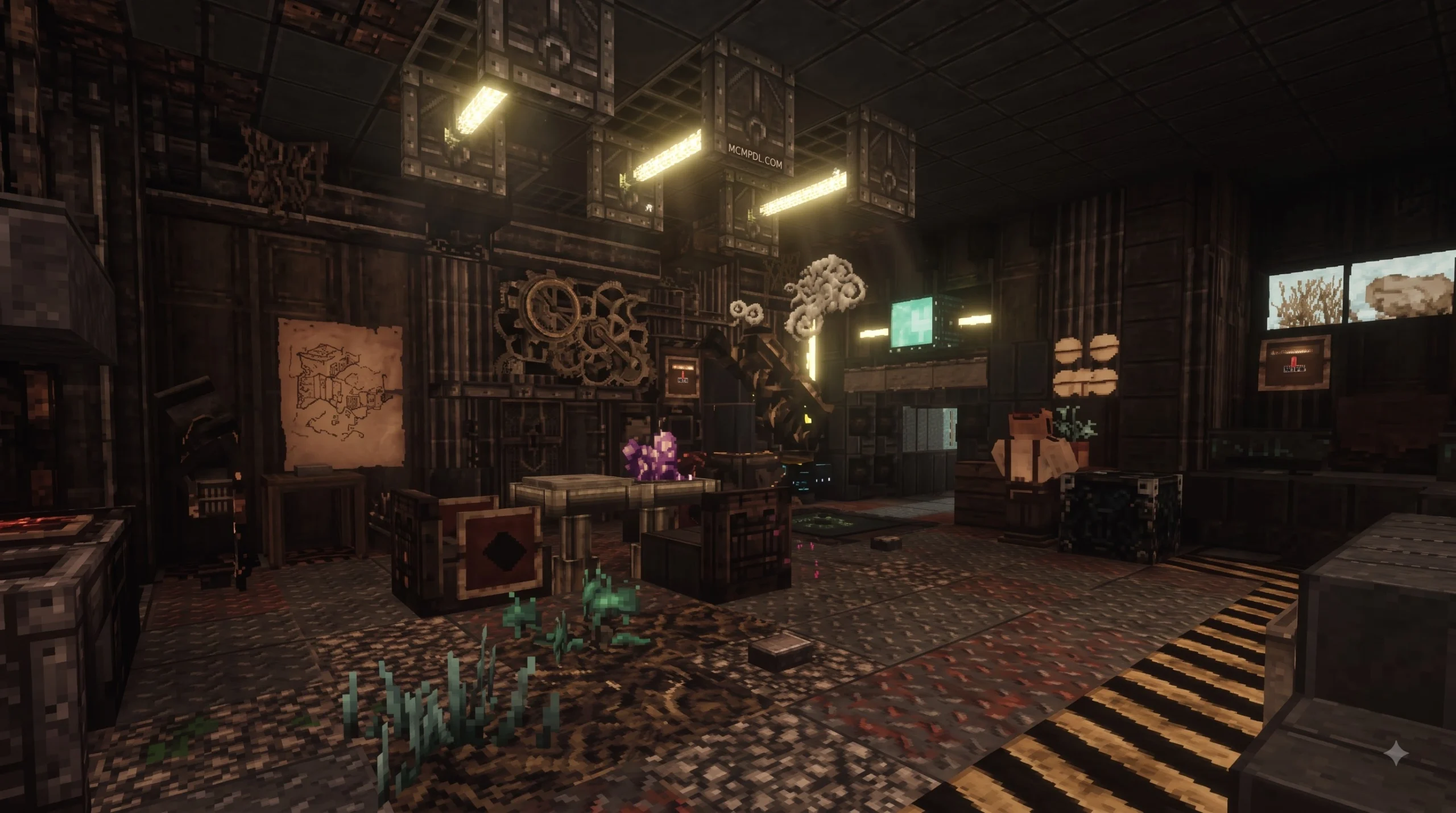
- Dingy Realism: The pack abandons cheerful neon tones for grounded, realistic earth tones, rust, soot, and authentic wear-and-tear.
- Realistic Animal and Villager Faces: Mobs receive rugged, detailed makeovers that seamlessly match the old-world aesthetic.
While some players enjoy ultra-bright looks like the Vibrant Modern Textures Pack or the playful style of the Candy Texture Pack, Conquest moves in the opposite direction. It delivers dark realism that rivals the spooky detail found in the Eldritch Horror Texture Pack, but grounded in historical authenticity.
Conquest’s Medieval Style and Block Design
Conquest is often compared to other legendary medieval packs, such as John Smith. However, Conquest establishes its own identity. Approximately 70% of the individual item and block textures in Conquest—such as artisan crafting tables, forged iron torches, weaponry, and masonry—are entirely custom-crafted.
| Feature / Element | Default Vanilla Bedrock | Conquest Texture Pack | Visual Benefit |
|---|---|---|---|
| Resolution | 16×16 standard pixels | 32×32 detailed pixels | Twice the resolution for finer grain and block depth |
| Color Palette | Bright, saturated primary colors | Muted, earthy, weathered tones | Realistic medieval and historical atmosphere |
| Stone & Brickwork | Flat, repetitive grid shapes | Natural mortar lines and cracked blocks | Massive castles look sturdy rather than plastic |
| Wood & Foliage | Uniform bark and leaf clusters | Knotted wood, organic tree canopies | Lifelike forests and authentic timber framing |
| User Interface (UI) | Plain gray menus | Custom parchment and iron UI | Total thematic immersion across every inventory screen |
If you enjoy stylized alternatives, you might explore the Quadral Texture Pack or the colorful Comicverse Textures Pack. But if your goal is building a realistic keep, nothing matches Conquest’s masonry.
System Requirements and Performance Optimization on Mobile
Because Conquest doubles the native texture resolution from 16×16 to 32×32 and introduces intricate UI elements alongside custom skyboxes, mobile devices handle a slightly higher memory footprint.
Most modern Android and iOS devices will run the pack without issues, but if you are running an older phone or tablet, managing your settings ensures your adventure remains smooth.
Managing FPS and Render Settings on Low-End Devices
If you notice stuttering or framerate drops after activating the pack, adjusting a few native settings inside Minecraft Bedrock will restore optimal performance:
- Lower Render Distance: Reduce your chunk view distance to 8–12 chunks on mobile hardware.
- Turn Off Beautiful Skies: If your phone struggles with the custom skybox, disabling this in video settings frees up immediate GPU bandwidth.
- Disable Smooth Lighting: While lighting adds atmosphere, turning it down stabilizes low-end processors.
- Reduce Particle Quality: Lowering particle render limits prevents frame dips near roaring fireplaces, torches, and splash potions.
- Adjust Anti-Aliasing: Set the anti-aliasing slider down to 1 or 2 to remove unnecessary rendering overhead.
For competitive players who prioritize high frame rates above all else, packs like the Brilliant PvP Texture Pack or the Ultimate PvP Pack Texture Pack offer stripped-back visuals. Conquest, on the other hand, is built specifically for atmospheric exploration and builder craftsmanship.
How to Install the Conquest Texture Pack for Minecraft PE/Bedrock in 5 Steps
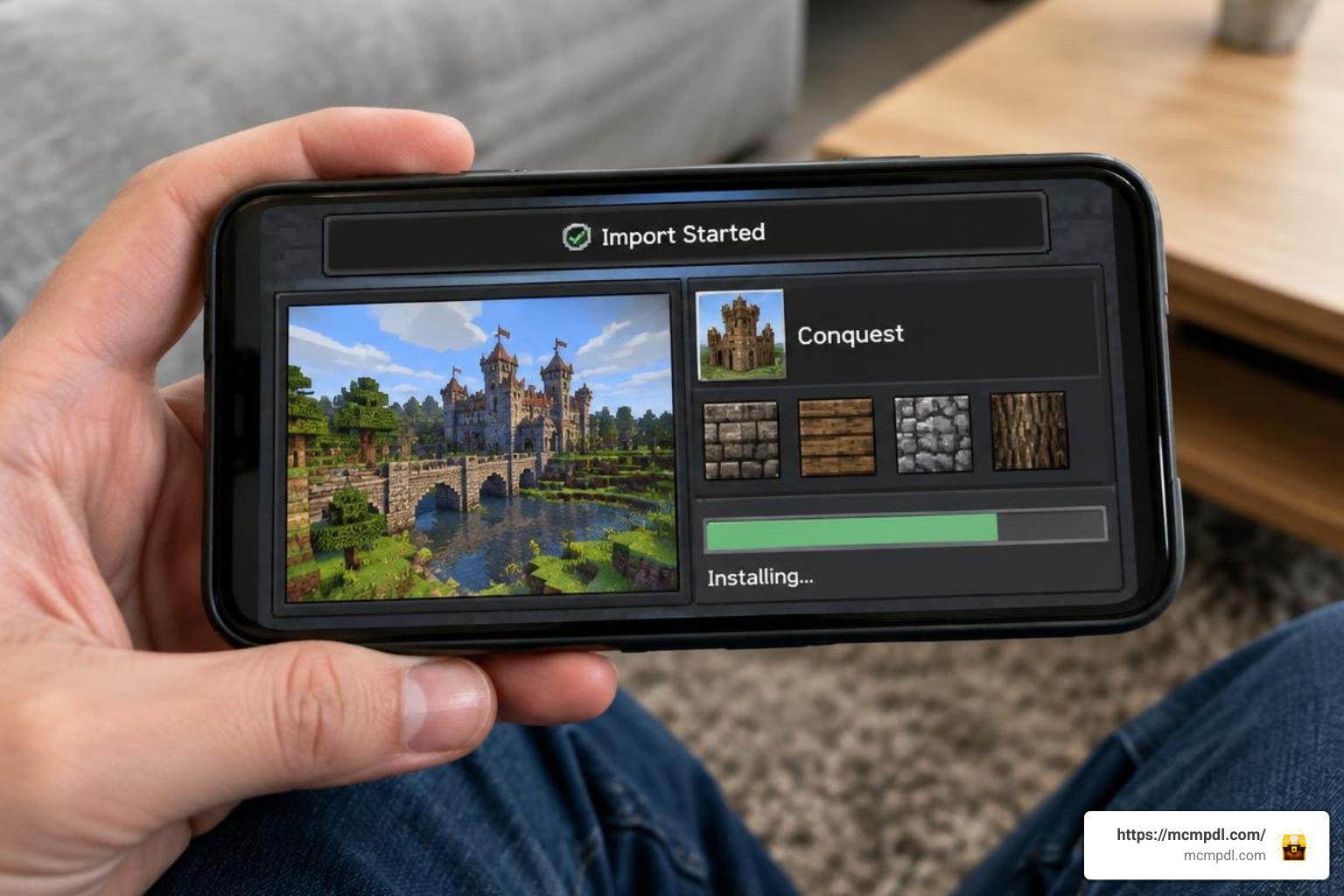
Installing custom packs on Minecraft Bedrock has never been easier. Because the pack is packaged as an .mcpack file, you can install it on your mobile device in five straightforward steps:
- Download the Official .mcpack File: Acquire the latest Bedrock build from trusted sources like the Download Conquest Texture Pack for Minecraft PE or the conquest_bedrock portal.
- Open the File with Minecraft: Tap on the downloaded
.mcpackfile in your device’s file manager or download tray. Choose Minecraft when prompted to open the file. - Allow the Automatic Import: Minecraft will automatically launch and display an Import Started banner at the top of your screen, followed by a successful import confirmation.
- Activate in Global Resources: From the main start menu, go to Settings > Global Resources > My Packs, find Conquest, and select Activate.
- Apply to Individual Worlds (Optional): If you prefer to enable it only on specific worlds, open the world’s edit menu (pencil icon), navigate to Resource Packs, and activate Conquest there.
For players on other platforms, you can also reference resources like [1.21] compatible Conquest_ 32×32 Minecraft Texture Pack or Download Conquest Texture Pack Minecraft Bedrock – Conquest Texture Pack for additional distribution files.
Compatibility, Addons, and Version Support
The pack remains broadly compatible across modern Bedrock updates, including version 1.21 and newer builds. To view additional community-tested visual styles, browse through our extensive Texture Packs category for clean alternatives like Vanilla HD Texture Pack or Luminora Textures Pack.
When building expansive custom maps, you can easily combine Conquest with behavioral addons or themed additions like the Archeologeist Texture Pack, Dairycraft Texture Pack, or even the chilly Ice Age Texture Pack. Always ensure that if multiple visual packs are loaded, Conquest sits at the top of your resource hierarchy.
Troubleshooting Common Texture Glitches and Errors
If your textures look broken or refuse to appear, check these quick fixes:
- Missing Textures (Purple & Black Checkerboards): This occurs if a download was corrupted. Delete the pack from Settings > Storage > Resource Packs and re-download the
.mcpack. - Texture Overrides Not Showing: If another pack is active, it might take precedence. Go to Settings > Global Resources > Active, and use the arrow buttons to move Conquest to the very top of your load order.
- Glitches After a Major Game Update: When the base game receives an update, cached files can conflict. Clear your Minecraft cache inside your device’s application settings, restart the game, and reload your world.
- Custom Slabs Looking Standard: Ensure your world has Experimental Gameplay features toggled on if you are playing on older Bedrock iterations that require advanced block metadata.
Frequently Asked Questions About Conquest Texture Pack
Does Conquest for Bedrock require Optifine or third-party mods?
No. While the original Java edition often relies on mods for connected textures, the Bedrock version is fully native. It includes custom skyboxes and detailed 32×32 assets that work directly inside the default Bedrock engine without any extra tools.
Can I use Conquest Texture Pack on multiplayer servers and Realms?
Yes. You can activate Conquest in your Global Resources menu to enjoy the visuals client-side across any public multiplayer server. If you own a Realm, you can apply Conquest directly into the Realm’s resource pack slot, allowing all joining players to experience the same medieval world together.
Is the Conquest Texture Pack safe to use and monetize in videos?
Yes. Content creators, YouTubers, and streamers are free to showcase builds, host roleplay series, and monetize gameplay recordings featuring the Conquest pack. When publishing videos, providing proper credit and linking back to the official pack creators is always encouraged by the community.
Conclusion
The Conquest Texture Pack remains the gold standard for medieval, historical, and dark fantasy builders in Minecraft PE/Bedrock. With its rich 32×32 textures, custom skyboxes, double-slab building tricks, and lifelike mob designs, it turns every simple shelter into an authentic fortress.
Ready to completely transform your Minecraft worlds with new textures, custom maps, and creative addons? You can explore all Minecraft Bedrock additions at MCMPDL and build your next masterpiece today!
4 thoughts on “Conquest Texture Pack for Minecraft PE/Bedrock”