Scroll down to D0vvnl0ad
Modern Furniture for Minecraft PE/Bedrock at a Glance
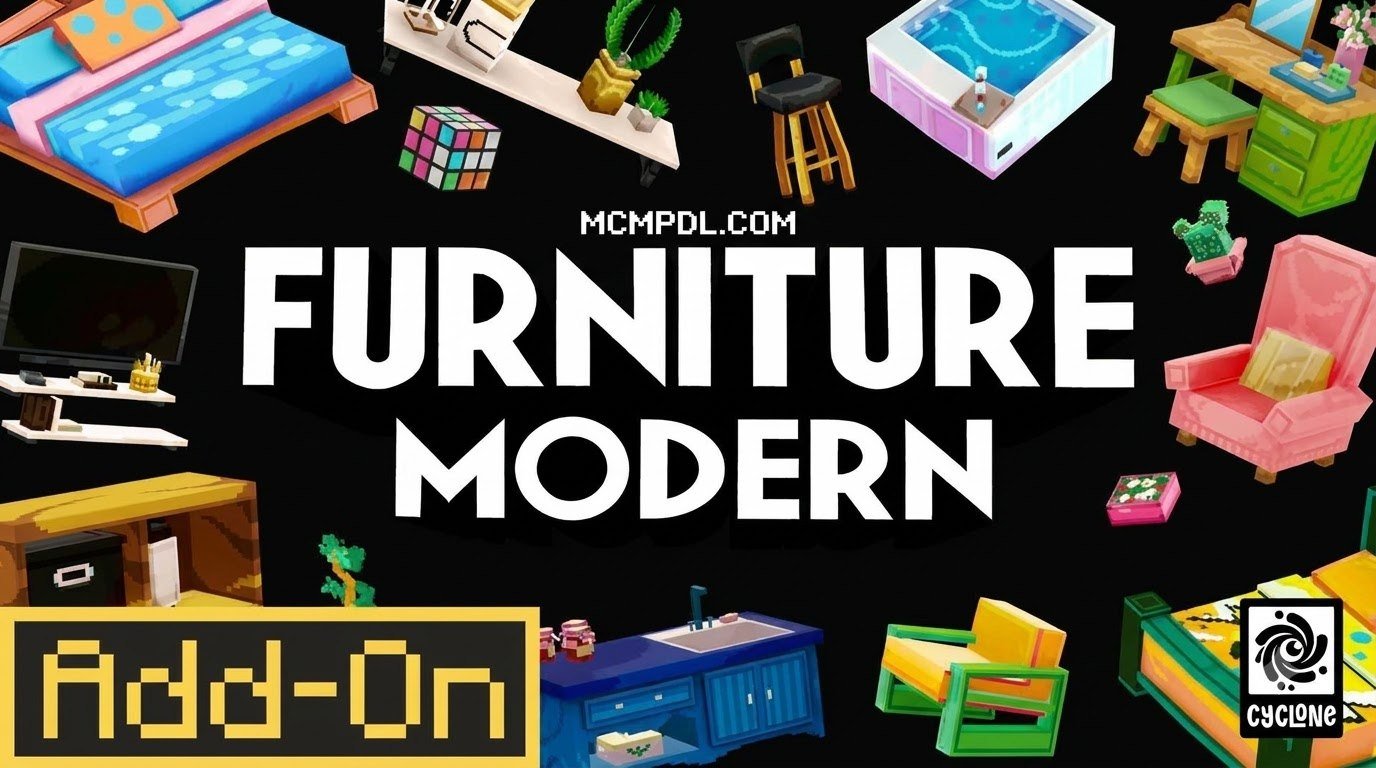
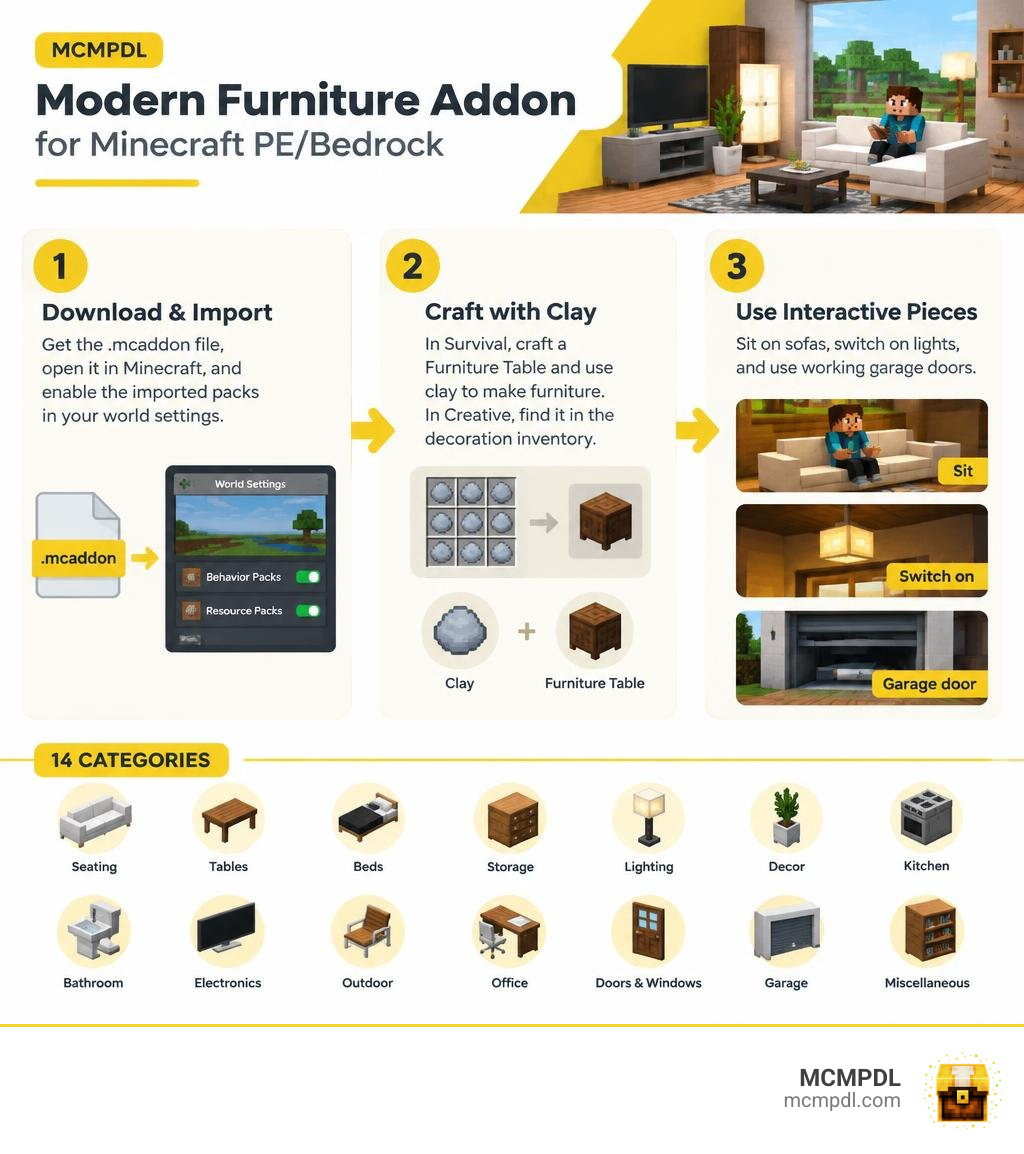
The Modern Furniture Addon for Minecraft PE/Bedrock adds 800+ furniture pieces and blocks for houses, shops, and streets. To get started, download its .mcaddon file, open it with Minecraft, and enable the imported packs in your world settings. In Survival, craft a Furniture Table and use clay to make furniture. In Creative, look in the decoration inventory.
This is more than a set of props: you can sit on sofas, switch on lights, and use working garage doors. The guide below covers installation, crafting, and the features worth trying first.
What the Modern Furniture Addon for Minecraft PE/Bedrock Adds
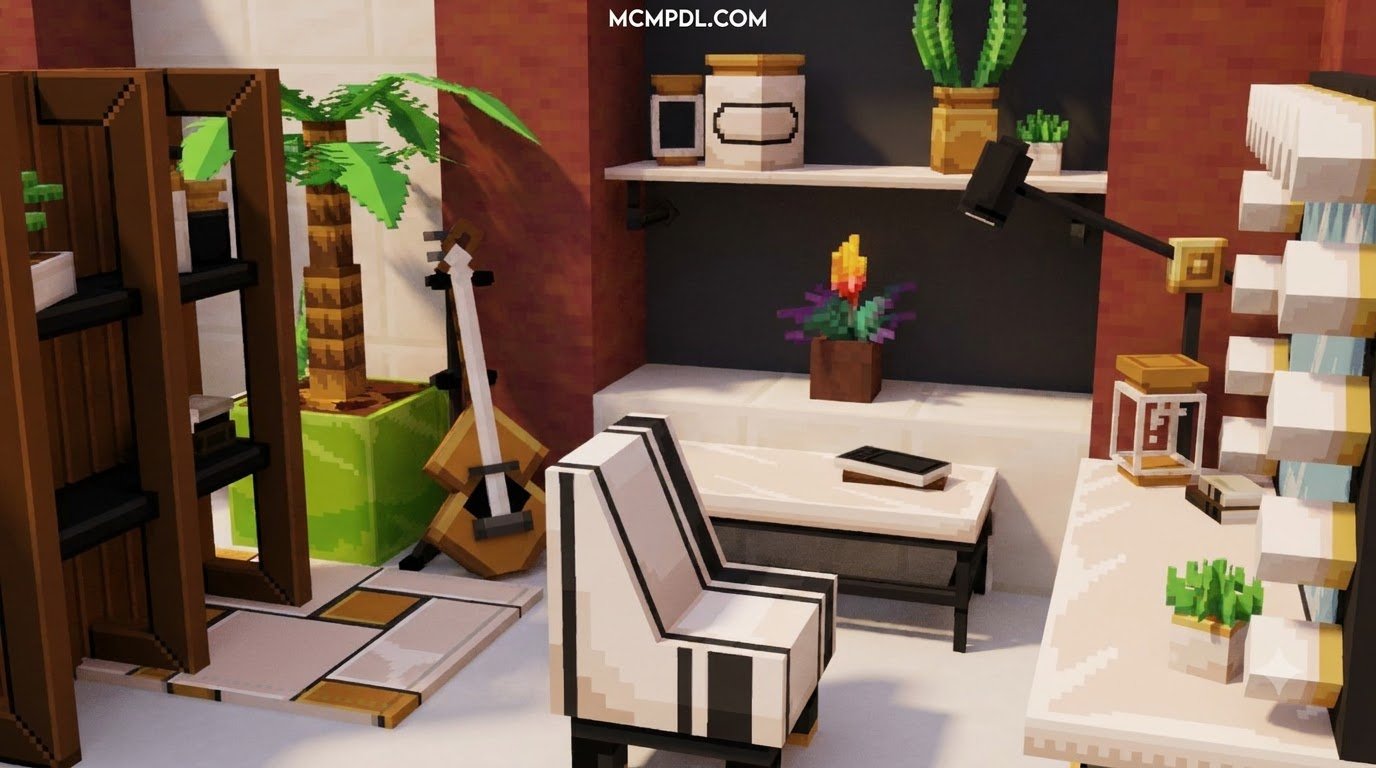
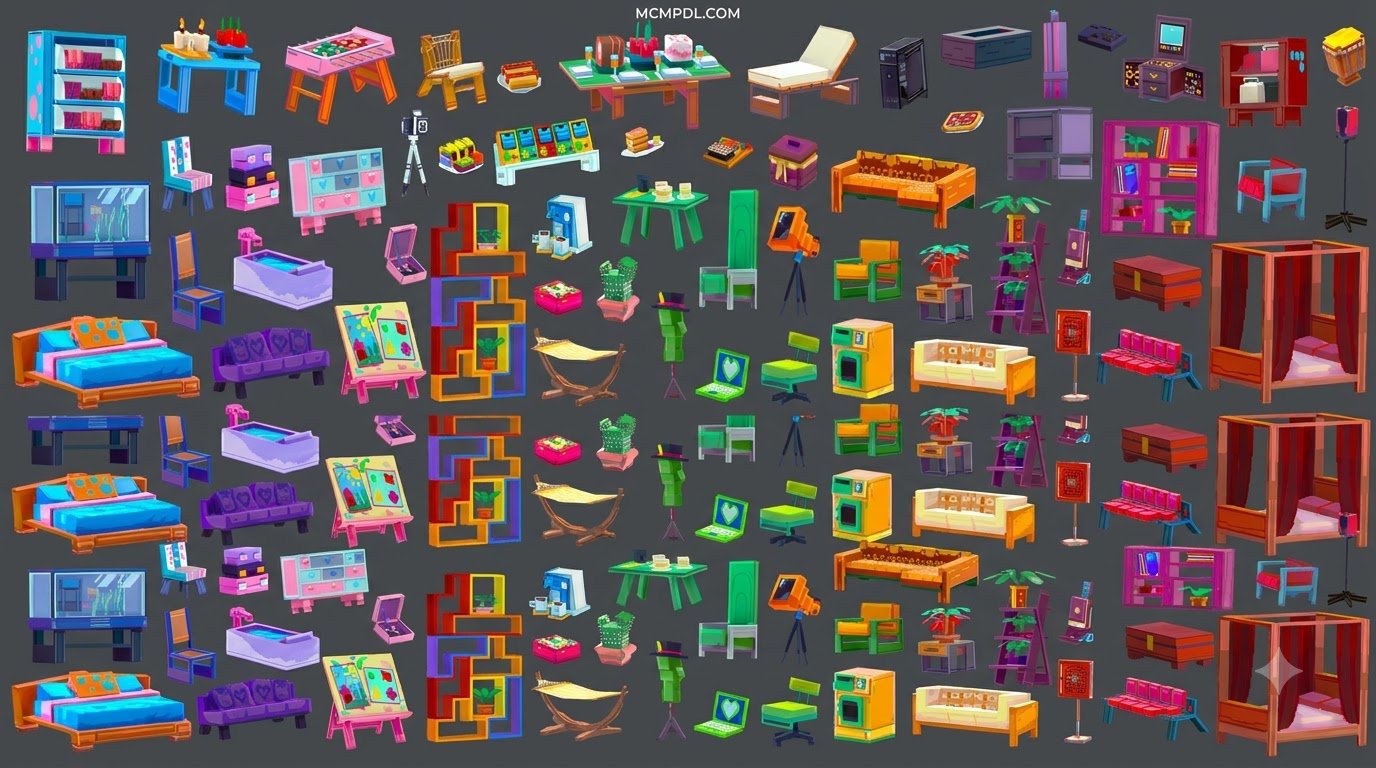
Decorating in vanilla Minecraft often forces us to use upside-down stairs as chairs and trapdoors as table legs. While creative, those workarounds rarely look like real furniture. The Modern Furniture Addon solves this by introducing over 800 detailed blocks and decor pieces.
The add-on organizes its massive catalog into 14 distinct categories:
- Interior: Desks, media consoles, and everyday household essentials.
- Bathroom: Sinks, bathtubs, showers, toilets, and towel racks.
- Construction: Architectural elements and specialized modern fixtures.
- Kitchen: Modern counters, sinks, fridges, stoves, and kitchen islands.
- Vent: Wall and ceiling ventilation ducts for realistic detailing.
- Painting: Dozens of modern art pieces, including custom donor artwork.
- Decorations: Small knick-knacks, clutter, and tabletop items.
- Festive: Seasonal holiday decorations to celebrate special occasions.
- Garage: Compression machines, repair stations, tires, and mechanical tools.
- Light: Ceiling lamps, recessed fixtures, and bedside lighting.
- Bookshelf: Modern styled shelving units and media storage.
- Table: Modular surfaces and contemporary coffee tables.
- Chair: Ergonomic office seating, dining chairs, and barstools.
- Sofa: Sectionals, armchairs, and living room seating.
The entire pack features English language support and relies on a clean, minimalist aesthetic. Instead of hyper-detailed textures that clash with vanilla biomes, these blocks blend smoothly alongside standard blocks and other expansions like the Furniture Addon for Minecraft PE/Bedrock.
How the Modern Furniture Addon for Minecraft PE/Bedrock Fits Modern Builds
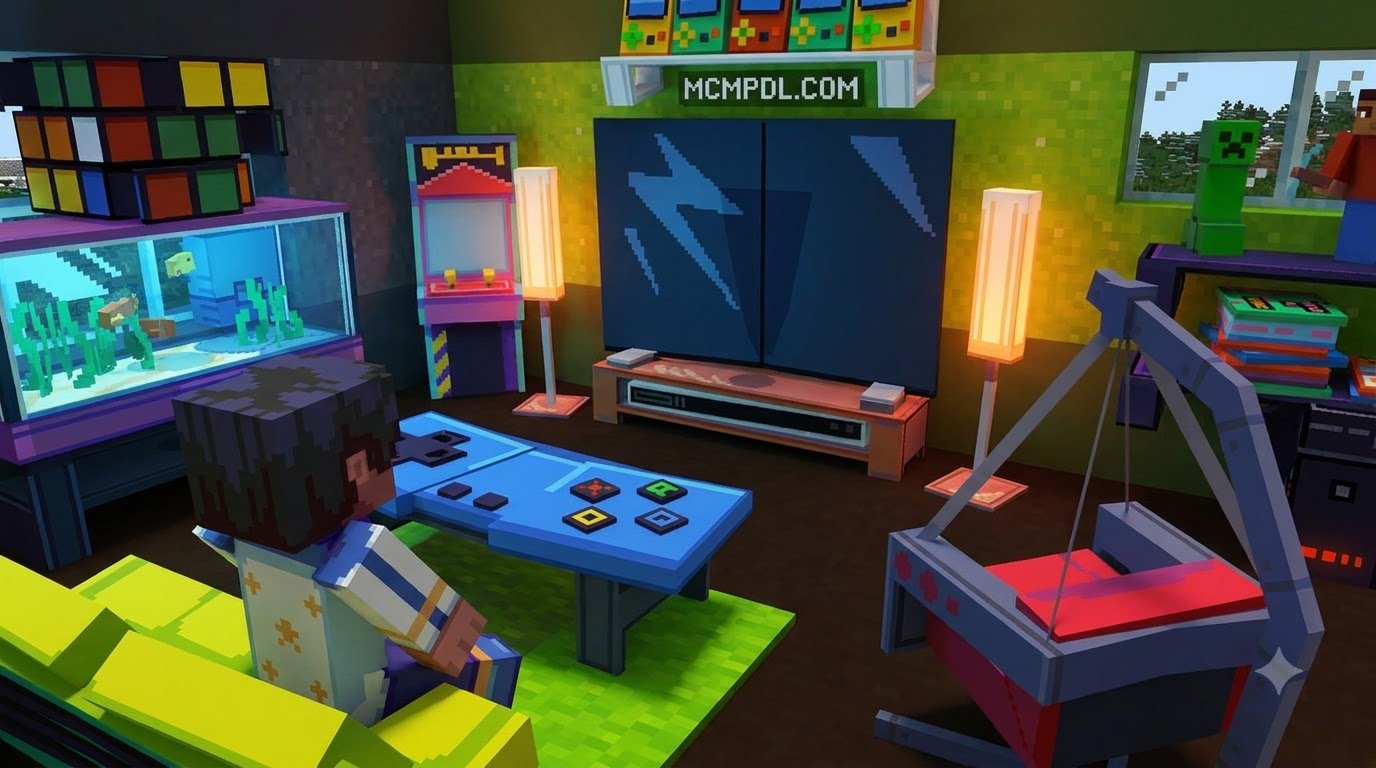
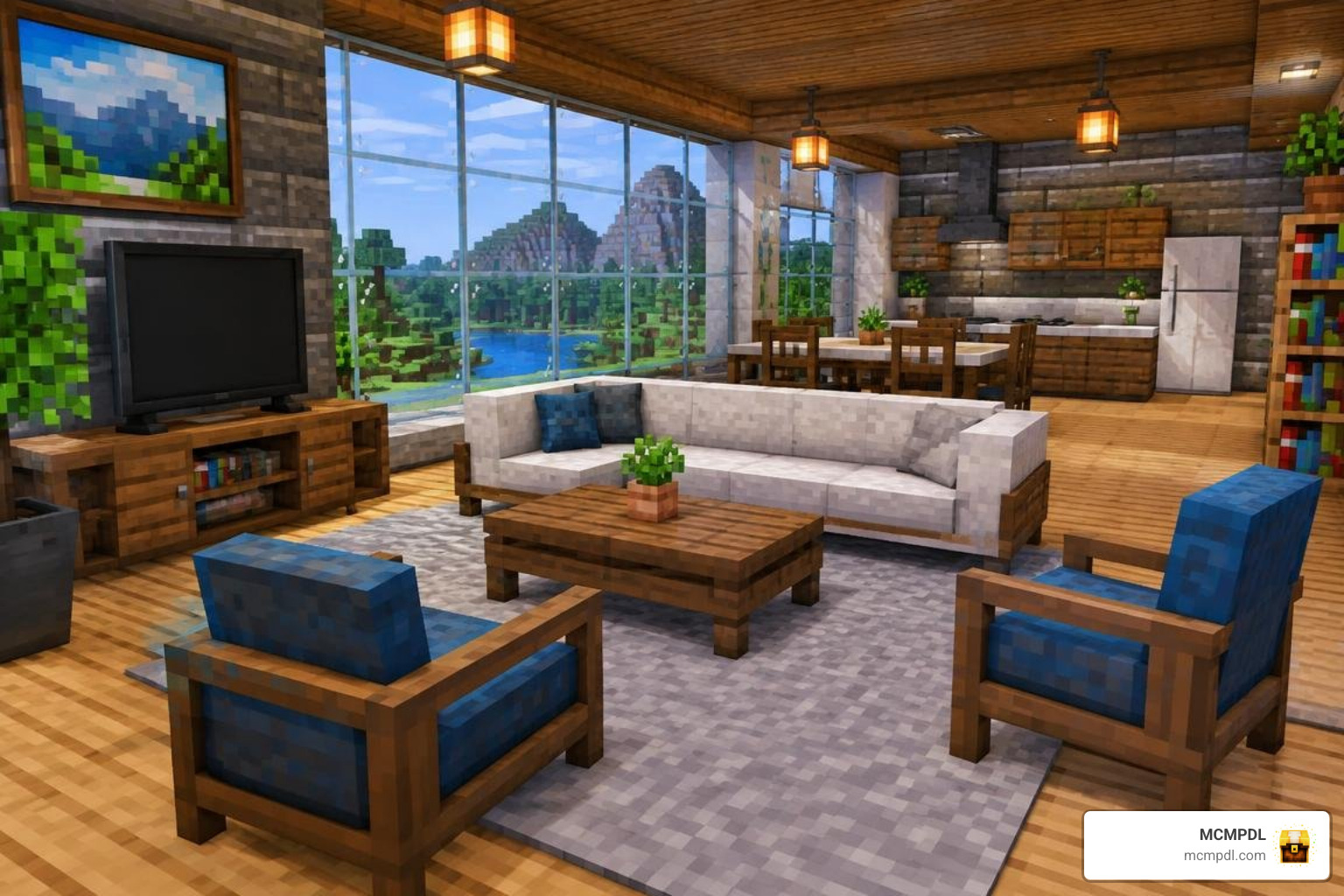
Whether you are designing a high-rise downtown apartment or a suburban neighborhood, this pack covers every room. In living areas, you can combine flat-screen TVs with sound systems and low-profile couches. Kitchens benefit from seamless countertops, working stovetops, and realistic refrigerators. For bathrooms, fully textured fixtures replace makeshift cauldrons.
Outside the house, the pack provides street-ready assets such as working traffic lights, garden fencing, trash cans, and decorative cars. If you enjoy building elaborate urban layouts, pairing these modern assets with specialized structural additions like the Building Blocks Addon for Minecraft PE/Bedrock helps you construct realistic cities from the pavement up.
Furniture Design and Category Highlights
The design philosophy behind the add-on centers on geometric simplicity. Objects retain the voxel charm of Minecraft while delivering sleek silhouettes.

Modular pieces represent one of the best highlights. When you place sofas or dining tables side-by-side, their models dynamically snap together into seamless corner units, long sectionals, or grand dining surfaces. This modularity eliminates awkward gaps and lets you customize your floor plan to fit any room shape. If you like themed variety, you can also mix and match these styles with packs like the Fruit Furniture Addon for Minecraft PE/Bedrock or Block Furniture Addon for Minecraft PE/Bedrock.
How to Download, Install, and Get Furniture
Getting your hands on these modern assets is straightforward across Android, iOS, and Windows devices running Minecraft Bedrock Edition.
Install the Add-On on Android, iOS, and Windows
The add-on is distributed as a packaged .mcaddon file containing both resource and behavior packs.
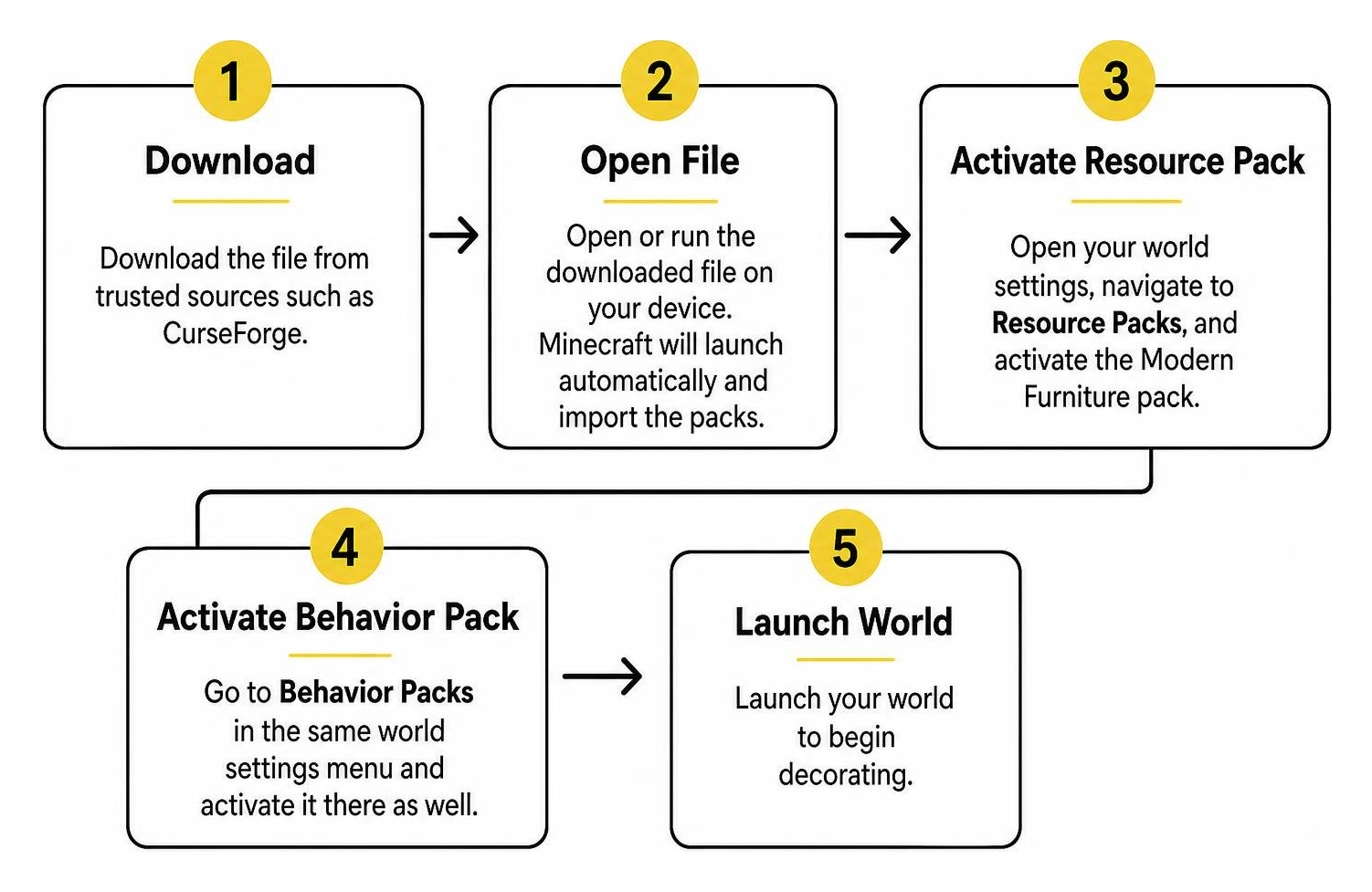
- Download the file from a trusted Minecraft Bedrock add-on source.
- Open or run the downloaded file on your device. Minecraft will launch automatically and import the packs.
- Open your world settings, navigate to Resource Packs, and activate the Modern Furniture pack.
- Go to Behavior Packs in the same world settings menu and activate it there as well.
- Launch your world to begin decorating.
For builders looking for even more variety across their single-player worlds or Realm servers, discovering new expansions is easy through our curated collection at MCMPDL.
Get Furniture in Creative Mode
If you are building in Creative mode, you have immediate access to the full catalog:
- Open your Creative inventory and switch to the Decoration tab to browse items visually.
- Use the in-game search bar to quickly find specific pieces by typing names like
sofa,lamp, orcounter. - Use the chat console to grant items directly by entering
/give @p f:followed by the specific furniture identifier.
For creators who love organizing vast build projects, pairing this with utility toolsets like the Builder’s Tools Addon for Minecraft PE/Bedrock or Build Assist Addon for Minecraft PE/Bedrock makes furnishing massive layouts fast and efficient.
Craft Furniture in Survival Mode
Unlike purely decorative mods that restrict items to Creative menus, this pack includes complete survival integration through a custom workbench system.
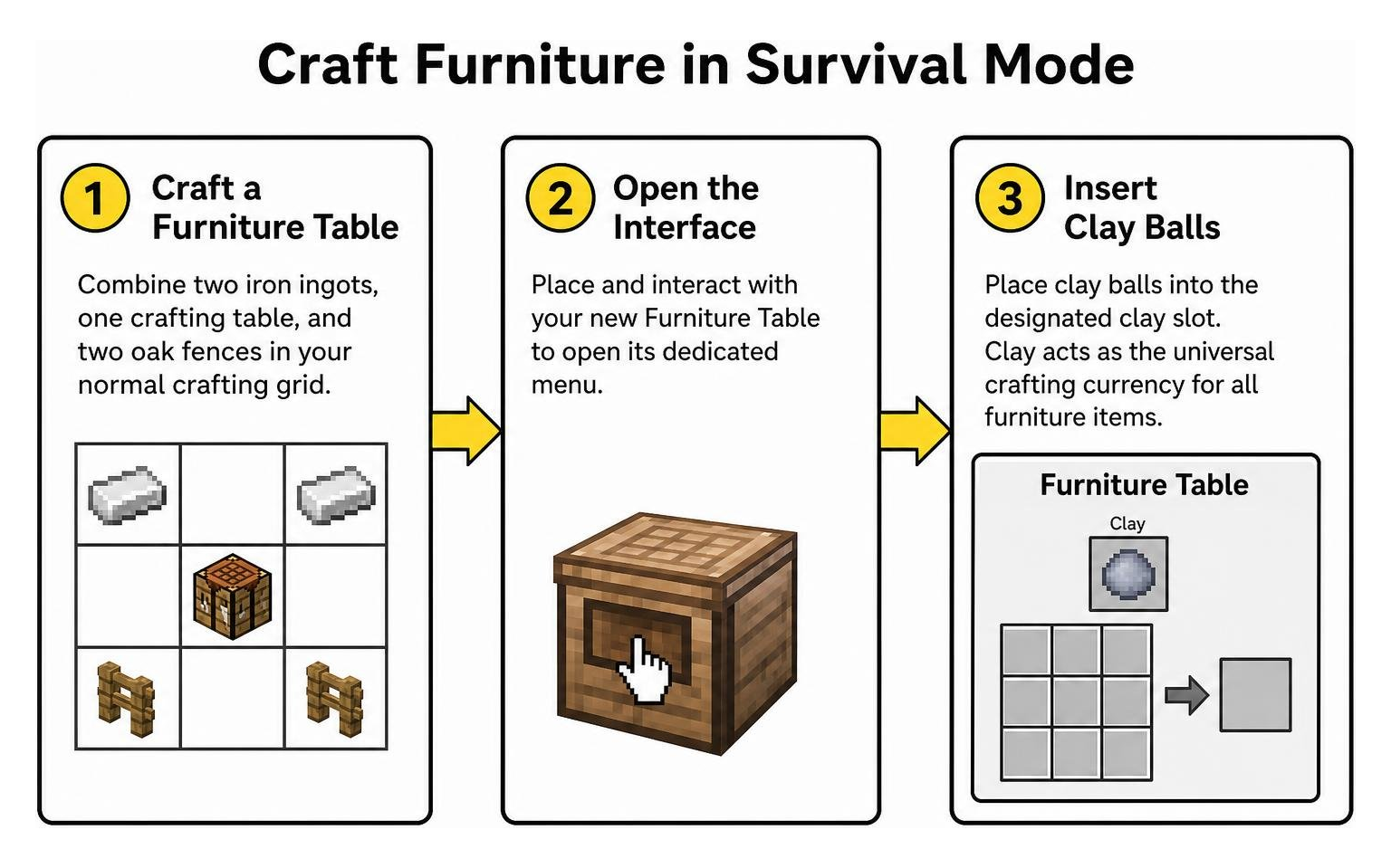
To craft furniture in Survival:
- Craft a Furniture Table: Combine two iron ingots, one standard crafting table, and two oak fences in your normal crafting grid.
- Open the Interface: Place and interact with your new Furniture Table to open its dedicated menu.
- Insert Clay Balls: Place clay balls into the designated clay slot. Clay acts as the universal crafting currency for all furniture items.
- Select a Category: Use the navigation arrows to browse through the 14 available categories.
- Craft Your Item: Click the piece of furniture you want. The table will consume the required clay and place the item into your inventory.
- Reclaim Leftovers: When you close the interface, any unused clay remaining in the input slot automatically returns to your inventory.
If you enjoy custom crafting stations and home progression, expanding your setup with packs like the Craftable Houses Addon for Minecraft PE/Bedrock offers a complementary survival experience.
Interactive Features and the Modern Tool
What elevates this add-on above standard decorative blocks is its focus on active functionality. You are not just looking at props; you can interact with almost everything in your home.
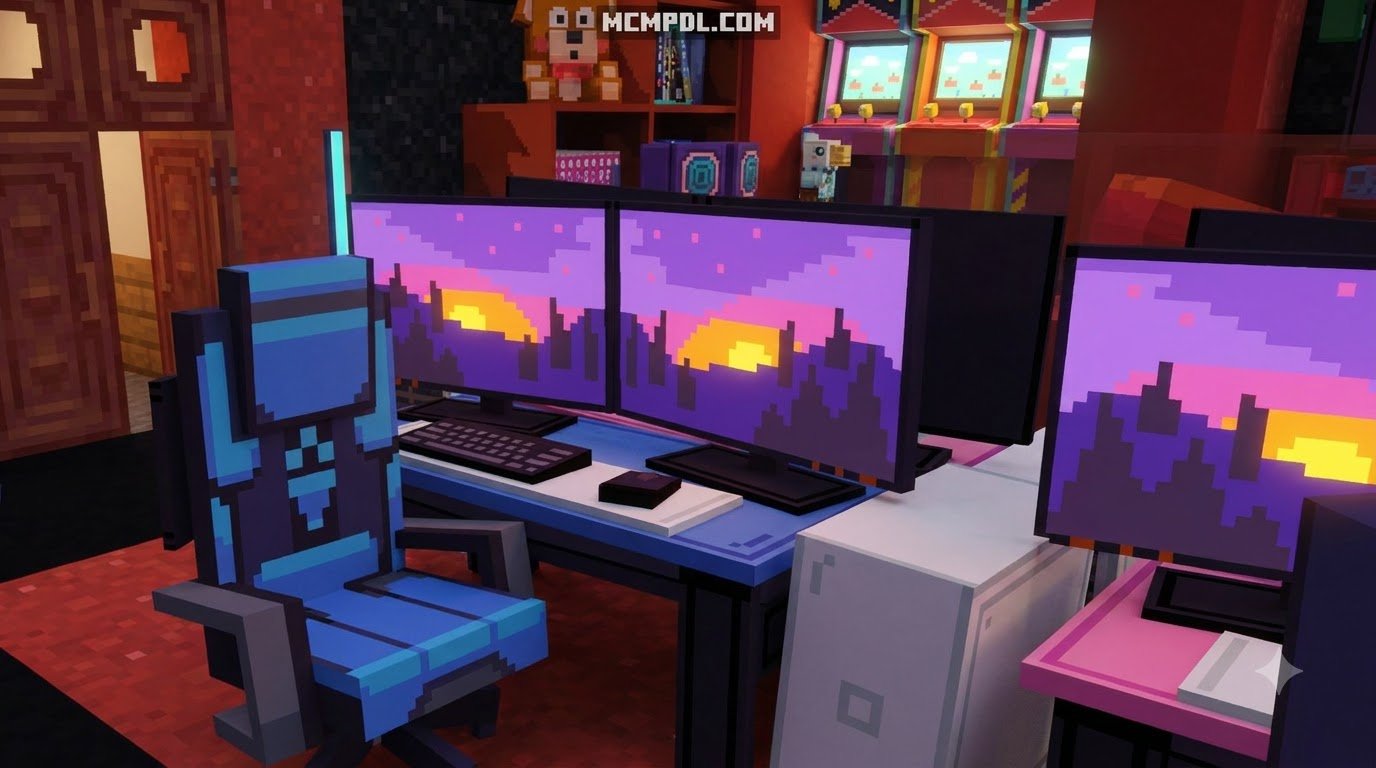
- Sit-able Seating: Right-click or tap on armchairs, office chairs, and sofas to sit down and rest.
- Working Mirrors: Stand in front of mirrors to view your character reflection, achieved via a clever third-person perspective shift.
- Smart Lighting: Bedside lamps, ceiling lights, and modern LEDs can be toggled manually or adjusted with smart switches that feature three distinct brightness levels.
- Ignitable Elements: Fireplaces and outdoor grills can be lit using flint and steel, then extinguished safely by hand.
- Garage Doors: Full-size garage doors open and close smoothly when triggered by redstone levers or buttons.
- Functional Novelties: Play playable notes on pianos, draw custom doodles on whiteboards with markers, post persistent text on message boards, bounce on trampolines, stack food on plates, and dispose of unwanted items in trash bins.
For players building fantasy realms or anime-inspired spaces, combining these mechanical elements with thematic packs such as the Anime Furniture World for Minecraft PE/Bedrock or Asiancraft Building Addon for Minecraft PE/Bedrock produces unique hybrid builds.
Find and Use Functional Furniture
To make finding interactive items easier, blocks feature dedicated functionality tags. When searching your Creative inventory or recipe books, you can filter items by typing functional keywords:
- Type
Sit-ableto locate all chairs, stools, and couches you can sit on. - Type
Ignitableto find fireplaces, grills, and fire pits. - Type
Configurableto display every block that supports custom model adjustments via tools.
Use the Modern Tool on Configurable Blocks
Certain furniture pieces support multiple structural variations. You can identify these items by their Configurable tooltip label and wrench icon.
To alter a configurable block:
- Hold the Modern Tool in your main hand.
- Interact with the placed configurable block.
- Each click cycles the block through different geometric models, orientations, or visual styles.
- If you want to return the block to its default state, continue clicking until it cycles back, or simply break and replace the item.
Frequently Asked Questions about Modern Furniture
Is the Modern Furniture Addon for Minecraft PE/Bedrock compatible with your version?
The add-on is built for Minecraft Bedrock version 1.20.15 and higher, with confirmed stability on version 1.21.132. It is engineered using standard custom block systems, meaning you do not need to enable unstable experimental gameplay toggles in your world settings.
Does the Add-On Support Survival and Multiplayer?
Yes. The add-on is fully multiplayer compatible and survival-friendly. Because crafting relies on the dedicated Furniture Table and clay exchange rather than complex recipe overrides, players on shared worlds, LAN games, and Bedrock dedicated servers can craft, configure, and use furniture simultaneously without server desync issues.
How Many Items Are Included, and What Can You Do with Them?
The add-on contains over 800 furniture pieces, functional appliances, and building blocks spanning 14 categories. Depending on the specific distribution build, download listings may state anywhere between 500+ and 800+ assets due to how modular sub-blocks and configurable variations are counted. Across all pieces, you get more than a dozen fully interactive mechanics ranging from redstone-operated garage doors to playable pianos.
Conclusion
The Modern Furniture Addon delivers an expansive, functional overhaul for interior design in Minecraft Bedrock Edition. With simple clay-based survival crafting, full Creative menu integration, and interactive mechanics like sitting, dynamic lighting, and configurable models, it transforms empty rooms into realistic homes. Explore our extensive directory of Bedrock content on MCMPDL to find more textures, shaders, and block add-ons to complete your next modern project.