Scroll down to D0vvnl0ad
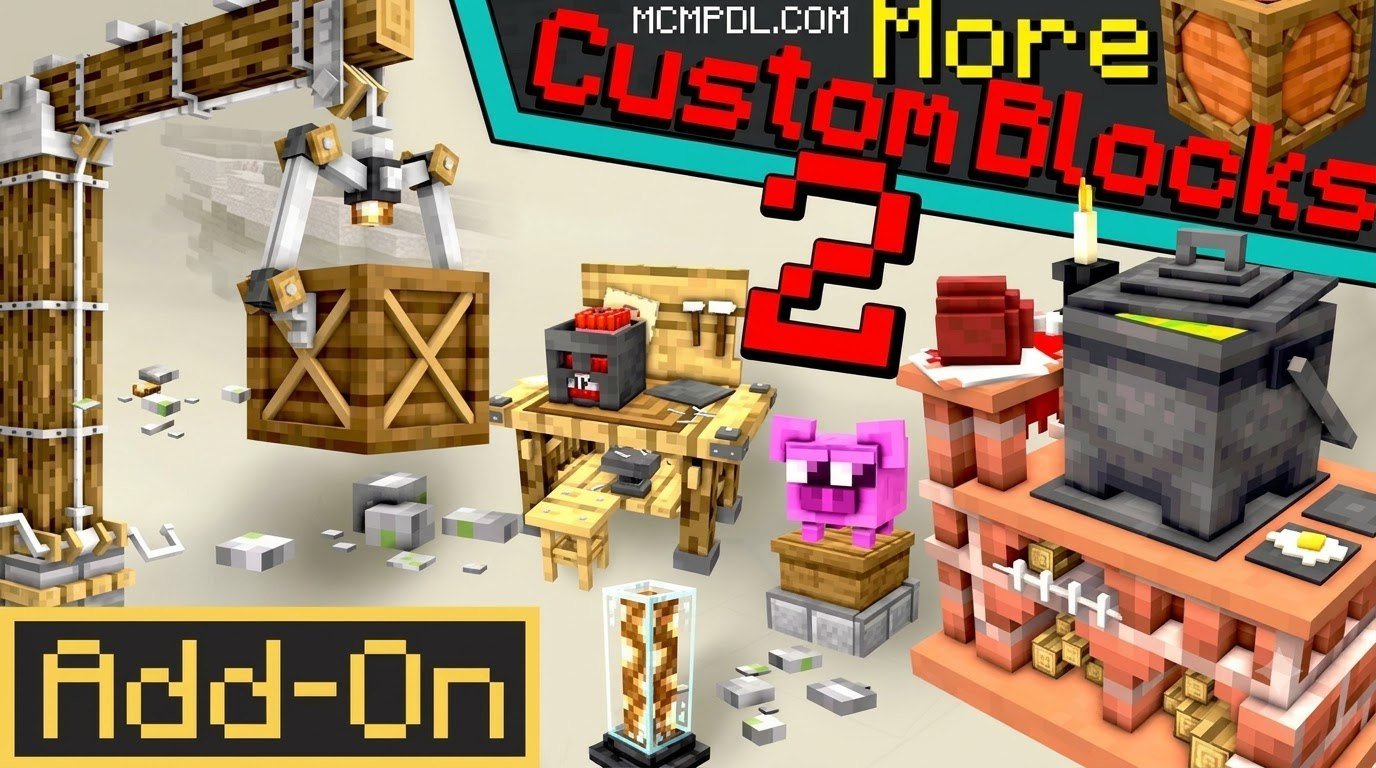
What Is the More Custom Blocks 2 Addon for Minecraft PE/Bedrock?
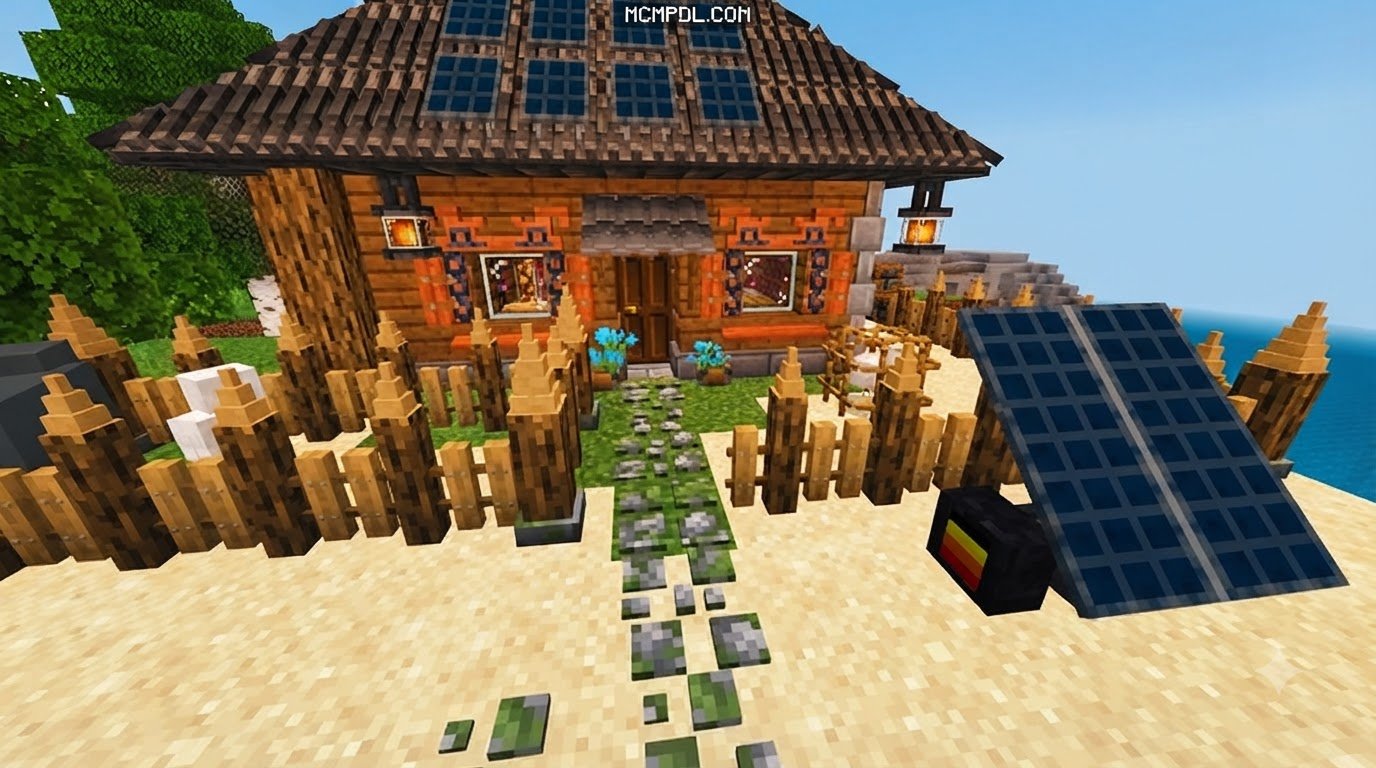
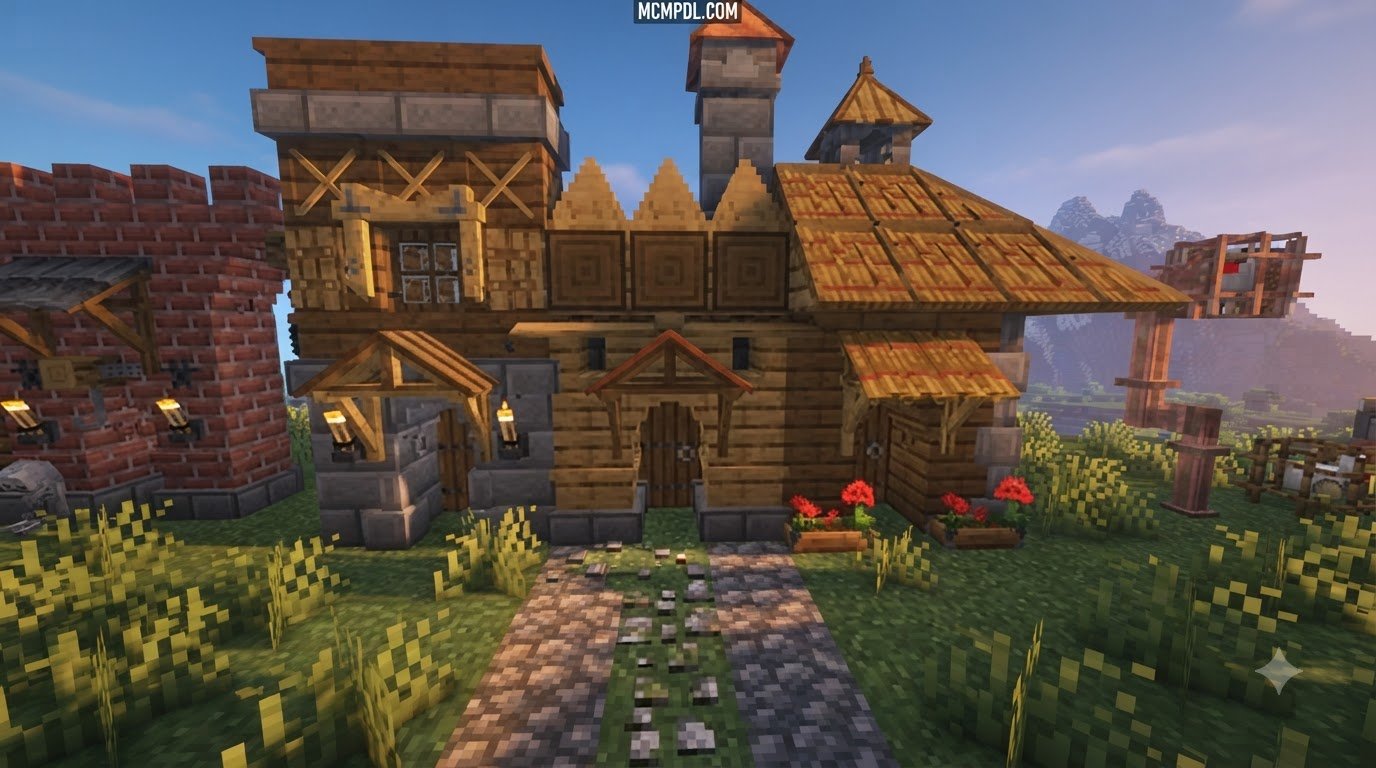
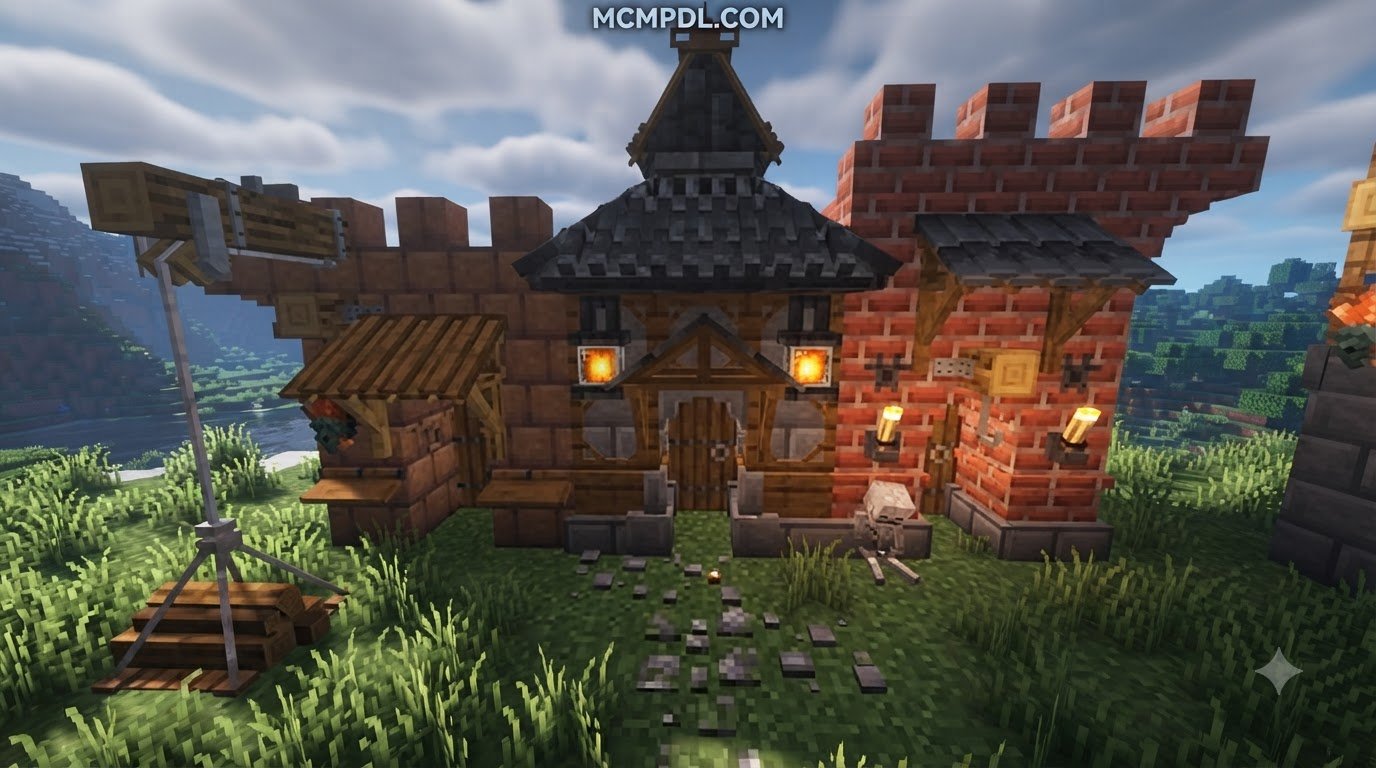
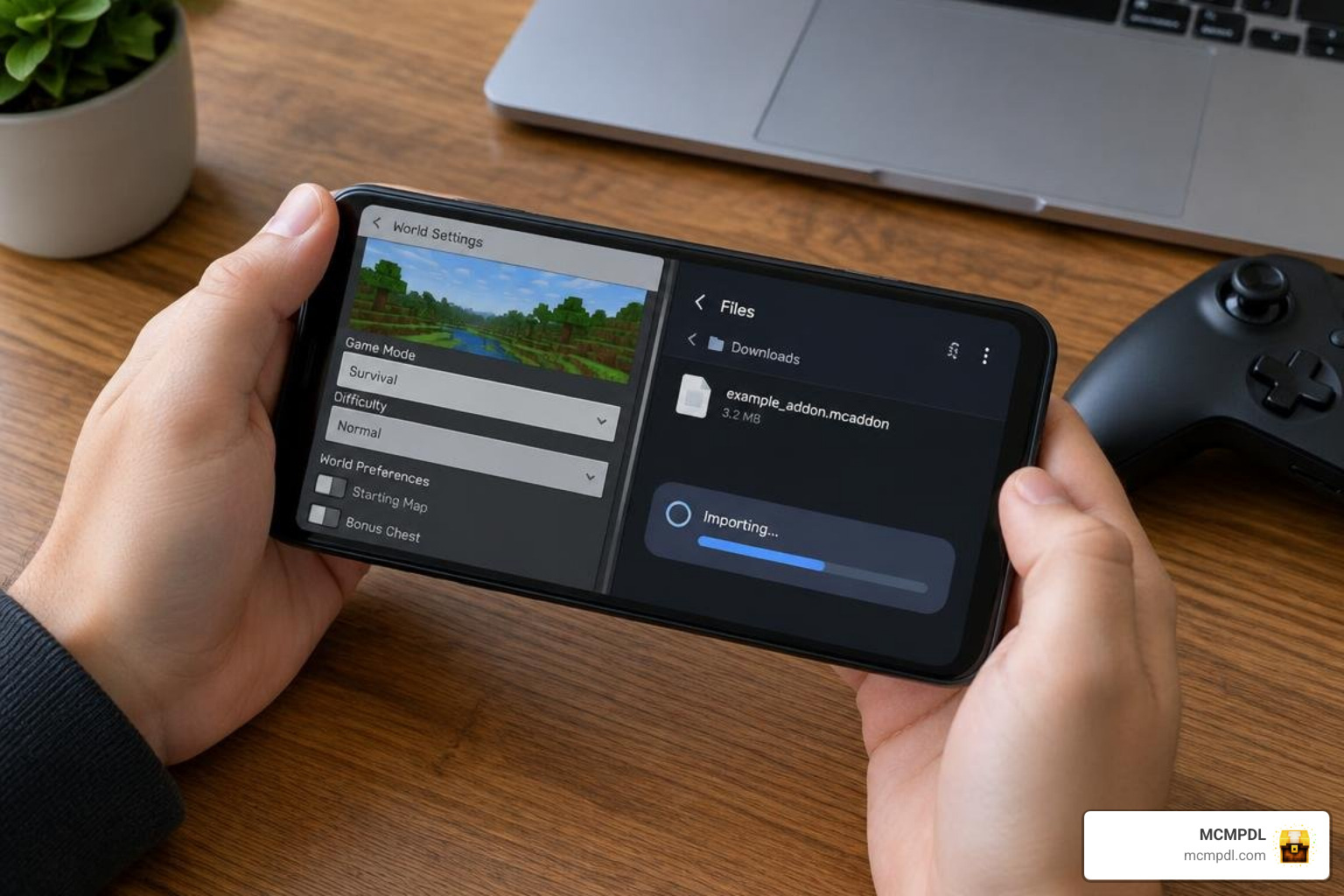
To download and install the More Custom Blocks 2 Addon for Minecraft PE/Bedrock, first download the .mcaddon file from the More Custom Blocks 2 Add-On download link, then open it with Minecraft to import the behavior and resource packs. After importing, activate both packs in your world’s settings and enable experimental toggles like Holiday Creator Features. This add-on expands the traditional Bedrock building toolkit by introducing genuine, fully interactive blocks designed for everyday builders and mapmakers. Created by creator sparcy_no, this modification was built to address one of the longest-standing wishes of the community: having access to custom textures, shapes, and utility pieces directly in regular gameplay without relying on clunky invisible armor stands or re-skinned mobs.
Unlike older modifications that simulated furniture and fixtures by turning invisible entities into pseudo-blocks, this add-on utilizes Bedrock’s native block definition system. That means every piece you place has solid collision, sounds like stone or wood when walked on, drops items when broken with the right tools, and respects standard world physics. It brings a balanced mix of decorative masonry, interactive features, and structural components directly to your world.
Whether you want to build detailed castle walls, upgrade your cozy survival cottage, or assemble complex challenge rooms, getting the More Custom Blocks 2 Add-On download gives you access to a rich collection of craftable elements that feel completely natural alongside vanilla materials.
Key Features of More Custom Blocks 2 Addon for Minecraft PE/Bedrock
At its core, this add-on is designed to support long-term survival gameplay as well as creative building. Every single block included in the pack comes with its own survival crafting recipe, allowing you to source materials from your mines, forests, and farms without ever having to open the creative inventory.
Key highlights of the pack include:
- Survival-Ready Recipes: Turn basic stone, wood, and minerals into advanced architectural blocks via the standard crafting table.
- Multi-Block Structures: Assemble modular puzzle blocks and unique arrangements to create secret doors, escape rooms, or custom dungeon mechanics. If you enjoy building intricate environments, you can pair these elements with the More Structures Addon for Minecraft PE/Bedrock to generate complete adventurous landscapes.
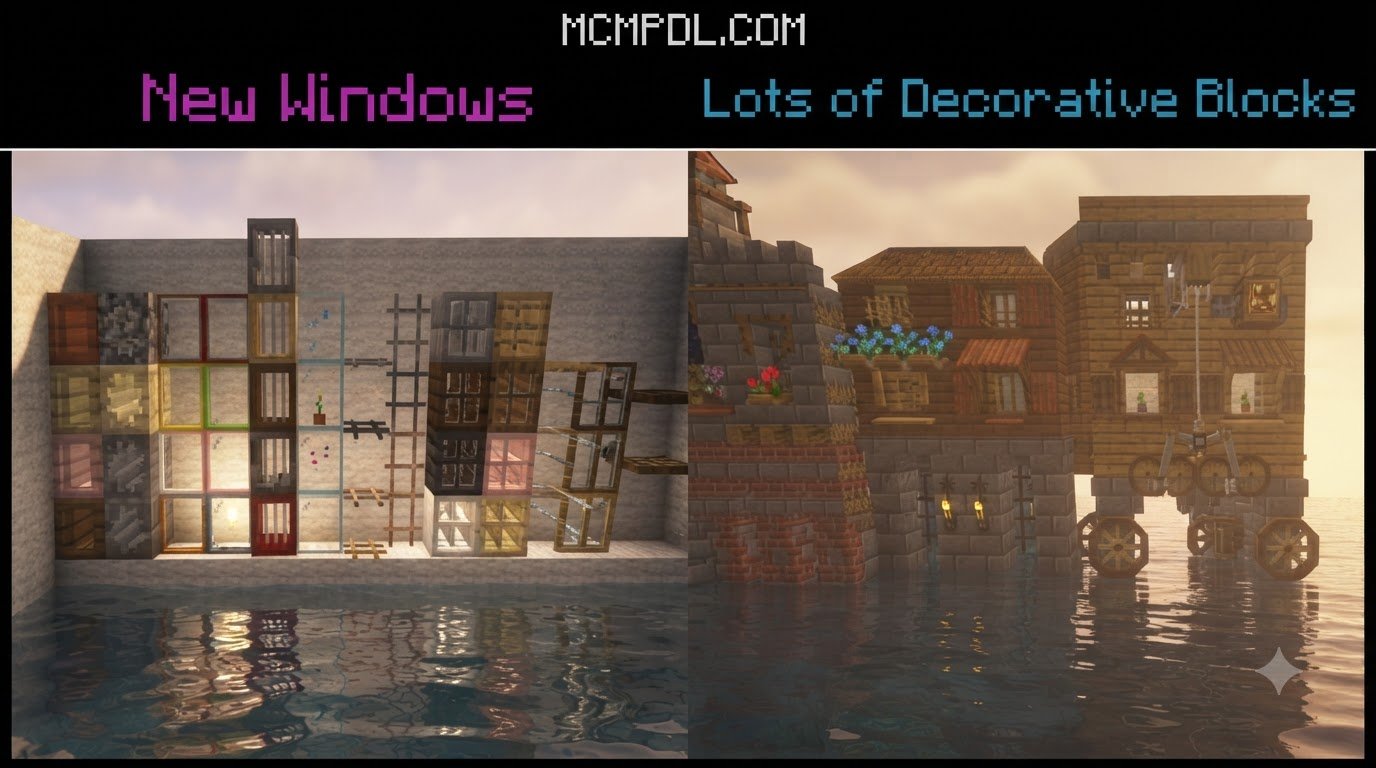
- Detailed Decorative Variants: Expand simple stone bricks and wooden planks into customized tiling, paneling, and carved trims.
- True Block Geometry: No floating entities or invisible armor stand glitches—all placed objects are recognized by the game engine as genuine block data.
What Makes More Custom Blocks 2 Stand Out
The Bedrock building community has many ways to approach block customization, but this pack focuses specifically on decorative blocks, puzzle mechanics, and multi-block sets that feel native to the game. Every custom block ships with a full survival crafting recipe, solid hitboxes, and self-contained textures, so there is no need to hunt down separate dependency packs just to see things render correctly.
If you are aiming for additional structural variety like cutaway walls and extra shapes, check out the More Blocks Addon for Minecraft PE/Bedrock, or explore magical world designs using the Fantasy Blocks Addon for Minecraft PE/Bedrock to complement your aesthetic options.
Step-by-Step Guide: How to Download and Install the Add-On
Installing custom packs on Bedrock is straightforward once you know how the game manages behavior and resource packages. Follow these detailed steps to get everything up and running smoothly across mobile and desktop platforms.
Installing More Custom Blocks 2 Addon for Minecraft PE/Bedrock on Mobile and PC
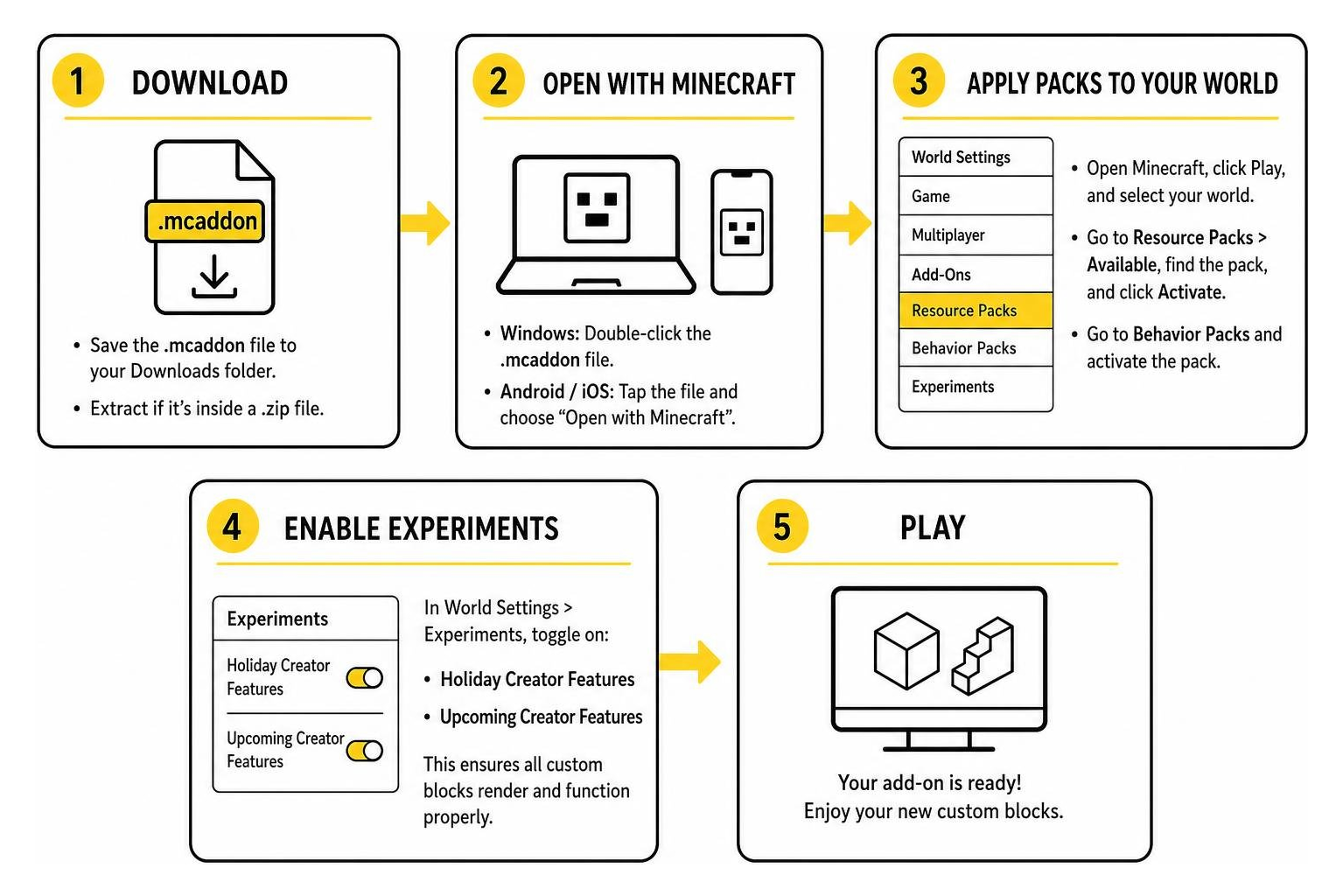
The add-on is distributed as an .mcaddon file (or packed inside a .zip archive). Depending on your operating system (Android, iOS, or Windows 10/11), follow these steps:
- Download the File: Save the file to your device’s Downloads directory.
- Extract if Necessary: If the downloaded file ends in
.mcaddon.zip, use your device’s file manager to rename the extension to.mcaddonor simply extract the.mcaddonfile from the archive. - Open with Minecraft:
- Windows: Double-click the
.mcaddonfile. Minecraft will launch automatically and import both the Behavior Pack and Resource Pack. - Android / iOS: Tap the file and select “Open with Minecraft”.
- Windows: Double-click the
- Apply Packs to Your World:
- Open Minecraft, click Play, and navigate to your target world’s edit menu (the pencil icon).
- Scroll down to Resource Packs on the left menu, click Available, find the pack, and click Activate.
- Scroll down to Behavior Packs and activate the corresponding behavior package.
- Enable Experimental Settings: Under the Experiments tab in world settings, toggle on options such as Holiday Creator Features and Upcoming Creator Features to ensure all custom blocks render and function properly.
For builders managing complex survival toolsets alongside new blocks, combining these packs with the More Utilities 2.0 Addon for Minecraft PE/Bedrock gives you extra handy items to make world construction much easier.
Setting Up Multiplayer and Server Compatibility
Playing with friends on local worlds, Realms, or dedicated Bedrock servers is fully supported when configured correctly. Because custom blocks require unique definitions and assets, world hosts must ensure proper client synchronization:
- Require Resource Packs: When editing your world settings, go to Resource Packs and check the box labeled “Require players to accept resource packs to join”. This guarantees that all joining players automatically download textures, preventing missing or invisible blocks on their screens.
- Realms Setup: Activate both the resource and behavior packs on your local world first, then upload that world to your Realm slot. The Realm will manage asset distribution to your friends automatically.
- Multiplayer Exploration: If you are populating your multiplayer world with custom communities, pairing your building mods with the More Villages Addon for Minecraft PE/Bedrock gives your friends plenty of new settlements to explore and remodel.
Crafting Recipes and Survival Gameplay Mechanics
One of the best aspects of this add-on is its complete integration with standard survival mechanics. Rather than cluttering your command bar with /give commands, you can gather vanilla resources and process them using your crafting table.
- Masonry and Carved Variants: Combining standard stone, deepslate, or cobblestone in various 2×2 and 3×3 grids yields decorative masonry blocks with unique bordering and trim textures.
- Puzzle and Multi-Block Elements: By combining redstone components, iron ingots, and reinforced blocks, you can craft modular puzzle blocks that link up to build complex maze chambers or mechanical vaults. If you love automating your bases with clever wiring, combining these pieces with the Craft Redstone Addon for Minecraft PE lets you create intricate contraptions.
- Interior Styling: Custom panels and decorative slabs can be placed alongside detailed interior furnishings from the Block Furniture Addon for Minecraft PE/Bedrock to complete living rooms, libraries, and workshops.
Troubleshooting Common Issues and Hitbox Limitations
While custom blocks in Bedrock provide incredible creative freedom, the game engine has specific quirks you should keep in mind:
- Invisible or Missing Textures: If newly placed blocks appear as plain dirt blocks with black-and-purple checkerboards or are completely invisible, ensure that the Resource Pack is placed at the top of your active pack hierarchy and that all experimental toggles are switched on.
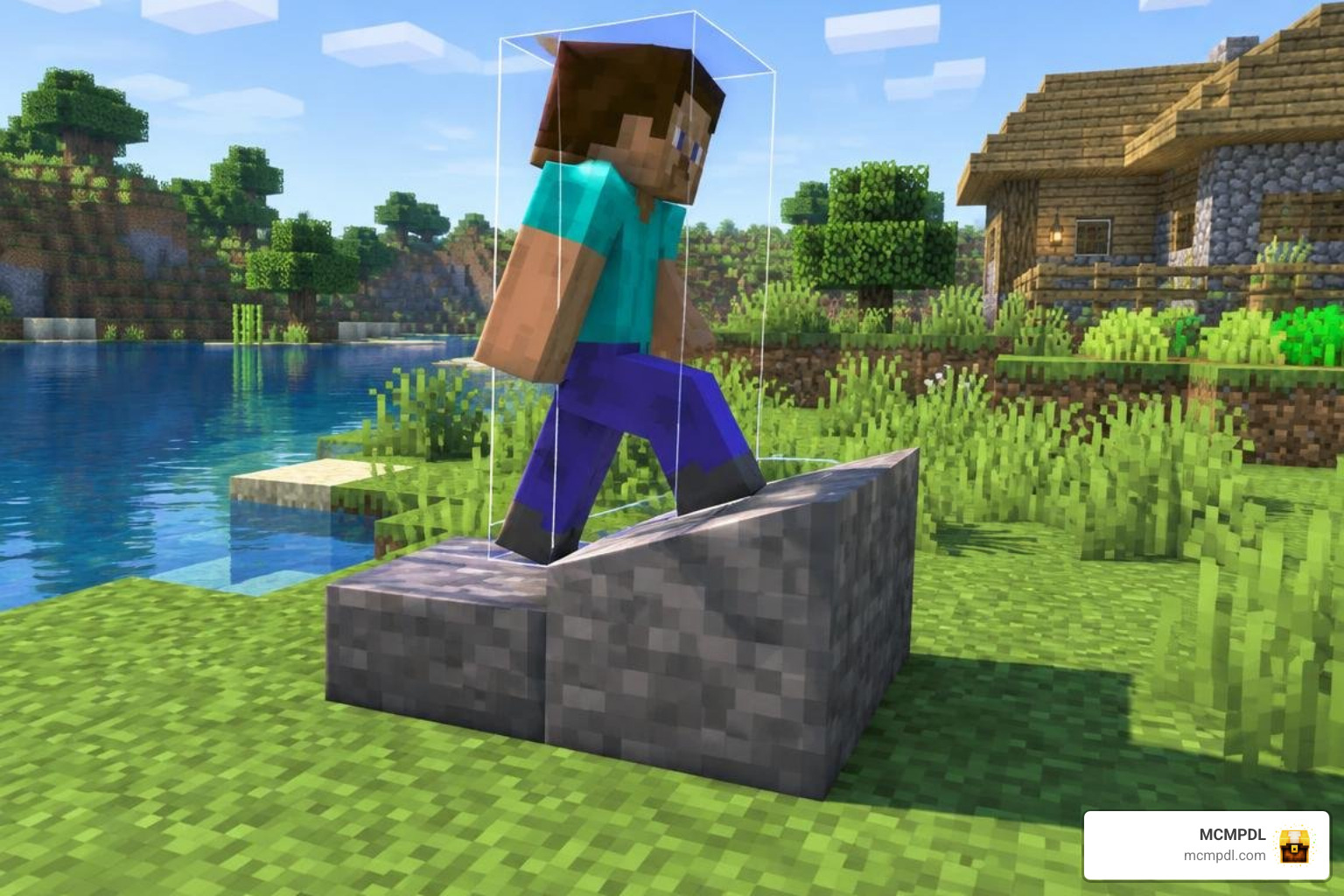
- Hitbox Collision Quirks: In Minecraft Bedrock, custom non-cube shapes (such as stairs or special trim blocks) can sometimes exhibit simplified bounding boxes. If walking over custom steps feels bumpy, placing a standard wall or slab directly beneath or behind the block can provide smooth collision.
- Clutter and Micro-Detailing: If you want to place tiny decorative accents alongside your full-sized custom masonry, you can use the Mini Blocks 2.0 Add-on to add miniature figurines and tabletop models without breaking block alignment.
Frequently Asked Questions About Custom Blocks in Bedrock
Is the More Custom Blocks 2 Add-On Compatible with Minecraft 1.21?
Yes, the add-on is designed to function smoothly on recent Minecraft Bedrock versions, including 1.21 and above. Always ensure your game is updated to the latest stable release and that your experimental gameplay toggles are enabled in world settings for full compatibility.
Do Custom Blocks Require Experimental Gameplay Toggles?
Yes. Custom block geometry, crafting recipes, and interactive definitions in Bedrock rely on internal creator features. When creating or editing your world, you should always enable experimental options such as “Holiday Creator Features” and “Upcoming Creator Features” to prevent missing textures or broken recipes.
Are the Added Elements True Blocks or Re-Skinned Entities?
They are true blocks! Unlike older modifications that spawned invisible armor stands with custom models, this add-on registers authentic block IDs directly with Bedrock’s engine. This ensures better world performance, solid hitboxes, and correct tool-breaking behavior.
Conclusion
Expanding your Minecraft Bedrock worlds with custom blocks brings fresh life into survival bases, creative builds, and adventure maps. The More Custom Blocks 2 Add-On provides a balanced, survival-friendly way to introduce detailed masonry, structural puzzle mechanics, and unique decorations without the technical headaches of entity-based mods.
At MCMPDL, our goal is to bring you the best tested modifications, maps, and texture packs in one easy-to-browse location. Explore our vast curated Minecraft Bedrock add-ons catalog to discover more building tools, gameplay tweaks, and creative resources for your next adventure!